20 Best AI App Marketing Tools In 2026
Boost app growth with the 20 best AI marketing tools of 2026. Master ASO, automate retention, and scale faster with expert picks for indie devs and growth teams
In the market for top-tier app screenshot tools, finding the best fit for your workflow isn’t easy. If you’ve been researching your options, chances are you’ve come across AppLaunchpad vs AppMockUp comparison more than once.
Because let’s be honest, these two app store screenshot generators often show up on almost every shortlist, and for good reason.
While AppLaunchpad is recognised for its large library of 1,000+ screenshot templates and an easy-to-use interface, AppMockUp focuses mainly on custom device frames.
So, which app screenshot tool actually saves you time and makes your app store listings stand out?
This blog dives into a detailed comparison of the two platforms and how each feature adds practical value to your app marketing workflow.
AppLaunchpad focuses on helping users scale screenshot creation with automation features like resizing, localization, and project cloning.
AppLaunchpad is an easy-to-use web-based app store screenshot generator that creates professional, high-conversion screenshots for the Apple App Store and Google Play Store.
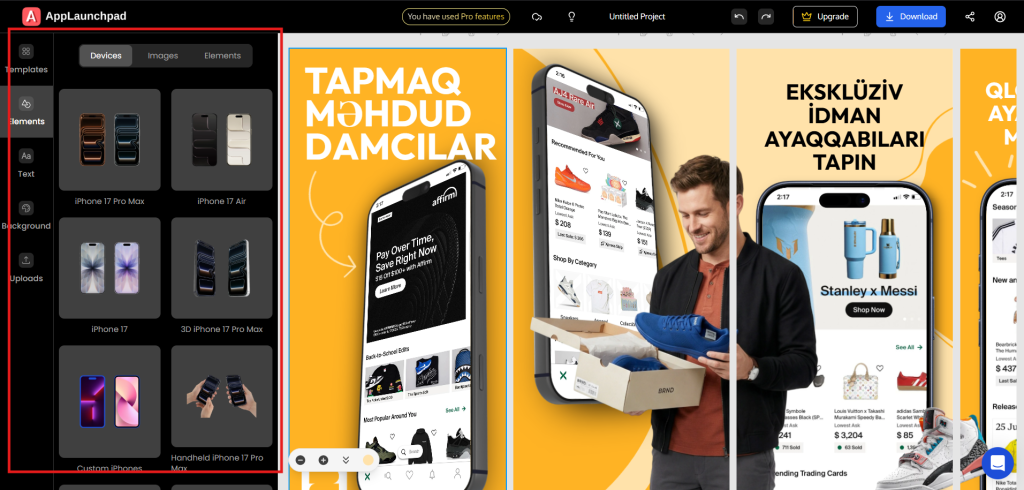
It offers 1,000+ screenshot templates, 10,000+ in-built graphics, and one-click localization in 80+ languages, making app screenshot creation faster and easier.
The app store screenshot tool is particularly useful for developers, designers, and marketers looking to create quick visual or marketing assets without using complex design tools like Photoshop or Figma.
AppMockUp or AppMockUp Studio is a browser-based app store screenshot generator that promises high-quality app screenshots with no prior design experience.
However, the platform has limited template variety, with only 70+ screenshot templates, and operates on a pay-per-template model, which can be expensive.
Great for creating one-time screenshots, but less ideal and more expensive for long-term use and for creating multiple app store screenshots for store listings.
Before we get into the nitty-gritty, here’s a quick look at what AppLaunchpad and AppMockUp are all about.
AppLaunchpad
AppLaunchpad is a simple but powerful tool for creating app store screenshots. Whether you’re a developer, marketer, or designer, it helps you get your app ready for the App Store or Google Play without any hassle.
You get over 1,000 templates designed from scratch by the team, so no copyright worries. Plus, there are 20,000+ graphics to play with, and AI tools that can resize your screenshots for different devices and instantly translate them into other languages.
It works on both iOS and Android and is designed to be easy to use, even for beginners with no design skills. If you’re launching an app, AppLaunchpad saves you time and helps your screenshots look great.
AppMockUp
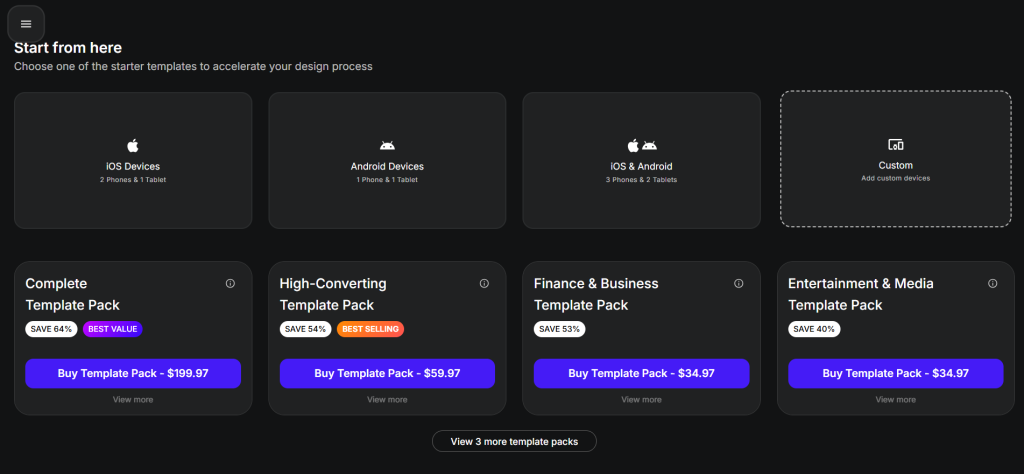
AppMockUp is a browser-based tool that creates app screenshots quickly. You don’t need any design experience. It works on a pay-per-use model, so you only pay when you need it.
The tool is best suited for simple projects or one-time use. Since it relies on AI automation, you get less control over the final design. There’s no built-in library of graphics or templates to customize further, so what the AI creates is what you get.
If you need a fast, no-fuss screenshot for a single app and don’t plan to make many changes, AppMockUp gets the job done.
| Feature | AppLaunchpad | AppMockUp |
| Template Library | 1000+ templates | 70+ templates |
| AI Automation Template Sizing | Yes | No |
| 3D Device Screenshots | Yes (20+ angles) | No |
| Hand-held Devices | Yes | No |
| Custom Devices | Yes | Limited to 2 |
| Built-in Graphic Collection | Yes (20,000+) | No |
| Unsplash Integration | Yes | No |
| Solid and Gradiant Background | Yes | Yes |
| Drag-and-drop Interface | Yes | No |
| Panoramic Background | No | Yes |
| AI Localization | Yes (80+ languages) | No |
| Custom Font Upload | Yes | No |
| Brand Assets Upload | Yes | No |
| Project Cloning | Yes | No |
| Per Template Pricing | No | Yes |
| Fixed Subscription Pricing | Yes | No |
| Screenshot Inspiration Tool | Yes | No |
| Beginner-Friendly | Yes | No |
| Cost-effecient | Yes | No |
| Free Plan | Yes | Yes |
| Pricing | $19/ month (With code APPLOVE) | No monthly/ yearly plan. Template packs range from $19.47 to $199.97 |
Let’s look at how the two app screenshot tools differ in each feature.
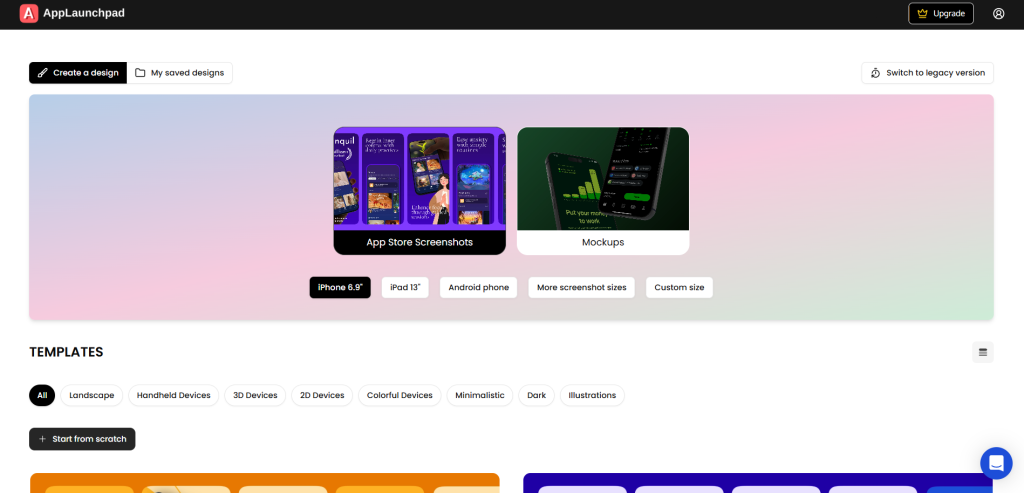
AppLaunchpad comes with over 1,000 pre-built screenshot templates. These are spread across popular app categories like fitness, e-commerce, SaaS, entertainment, finance, and more.
Every template is designed by an in-house team, so you get fresh, original layouts without worrying about copyright issues. AppLaunchpad also includes trending styles, such as in-hand device shots and panoramic layouts, that look great on the App Store.
AppMockUp
AppMockUp offers around 70+ screenshot templates. They are grouped into bundles by category, but the selection is much smaller. You won’t find many modern or trending layouts designed specifically for app store listings.
Verdict:
AppLaunchpad is the clear winner here. With over 1,000 templates across multiple categories, you get far more variety and flexibility. Whether you’re launching a fitness app or a finance app, there’s a template ready to go.
AppMockUp’s 70 templates may work for simple projects, but the limited options can feel restrictive if you want your screenshots to stand out.
AppLaunchpad
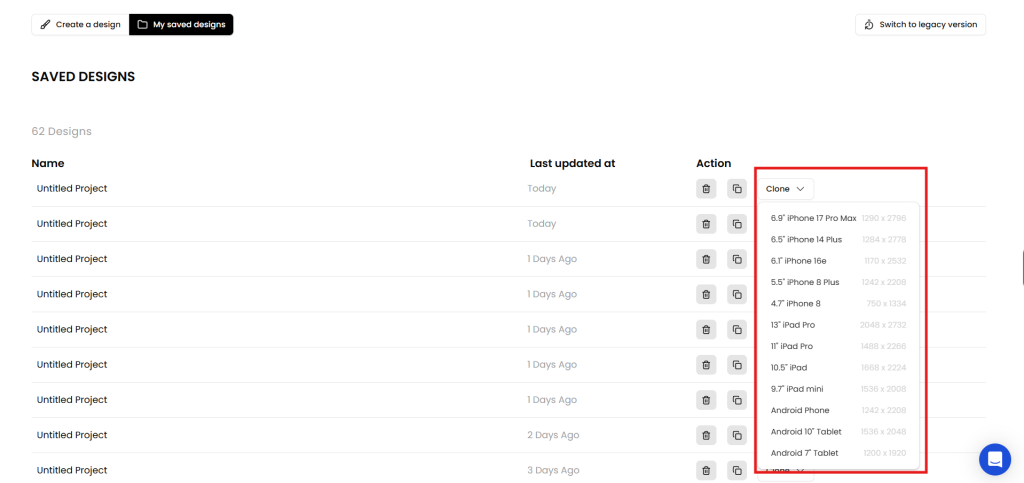
AppLaunchpad includes AI-powered auto-resizing that adapts your screenshots to fit different device sizes. This means you can design once and instantly generate versions for iPhones, Android phones, and iPads.
The tool also lets you clone entire projects across multiple screen sizes while keeping the layout and styling intact. Just go to My saved designs, then click on the clone dropdown under the Action section.
AppMockUp
AppMockUp offers AI automation as well, but the available size options are limited. You may find that certain device sizes aren’t supported, especially the latest iOS devices like the iPhone 17 Pro Max. This means extra manual work to prepare your screenshots.
Verdict:
AppLaunchpad wins again. Its AI resizing supports a wide range of devices, making scaling your screenshots effortless. AppMockUp’s AI features work, but the limited size options mean you’ll likely need additional tools or manual adjustments to complete your store listings.
AppLaunchpad
AppLaunchpad supports over 150 devices, including the latest models like iPhone Pro Max variants and Android flagships. You can also create screenshots in custom sizes if your project requires something specific.
AppMockUp
AppMockUp does not offer support for many of the latest devices. For example, newer iPhone Pro Max models aren’t available, which can make your screenshots look dated compared to those from apps that showcase the latest hardware.
Verdict:
AppLaunchpad takes this one easily. With support for 150+ devices and the latest models, your app store screenshots will always feel current. AppMockUp’s limited device library means you might be stuck using older frames that don’t match today’s app store expectations.
AppLaunchpad
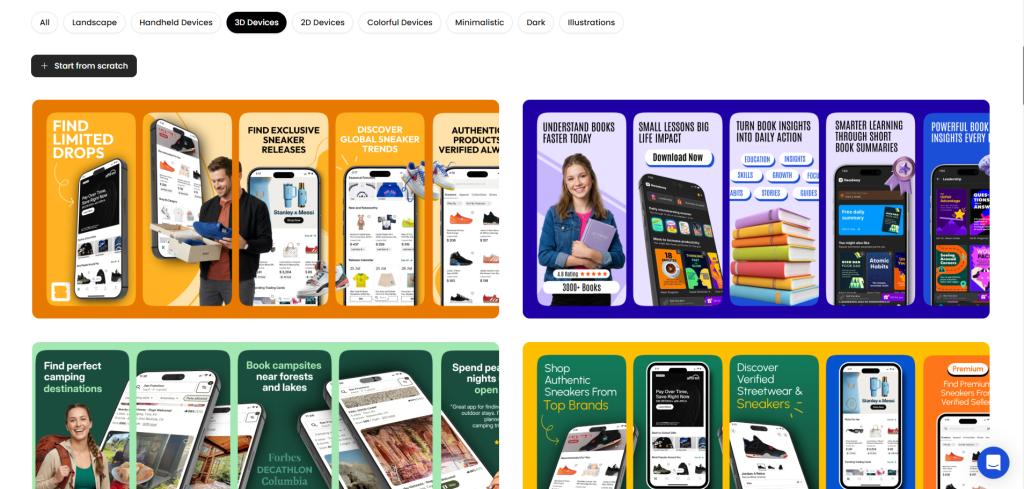
Alt text: AppLaunchpad 3D device templates.
AppLaunchpad provides over 80 3D device templates with 20 preset angles. This variety helps you tell a better story with your app screenshots, showing your app from different perspectives and in more realistic settings.
AppMockUp
AppMockUp mostly offers static app screenshot templates. There are very few 3D device options, and you won’t find multiple viewing angles to choose from.
Verdict
AppLaunchpad is the better choice for 3D mockups. The 80+ templates and 20 angles give you creative freedom to present your app in ways that static screens simply can’t match. AppMockUp’s limited 3D options mean your screenshots may look flat by comparison.
AppLaunchpad
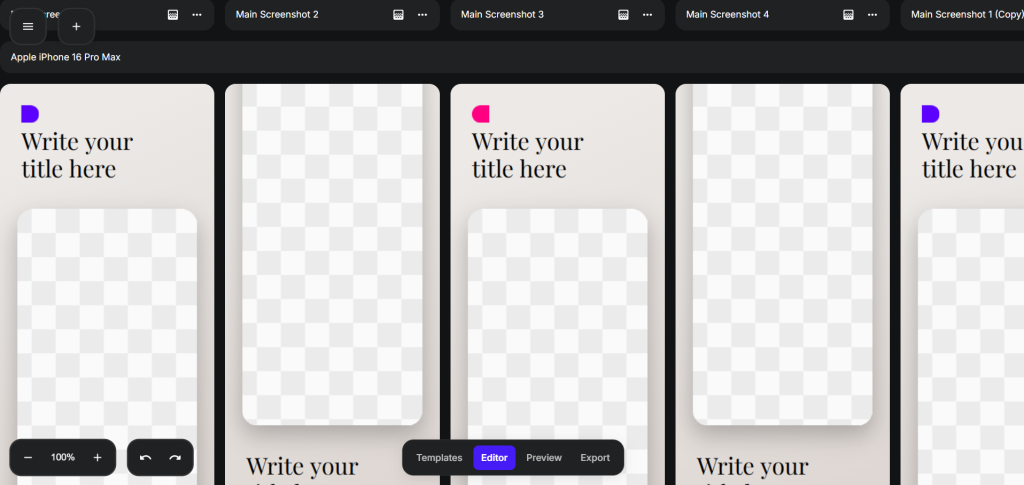
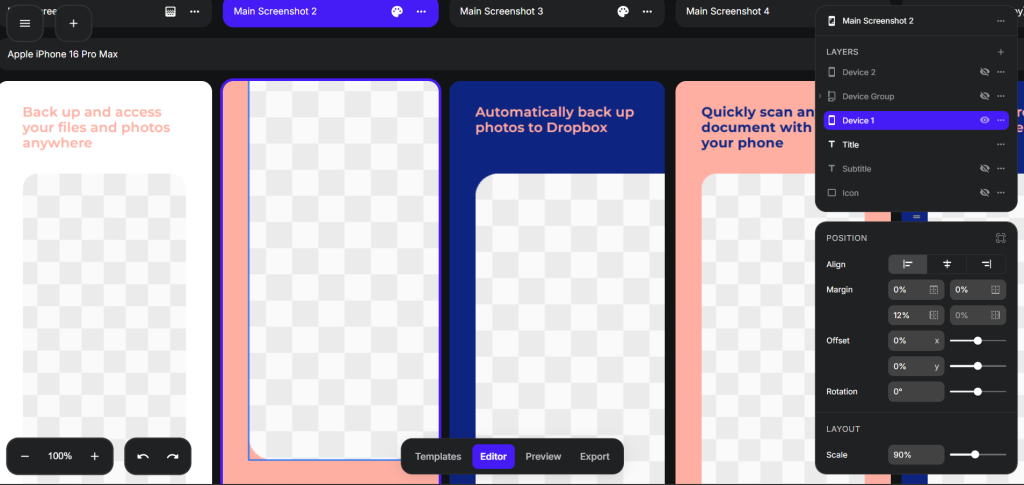
AppLaunchpad features a simple drag-and-drop interface. You can easily add built-in visual assets, swap templates mid-project, and rearrange elements until everything looks just right.
The editor is designed to be intuitive, so you spend less time figuring out how things work and more time creating.
AppMockUp
AppMockUp has a more complex interface. The user experience isn’t as smooth, and there’s no option to replace or swap templates once you’ve started. Making changes often requires more steps than it should.
Verdict
AppLaunchpad is far easier to customize. The drag-and-drop editor and template-swapping flexibility mean you can experiment freely. AppMockUp’s interface can feel clunky, and the lack of template swapping makes it harder to iterate on your designs.
AppLaunchpad
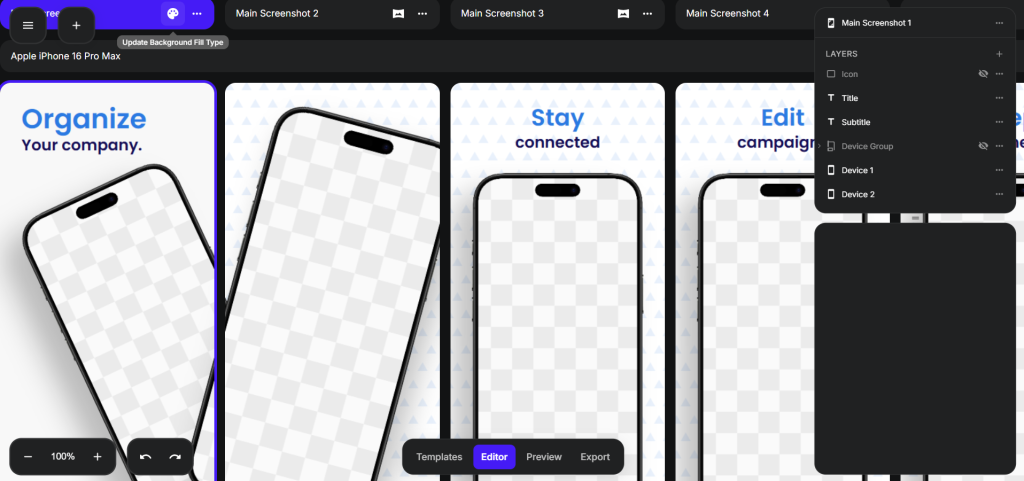
AppLaunchpad offers a wide selection of fonts, gradients, and color palettes to style your app screenshots. It also integrates with Unsplash, giving you access to thousands of high-quality background images directly inside the editor.
AppMockUp
AppMockUp has basic font and color options, but no Unsplash integration. You’ll need to source background images elsewhere and upload them manually.
Verdict
AppLaunchpad provides more styling tools out of the box. The Unsplash integration alone saves time by putting professional backgrounds just a click away. AppMockUp’s manual approach means extra steps and slower workflows.
AppLaunchpad
AppLaunchpad supports one-click localization in 80+ languages. This is a huge time-saver if you’re launching in multiple countries. The AI handles the translation, and your app screenshot layouts stay intact.
AppMockUp
AppMockUp does not offer automated localization. If you need screenshots in different languages, you have to translate and update everything manually.
Verdict
AppLaunchpad is the obvious winner for localization. The ability to translate entire app screenshot sets with a single click is invaluable for reaching global audiences. AppMockUp’s manual process is slow and error-prone, especially when targeting multiple markets.
AppLaunchpad
AppLaunchpad includes over 10,000 built-in graphics, icons, illustrations, and design elements you can add to your app store screenshots without leaving the platform.
AppMockUp
AppMockUp has no built-in graphics library. Any icons or illustrations you want to include must be created elsewhere and imported.
Verdict
AppLaunchpad offers a massive, ready-to-use creative library. With 20,000+ assets at your fingertips, you can enhance your app screenshots without juggling multiple tools. AppMockUp’s lack of built-in graphics means more back-and-forth and slower design work.
Both AppLaunchpad and AppMockUp can help you create app store screenshots. But they serve different user types.
AppMockUp works best for simple, one-off projects. If you need a few screenshots quickly and don’t plan to update them often, the pay-per-use model might be enough. However, the limited templates, missing device support, and lack of built-in graphics mean you’ll likely need other tools to fill the gaps.
AppLaunchpad is the better choice for anyone serious about their app’s presentation. The massive template library, 20,000+ graphics, AI localization, and extensive device support mean you can create, scale, and update app store screenshots without leaving the platform.
Whether you’re launching one app or managing dozens, AppLaunchpad saves time and delivers professional results.
AppLaunchpad is easier due to drag-and-drop editing. AppMockUp may feel harder with a settings-based workflow
Yes, AppLaunchpad supports AI-based resizing. You can reuse designs across multiple devices
Yes, AppLaunchpad supports app screenshot localization in 80+ languages, including French, Spanish, Chinese, Korean, and more. And you can translate in just one click.
AppLaunchpad offers a large template library of 1000+ templates across varied categories, including finance, fitness, SaaS, and more.
Yes, both offer free plans, but AppLaunchpad includes more features in the free tier.