
Mobbin vs Screensdesign: Comparing Features,…
Mobbin vs Screensdesign are two platforms that help app designers and developers research real-world app designs, user flows, and design […]
Screensdesign is a UI/UX inspiration library that helps app developers, designers, and founders explore real app screens, design patterns, and user flows. Top Screensdesign alternatives include AppLaunchpad for extensive app inspiration, Mobbin for real-world user flows, and Banani for AI-powered design generation.
Among these, AppLaunchpad stands out as the best Screensdesign alternative for its extensive collection of app screens and app store screenshots, along with practical design references, making it easier to research and explore app design ideas.
To select these alternatives, we compared the Screensdesign app design library for features like user-flow coverage, design research capabilities, and accessibility, against its alternatives.
And with these options compared side by side, let’s see which Screensdesign alternative best fits your workflow, budget, and design research needs.
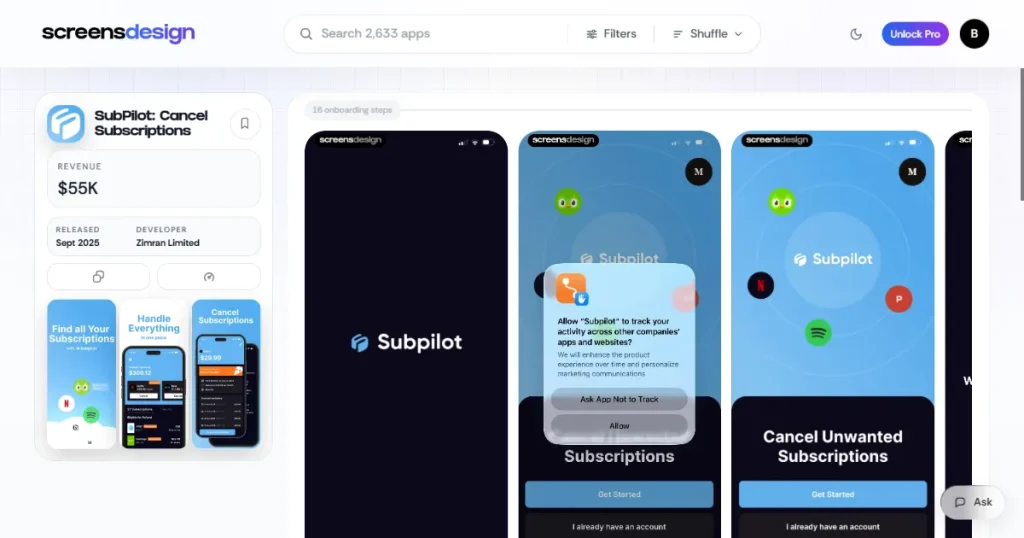
Screensdesign started out as a UI/UX research tool featuring real app UI screens, user flows, revenue, and app store screenshots. However, it has evolved beyond design research to include AI-powered UI generation, allowing users to create app screens from scratch.
It uses AI to scan and research design patterns based on your text prompt and creates the first draft of app UI designs. You can then export the design to Figma to edit and refine the screens.
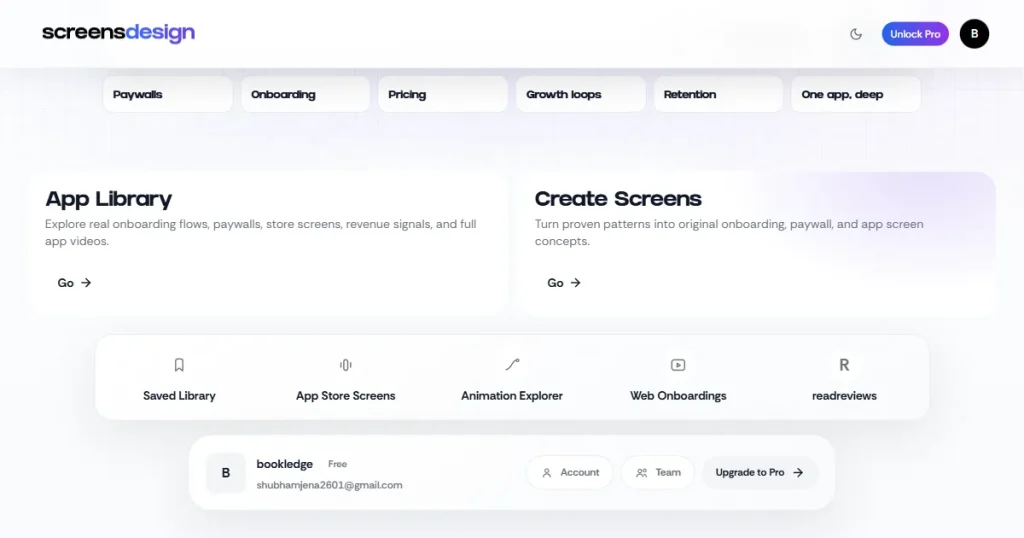
Here are some key features that make the Screensdesign pricing feel worth it.
Professional app designers use Screensdesign for the following reasons.
Although Screensdesign is one of the best UI/UX research tools and offers AI user interface generation capabilities, it falls short on the following parameters.
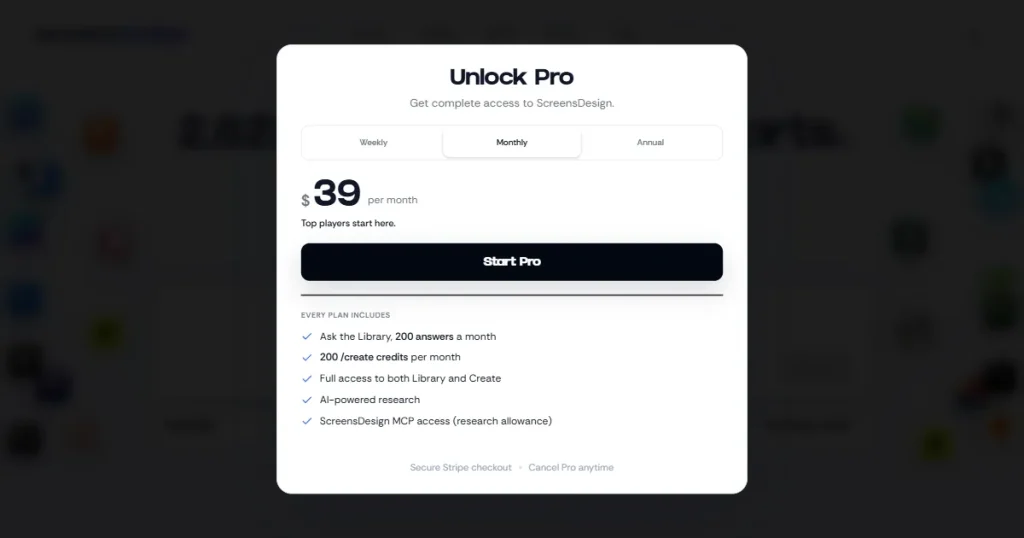
Screensdesign pricing has different tiers.
Here are a few features you should consider when looking for Screensdesign alternatives.
Let’s first have a quick look at the top Screensdesign alternatives and what they are good at.
| Tool | Best For | Starting Price |
| AppLaunchpad | App screenshots and App design inspiration | $15/month |
| Mobbin | Complete user flows | $15/month |
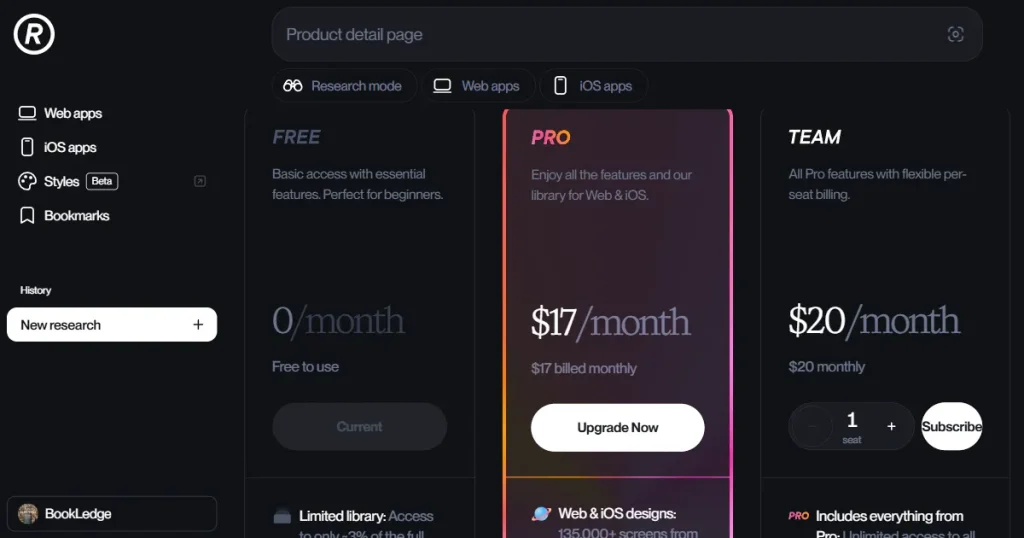
| Refero | UI/UX research | $17/month |
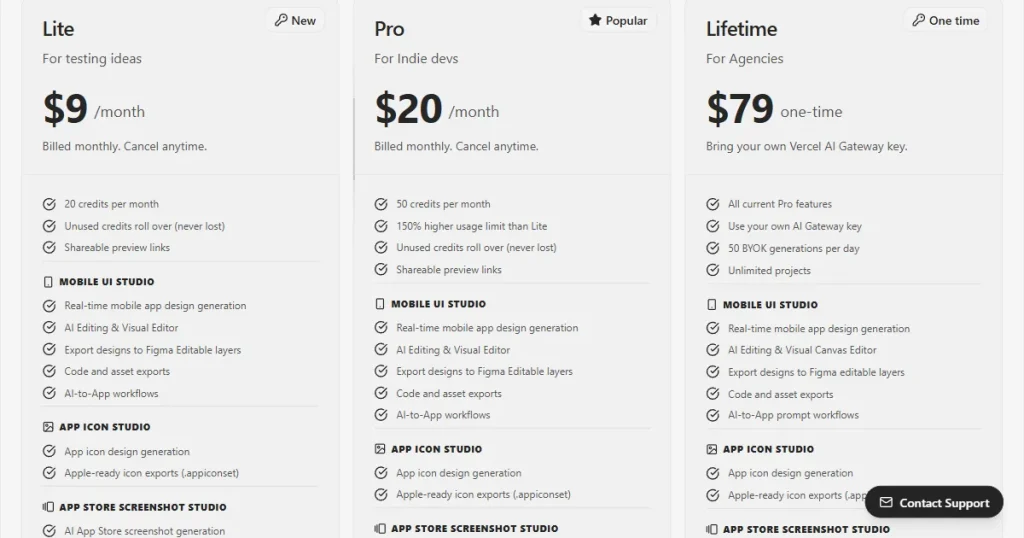
| Appthetics | AI app design | $9/month |
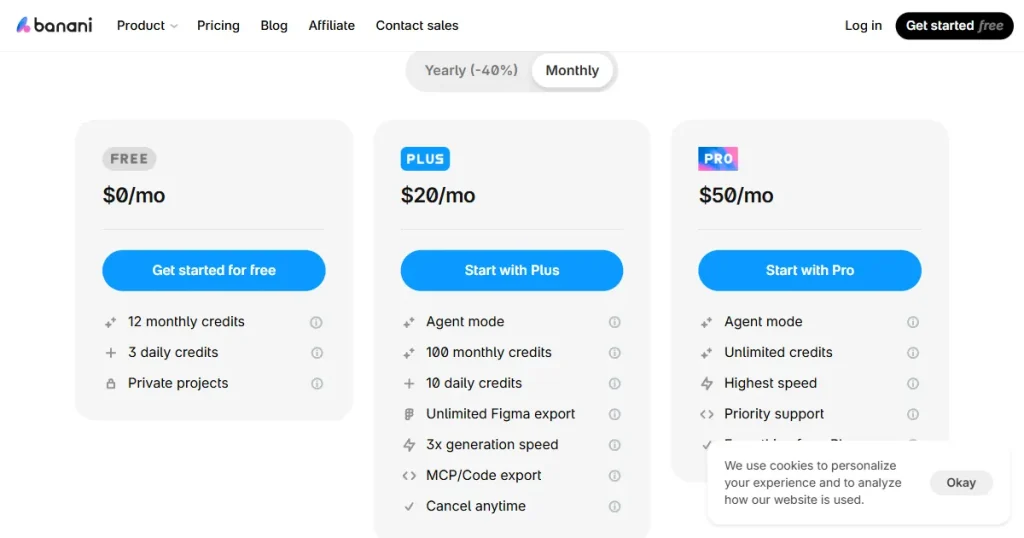
| Banani | AI-powered UI creation | $20/month |
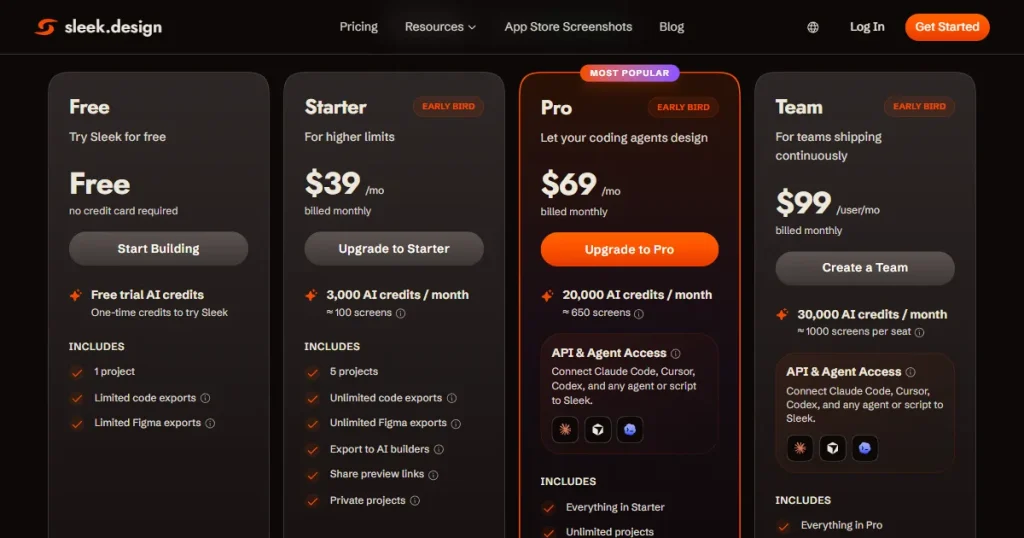
| Sleek | Mobile app generation | $39/month |
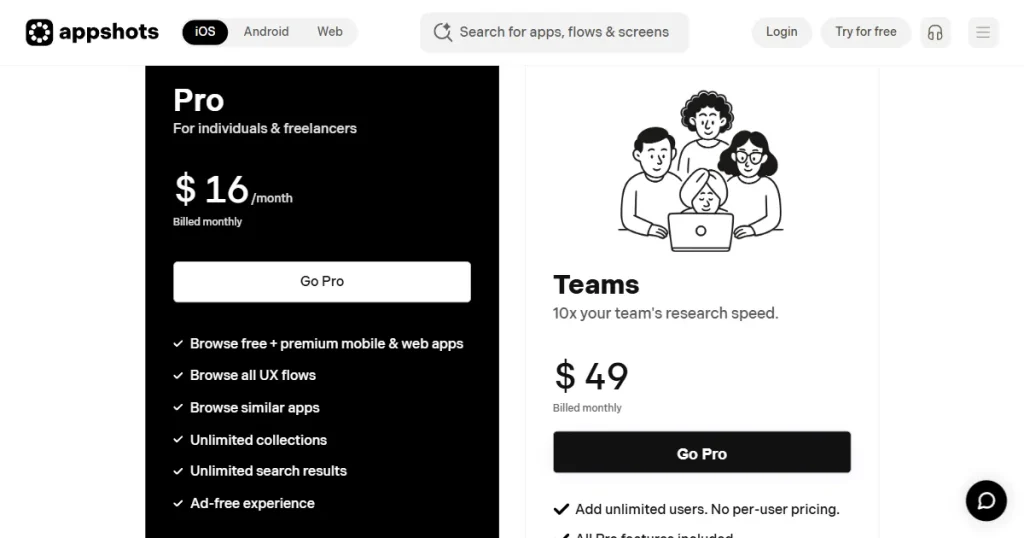
| Appshots | App UI inspiration | $16/month |
Now, let’s have a detailed look at some of the best Screensdesign alternatives.
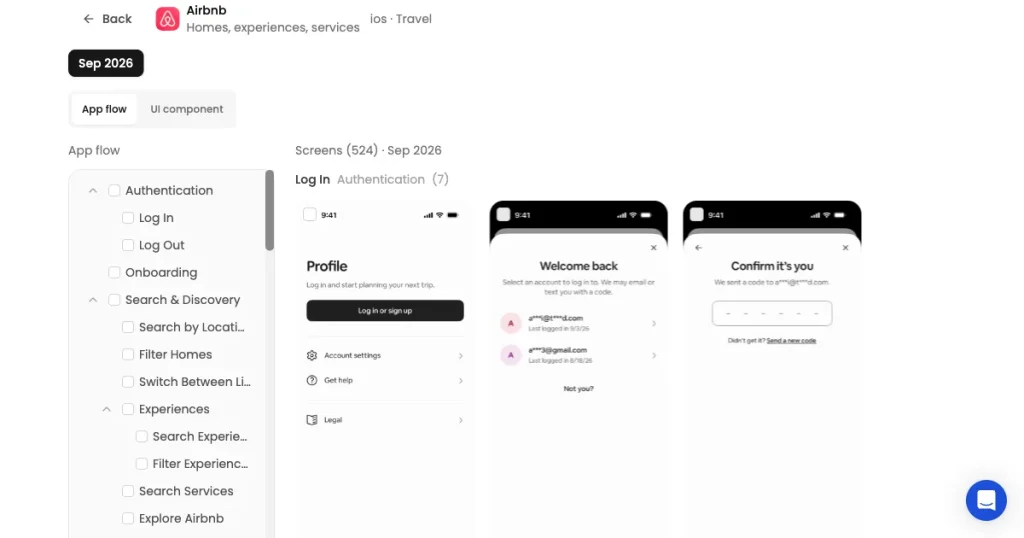
What is AppLaunchpad?
AppLaunchpad is an app store screenshot generator that lets users create app store screenshots to present their app professionally on app stores. AppLaunchpad has also added an app UI/UX design inspiration tool to its library, explore top-performing apps, browse their UI screens and user flows, and see how they design the user experience.
| AppLaunchpad | ScreensDesign |
| Covers app screens, flows, and clips with detailed categorization of app features | Focuses primarily on mobile apps, especially iOS products |
| Lets you search app screens by specific UI components and browse complete app flows | Has 2,600+ top iOS apps with detailed screens and app experience references |
| Better for finding specific UI components, screens, flows, and detailed app references | Better for studying onboarding, paywalls, app funnels, and monetization patterns |
| Includes detailed coverage of individual apps, screen and flow downloads, similar recommendations, and a Figma plugin | Combines its design research library with AI-powered app UI generation |
| Better choice if you need a focused app UI library with powerful screen, flow, and component-based search | Better choice if your research is focused specifically on successful mobile apps and their growth and monetization experiences |
Pricing
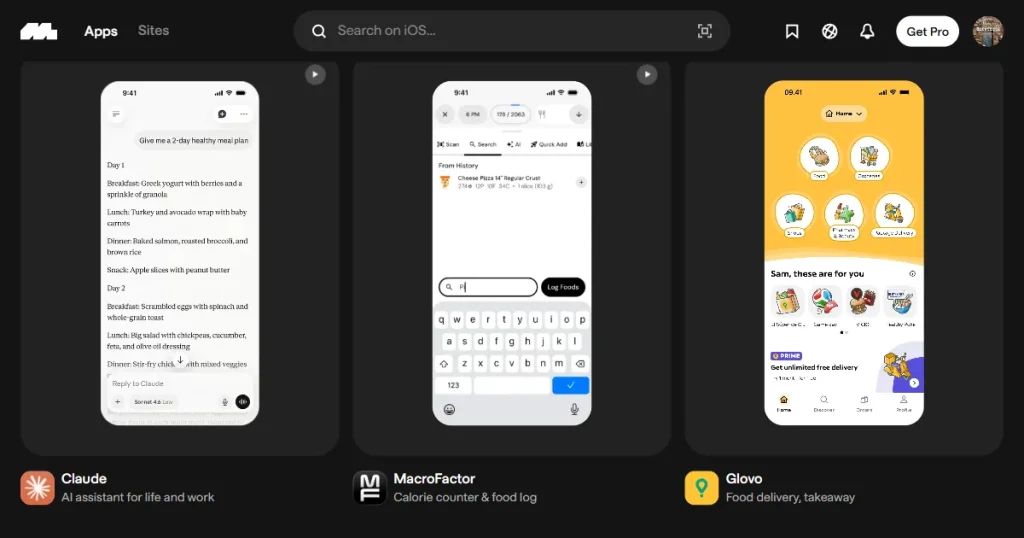
What is Mobbin?
Mobbin is a UI/UX design inspiration platform that features real screens, design patterns, and complete user flows from popular mobile and web apps. If you compare Screensdesign vs Mobbin, Mobbin stands out for its extensive collection of real-world app user interfaces and detailed user flows that help designers understand how established apps solve UX problems.
| Mobbin | ScreensDesign |
| Covers mobile and web apps, making it useful for broader UI/UX research | Focuses primarily on mobile apps, especially iOS products |
| Has a very large library of real-world app screens and user flows across 1,000+ apps | Has 2,600+ top iOS app designs with detailed screens and app experience references |
| Best suited for finding specific UI patterns, screens, and complete user journeys | Best suited for studying onboarding, paywalls, app funnels, and monetization patterns |
| Includes features such as interactive flows, video recordings, Figma integration, and AI/MCP access | Combines its design research library with AI-powered app UI generation |
| A strong option if you need a Screensdesign alternative with a broader UI/UX research library. | A good fit if your research focuses on successful mobile apps, their growth, and monetization strategies. |
Pricing
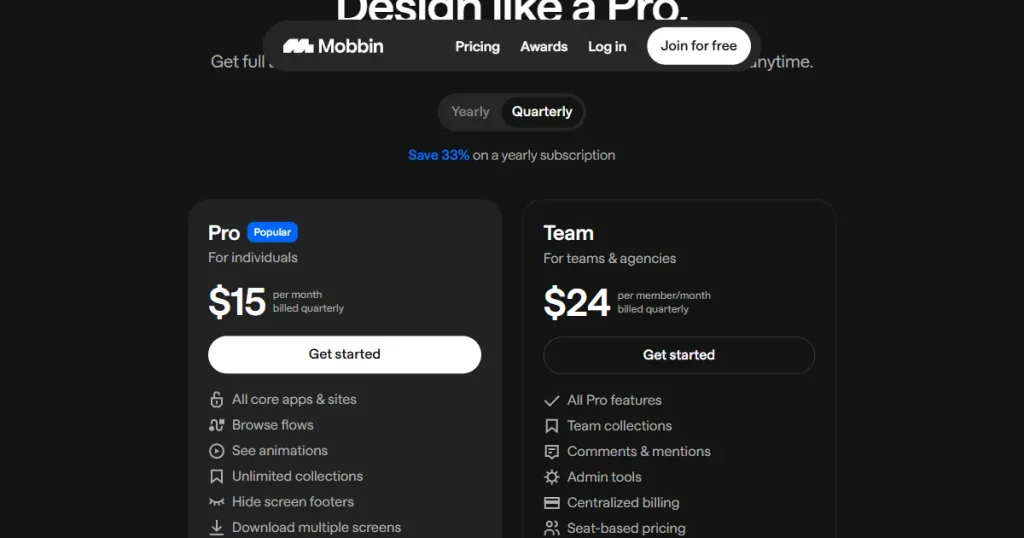
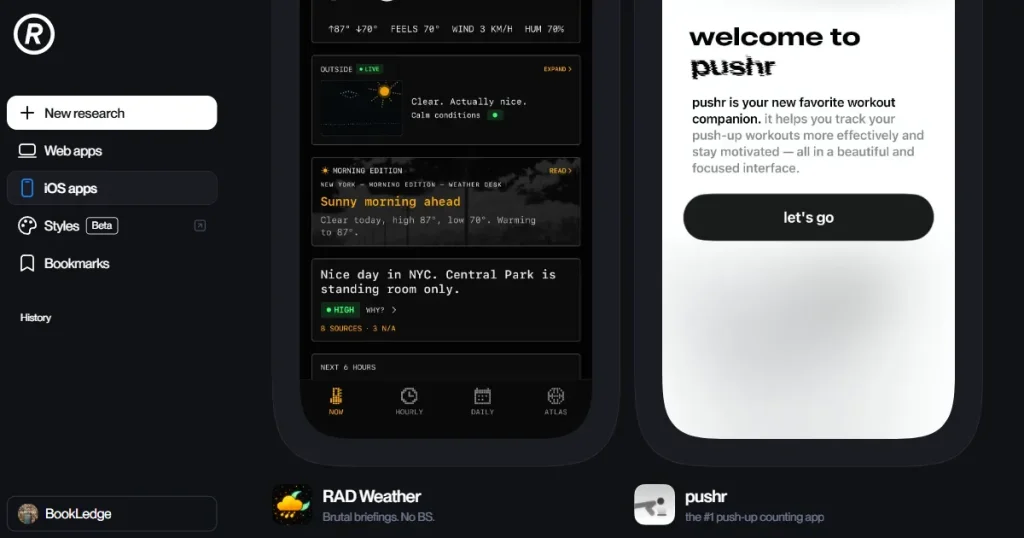
What is Refero?
Refero is a curated UI/UX design research library that helps designers and AI agents study real-world web and mobile app interfaces, streamlining the design and benchmarking process.
| Refero | ScreensDesign |
| Covers web and iOS apps | Focuses mainly on iOS apps |
| 142K+ screens and 12K+ user flows | 2,600+ iOS apps with detailed app references |
| Strong for UI patterns, page types, and user flows | Strong for onboarding, paywalls, and app funnels |
| Offers image search, Research Mode, Figma Plugin, and MCP | Offers AI-powered app UI generation |
| Better for broad Screensdesign alternative research | Better for focused mobile app and monetization research |
Pricing
What is Appthetics?
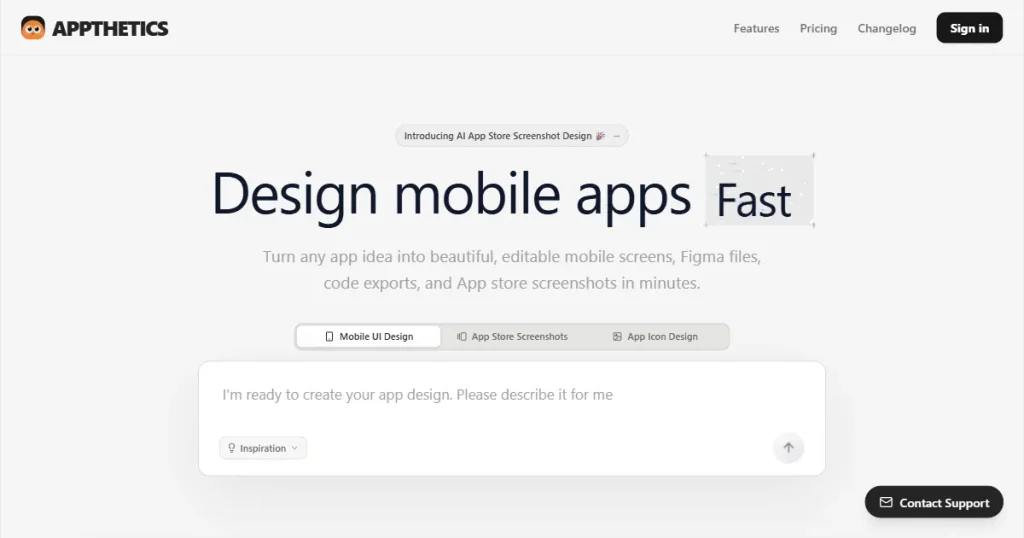
Appthetics is an AI-powered mobile app UI/UX design tool that lets you generate high-fidelity app screens using simple text prompts.
| Appthetics | ScreensDesign |
| Generates mobile UI screens from text prompts | Researches 2,600+ real iOS apps |
| Better for creating app screens from scratch | Better for studying real app screens and flows |
| Includes App Store screenshot, icon, and mockup tools | Includes onboarding, paywall, pricing, and App Store research |
| Exports generated designs to Figma for editing | Combines research with AI-powered screen generation |
| Better Screensdesign alternative for AI app creation | Better for app UI research and monetization inspiration |
Pricing
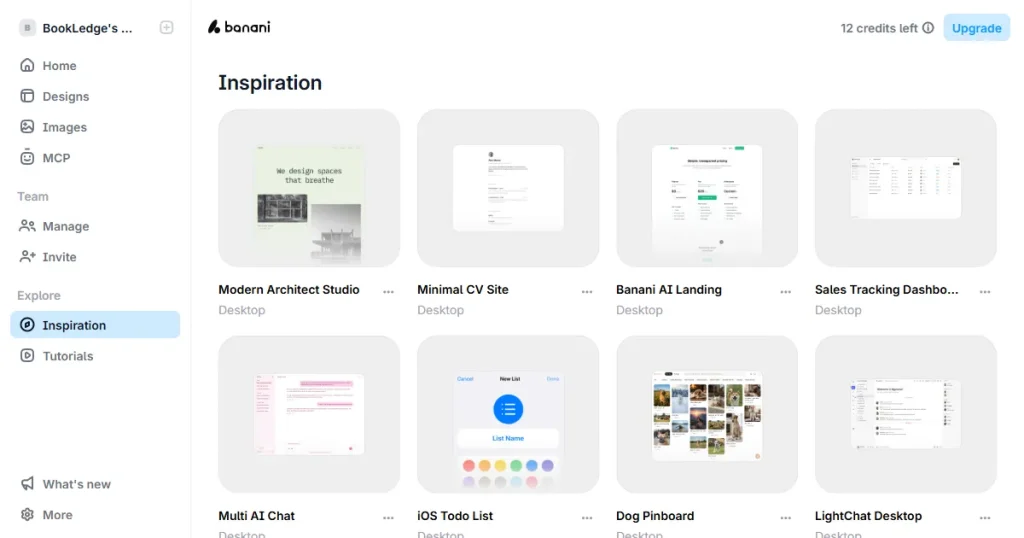
What is Banani?
Banani is an AI UI design tool that generates editable, multi-screen prototypes from text prompts, screenshots, Figma links, or product requirements.
| Banani | ScreensDesign |
| Generates UI designs and prototypes from prompts or images | Researches real screens from 2,600+ top-grossing iOS apps |
| Supports both web and mobile designs | Focuses mainly on iOS app designs |
| Better for creating new designs from scratch | Better for studying real app designs and user flows |
| Exports designs to Figma, HTML/CSS, and code via MCP | Offers AI-powered screen generation based on real app patterns |
| Better Screensdesign alternative for AI-powered UI creation | Better for app research, onboarding, paywalls, and monetization insights |
Pricing
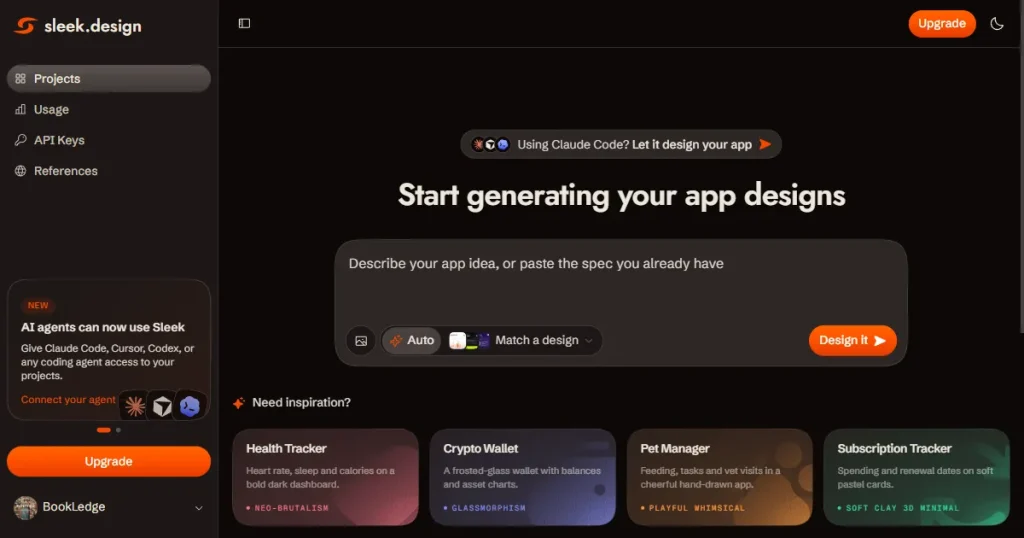
What is Sleek?
Sleek is an AI-powered mobile app design tool that lets you create iOS and Android app screens by describing your idea in a prompt or uploading a reference image.
| Sleek | ScreensDesign |
| Generates mobile app designs with AI | Researches 2,600+ real iOS apps |
| Supports iOS and Android designs | Focuses mainly on iOS apps |
| Better for creating app screens from prompts and images | Better for studying real app screens and flows |
| Exports designs to Figma and code | Includes app revenue, paywall, onboarding, and pricing insights |
| Better Screensdesign alternative for AI-powered app creation | Better for app research and monetization inspiration |
Pricing
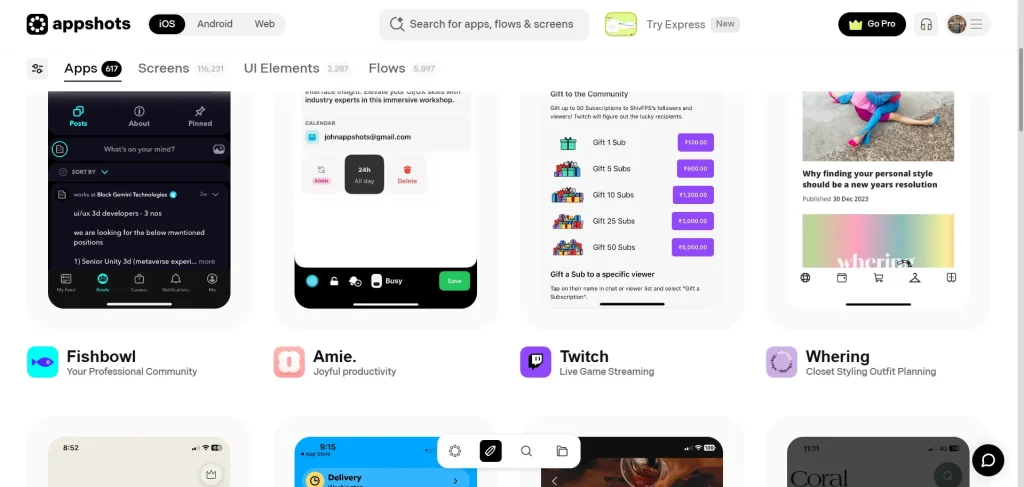
What is Appshots?
Appshots is a dedicated UI/UX research tool designed for product managers, designers, and founders. It provides a curated gallery of high-resolution mobile app screenshots and flows from various categories.
| Appshots | ScreensDesign |
| Covers iOS, Android, and web apps | Focuses mainly on iOS apps |
| 400+ apps, 1,000+ flows, and 120K+ screens | 2,600+ iOS apps with detailed app references |
| Strong for browsing screens, UX flows, and edge cases | Strong for onboarding, paywalls, pricing, and monetization |
| Focuses on curated design research and inspiration | Combines design research with AI screen generation |
| Better Screensdesign alternative for broad app and web inspiration | Better for focused iOS app and monetization research |
Pricing
Now that we looked at some of the best Screensdesign alternatives, let’s have a look at which tool is better for different use cases.
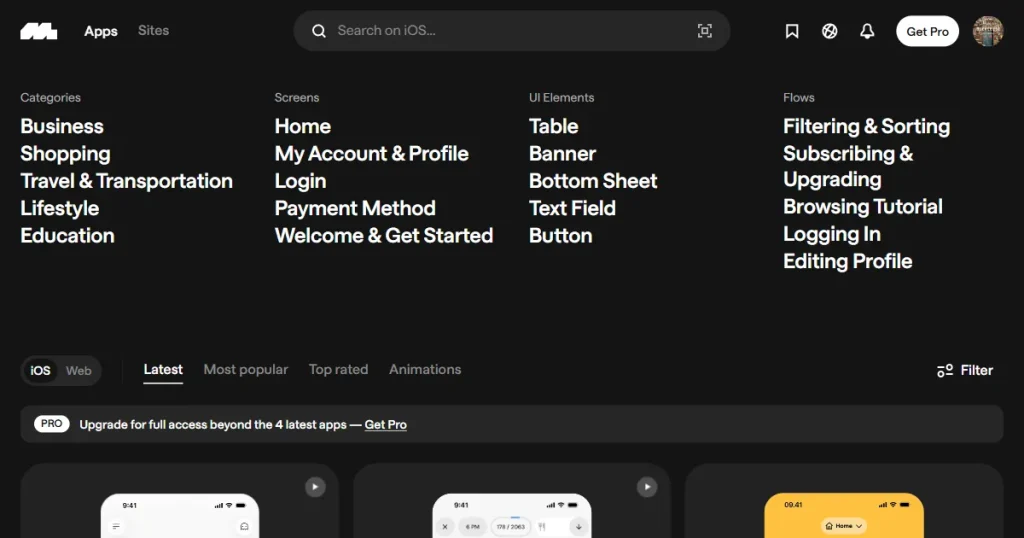
If you are looking for complete user flows, then Mobbin is the best Screensdesign alternative for you, as it covers real app screens, UI elements, and user flows.
The best part is that it neatly organizes its user flows into categories like onboarding, using a specific feature, and paywalls, with screen recordings to give you a sense of user behavior.
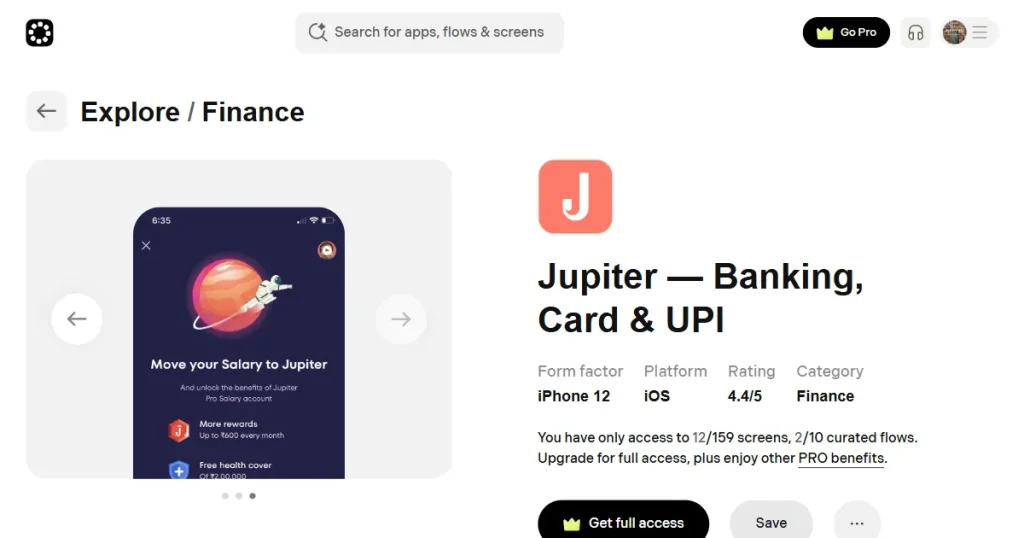
If you want to find a specific screen of an app to learn what kind of screens work best, then Appshots is the best Screensdesign alternative for your specific use case.
It offers over 116k app screens from top-performing iOS, Android, and web apps across the internet. The best part is you can copy the screens directly to Figma and use them as a reference for your app.
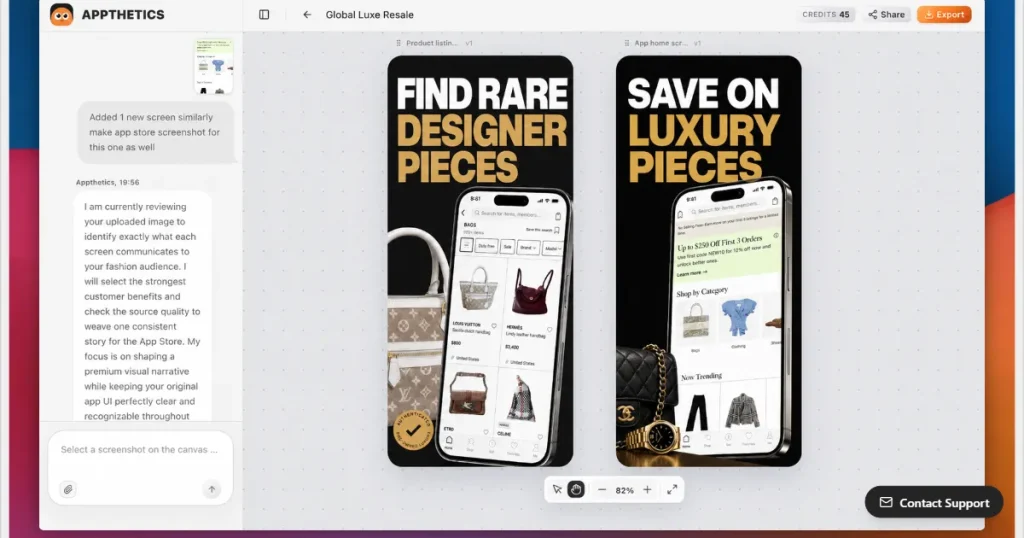
If you are looking for Screensdesign alternatives that will allow you to design mobile user interfaces using AI, then both Appthetics and Sleek are the perfect choice for you.
Their built-in AI reviews your prompt, searches its library for the designs that work best for your use case, and creates complete app screens from scratch.
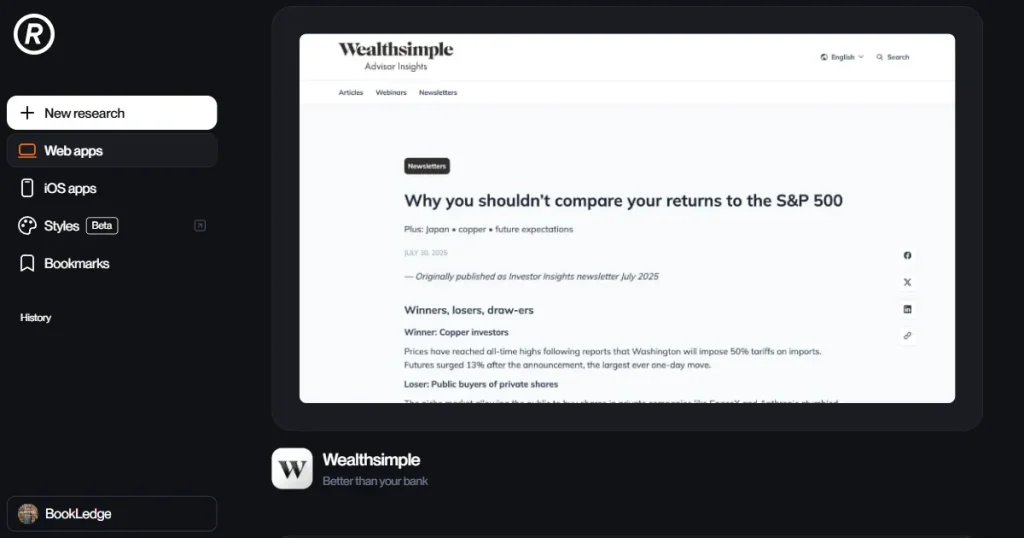
When it comes to web app designs, Refero again stands out as the best Screensdeisgn alternative, as it allows you to explore different page types such as landing pages, product pages, dashboards, blogs, careers pages, and pricing pages of different web apps.
You can also filter websites by category, with nearly 77 web apps across productivity, entertainment, lifestyle, and utilities.
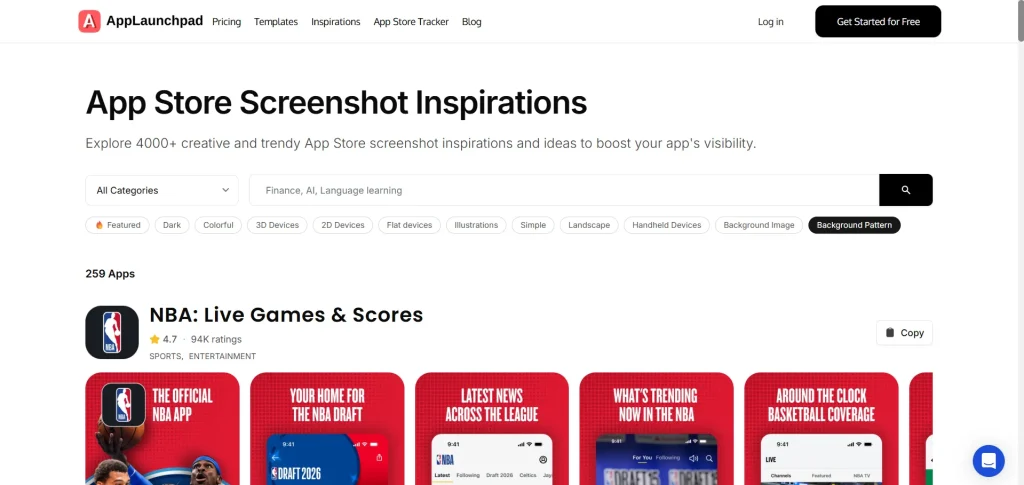
AppLaunchpad is one of the leading app store screenshot generators on the market offering a massive library of 1000+ store-compliant app store screenshots across multiple categories and devices.
Beyond the screenshot generator, AppLaunchpad also offers an app store screenshot inspiration gallery with 4000+ screenshots from top-performing apps. The best part is you can access this library without signing up and get a good idea of how top apps present their app UI on different app stores.
Let’s dive into the step-by-step process to create app store screenshots using AppLaunchpad.
Step 1: Create an Account and Access the Dashboard
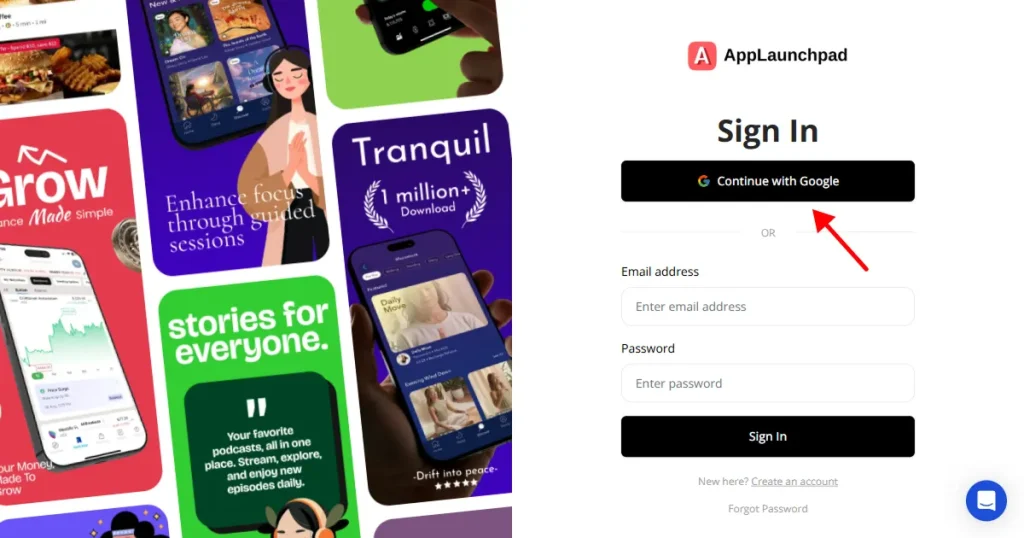
The first step to create app store screenshots using AppLaunchpad is to create an account using your name and email address or sign up for the tool using the Google sign-in method.
Step 2: Choose Your Design Template
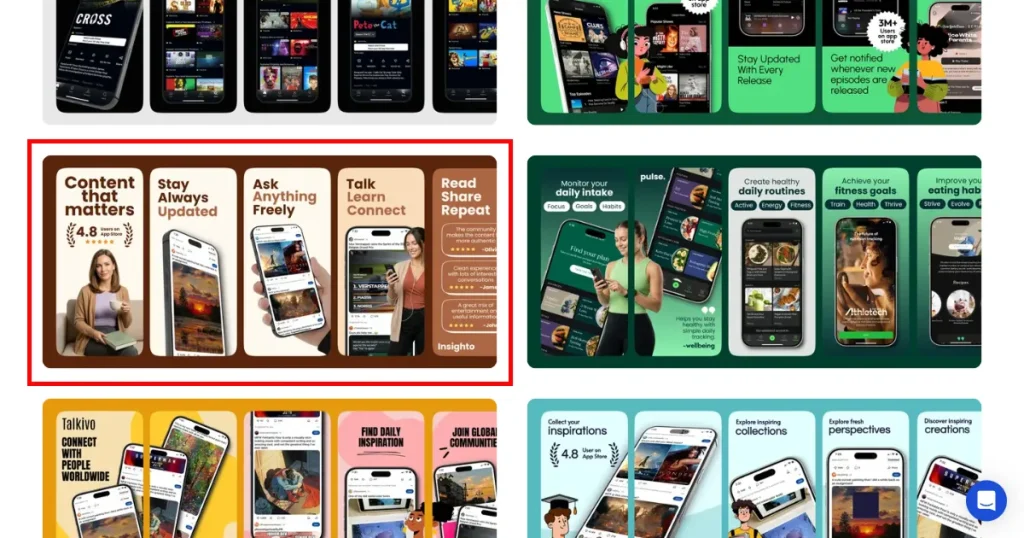
Once inside the tool, you will have access to a bunch of app store screenshot templates. You can click on the template you want to edit, and you will enter the editing workspace.
Step 3: Import Your App UI Screenshots
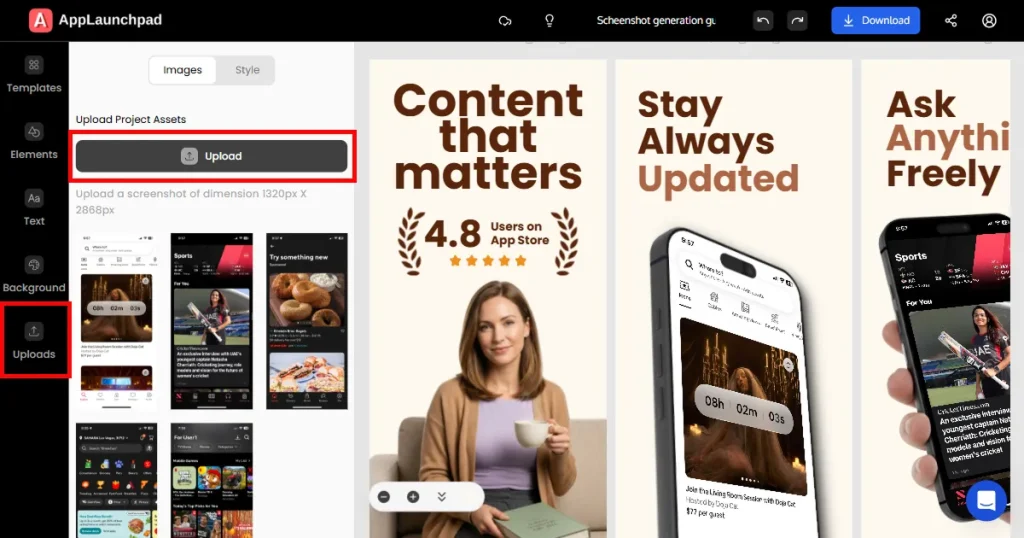
Once inside the editing workspace, you can navigate to the Upload button and click it to upload your app’s raw UI screenshots. Once uploaded, you can drag and drop them within the template.
Step 4: Customize Copy and Typography
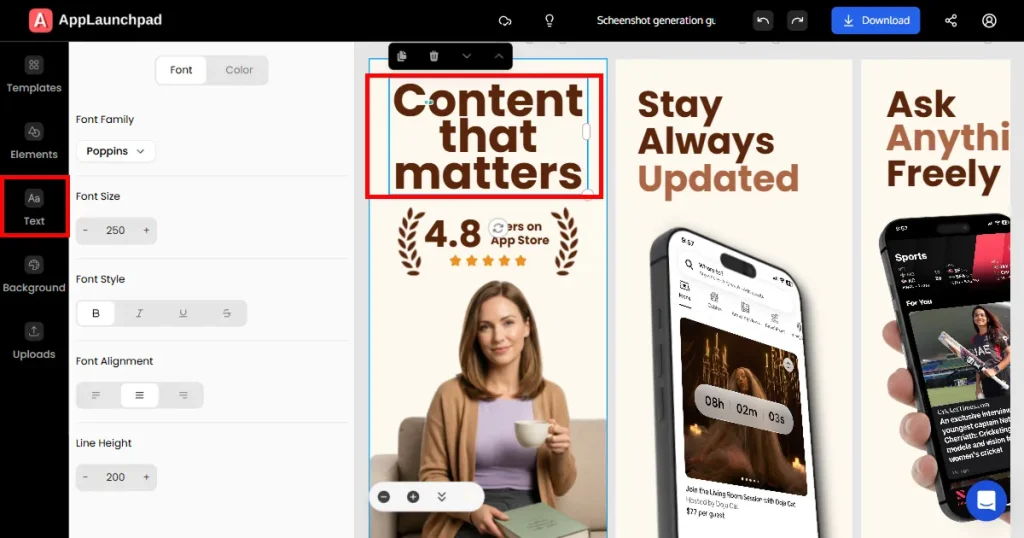
Next, you can click any text box on the screen to edit it. You can also adjust their positioning as you see fit to make them look professional.
Step 5: Localize for Global Stores
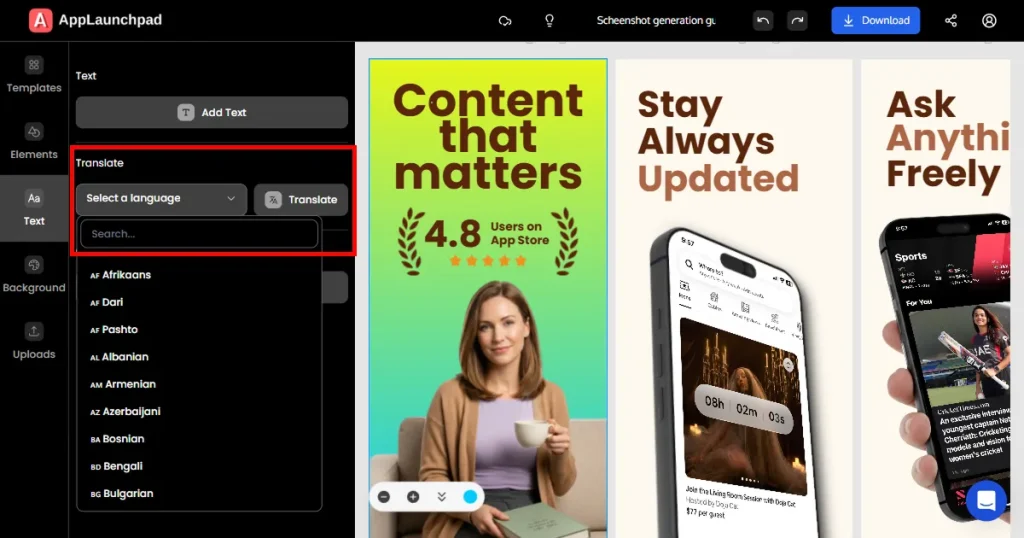
If you are planning to launch your app outside English-speaking countries, you can localize the text on the screen by clicking on the Text button on the left-hand side and choosing the language you want to translate the screenshots into.
Step 6: Clone for Other Devices
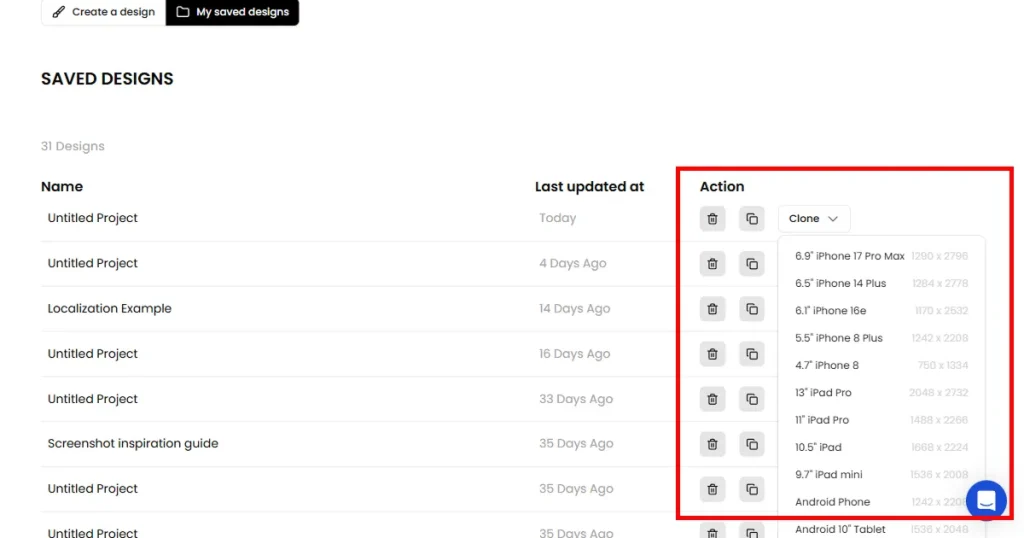
If you are launching your app on different devices like iPads and Androids, you can instantly clone the design you created into different devices by going to your saved designs, where you will get the option to clone your screenshots.
Step 7: Export
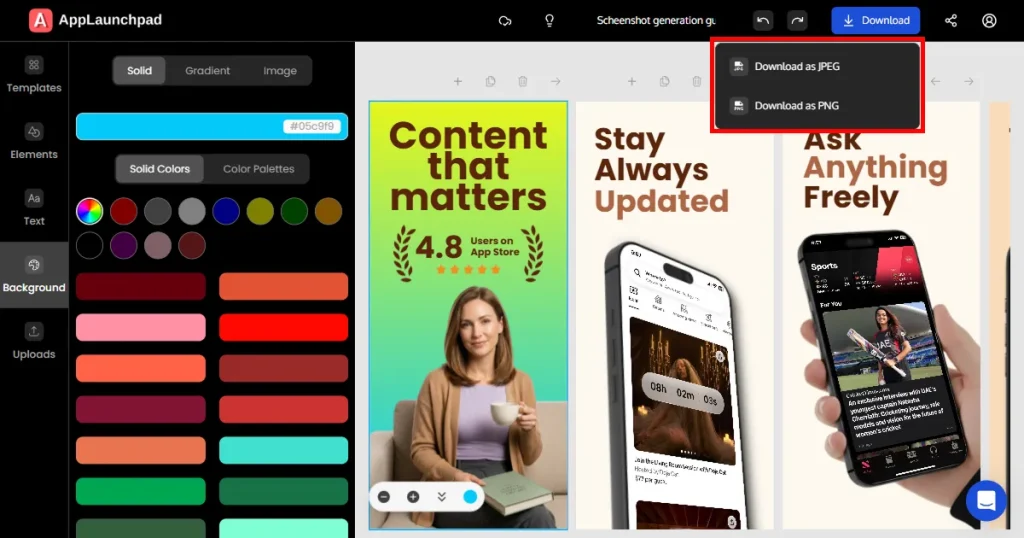
Once you feel that your design is ready to be exported, you can click on the Download button and choose from JPG or PNG to download the app store screenshots onto your device which you can later upload to your app submission.
Screensdesign is one of the best tools if you want to research iOS apps, onboarding, paywalls, and monetization patterns while also generating new screens with AI. However, it doesn’t fit all use cases.
That’s why AppLaunchpad stands out as one of the best Screensdesign alternatives, as it provides app UI/UX design inspiration that helps in the ideation process. But it doesn’t stop at that, it also provides app screenshots inspiration to help you present your app professionally, covering all your needs starting from app ideation to app presentation.
ScreensDesign is a UI/UX research and AI design tool with real iOS app screens, user flows, revenue insights, and AI-powered screen generation.
AppLaunchpad is the best Screensdesign alternative for finding a large collection of real mobile and web app screens and complete user flows.
Screensdesign pricing can be worth it for designers who regularly research iOS apps, user flows, paywalls, and create app UI designs.
The Screensdesign app design library has a limited free tier, while full access to its screens and flows requires a paid plan.
When comparing Screensdesign vs Mobbin, Mobbin is better for UI/UX research and understanding the design psychology behind app screens, while Screensdesign is better for iOS app research focused on onboarding, paywalls, and monetization.
AppLaunchpad is one of the best free Screensdesign alternatives, offering access to 4,000+ app store screenshot inspirations without requiring sign-up.