


Mobbin vs Screensdesign: Comparing Features,…
Mobbin vs Screensdesign are two platforms that help app designers and developers research real-world app designs, user flows, and design […]
Published Nov 17, 2026
12 min
Mobbin is an app UI/UX research platform that provides a massive collection of real app screens, user flows, and UI elements so UI/UX designers can understand how top apps and websites design their experiences.
Refero is an app UI/UX research platform focused on AI-powered research, with native AI that answers queries about app UI/UX designs and helps designers find relevant inspiration.
If you compare Mobbin vs Refero, they offer similar features, but differ in how they support design research. That’s why let’s do a deep dive into both tools to learn where each one stands out and introduce a better alternative to both.
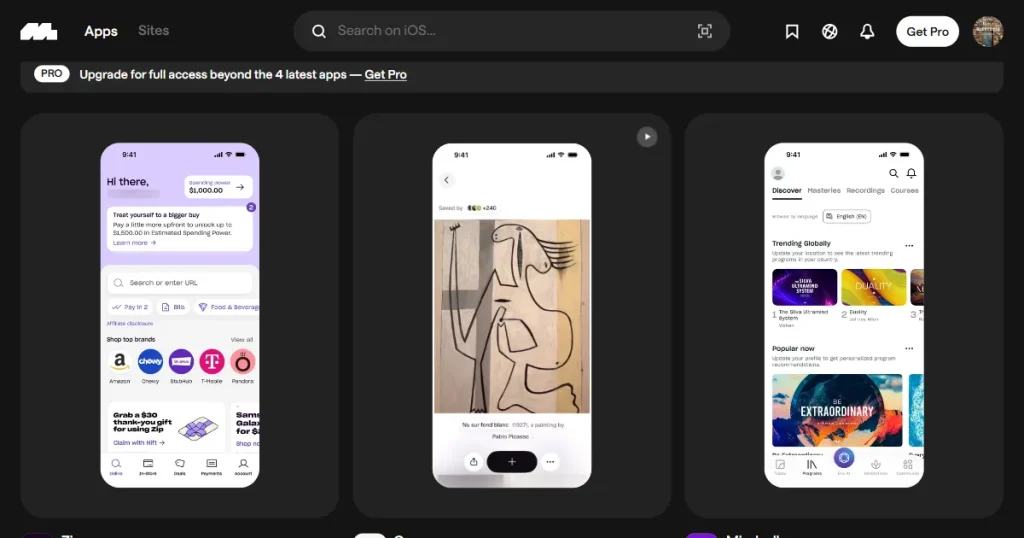
Mobbin is a UI/UX design research platform that allows app developers and designers to access a library of more than 1,000 real app screens, user flows, and UI elements to better understand current app design standards in the market.
Beyond design inspiration, with the Mobbin design platform, you can copy the app screens you find and paste them into Figma to start editing them without having to design your app from scratch.
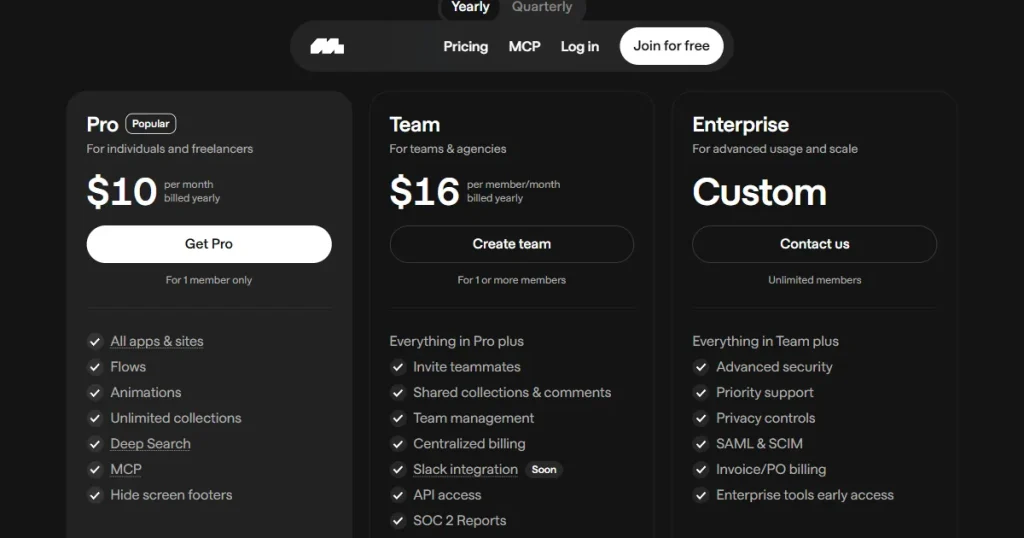
Moreover, Mobbin has recently added MCP integration, which lets various AI tools access Mobbin, retrieve relevant references, and use them to help you design your app or website.
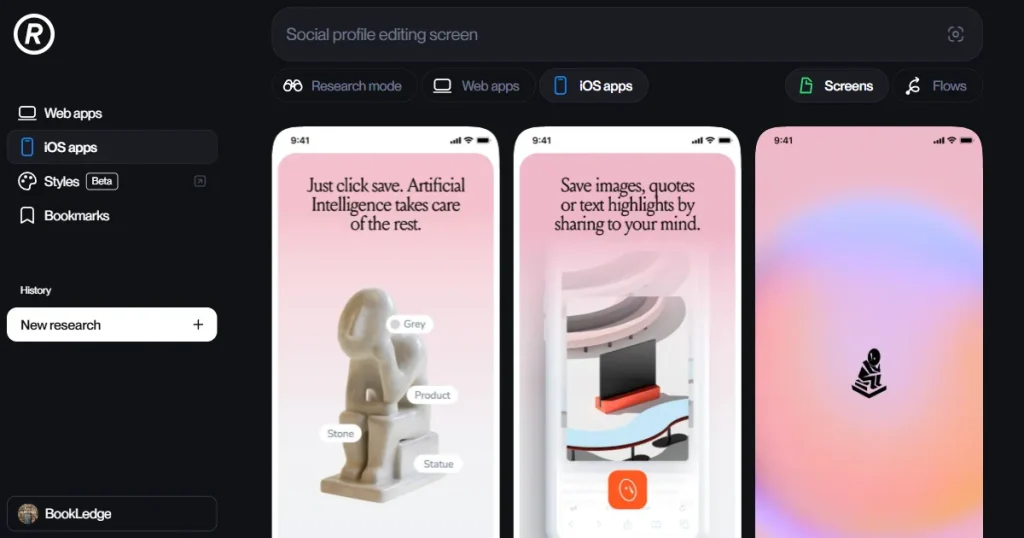
Refero is a UI/UX design inspiration platform that offers a robust collection of designs from iOS and web applications worldwide, helping users find inspiration before they start designing their own app.
When looking at Mobbin vs Refero, Refero offers several tools for finding and exploring UI/UX design references. While Mobbin is designed for in-depth research into the design psychology behind popular designs, Refero is created to discover popular designs and get inspired.
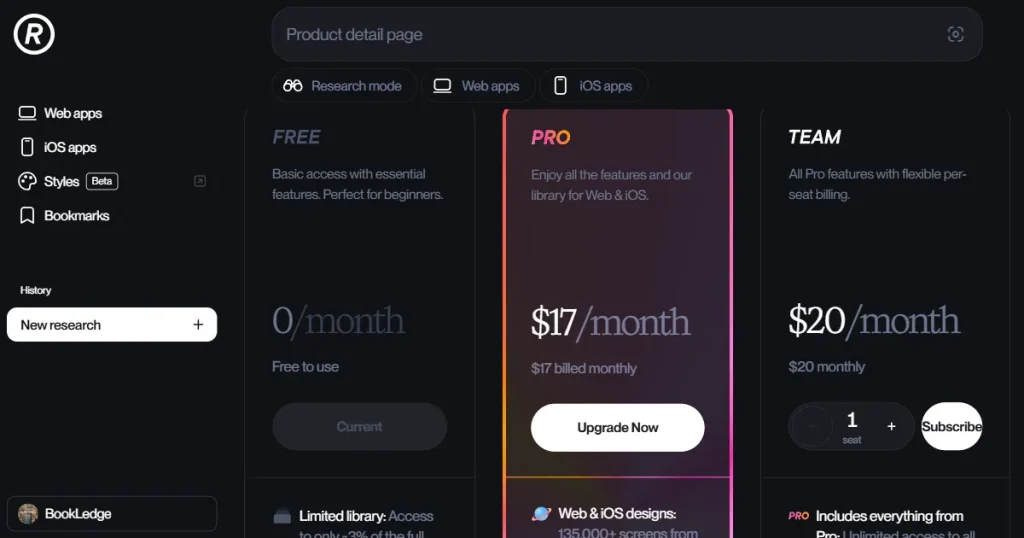
However, Refero does have an AI research mode that allows users to ask it questions about any specific app or design style, and it will access its library to find an answer.
Moreover, Refero offers the Refero Styles feature, a collection of Design.md files that instruct AI tools like Claude and ChatGPT on what to design. You can use different Design.md files and your own ideas to create new designs based on the selected style.
| Feature | Mobbin | Refero |
| Core focus | In-depth UI/UX research and user-flow analysis | Quick design inspiration and AI-powered research |
| Platform coverage | iOS, Web apps and websites | iOS and Web apps |
| Design library | 621,000+ real app screens, 323,000+ userflows, and UI elements | Curated library of real app and web designs |
| Search | Search by app, category, screen, flow, or UI element | Search by tags, visible text, and images |
| User flows | Interactive prototypes and animated user flows | Static user flows |
| AI features | MCP integration for AI tools | Native AI research mode + MCP |
| Collaboration | Shared collections, comments, and team management | Basic team sharing and management |
| Best for | Deep research and studying complete user journeys | Faster inspiration and AI-assisted research |
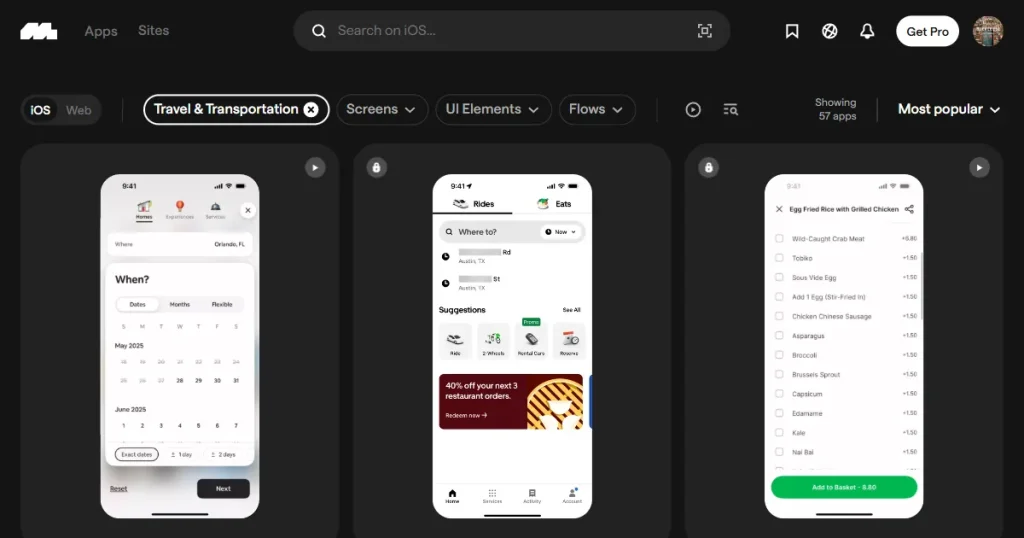
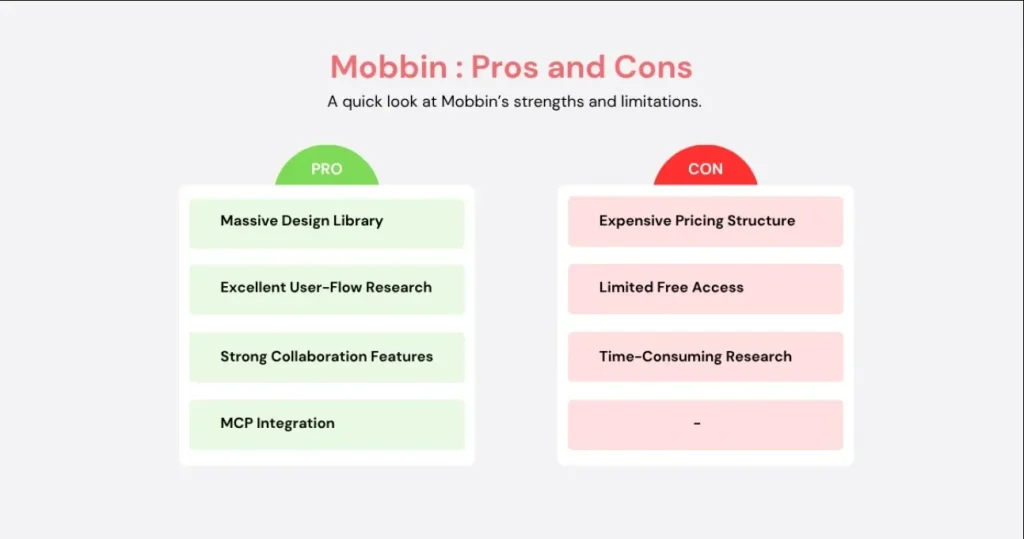
While using both tools, we found that Mobbin design library contains design inspiration from over 1400+ apps containing 621,000+ app screens, 323,000+ user flows, UI elements, and micro-interactions to give users everything they need to analyze why a certain element or user flow was how it impacted the user journey.
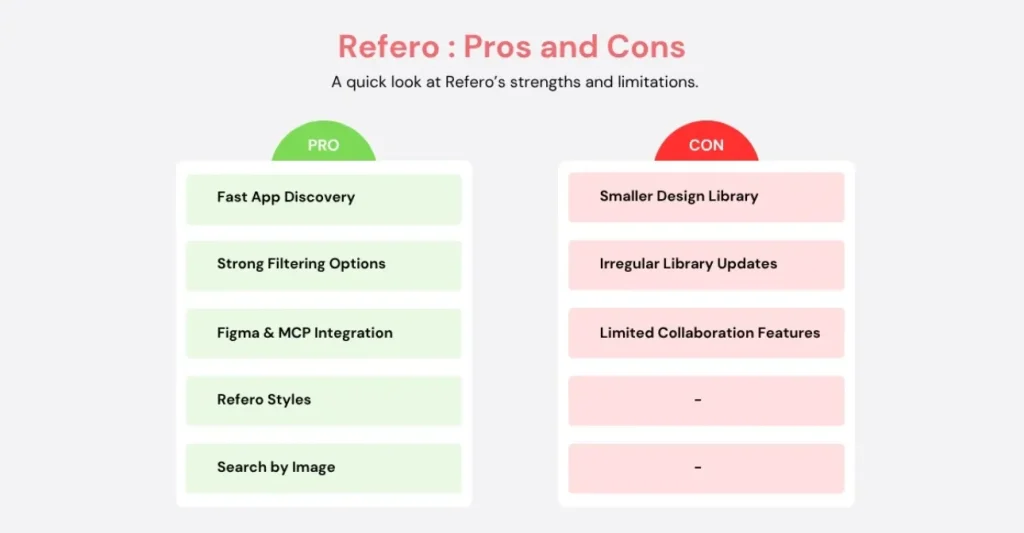
Similarly, the core focus of the Refero design inspiration library is to find quick design inspirations for your app or website. Refero doesn’t offer animated user flows or micro-interactions to help you understand the user journey. However, it does provide AI tools to simplify the research process.
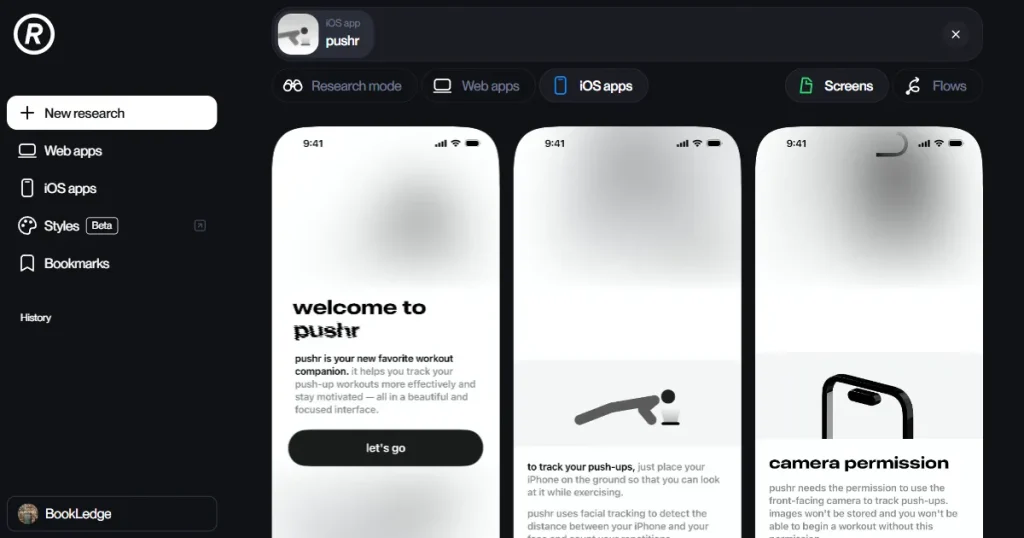
When searching for an app or specific design elements, Mobbin doesn’t offer much flexibility, as you can only search for an app by name, category, app screen, user flow, or UI element.
However, with Refero, you can search for tags similar to Mobbin, combine tags, search by visible text, or drag and drop a screenshot of an app, making it much better at finding the exact kind of design inspiration you are looking for.
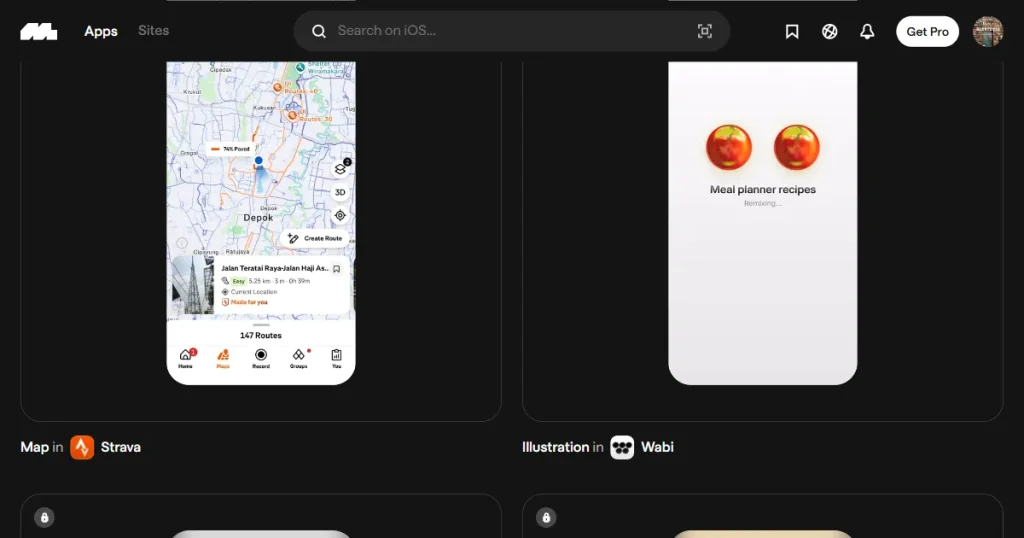
Another major difference we found during our comparison of Mobbin vs Refero is that Refero lacks animated user flows. While Refero provides static user flow images showing the order in which screens appear, they don’t let users see how the app transitions between screens or how users interact with different elements.
However, with Mobbin UI design inspiration tool, you get animated prototypes that help you understand which buttons a user can click for any app screen and what happens after that click. This helps you understand how top-performing apps retain users for long and improve their paywall strategy.
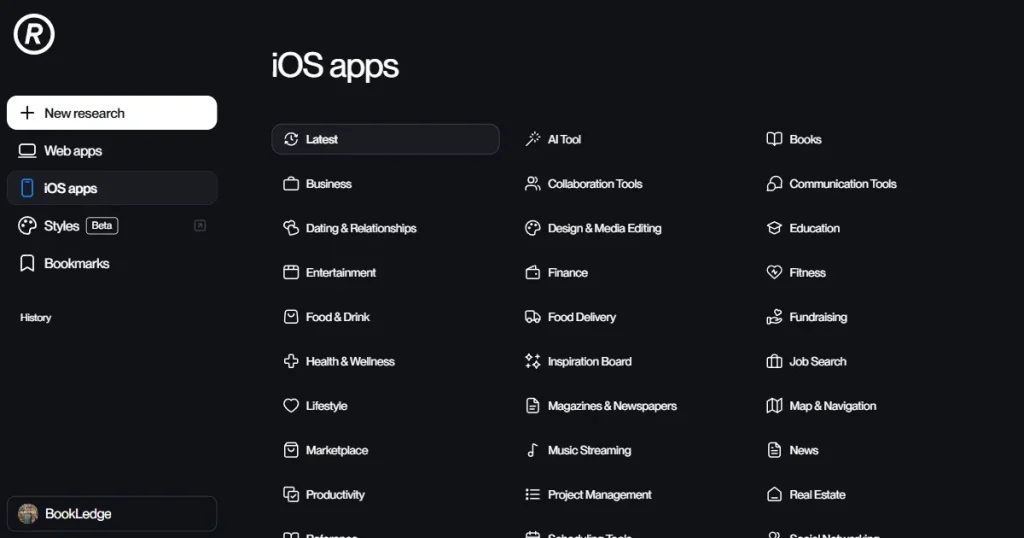
If we compare Mobbin vs Refero for platform coverage, both are very similar in what they offer. Mobbin provides both apps and websites across 5 major categories like travel, lifestyle, business, shopping, and fitness.
Similarly, Refero covers a wide variety of mobile apps, web apps, and websites, however, it covers a much wider range of categories than Mobbin. Refero design inspiration library spans over 35 categories, including AI tools, Productivity, Social Networking, Sports, and Weather, among others.
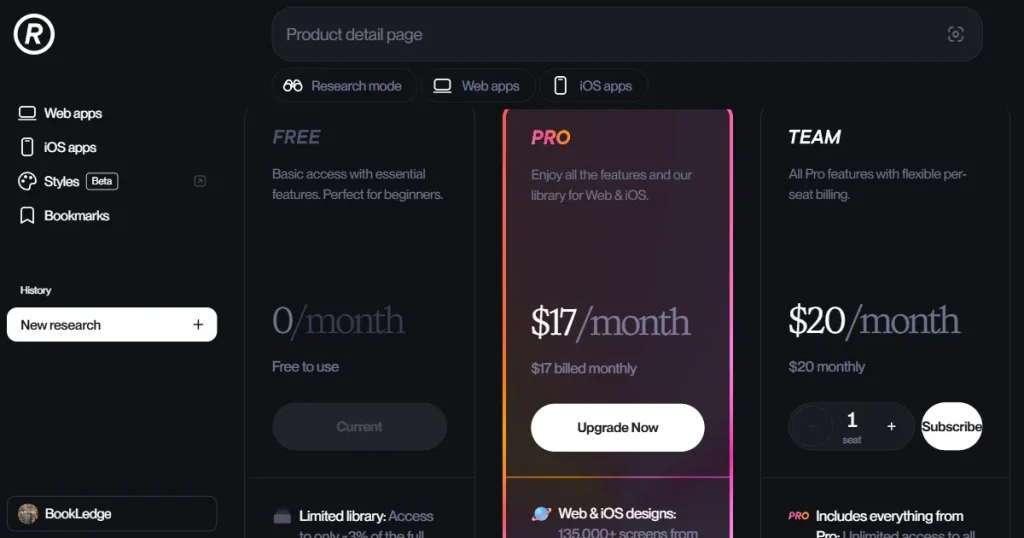
Another major difference between Mobbin vs Refero comes in its teams plan. Mobbin provides stronger collaboration features, with shared team collections, comments, and team management.
While Refero is more focused on individual design research and inspiration, with features such as search, collections of design references, and integrations rather than team-focused collaboration tools.
If you’re choosing between Mobbin vs Refero, consider your needs, as both tools have different strengths but offer similar features in some areas.
For example, if you are looking only for app or website design inspiration, both Mobbin and Refero are good options. However, with Mobbin, you need to manually research all the design inspirations to find design patterns.
But if you compare Mobbin vs Refero on app design research, Refero makes UI/UX research much easier because it gives you an AI research mode that takes your query, scans its library, and only gets you the best design inspirations relevant to your search.
So, if you want to manually go through each design inspiration and look for common design patterns, Mobbin is a better choice. However, if you want to make the design process smoother and faster, you can go with Refero.
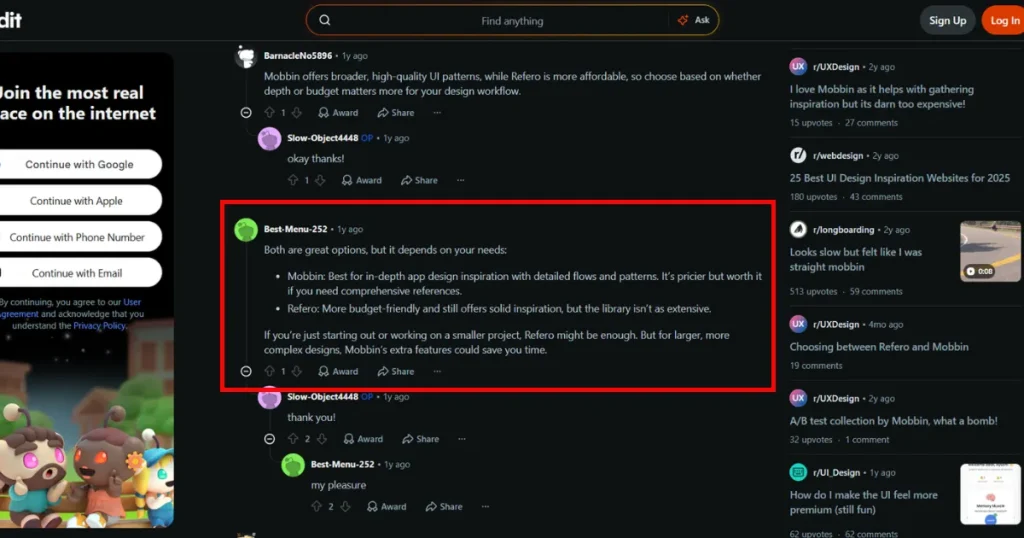
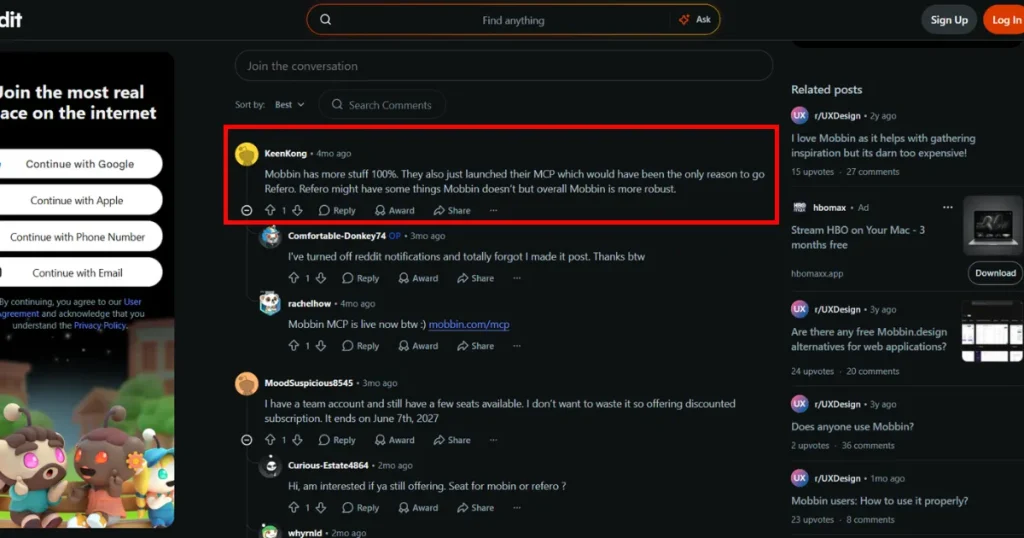
On Reddit, when comparing Mobbin vs Refero, users said they prefer Mobbin over Refero because of its library depth and deep research features, while users say Refero is a budget-friendly Mobbin alternative.
At the same time, some users preferred Refero for its unique collection of design styles, which offered Design MD files and Refero MCP integration. However, Mobbin has also added MCP integration to its paid plan, leveling the playing field.
The only upside that Refero has is its AI research mode, which gives the tool an edge over Mobbin.
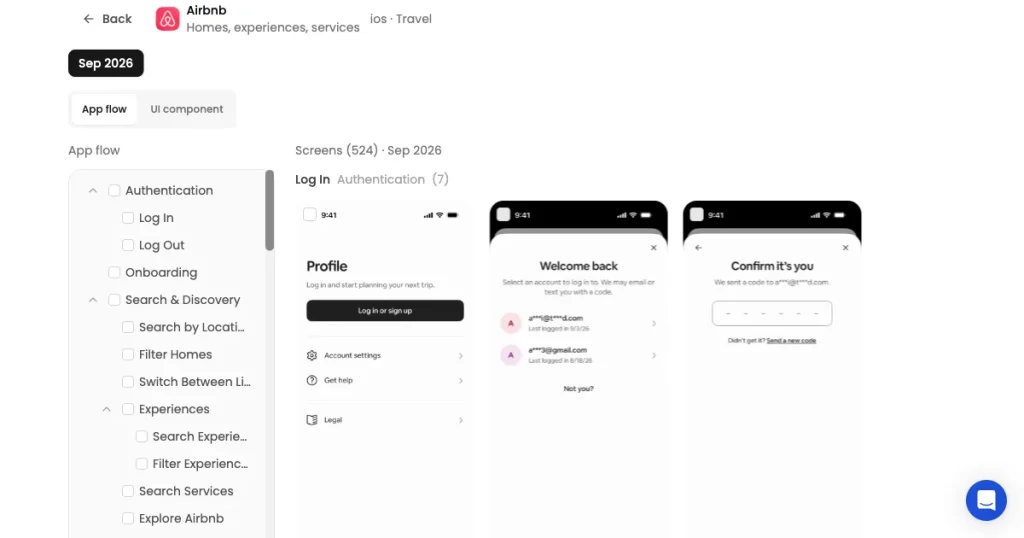
AppLaunchpad stands out as the best Mobbin and Refero alternative as it brings real app clips, user flows, and app screens into one app UI library, organized by specific app features. You can search screens by UI components, browse complete app flows, and explore detailed coverage of individual apps.
It also makes it easier to collect useful references while researching. You can save and download app screens and flows, while similar recommendations help you discover relevant designs based on the screen you’re viewing.
For designers who want to move from research to execution, AppLaunchpad also offers a Figma plugin for app UI screens, making it easier to use the references you find directly in your design workflow.
Mobbin vs Refero has been a popular debate among UI/UX designers for a long time, as both Mobbin and Refero offer similar app and website UI/UX design inspirations. They both have a massive collection of real apps and websites and provide similar features like a Figma plugin and MCP integration.
However, when comparing Mobbin vs Refero, Refero takes the lead on speed, as its AI research mode makes UI/UX research faster by removing the manual research process. At the same time, Mobbin doesn’t offer any additional AI tools beyond its MCP integration. Moreover, neither tool provides any design inspiration for App Store screenshots, which is crucial for presenting your app on App Stores.
That’s when AppLaunchpad becomes a better alternative to both Mobbin and Refero, as it not only offers app UI/UX design alternatives but also provides app store screenshot inspirations to help app designers present their app professionally on App stores.
If we compare Mobbin vs Refero, Mobbin UI design library is better for deep app or website research and detailed UX analysis, while Refero is better for quick design inspiration and AI-powered design research.
Yes, Mobbin UI design library lets you save useful references with its bookmark feature so you can revisit them while working on a project.
You can use Mobbin design examples to explore how existing apps approach different screens and user experiences.
Yes, Refero styles provide Design.md files that give AI tools instructions for creating designs based on proven design patterns.
Refero design inspiration library is better for quickly finding specific screens, patterns, and AI-powered design references, while Mobbin offers a deeper library for studying real products, UI elements, and complete user journeys.


