
Mobbin vs Screensdesign: Comparing Features,…
Mobbin vs Screensdesign are two platforms that help app designers and developers research real-world app designs, user flows, and design […]
Refero is one of the best app UI/UX inspiration platforms for finding design elements from best-performing apps. However, due to its limited scope and lack of free access, users are seeking better Refero alternatives.
Some of the best Refero alternatives include Mobbin, Appllama, Appshots, and Awwwards, which offer highly curated app UI and website design inspiration so you don’t have to start from scratch.
However, not every platform covers all the use cases. Some platforms excel at design inspiration for mobile UI, others at successful iOS apps, while others are built specifically for websites or App Store screenshots. Let’s see which Refero alternative fits each of these use cases best.
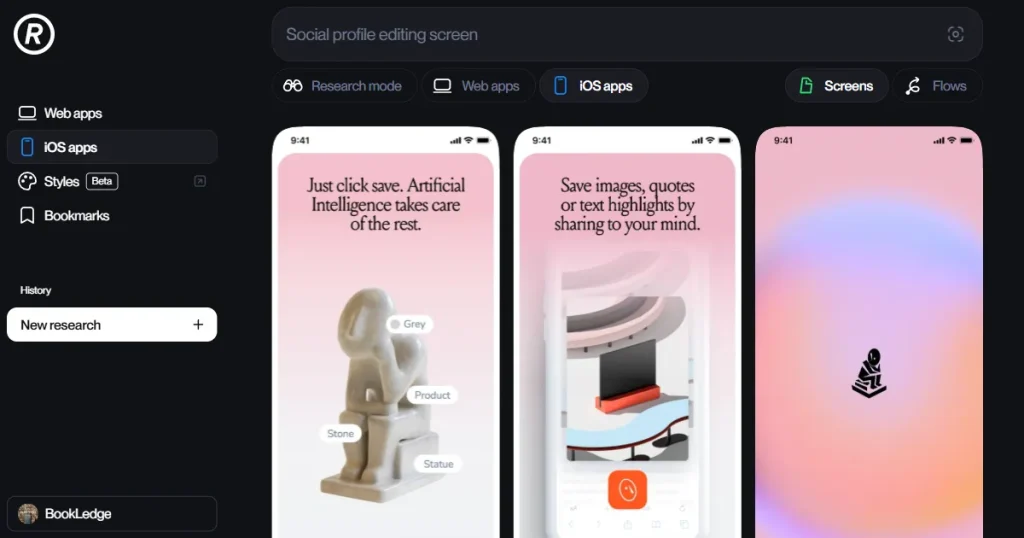
Refero is a massive library of UI/UX design inspiration and a design research tool for studying iOS and web apps.
The platform is extremely easy to use, allowing you to search for design inspiration by page types, UX patterns, UI elements, user flows, and industries. The best part about Refero design is that, unlike other UI/UX design inspiration websites, it also has an inbuilt AI called Research mode.
This AI tool helps you understand why a particular design style is used and dissects the design styles that work for different industries, reducing manual research time.
Tools like Refero help designers research how successful apps or websites solve multiple UI/UX problems.
For example, if you are designing a pricing page, onboarding flow, dashboard, or checkout page, you can look at how other apps or websites have designed these pages.
This helps you:
Since Refero covers multiple use cases, it can be used by:
While the Refero design inspiration tool is excellent for UI/UX research, there are a few cases where it falls short, and users look for better Refero alternatives.
If you are looking for the best Refero alternatives, here are a few things to consider.
Let’s have a detailed look at some of the best Refero design alternatives.
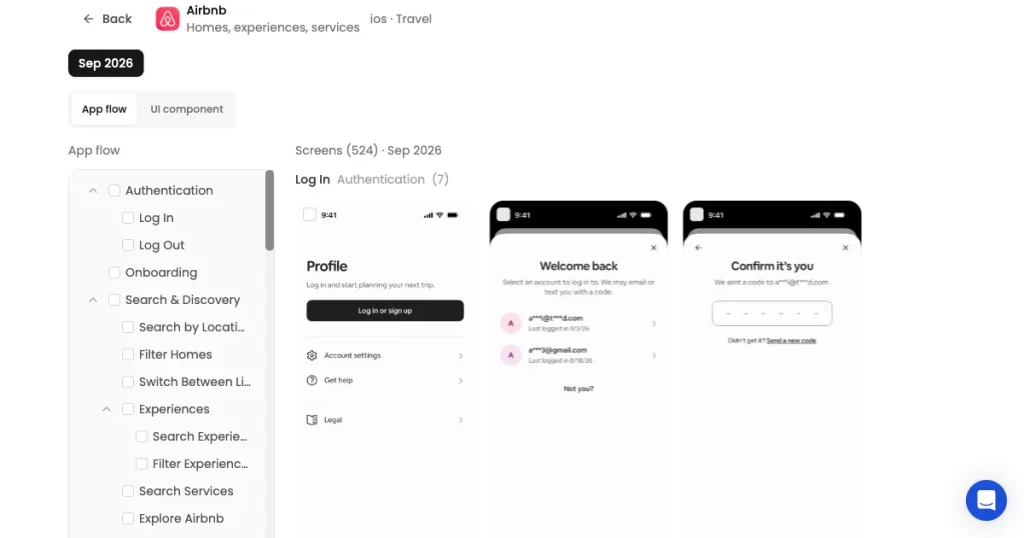
AppLaunchpad is an App Store screenshot tool that offers an app design research platform that helps designers and developers find app UI/UX design inspiration making it easier to study how successful apps structure their experiences.
Unlike tools focused only on design inspiration, AppLaunchpad also helps turn those insights into better app store screenshots for the Apple App Store and Google Play Store.
Best for: App UI/UX design inspiration, and App Store screenshot creation.
Key features
| Pros | Cons |
| Real app screens, flows, and UI references in one library | More focused on app design than web design |
| Easy search and filtering for finding specific references | |
| Detailed coverage of individual apps and their user journeys | |
| Similar design recommendations make research faster | |
| Figma plugin brings app references into the design workflow |
Pricing
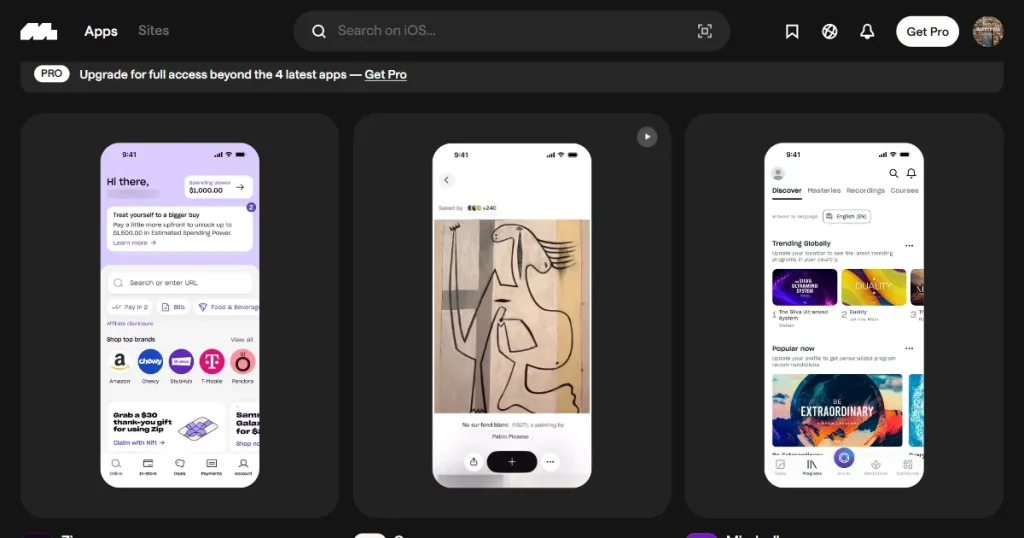
Mobbin is a massive, curated library of real-world UI and UX design patterns from popular mobile apps and websites, helping designers discover proven interface patterns, study user flows, and find inspiration for their own apps or websites.
Mobbin vs Refero has always been a major debate, and to be honest, there is no clear winner between the two. Mobbin operates similarly to Refero design inspiration platform featuring real screens, design patterns, and complete user flows from popular mobile and web apps.
Best for: Mobile and Web UI/UX research
Key features
| Pros | Cons |
| Huge library of real-world app and web designs from popular products | Most of the useful features and library access are locked behind a paid plan |
| You can explore complete user flows instead of looking at individual screenshots | Doesn’t offer a monthly plan |
| Advanced search and filtering make it easy to find specific design patterns | More focused on UI/UX research than dedicated app store screenshot inspiration |
| New designs and content are added regularly | |
| Figma integration makes it easy to import designs directly into your workflow |
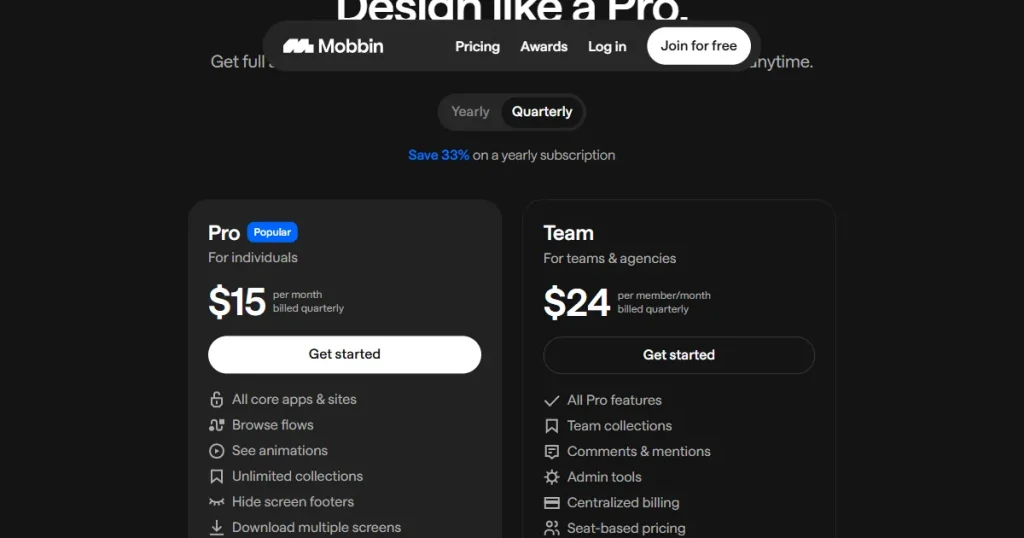
Pricing
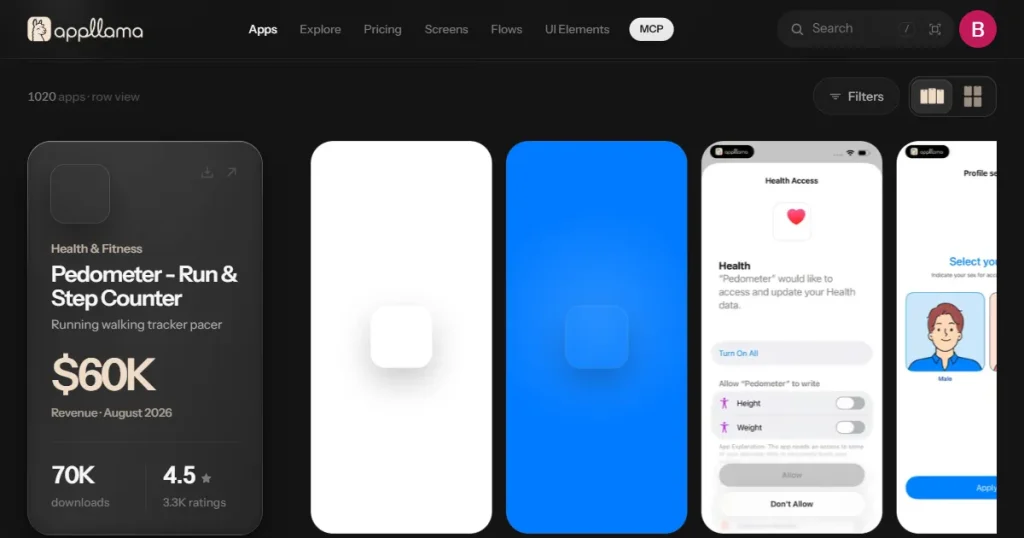
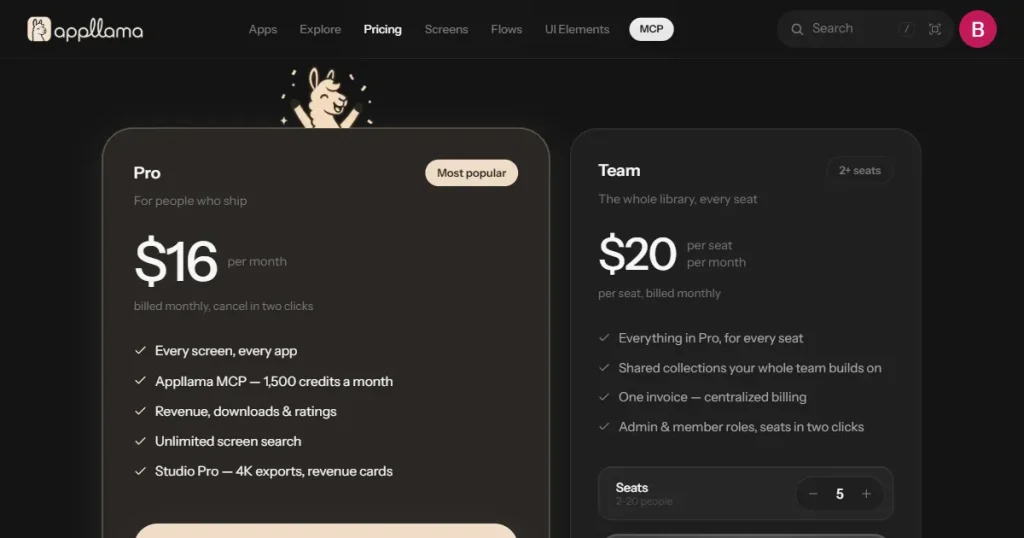
Appllama is a UI/UX design research platform that lets you study how top-earning iOS apps are designed, from individual screens and UI elements to complete user flows. Due to its dedicated focus on iOS app designs, it is considered one of the best Refero alternatives for iOS app developers.
Best for: Researching successful iOS apps
Key features
| Pros | Cons |
| Revenue tracker allows you to see only the best-performing apps | Most of the apps are hidden behind a paywall |
| Every screen is broken down into multiple elements, which helps in research and analysis | The platform focuses only on iOS apps, so there is no Android design inspiration |
| You can easily download and use app screens or user flows for your projects | MCP access is tied to the Pro plan and comes with a monthly credit limit |
Pricing
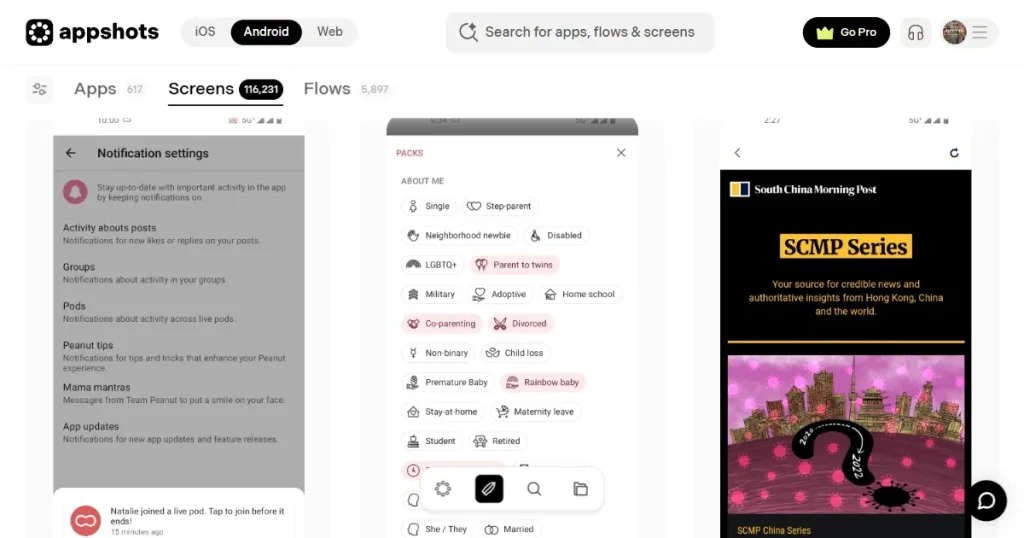
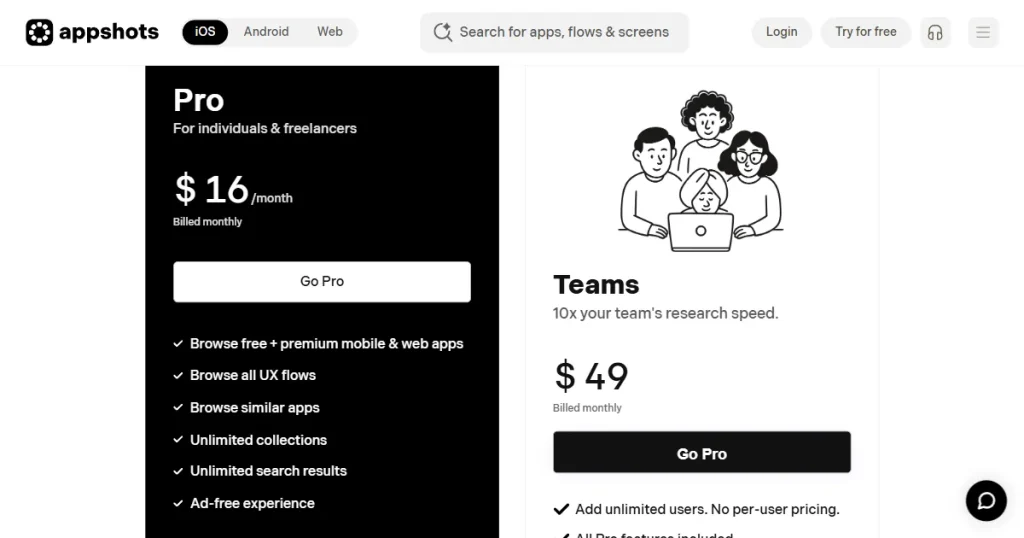
Appshots is a UI/UX research tool that provides a searchable collection of real-world mobile and web application screen recordings and UI layouts. It stands out as one of the best Refero alternatives, as it allows designers to study end-to-end user flows, such as sign-up, onboarding, and checkout processes, to understand the psychology behind the design.
Best for: Quick mobile app UI inspiration
Key features
| Pros | Cons |
| Offers a vast, organized library of real product screenshots for competitor analysis and emerging design patterns | Severely limiting free plan |
| Free figma plugin | No native editor, you have to use Figma or another design tool to recreate the designs |
| Best for design teams as it offers a team plan |
Pricing
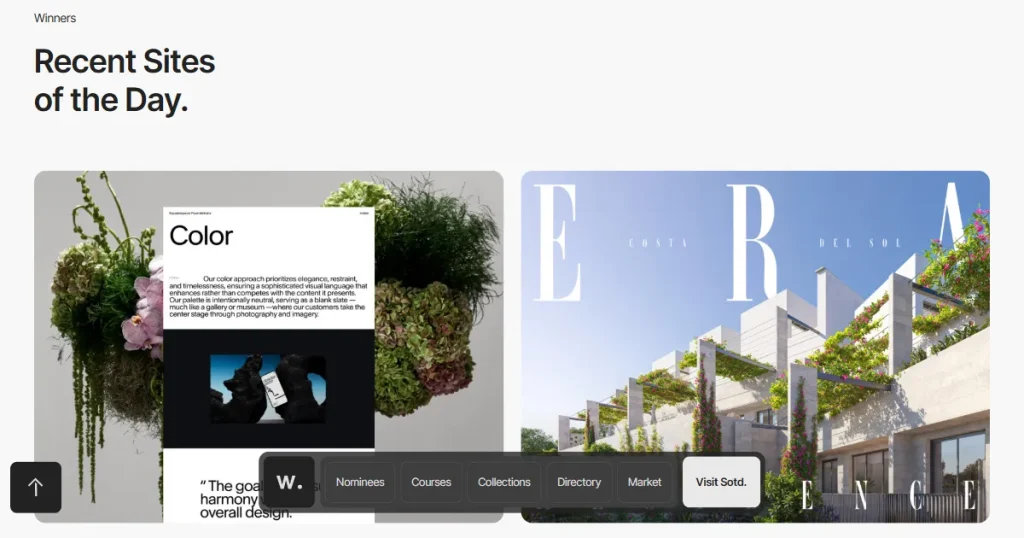
Awwwards is a website design inspiration platform that showcases some of the best websites created by designers, developers, and agencies around the world.
Best for: Website and landing page inspiration
Key features
| Pros | Cons |
| One of the best platforms for finding high-quality website design inspiration | Ranks websites based on creativity, not usability or conversions |
| Features some of the most creative and visually impressive websites from around the world | Doesn’t cover app UI or app screenshot inspirations |
| You can filter websites by specific elements, industries, technologies, and design styles | Most of the websites rely on heavy animations, 3D effects, and are not practical for most projects |
| Jury scores help you understand why a website was considered good | |
| The Sites of the Day section makes it easy to discover new and trending website designs |
Pricing
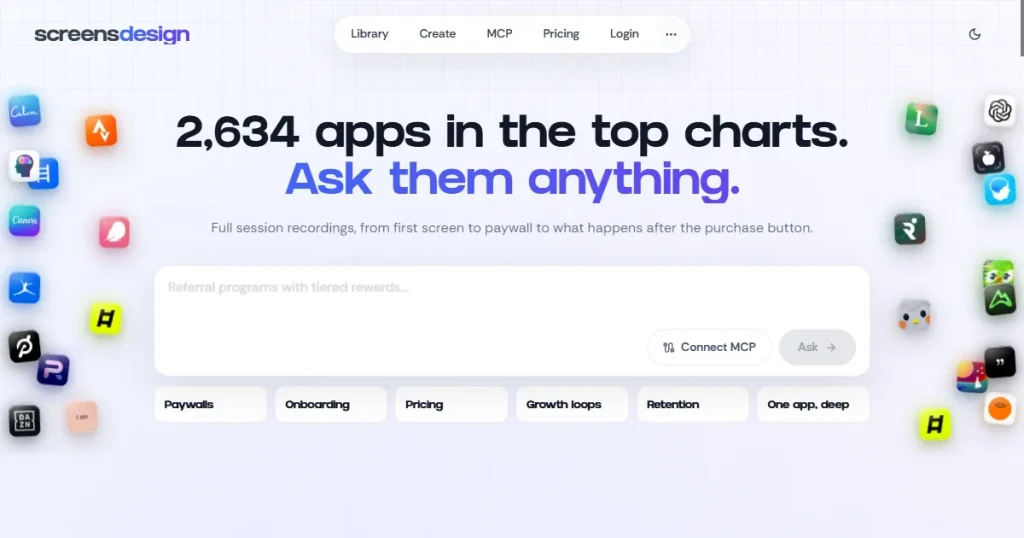
ScreensDesign is an app design inspiration library that lets designers explore real screens, onboarding flows, paywalls, pricing pages, and App Store screenshots from thousands of top-grossing iOS apps. It is particularly useful for studying how successful app designs and structures conversion-focused user interfaces.
Best for: Mobile app UI, onboarding, paywall, and conversion-focused design inspiration
Key features
| Pros | Cons |
| Excellent resource for mobile app UI and user-flow inspiration | Primarily focused on iOS apps |
| Lets you study complete onboarding and paywall experiences | Not useful for website UI inspiration |
| Includes revenue and other useful app insights | Requires a paid subscription for complete access |
| App Store screenshots help with both product and ASO research |
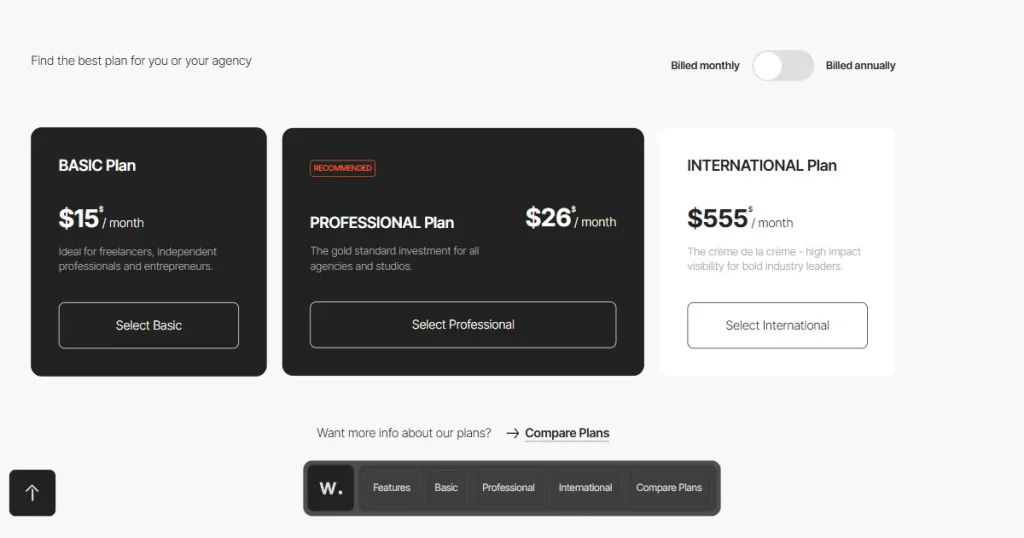
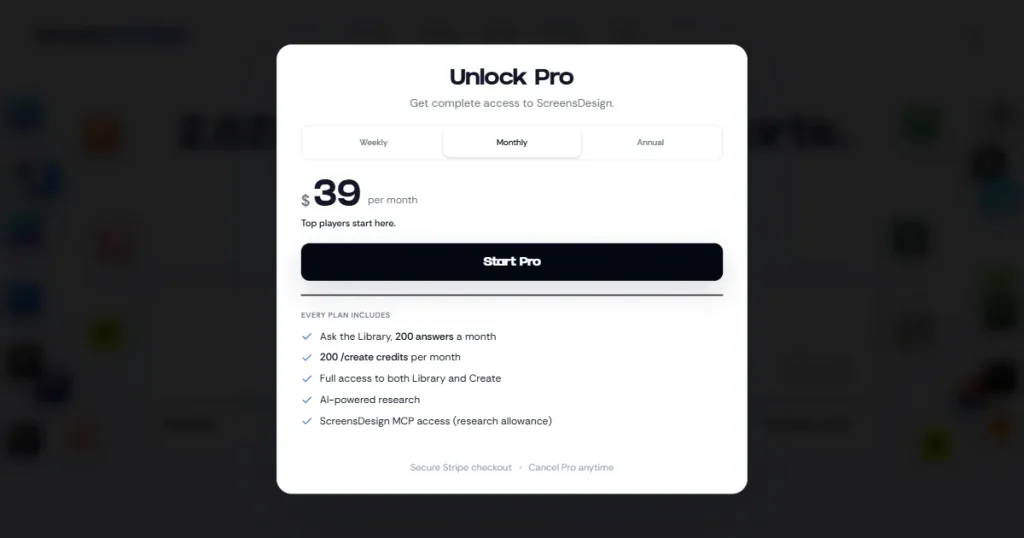
Pricing
Not all Refero alternatives are suitable for all use cases. Below, we have discussed some of the best Refero alternatives for different use cases.
| Use case | Best alternative | Why it’s best |
| App Store screenshots | Screens Design | Focuses on real App Store screenshots, making it easier to study how successful apps present their features and value propositions. |
| Mobile app UI | Mobbin | Offers a large, searchable library of real mobile app screens with filters for screens, UI elements, and design patterns. |
| Successful iOS apps | Appllama | Helps you research successful iOS apps and understand the products, categories, and design choices behind them. |
| Quick app inspiration | Appshots | Its curated library makes it easy to browse real-world mobile and web designs without spending hours searching for references. |
| Website inspiration | Awwwards | Curates highly creative and award-winning websites, with categories covering industries, technologies, interactions, and design elements. |
| Complete user flows | Mobbin | Lets you explore complete user journeys rather than isolated screens, including transitions, micro-interactions, and animations. |
| Revenue-focused app research | Appllama | Best suited for researching apps from a business and revenue perspective, helping you connect product design with commercial performance. |
| Landing page inspiration | Awwwards | Provides a large collection of visually impressive websites and individual page elements, making it particularly useful for landing-page research. |
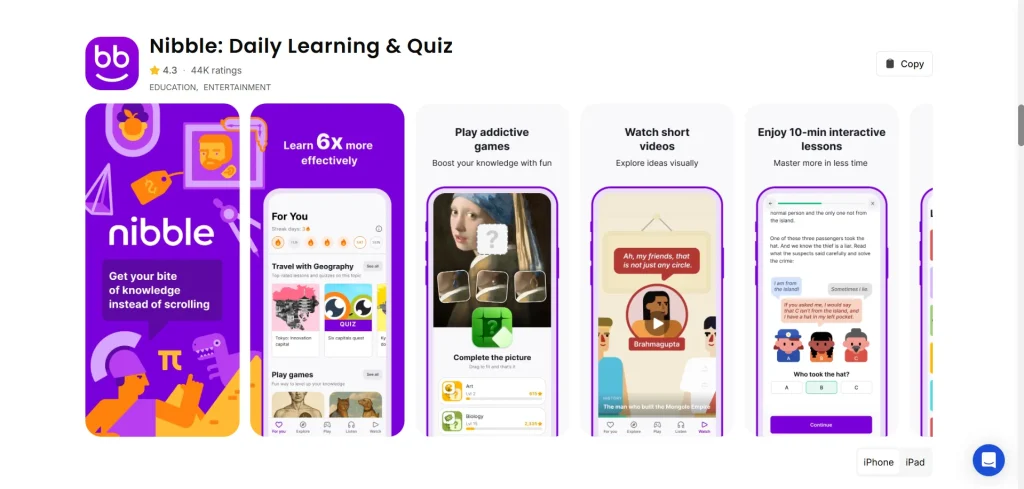
AppLaunchpad is a web-based app store screenshot generator that allows designers and developers to create professional-looking app store screenshots to showcase their app UI and features in a polished, store-ready format without requiring advanced design skills.
Apart from its design capabilities, AppLaunchpad also features an app screenshot inspiration gallery featuring the App Store screenshots of more than 4,000 top-performing apps worldwide.
The best part is you can access this library without even signing up for the tool, filter it by categories to seek inspiration, search for the exact app you’re looking for, and if you sign up for the tool, you can copy the screenshot and edit it within AppLaunchpad’s native editor.
This design inspiration resource is especially useful for app developers who don’t want to start from scratch and want to emulate the success of top-performing apps.
Refero is a great starting point if you need a broad library of real web and iOS product designs. But you don’t necessarily need to use Refero for every type of design research.
You can use Mobbin for detailed mobile and web UI research, Appllama for studying successful iOS apps and their user flows, and Awwwards for website inspiration.
If you specifically need app store screenshot inspiration, AppLaunchpad is one of the best choices because you get focused design inspiration and can edit it in your browser.
Some of the best Refero alternatives include Screens Design, Mobbin, Appllama, Appshots, and Awwwards.
You can use Refero by searching for a specific product, page type, UX pattern, UI element, or flow. You can also combine multiple tags to narrow down your results.
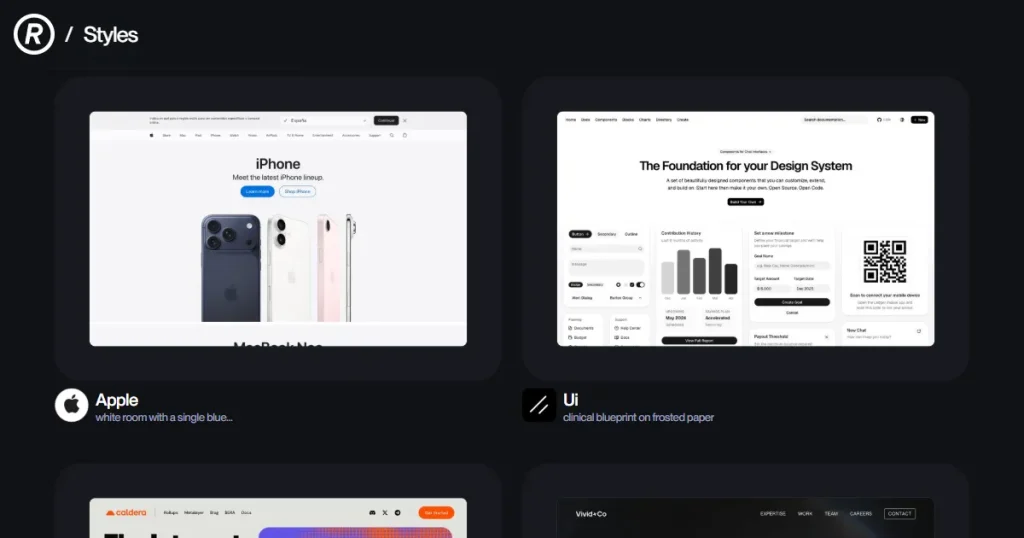
The Refero design style is useful because it is based on real product interfaces rather than random concept designs, allowing UI/UX designers to study practical layouts, patterns, and user experiences instead of relying only on conceptual designs.
If we compare Mobbin vs Refero, both provide real-world UI/UX inspiration, but their libraries and research features differ. Mobbin has a particularly large collection of mobile and web app screens and complete user flows, while Refero design inspiration tool organizes its research around page types, UX patterns, UI elements, sites, and flows.
You can apply the Refero design style by studying real product screens, identifying the layouts, UI patterns, typography, and interactions that fit your use case, and adapting those ideas to your own product rather than copying them directly.