App Store Optimization (ASO) tools are tools that help app developers improve their app’s visibility, rankings, downloads, and conversion rates on the Apple App Store and Google Play. By following ASO best practices, you can improve your app’s discoverability, attract more users, and turn more store visitors into downloads.
To help you achieve these goals, we’ve curated the 10 best App Store Optimization tools, including AppTweak, Sensor Tower, App Radar, and more. Apart from that, our guide also goes beyond the tools to cover proven App Store Optimization best practices that can help you improve your store listing, increase downloads, and drive long-term app growth. If you follow App Store Optimization best practices, you will increase your app’s visibility, drive downloads, and improve your conversion rates.
Key Highlights
ASO is more than keyword optimization. A strong strategy combines search visibility, store listing conversion, user ratings, reviews, and ongoing testing.
The best App Store Optimization tool depends on your growth goal. Keyword-focused tools are useful for improving rankings, while review analytics, market intelligence, and A/B testing tools solve different problems.
Keyword research and competitor tracking help you find better growth opportunities. Look for tools with reliable data, regular ranking updates, and coverage in your target markets.
Getting impressions is only half the job. If your app gets visibility but few downloads, improving screenshots, icons, and other store visuals can help increase conversion.
Choose an ASO tool based on your actual needs and budget. A small app may not need an expensive enterprise platform or even free ASO tool, while larger teams may benefit from deeper market and competitor intelligence.
Your ASO tool should support your growth stage. Start with the features you need now and consider scalability across apps, countries, keywords, and team members as your app grows.
What is App Store Optimization?
App Store Optimization is the process of improving your app’s visibility in app stores like the Apple App Store and Google Play. It helps your app show up when users search for a solution and persuades them to download once they land on your page.
ASO has two main goals:
Get your app to appear higher in search results by using the right keywords.
Increase your app’s conversion rate with better app store visuals.
App Store Optimization is a continuous work, mostly because search algorithms update frequently and your competitors are always testing new strategies.
Quick fact box
Over 60% of all app downloads come straight from store search.
Updating store visuals alone can increase installs by 20-50%.
Types of App Store Optimization Tools
Below is how most ASO tools are categorized. Each type focuses on a different part of improving your app’s visibility and installs.
Keyword research tools help you find the right keywords and track app rankings.
Competitor analysis tools show what keywords competitor apps rank for.
Conversion rate tools test app screenshots, icons, and videos to improve installs.
Review management tools track user ratings and help you respond to user feedback.
Market intelligence tools provide broader store data on downloads, revenue, and market trends.
Why Do You Need to Invest in App Store Optimization?
Relying only on paid ads is not sustainable or affordable. Following app store optimization best practices helps people discover your app organically, so you do not have to depend heavily on ad spend.
Organic installs reduce long-term user acquisition costs: Ranking high for relevant search terms drives steady downloads, reducing the need for paid user acquisition over time.
Higher ranking increases credibility and trust: People assume the apps at the top of the search results are the most popular and reliable choices.
Strong user ratings improve both app ranking and conversion rates: The store algorithm favors apps with good reviews, and people often look for 5-star ratings before downloading.
A small change can lead to significant install growth: Fixing a bad screenshot can multiply the downloads you get from your current search traffic.
ASO Do’s and Don’ts
Getting your app to rank on the App Store and Google Play Store takes regular check-ins and steady updates. Follow these simple app store optimization best practices to keep your store page growing without issues.
Do’s
Track your keyword rankings weekly to catch any sudden drops in search results.
Refresh your app screenshots every few months to test new visual ideas.
Reply to your user reviews to show people you care about their feedback.
Do regular competitor analysis to see what they change and learn from their App store optimization strategy.
Don’ts
Don’t stuff your app title with irrelevant or repeated keywords just to rank.
Don’t ignore negative reviews on your app because new users will read them before downloading.
Don’t rely blindly on paid ad traffic because it only lasts as long as your campaigns are active.
7 Features to Consider Before You Choose an ASO Tool
Before locking in the best app store optimization tool for your needs, here are 7 features worth evaluating.
Keyword database coverage in your target markets: Make sure the ASO tool has real search data for the countries and languages you want to rank for.
Daily vs weekly ranking updates: Look for an ASO tool that provides daily updates if you frequently update your store listing or run active marketing campaigns.
Competitor tracking limits: Check how many rival apps you can track, since watching competitors is a big part of ASO.
Review management capabilities: Decide whether you just want to see app ratings or reply to the comments directly from the dashboard.
Conversion testing: Find an ASO tool that lets you A/B test app store visuals if your page gets decent traffic but no downloads.
Scalability across multiple apps and countries: Ensure the ASO tool does not charge excessive fees if you plan to launch more apps later.
Top 10 Best App Store Optimization Tools in 2026: Quick Look
Tool Name
Area of Expertise
Major Drawback
Pricing
AppTweak
Keyword research & search rankings
Expensive and takes time to learn
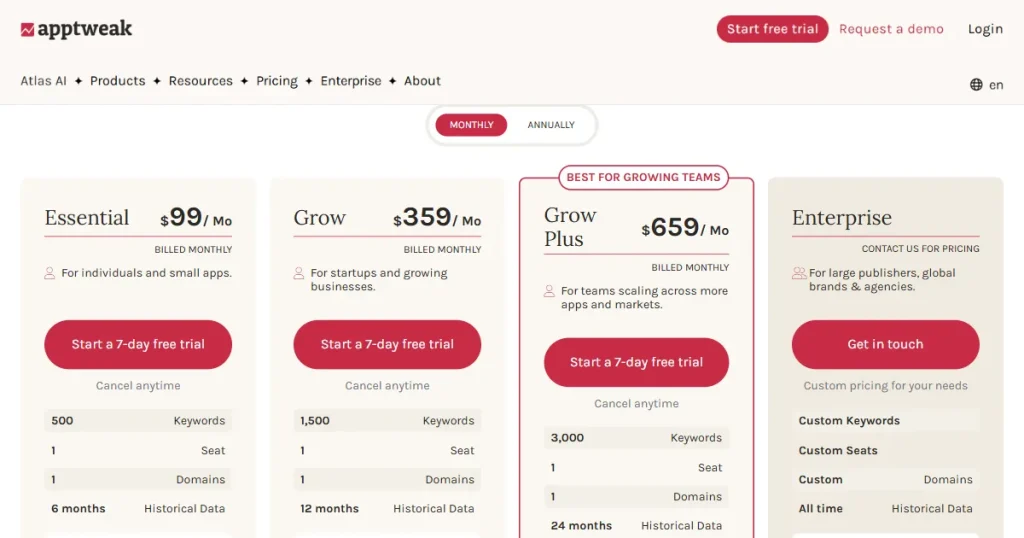
Starts at $79/month
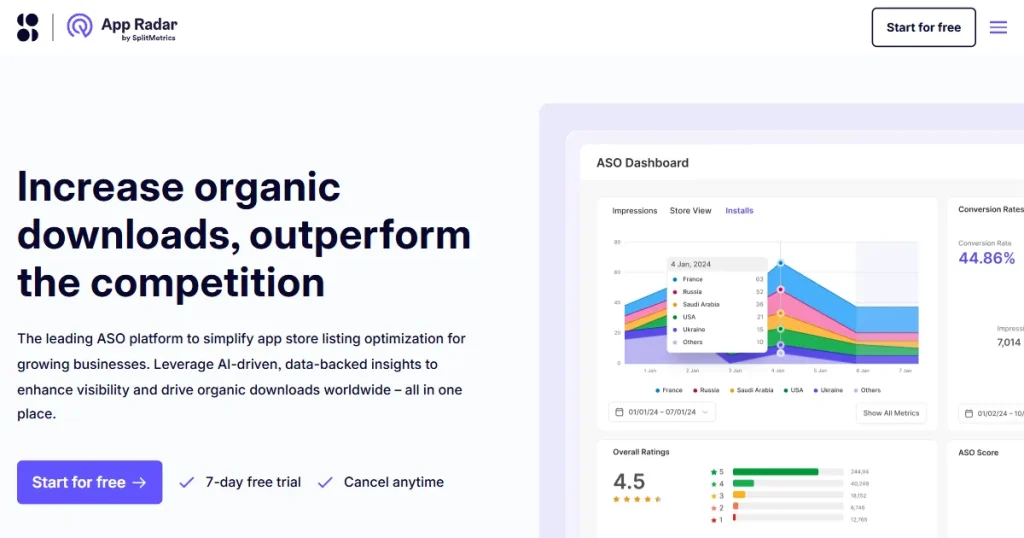
App Radar
Keyword optimization & metadata management
limited keyword data
Starts at €69/month
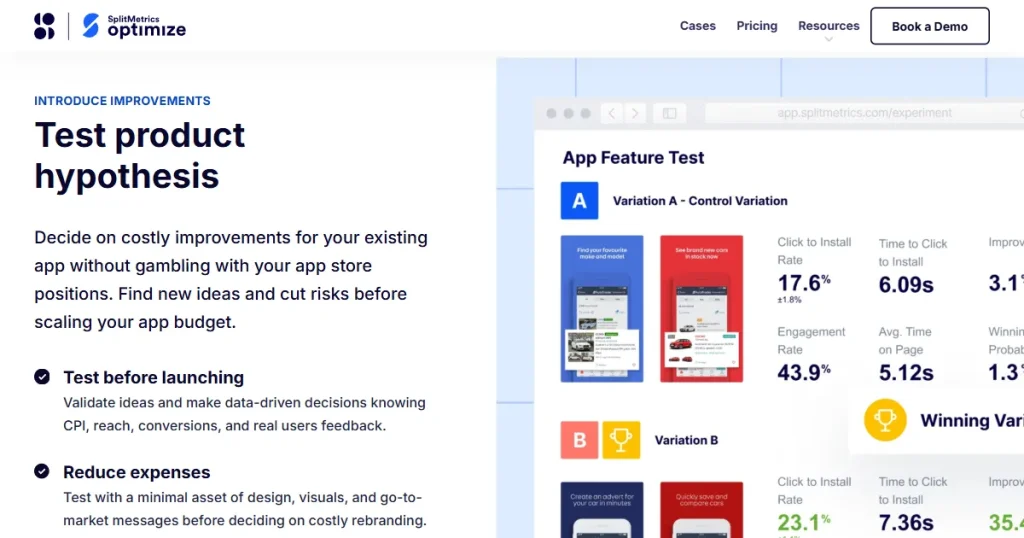
SplitMetrics Optimize
A/B testing app store visuals
No keyword research tools
Contact sales
Gummicube
ASO strategy & product page testing
Interface can feel complex
Contact sales
AppFollow
User reviews & app reputation management
limited advanced keyword intelligence
Starts at $179/month
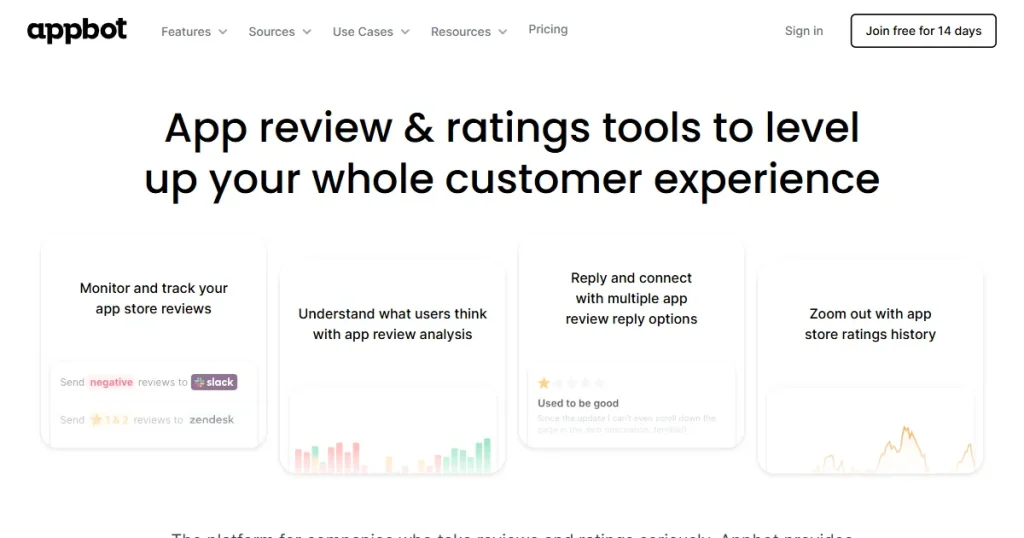
Appbot
User review analytics
Only specialized in user reviews
Starts at $49/month
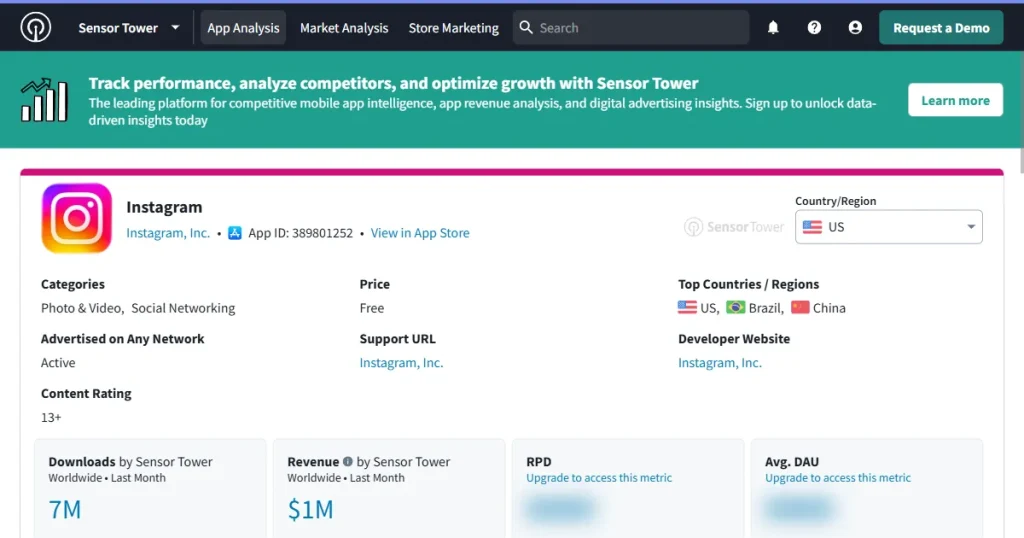
Sensor Tower
Enterprise market intelligence
Too complex for small apps
Custom enterprise pricing
Appfigures
All-in-one ASO and keyword analytics
The interface can feel crowded
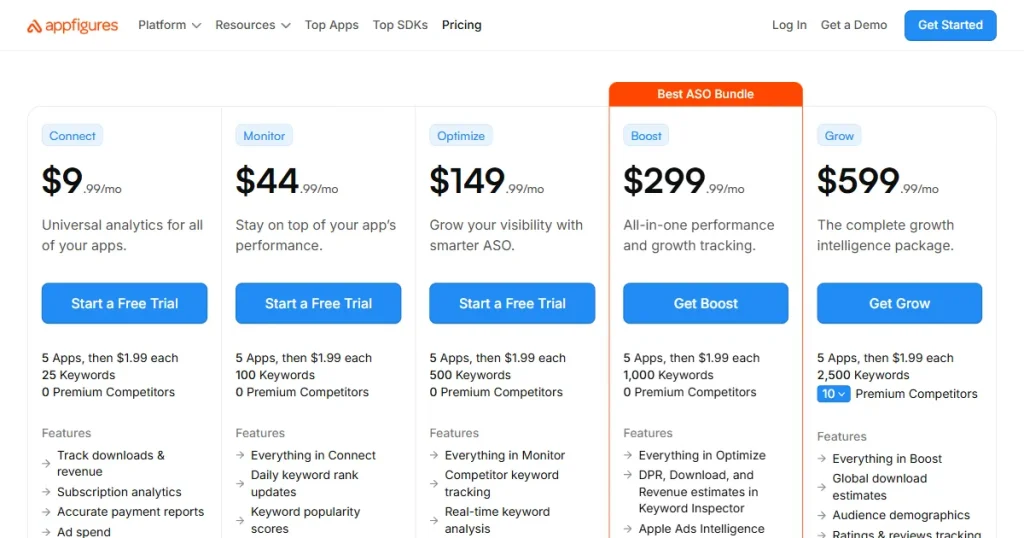
Starts at $9.99/month
Applyzer
Long-term keyword rank analysis
Generic ASO intelligence
Starts at $19/month
Mobile Action
App store search visibility and Apple search ads(ASA)
Advanced features are locked behind a subscription
Starts at $15/month
10 App Store Optimization Tools: Detailed Comparison
1. AppTweak
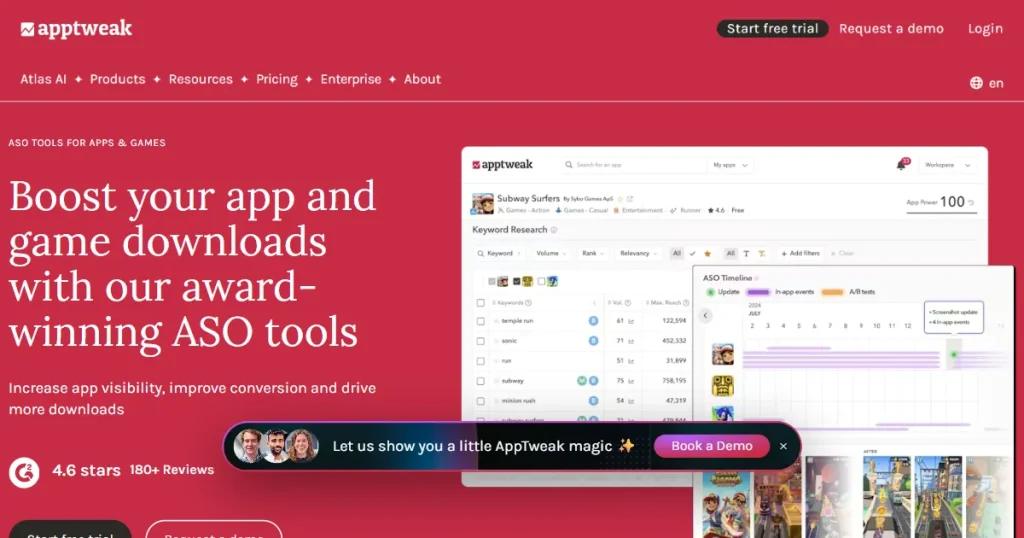
AppTweak is widely regarded as one of the best App Store Optimization tools to improve your app’s search rankings. It helps you pick smarter keywords instead of just guessing what people type into the search bar.
What It Does
Keyword search volume: Shows you exactly how many users search for a specific keyword.
Keyword difficulty score: Gives a difficulty score for the keyword you are targeting, so you know how hard it will be to rank on the first page.
Competitor keyword tracking: Tracks your rivals to identify missed keyword opportunities.
Trending keywords by country: Spot trending keywords for your app in different countries.
Daily keyword ranking performance: Watches your daily keyword rank changes so you can measure how well your recent updates worked.
Benefits
Helps you choose better keywords backed by 10+ years of historical store data.
Provides detailed insights into competitors activities.
Useful for expanding your app across different countries.
Features an in-depth and highly accurate keyword database.
Drawbacks
Pricing is higher than basic beginner ASO tools.
Advanced features take some time to fully understand.
Pricing: ASO Intelligence starts at $79/month.
G2 rating: 4.6/5
2. App Radar
App Radar is an ASO tool that helps you easily organize and track your keyword updates. It focuses more on keeping your daily work organized rather than giving you complex data to read.
What It Does
Daily keyword updates: Tracks your keyword rankings every day.
Metadata editor: Lets you update your app title and descriptions directly from the dashboard.
Competitor monitoring: Watches competitor keyword changes so you can react if a rival updates their page.
Localization management: Helps you manage and organize your keywords globally.
Team collaboration: Let your entire team work together from a single platform.
Benefits
The Interface is easy to use and well-organized.
Cheaper than the massive enterprise-level ASO tools.
Saves time by automating manual keyword and product page updates.
Drawbacks
Limited keyword database.
Gives you fewer advanced insights.
Pricing: Essential plan starts at €69/month.
G2 rating: 4.3/5
3. SplitMetrics Optimize
SplitMetrics Optimize is one of the best app store optimization tools built solely to test which store visuals drive the most downloads. It is the perfect choice when you are hitting the app impressions, but conversion rates are not improving.
What It Does
A/B testing: Runs tests on your screenshots, icons, and preview videos.
Pre-launch testing: Lets you test new designs before you launch your app.
Conversion rate reports: Reports how new app visuals are performing.
Audience targeting: Lets you test how various users react to your store page.
Performance comparison: Gives you clear reports that make it easy to pick the winning design.
Benefits
Great choice if you want to increase the conversion rate.
Lowers your risk of hurting downloads with a bad visual update.
Provides reliable and clear A/B test results.
Drawbacks
Does not cover keyword research.
Custom pricing can be too expensive.
Pricing: Needs to get a quote.
G2 rating: 4.2/5
4. Gummicube
Gummicube is a data-heavy ASO tool that helps with both keyword strategy and A/B testing your product page. It works best for people who want a serious, data-driven plan to grow their app traffic and downloads.
What It Does
Keyword opportunities: Suggests new and trendy keywords based on App Store and Google Play Store data.
App Ranking performance: Tracks your app ranking across various platforms.
Screenshot testing: Helps you A/B test app store visuals to increase installs.
Listing recommendations: Provides guidance on improving your app store listing.
Benefits
Covers both the app visibility and conversion rate.
Strategic insights are great for apps trying to scale up.
Keyword data is very strong and deeply researched.
Drawbacks
The interface can feel a bit complex for beginners.
Pricing is mostly aimed at larger businesses.
Pricing: Needs to get a quote.
G2 rating: 4.5/5
5. AppFollow
AppFollow is often seen as the best free ASO tool for managing user reviews, helping you track ratings and feedback across app stores. It focuses on improving your app ratings, which naturally helps more people trust your app and download it.
What It Does
Centralized dashboard: Get all user reviews for your app in one simple dashboard.
Quick replies: Let you reply to user feedback and reviews instantly.
Sentiment tracking: Analyze positive and negative user reviews for your app.
Rating alerts: Sends you a warning if your app’s rating suddenly drops due to a bug.
Search visibility monitoring: Provides basic keyword tracking to monitor your app’s search rankings.
Benefits
Saves you a lot of time reading and answering reviews.
Helps you improve and respond quickly to users.
Great for focusing heavily on user feedback.
Drawbacks
Not a specialized keyword research tool.
Advanced features are locked behind expensive plans.
Pricing: Essential plan starts at $179/month.
G2 rating: 4.6/5
6. Appbot
Appbot is a user-review ASO tool that shows you exactly what your users are mostly complaining about. It is the best app store optimization service for product teams that need to understand user feedback to fix bugs quickly.
What It Does
Automated review collection: Grabs user reviews automatically from app stores.
Sentiment separation: Splits positive and negative user reviews clearly.
Issue grouping: Groups user reviews by similar problems, making it easy to identify major app issues.
Trend tracking: Tracks user feedback over time to see how your app performs.
Report exporting: Lets you easily export user review data to easy-to-share formats.
Benefits
Makes manual review management much simpler.
Helps your team find and fix recurring app issues.
Gives clear and useful insights into what users want.
Drawbacks
Does not help much with search visibility.
Limited keyword tracking features.
Pricing: Small plan starts from$49/month.
G2 rating: 4.6/5
7. Sensor Tower
Sensor Tower is one of the best App Store Optimization tools for getting a complete view of the app market and your competitors. It is mostly used by large enterprises and investors who need deep market data to make big decisions.
What It Does
Global keyword tracking: Tracks keyword rankings all over the world.
Download estimates: Estimates competitor app downloads using built-in tools.
Revenue estimates: Estimates how much revenue a competitor app is generating.
Ad monitoring: Tracks competitor ad campaigns.
Market trends: Identify major market shifts to adapt your long-term plans.
Benefits
Provides highly detailed competitor analysis.
Strong app market intelligence features.
The data provided is highly detailed and broad.
Drawbacks
High pricing for small apps.
Way too complex for small, everyday apps.
Pricing: Get a quote.
G2 rating: 4.3/5
8. Appfigures
Appfigures is an ASO tool that puts all your app ASO and analytics data into one single place. It is a great toolkit for independent developers and growing apps that need a lot of data without a huge bill.
What It Does
AI Keyword discovery: Uses built-in tools to find and analyze the absolute best keywords.
Competitor analysis: Compares your app directly with rivals to see which keywords drive them to downloads.
Hourly keyword tracking: Checks your keyword ranks hour-by-hour.
Keyword Translation: Translates your app keywords to help you expand your global reach.
Rank shift alerts: Send you a message instantly if your main keyword suddenly drops or rises.
Benefits
Easy-to-use interface, great for beginners.
Offers deep keyword analytics.
Keeps all your app data in one unified place.
Much cheaper than most of the ASO tools on this list.
Drawbacks
A lot of data can feel overwhelming to new users.
Pricing: Connect plan starts at $9.99/month.
G2 rating: 4.2/5
9. Applyzer
Applyzer is an ASO tool built for long-term rank tracking, making it a simple option if you want to monitor how your app’s search positions change over time. While it focuses mainly on tracking, it still fits into the broader mix of features you would expect when evaluating the best app store optimization tool for your needs.
What It Does
Historical tracking: Watches your app’s ranking history so you can do deep, long-term checks.
Competitor monitoring: Keeps an eye on top competitors so you know when a big rival loses its spot.
Global keyword tracking: Tracks keyword rankings across multiple countries and languages.
User review monitoring: Collects user reviews next to your app’s rank data to give you a full picture of your app’s performance.
Easy exports: Lets you download reports easily, making it simple to share with your team.
Benefits
Affordable pricing plans.
Great for tracking keyword data over a long stretch of time.
Covers a broad range of international markets.
Drawbacks
The interface looks and feels pretty basic.
Does not offer advanced App Store optimization strategy tools.
Pricing: Free plan available. Pro plan starts from $19/month.
G2 rating: 3.0/5
10. Mobile Action
Mobile Action is a popular ASO tool that supports both organic keyword growth and paid Apple Search Ads. It offers a well-rounded feature set for apps that want to grow through both visibility and ads, making it a strong option to consider when choosing the best App Store Optimization tool.
What It Does
Keyword research: Helps you find new keywords that are easy to rank for.
Competitor tracking: Watches competitor keywords and their rankings.
Daily updates: Checks your app keyword ranks every day.
Apple Search Ads integration: Connects Apple Search Ads data directly to a single platform.
Trend tracking: Tracks market trends to see where users are spending most of their time.
Benefits
Offers a well-rounded set of built-in ASO tools.
The starting price is a good middle ground for most apps.
Great entry plan if your app is still in the early stage.
Drawbacks
Advanced keyword insights are locked behind the expensive plans.
Lacks in-depth research and detailed app data.
Pricing: Lite plan starts at $15/month.
G2 rating: 4.4/5
How Can App Screenshots Boost ASO?
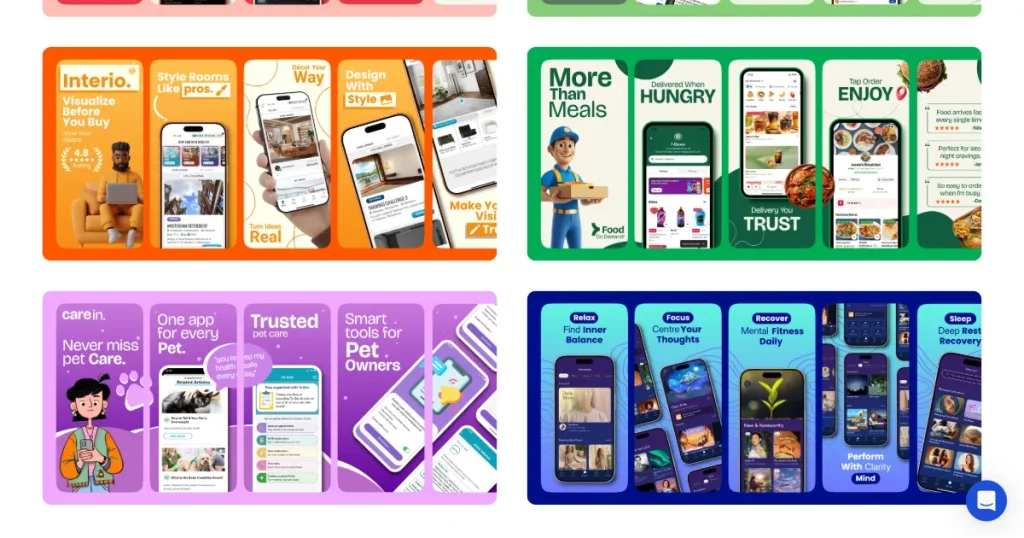
Your app screenshots have a significant impact on whether people actually download your product. Most users scroll quickly and will stop only if your screenshots immediately show them why your app is useful. And to make your screenshots more compelling and conversion-focused, you need the right App screenshot generator.
AppLaunchpad: App Store and Google Play Store Screenshot Generator
AppLaunchpad is a web-based app screenshot tool that helps you create premium app screenshots and export them in the exact sizes Apple and Google need.
Key features
Ready-made, high-converting screenshot templates: Start your design with layouts proven to convert.
Multiple device frame options: Put your app interface inside the latest iPhone and Android device frames.
App Store and Google Play Store badges: Add official download buttons with one simple click.
AI-powered localization: Translate your screenshot text for different countries in just one click.
Screenshot cloning for multiple device sizes: Make one design and let the tool adjust it for all tablet and phone sizes.
Conclusion: How to Choose the Right ASO Tool for Your App?
The best App Store Optimization tool for you depends on where your app is in its growth journey. If you want better visibility, focus on keyword research tools. If installs are low, improve your visuals and conversion rate.
Choosing the right ASO tool is only one part of improving your app’s performance. The real results come from using the data to make better decisions, whether that means targeting new keywords, improving your store listing, studying competitors, or testing your creatives.
The 10 tools covered in this guide each have different strengths, so the best choice depends on your app, goals, and budget. Start with the areas where you need the most help, track the results, and keep refining your ASO strategy as your app grows.
FAQs
What to look for in ASO tools?
Choose an ASO tool with accurate keyword data, daily ranking updates, competitor info, user review tracking, and a price that fits your needs.
When should you start using an ASO tool?
Start using an ASO tool when you want your app to be found by more people searching for it, rather than relying solely on ads.
What are some of the App Store Optimization best practices?
App Store Optimization best practices include using the right keywords, updating your app visuals regularly, tracking rankings, and responding to user reviews to improve visibility and downloads.
Why is App Store Optimization so important?
Most people find apps by searching for a specific keyword on the app store. Having a good App Store Optimization helps your app appear at the top and get users without paying for ads.
Is there any best free ASO tool in this list?
Yes, some tools, like AppFollow and Applyzer, offer free plans, while others offer demos or trials. But to get all the best features, you usually have to pay for a subscription.
What is the best app store optimization tool for small developers?
Appfigures is the best app store optimization tool for small developers because it is affordable and gives you strong keyword and analytics data in one place.
How does app store visuals play a role in ASO?
App screenshots and promo videos convince people to download. Good keywords get visitors, but poor visuals can drive them away. Better app store visuals can get you more downloads from the same search traffic.
Learn the Apple App Store ranking factors in 2026. Discover how keywords, installs, screenshots, ratings, and engagement influence your app’s search rankings.