App Store Connect Guidelines for App Developers and…
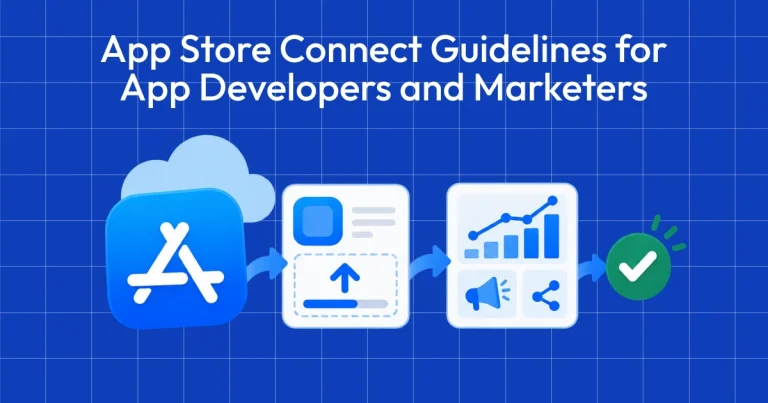
App Store Connect is the platform that lets you upload your app and manage all updates, including metadata, revenue details, […]
iOS App Store Review Guidelines are Apple’s mandatory rules ensuring apps are safe, functional, and user-friendly. Adherence is critical for app approval and avoiding app rejection.
In 2026, Apple’s review process is stricter, with a stronger focus on data transparency, AI disclosures, user experience, and clear pricing. These App Store review guidelines define how your app is evaluated across safety, performance, design, business, and legal compliance.
To understand the latest iOS App Store review guidelines better, we’ve covered how the review process works, creating review-ready screenshots with AppLaunchpad, outlined common rejection reasons, and provided a checklist so you can avoid common mistakes and submit your app with confidence.
App Store review is the process Apple uses to check every app before it goes live. Each new app update must go through this review process. Apple checks whether the app follows its rules and meets its quality standards. This evaluation is based on the iOS App Store review guidelines
The guidelines are divided into five main areas: safety, performance, business, design, and legal compliance. Your app must meet all the requirements to be successfully accepted. To get approved, you need to closely follow the App Store review guidelines.
If your app does not comply with the rules, it may be rejected, and you will need to fix the issues and resubmit. Repeated violations can also lead to slower approvals, lower visibility, or even restrictions on your developer account.
If you are building or marketing an iOS app right now, you cannot treat compliance as a final checklist item. This is exactly where the iOS App Store review guidelines become critical. Below are the reasons why the review guidelines matter more than ever:
1. Privacy Laws Are Stricter
Regulations such as the GDPR (General Data Protection Regulation) and other regional data protection laws require clear consent, data transparency, and user control. These requirements are clearly defined in the App Store review guidelines.
If your app collects personal data, tracks behavior, or shares information with third parties, you must clearly explain it. Vague privacy policies or hidden tracking can lead to rejection.
2. AI Apps Face Higher Scrutiny
Apps using AI to generate content, give recommendations, or make automated decisions are reviewed more carefully and must clearly explain how they work.
You must clearly state:
Apps that mislead users about AI capabilities or hide automated processes are more likely to be rejected. Apps must align with the App Store review guidelines to avoid rejection.
3. User Experience Standards Are Higher
Users now expect faster load times, smooth navigation, and stable performance. Crashes, broken links, or unfinished features are common reasons for rejection. Apple does not approve apps that feel incomplete or unreliable. Apple evaluates this strictly in accordance with the App Store review guidelines.
4. Review Speed Depends on Compliance
If your app has unclear permissions, missing details, or policy issues, Apple may delay approval. And in competitive markets, even a few days of delay can affect downloads and rankings.
The guidelines shape how quickly you launch, how users see your app, and how long it stays live on the App Store. Following the App Store review guidelines helps speed up approvals.
In 2026, Apple tightened its review process in several key areas.
After you submit your app through App Store Connect, Apple runs automated checks. These scans look for technical issues, broken links, missing information, and basic policy violations. All checks are aligned with the iOS App Store review guidelines.
If the app passes this stage, then it moves to manual review. Apple considers privacy permissions, payments, content, and the overall user experience.
Most reviews are completed within 24 to 48 hours. However, complex apps with large data sets or apps with new business models may take longer. Updates are mostly reviewed faster than brand-new submissions, especially if there are no major changes.
These are the main checks Apple performs before approving an app for the App Store. These checks are part of the App Store review guidelines.
This entire process follows the App Store app review guidelines
Submitting an app to the Apple App Store means following Apple’s review guidelines. The guidelines cover the latest practices, legal requirements, safety and security, and the overall user experience as updated by Apple.
These app store guidelines for developers define submission standards.
In 2026, Apple tightened its privacy rules for apps on the App Store. You must clearly explain what data your apps collect and how they use it. All collected data must be listed in the App Privacy labels shown on the App Store page.
Suppose an app uses third-party SDKs that collect user data, that must also be mentioned. Apple now requires clear user permission before sharing personal data, especially with third-party AI services.
Additionally, apps created for children must comply with limits on data collection and tracking, especially regarding ads.
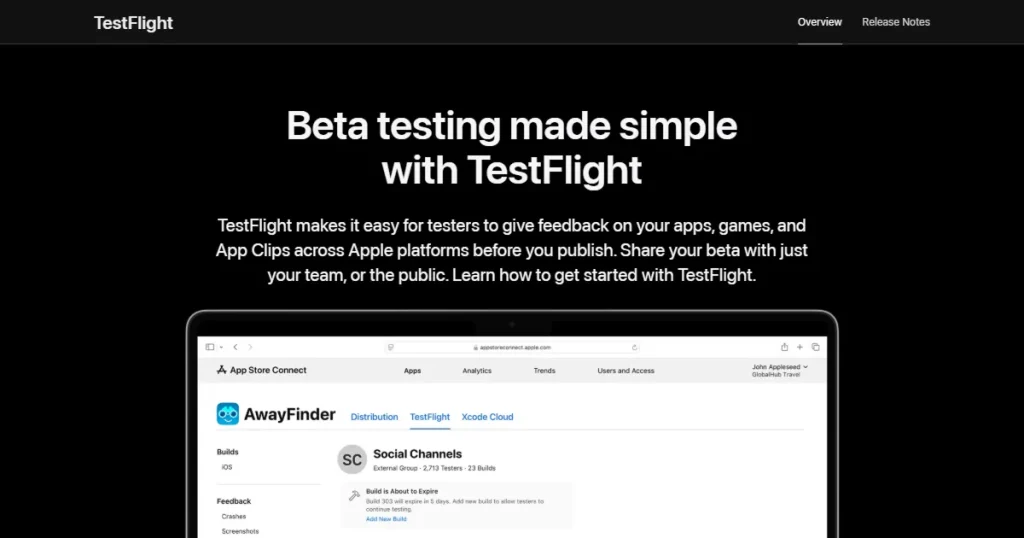
Per the latest performance guidelines, the app should run without crashes, broken links, or unfinished features. If your app shows major bugs during the review process, Apple will reject it.
The app should load quickly and respond smoothly when users interact with it. Slow screens, lag, or heavy battery use can raise issues during review. Apple also checks if the app affects device performance, such as causing overheating or draining the battery too quickly. These expectations are part of the app store guidelines for developers.
According to Apple’s latest technical standards, apps should be built with Xcode 26 or later and support the latest iOS 26 and iPadOS 26 SDKs. They should also support native features such as Dark Mode, Dynamic Type (text scaling), and proper screen sizes across Apple devices.
When it comes to earning money from an app, Apple expects clear and honest practices. Apps that sell digital content, features, or subscriptions usually need to use Apple’s in-app purchase system. Users should see the full price, currency, and renewal terms before they confirm any payment.
Pricing, billing period, and key terms must be visible without forcing users to scroll through long pages. Hidden fees, confusing payment flows, or designs that pressure users into buying something can lead to rejection during review.
Apple also limits how apps can promote in-app purchases. Ads, pop-ups, or notifications should not pressure or mislead users into spending money.
Apple pays close attention to how an app looks and feels. The interface should be simple, clear, and easy to understand so users can navigate the app without confusion.
Design should be clear and easy to understand. Preview videos and images must also show the real app experience, not features or screens that do not exist inside the app.
Accessibility is another important factor during review. Text should be readable, colors should have good contrast, and the app should support features like Dynamic Type for adjustable text and Dark Mode. Apple also expects apps to follow its native design style and common gestures so the app feels natural to use on iPhone and iPad.
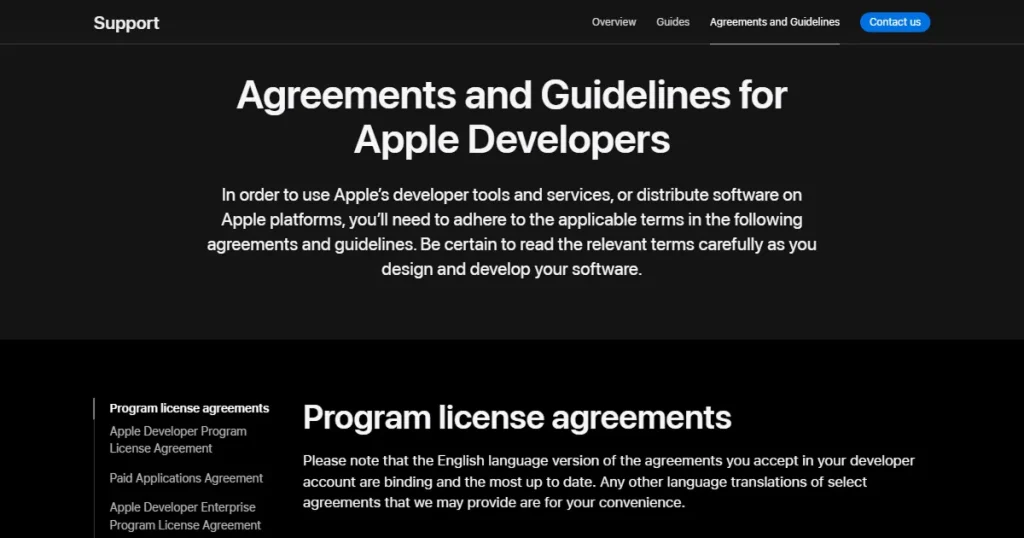
Legal requirements cover areas such as user data protection, regional laws, and regulated industries like finance and healthcare. Apps are expected to follow these rules to ensure user safety and legal compliance. All apps must follow these legal app store guidelines for developers.
Many apps are rejected for failing to meet the basic iOS App Store review guidelines. In most cases, the issues are related to stability, privacy disclosures, or incorrect app information. Most of these issues come from not following the App Store app review guidelines.
Before submitting and publishing your app, it helps to run a quick checklist. These basic checks can prevent common review issues and improve the chances of approval on the first submission.
This checklist is based on the App Store app review guidelines to help avoid common issues.
| Category | Check |
| App stability | App runs smoothly with no crashes or major bugs |
| Metadata | App title, description, and keywords are updated and correct |
| Screenshots & preview | Images and preview videos show the latest app version |
| In-app purchases | Purchases are correctly shown with clear descriptions |
| Privacy | Privacy policy link is added and accessible |
| Test account | A working test account is shared with Apple for review |
| Compliance | App follows regional and legal requirements |
App rejections are fairly common, even for experienced teams. The important step is to understand the issue and address it properly before submitting the next build.
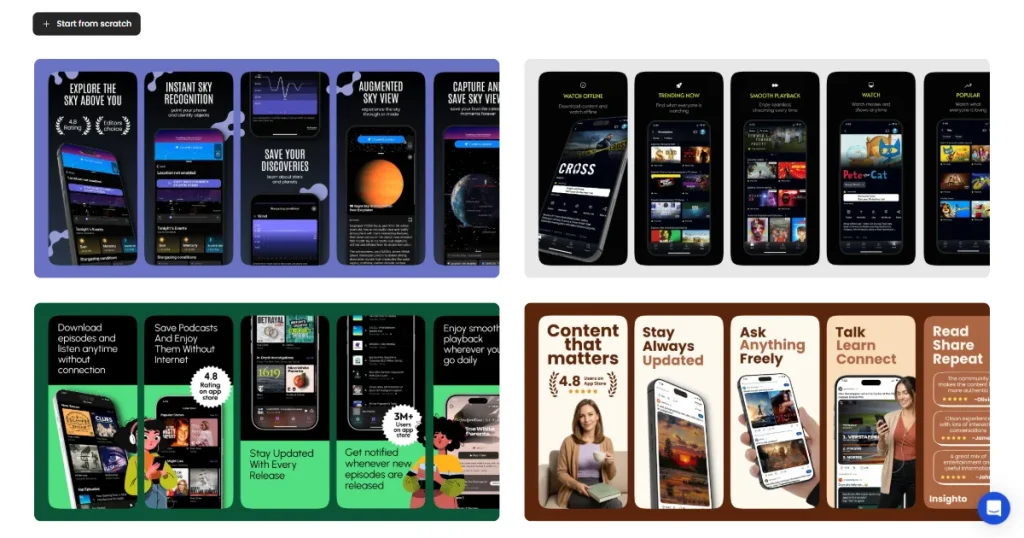
Creating App Store screenshots often takes more effort than expected. Each device size, layout, and localization may require a separate design. AppLaunchpad simplifies this process by providing templates and built-in tools that comply with Apple’s App Store guidelines for developers.
Follow these simple steps to create App Store screenshots using the AppLaunchpad Screenshot Builder.
Step-1: Log in to AppLaunchpad and from the top navigation bar, select Templates.
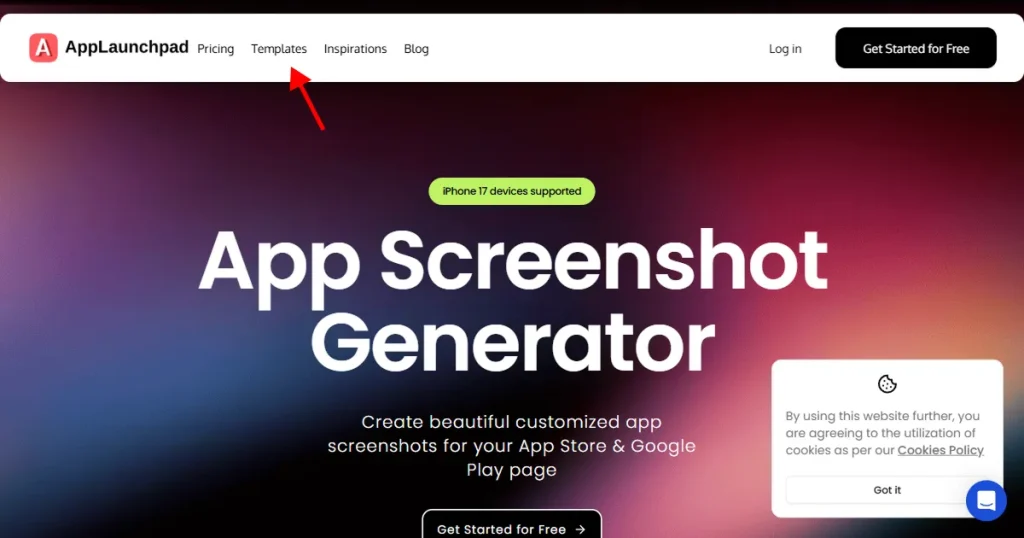
Step-2: Choose the correct device type, such as iPhone, iPad, or Android. Then filter by template style based on your preference.
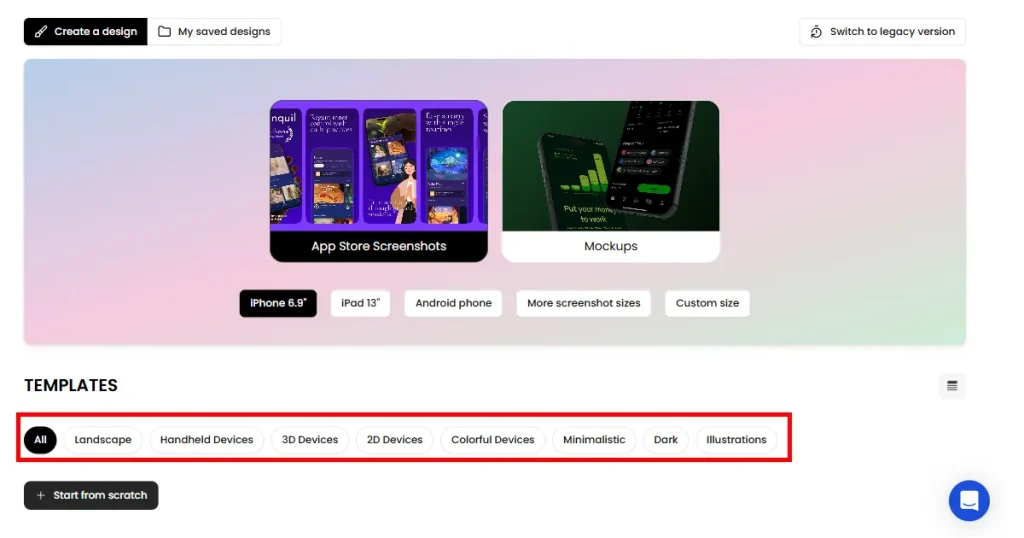
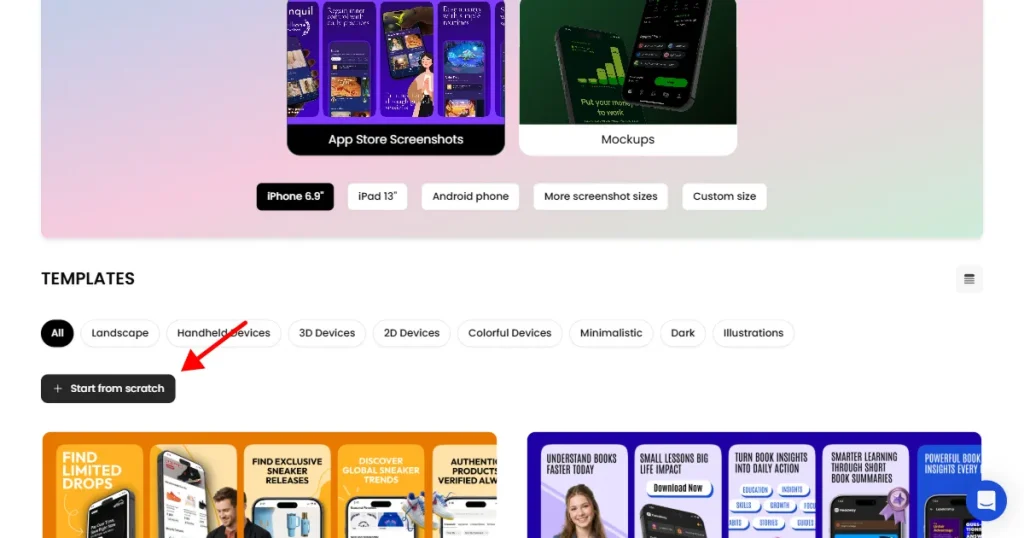
Step-3: You can either pick a ready-made template or click Start from scratch to design your own layout.
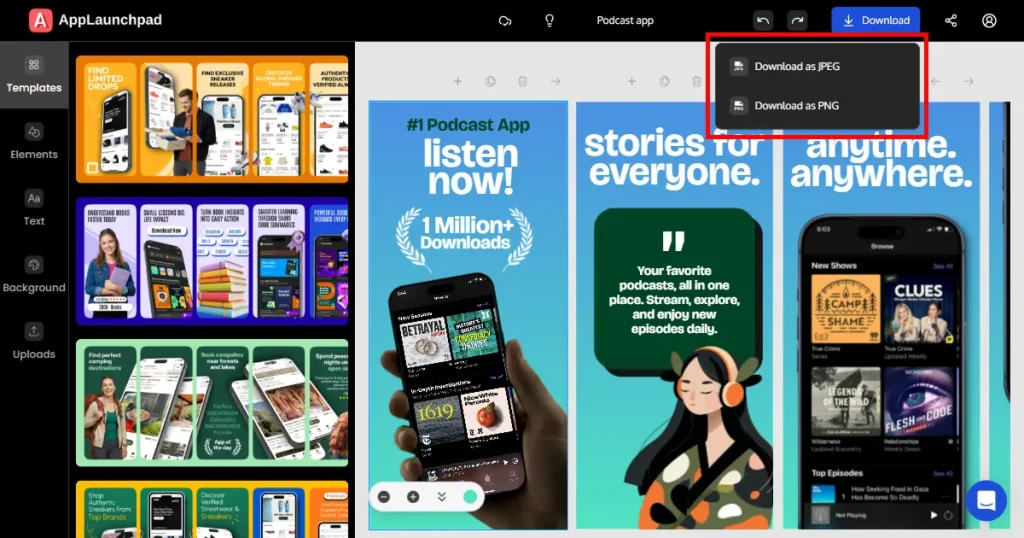
Step-4: Edit the text, adjust colors, change backgrounds, and modify design elements to match your app branding and messaging.
Step-5: Once you are done editing, click Download. You can export the screenshots as PNG or JPEG files.
Getting an app approved on the App Store requires careful preparation. Checking guidelines early and fixing issues before submission can save time and prevent delays in the review process.
Recent updates place a strong focus on privacy, transparency, and overall user trust. You should review your apps carefully, ensure all information is accurate, and test them thoroughly before submitting.
It is also important to stay up to date with Apple’s policies, as its guidelines and enforcement practices are refined regularly. Keeping up with these changes can help avoid unnecessary rejections and keep your app compliant. Reviewing the App Store review guidelines early can prevent delays.
The iOS App Store review guidelines are Apple’s rules that apps must follow to get approved, covering privacy, performance, design, and compliance.
Most apps are reviewed within 24-48 hours, though complex cases may take longer.
Apple updates its guidelines throughout the year. Major policy shifts are usually reflected in updated documentation, but enforcement practices may take place even without announcements.
The App Store guidelines for developers outline how to build and submit apps that meet Apple’s standards for safety, design, payments, and legal compliance.
Regularly review Apple’s official documentation and monitor developer announcements. Policy changes may not always be dramatic, but enforcement patterns can shift over time.