AppLaunchpad vs Screenshots.pro: Feature Comparison
We tested AppLaunchpad vs Screenshots.pro by creating real app screenshots. See which tool offers better compliance, speed, and control.
Published Feb 6, 2026
Compare AppLaunchpad vs MockUPhone for app screenshots and device mockups. Explore features, pricing, and the best fit for your workflow.
11 min
Choosing between screenshot tools and mockup generators can get confusing. This AppLaunchpad vs MockUPhone guide compares the two clearly.
AppLaunchpad is an app store screenshot generator with ready-to-use, App Store and Play Store compliant templates. On the other hand, MockUPhone offers generic free device mockups. It’s best suited for device mockups from major iOS and Android brands like Google Pixel, Samsung, etc.
This guide covers everything from features to pricing and best use cases of both AppLaunchpad and MockUPhone so you can pick the right tool. If you need scalable, store-ready screenshots, AppLaunchpad is the better choice.
Below is a quick snapshot of the whole AppLaunchpad Vs MockUPhone comparison. This AppLaunchpad vs MockUPhone breakdown also helps you evaluate whether you should stick with MockUPhone or explore better MockUPhone alternatives.
| Feature | AppLaunchpad | MockUPhone |
| Primary purpose | Dedicated App Store & Google Play app store screenshot generator | Device mockup generator and free device mockups |
| App Store & Play Store compliance | Yes, templates and exports are store-ready | No built-in compliance handling |
| Screenshot templates | 1000+ store-focused templates | No screenshot templates, only free device mockups |
| Device support | Latest iOS & Android devices (phones, tablets, wearables). | iOS, Android, desktop, TV devices |
| Android Brand coverage | AppLaunchpad doesn’t support Android brands like Motorola and OnePlus, unlike Mockuphone. | Includes brands like Motorola, OnePlus, Samsung, and Google |
| Latest iPhone supported | iPhone 17 Pro Max | iPhone 15 Pro Max |
| Text & layout customization | Complete control over text, layout, spacing, and hierarchy | Not supported |
| Branding support | Custom fonts, logos, and brand assets | Not supported |
| Localization support | AI-powered localization for complete screenshot sets | Not supported |
| Screenshot cloning & automation | Yes, clone screenshots across devices | Not available |
| Export readiness | Exact App Store & Play Store sizes | Requires manual resizing |
| Pricing model | Freemium + paid Pro plan | Free device mockups with attribution |
Now, we will take a deep look at both the tools covered in this AppLaunchpad Vs MockUPhone comparison
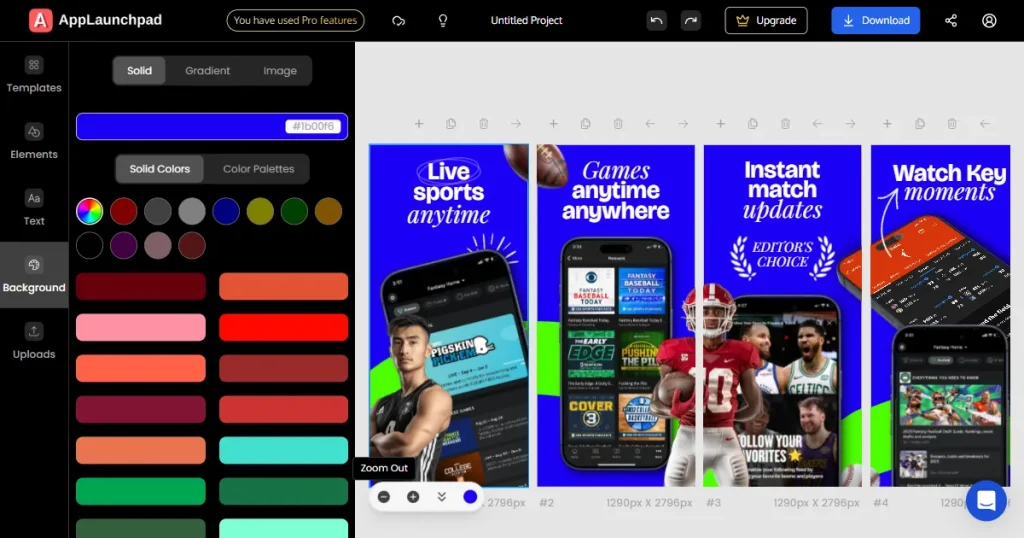
AppLaunchpad is one of the best app store screenshot generators. AppLaunchpad is explicitly designed for app developers, founders, and teams who need screenshots that are both visually appealing and store-compliant.
Compared to most MockUPhone alternatives, AppLaunchpad focuses heavily on store compliance and scalable screenshot workflows.
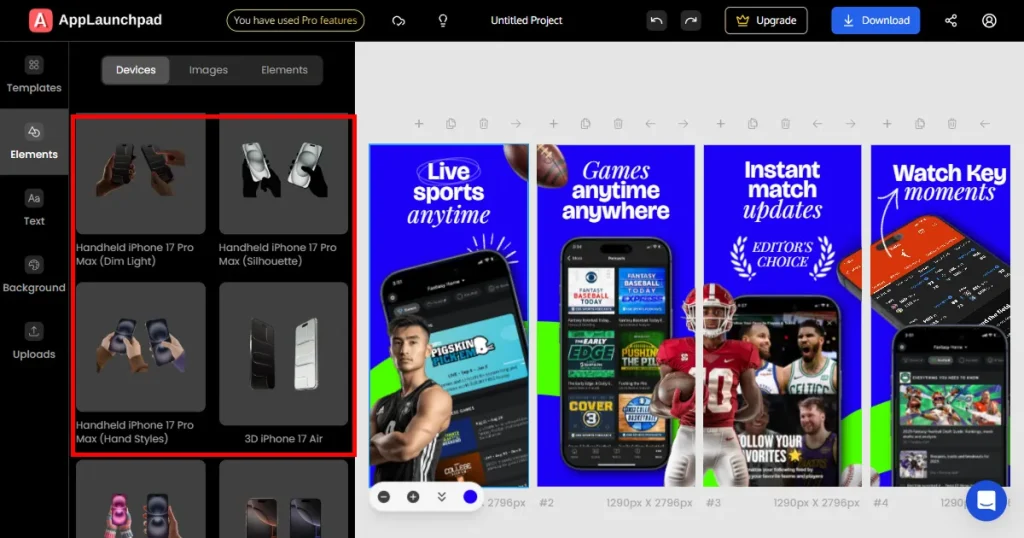
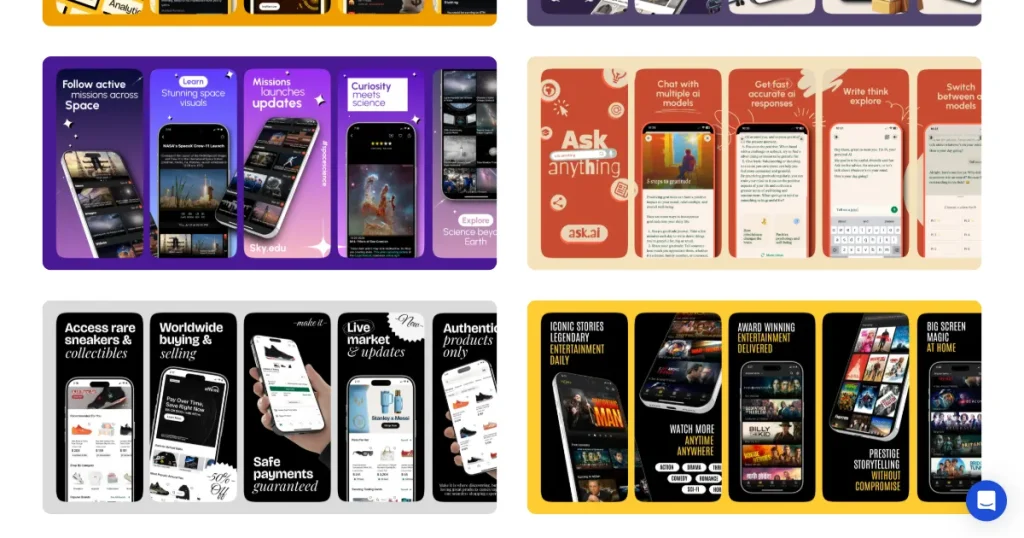
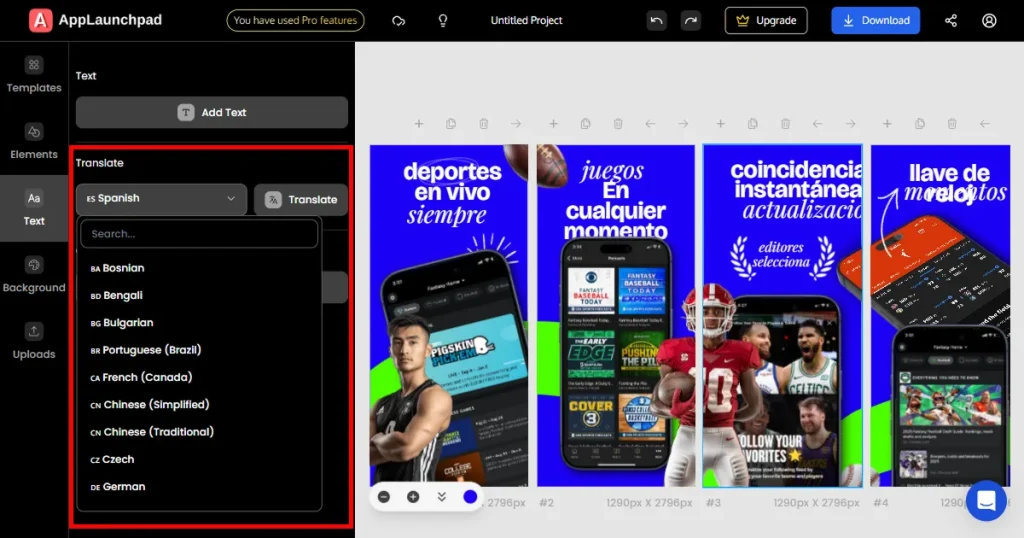
This is where AppLaunchpad stands out from typical MockUPhone alternatives that lack built-in templates and automation.
If your goal is to create premium-looking screenshots, AppLaunchpad is the best option in this AppLaunchpad Vs MockUPhone for your workflow. AppLaunchpad is especially valuable if your work requires constant use of App Store screenshots, you plan to localize your app but just don’t know how to do it fast, or you are updating your screenshots to drive more traffic and improve visual appeal.
If you’re actively searching for MockUPhone alternatives, this is the kind of upgrade that removes manual work.
AppLaunchpad also offers features such as brand assets, custom images, and fonts, which can be very helpful for startups and small brands. However, if you are looking for a free option, a simple mockup tool, or if your app is not yet past the MVP stage, AppLaunchpad can feel too overwhelming.
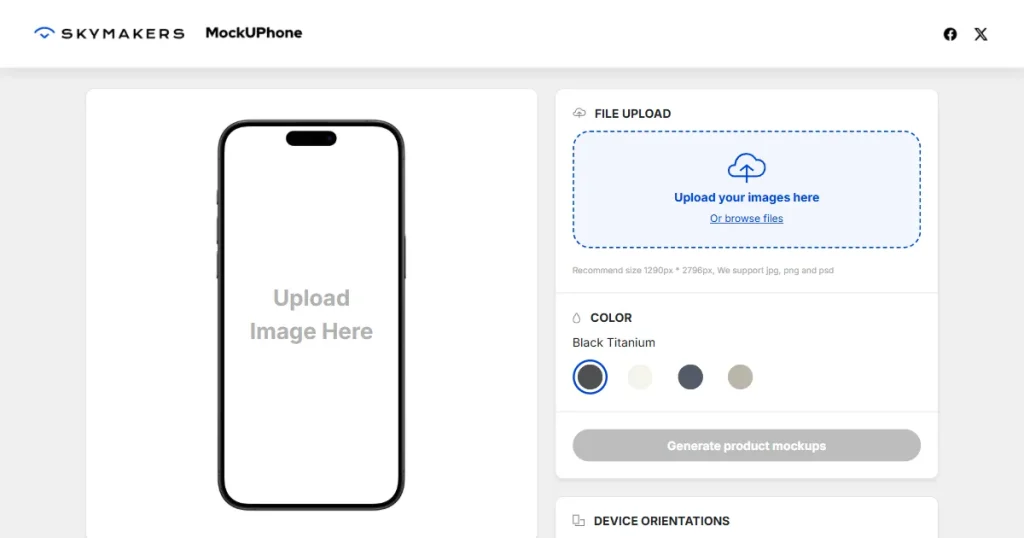
MockUPhone is not a specialized app store screenshot generator. It primarily generates free device mockups. MockUPhone follows a simple workflow: pick one of their free device mockups, upload your app screen, change the color, and it’s done.
MockUPhone remains a popular tool because of its extensive device mockup library. Device mockups range from iOS (iPhone, iPad, iMac, Apple Watch) to mobile brands like Google, Samsung, Motorola, OnePlus, and even Nokia.
It lacks the app screenshot templates required for a whole app store screenshot generator experience. This limitation is exactly why many users start exploring MockUPhone alternatives for more complete screenshot workflows.
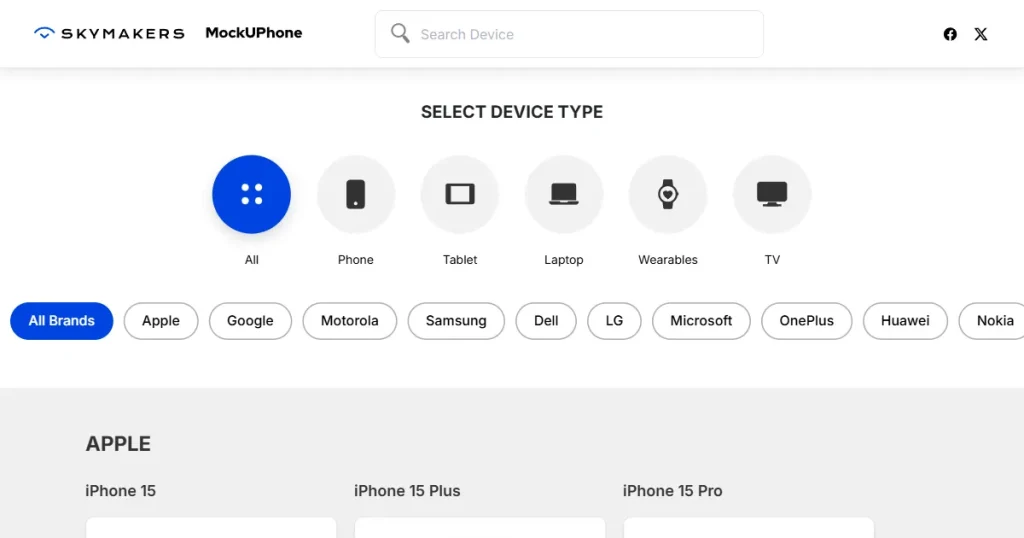
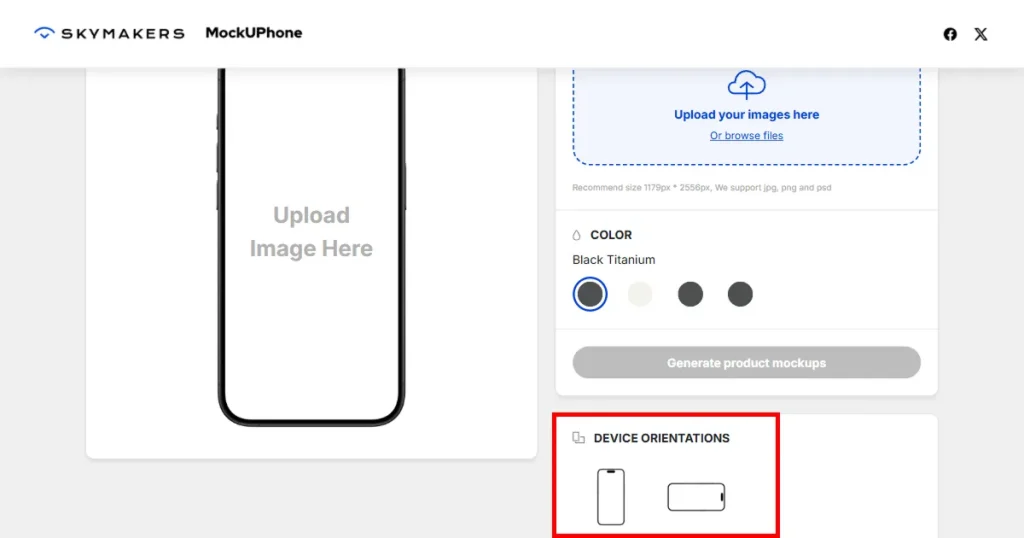
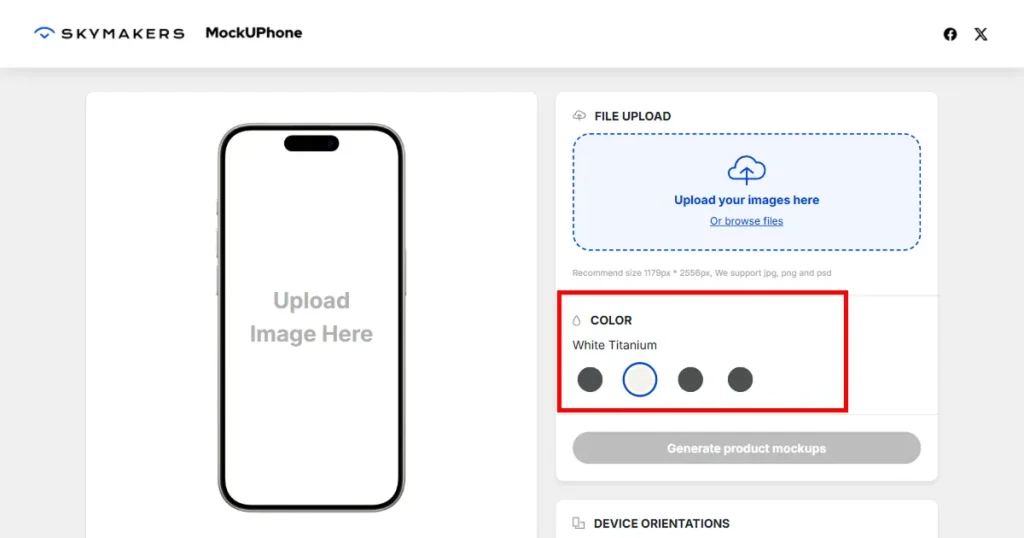
In this AppLaunchpad Vs MockUPhone comparison, MockUPhone stands out as an excellent tool for creating device mockups for marketing posts, startup pitch decks, and landing pages. Use this tool if your app is in the early stages and you only require device mockups.
Using MockUPhone for App Store and Google Play screenshots can increase design redos, manual edits, and the need to use an external design tool. MockUPhone works great alongside other design tools.
AppLaunchpad follows a freemium pricing model. The free plan is extremely useful for testing templates and exploring the tool.
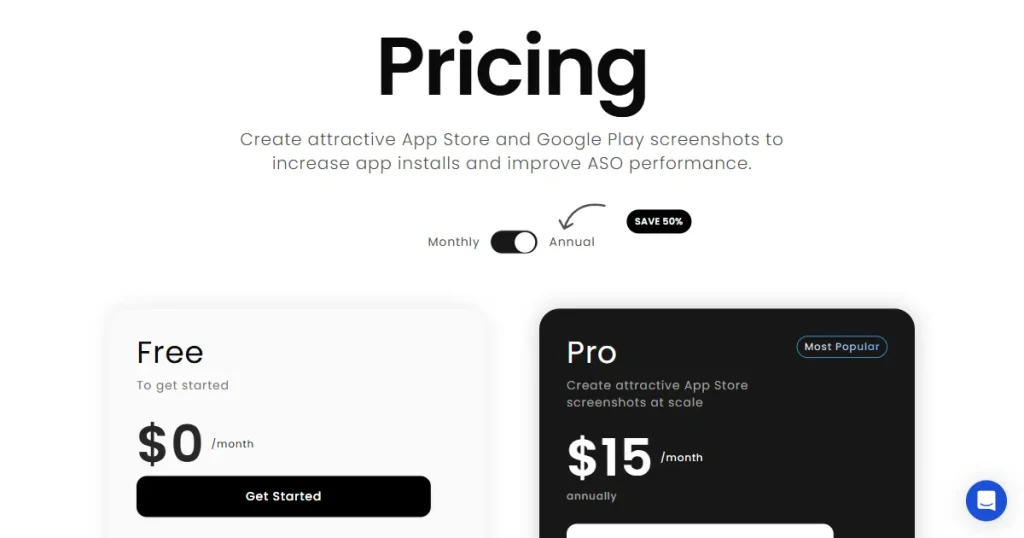
The Pro plan, priced at $29/month for a monthly plan, unlocks unlimited exports, the latest iOS and Android devices, AI-powered localization, Screenshot cloning, and custom brand features. This app screenshot generator is ideal for teams and startups that frequently update their screenshots, as it eliminates the need for external tools and manual effort.
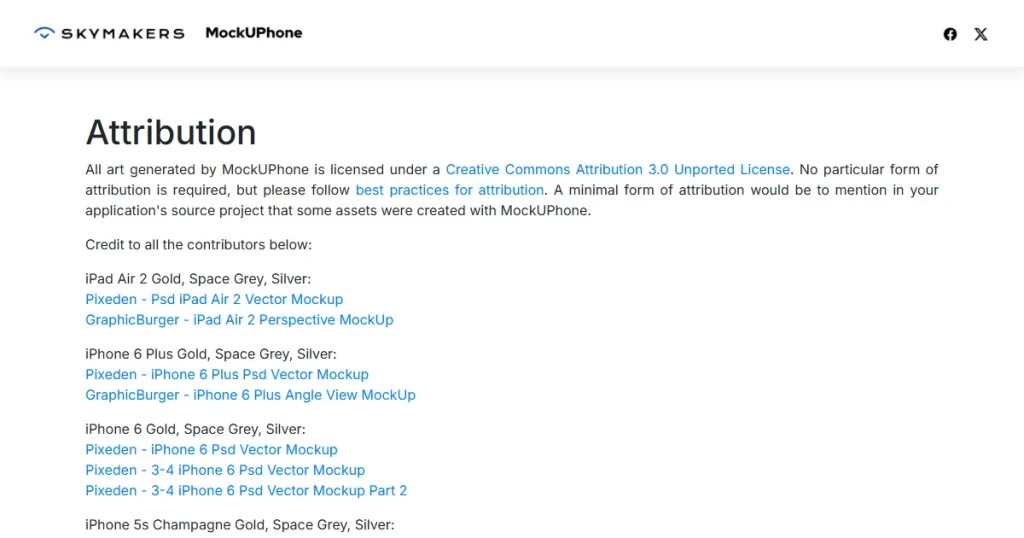
MockUPhone is a completely free tool to use and doesn’t require you to create an account. However, commercial use of mockups needs attribution to the tool.
While the free option may sound good and maybe the most convenient choice right now, it quickly adds up. The hidden cost usually comes from using extra tools needed for resizing, branding, and customization. Over time, these costs can pile up and cost you both time and money.
By the end of this AppLaunchpad Vs MockUPhone comparison, you will already know which tool is right for you. Both AppLaunchpad and MockUPhone offer screenshot creation, but they serve different purposes. The right choice depends on how important app screenshots are to your app’s growth and how often you will need to update them.
If screenshots are part of a new launch, app growth strategy, or feature update, using a dedicated app screenshot generator saves you time and helps you avoid rejection risks.
Check out this quick list to understand which tool is best for you in this AppLaunchpad Vs MockUPhone comparison.
Choose AppLaunchpad if:
Choose MockUPhone if:
The main difference between AppLaunchpad and MockUPhone lies in what they offer. AppLaunchpad is an app screenshot generator explicitly built for app screenshots. On the other hand, MockUPhone is more focused on device mockups.
MockUPhone doesn’t offer screenshot templates or let you create multiple screenshots side by side. If you still wish to make screenshots, you can make final edits to exports and integrate them with external design tools like Canva or Photoshop to add text, backgrounds, brand assets, and illustrations.
When it comes to scalability, you look for factors such as automatic scaling, high customization, and batch creation in the AppLaunchpad Vs MockUPhone comparison. AppLaunchpad is an app screenshot generator that provides all these features, eliminating the need for a separate tool and manual effort. MockUPhone requires extra work from your side and design tools as your app grows.
No. MockUPhone is a device-mockup generator and has nothing to do with screenshot templates.
Free device mockups work for basic visuals like presentations or landing pages. But for app store screenshots, you’ll still need extra tools for text, layouts, and proper sizing, which can make the process slower and more manual.
An app store screenshot generator helps you create ready-to-upload screenshots with proper sizes, layouts, and text. It saves time by offering templates, so you don’t have to design everything manually or worry about store guidelines.
Many MockUPhone alternatives go beyond device frames and help you create full app store screenshots with less effort. Many offer templates, text editing, and export options, making them better suited for creating complete app store screenshots rather than just basic mockups.