20 Best AI App Marketing Tools In 2026
Boost app growth with the 20 best AI marketing tools of 2026. Master ASO, automate retention, and scale faster with expert picks for indie devs and growth teams
Published Feb 12, 2026
AppLaunchpad vs Launchmatic: a clear breakdown of pricing, features, templates, and which app screenshot tool works best.
12 min
AppLaunchpad and Launchmatic take different approaches to creating app store screenshots. AppLaunchpad focuses on AI automation, category-based templates, and one-click localization, while Launchmatic offers a more manual workflow with greater emphasis on customization.
This AppLaunchpad vs Launchmatic comparison looks at how both app screenshot generators perform across automation, templates, customization, localization, ease of use, and pricing, so you can decide which platform better fits your workflow and budget.
Below is a quick snapshot of the AppLaunchpad vs Launchmatic comparison
| AppLaunchpad vs Launchmatic Feature | AppLaunchpad | Launchmatic |
| Tool Focus | ASO-focused screenshot generator | Basic screenshot editor |
| Best For | Ongoing ASO and frequent updates | One-time or short-term launches |
| Device Support | Latest iOS & Android devices | Older iOS & Android devices |
| Newest iPhone | iPhone 17 Pro Max | iPhone 12 Pro Max |
| Screenshot Templates | 1000+ device-specific templates | 18 pre-designed templates in-total |
| Localization | AI-powered bulk localization | Available but unreliable |
| Screenshot Cloning | Yes, preserves layout & styling | Partial, manual fixes needed |
| Export Formats | PNG & JPG | PNG only |
| Pricing Model | Freemium Pro plan starts at $29/month | Time-based access 30 Days unlimited ($20) Yearly unlimited ($50/year) |
In this AppLaunchpad vs Launchmatic comparison, AppLaunchpad app store screenshots is built for long-term scaling. AppLaunchpad is one of the best App Store screenshot tools built to create App Store and Google Play Store screenshots. It is a dedicated App Store screenshot tool. The platform is centered on conversion-driven visuals, where screenshots act as growth assets.
AppLaunchpad’s core goal is to provide App Store screenshot templates that eliminate manual resizing, layout errors, and the risk of rejection. By using this App Store screenshot tool, your App Store screenshots are automatically scaled to the correct sizes, making AppLaunchpad an essential App Store screenshot tool for apps that ship often and update across various devices and regions.
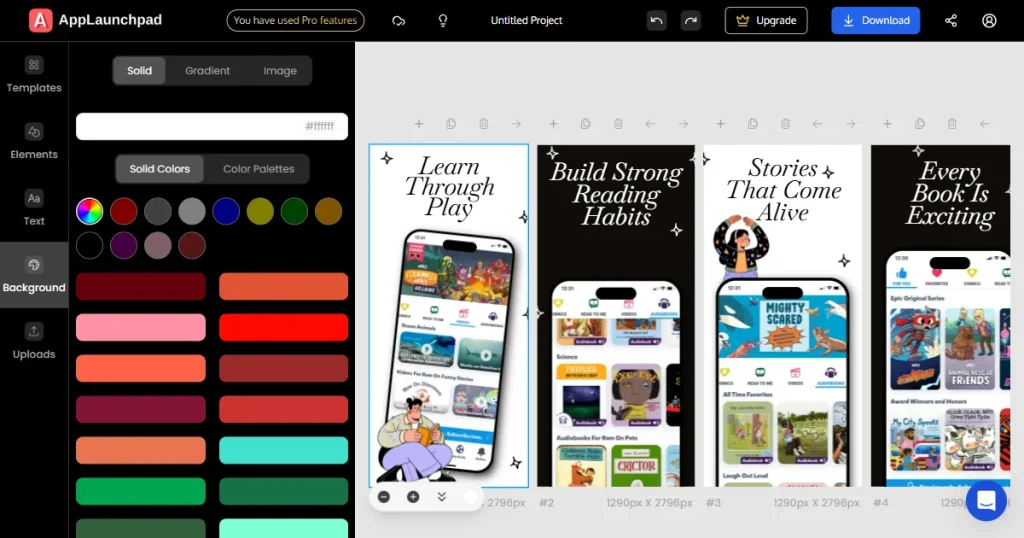
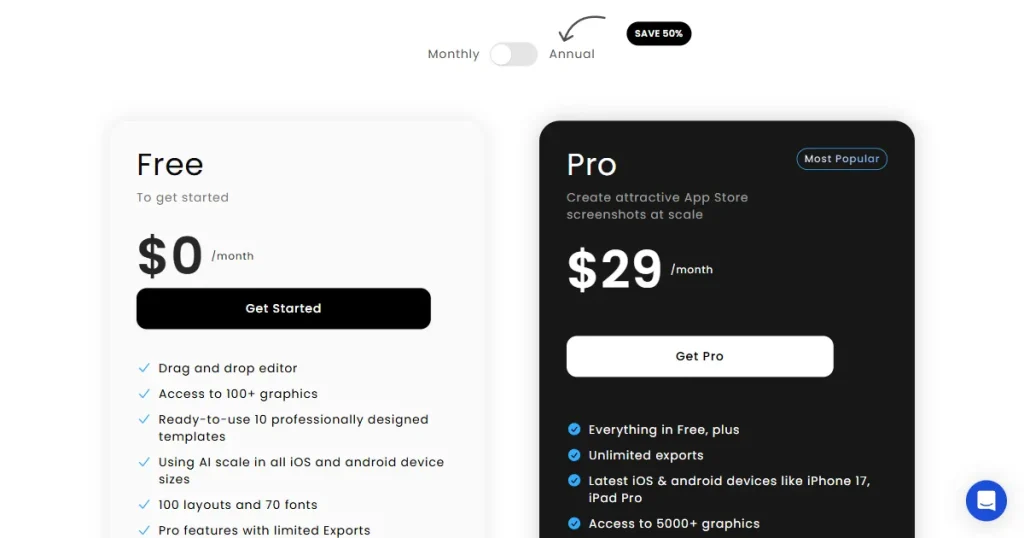
AppLaunchpad is an App store screenshot tool that follows a freemium subscription model and is designed for ongoing ASO work. In the AppLaunchpad vs Launchmatic comparison, Launchmatic’s screenshot generator focuses on quick setup.
Free plan ($0/month)
This plan works best for testing the platform and understanding how AppLaunchpad app store screenshots and scaling behave.
Pro plan ($29/month, billed monthly)
The ultimate app store screenshot tool for teams. This plan is designed for teams running continuous ASO or multi-market launches.
This pricing structure works best for teams that update screenshots regularly and want predictable long-term costs rather than time-limited access.
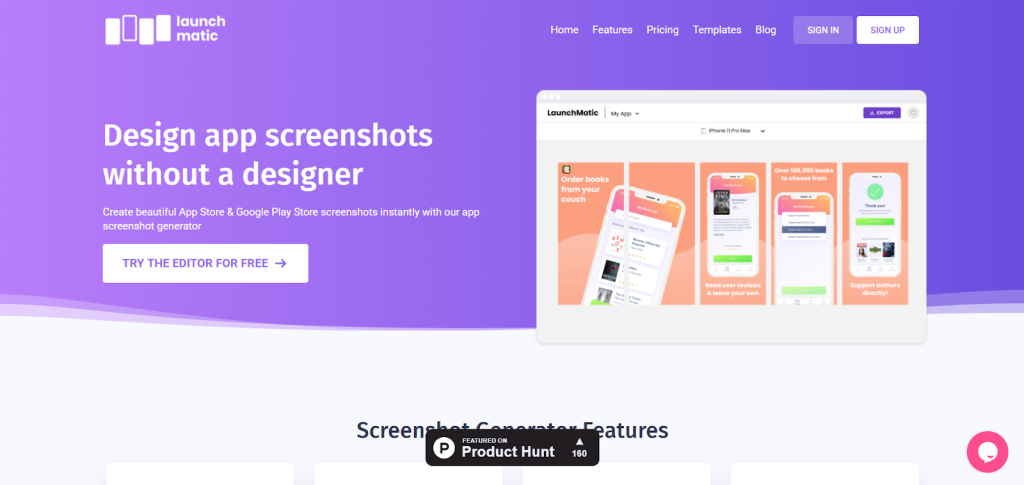
Launchmatic is a basic App Store screenshot tool. It offers a simple way to generate App Store and Google Play Store screenshots quickly. While it provides app store screenshot templates, it is less optimized for scaling app store screenshots across multiple regions than a more robust app store screenshot tool. It is built more for quick setup and short-term usage than for long-term investment.
Launchmatic screenshot generator is best for solo developers or small teams that want to generate screenshots quickly and move on. However, it is less optimized for scaling across devices, frequent updates, or localization at scale.
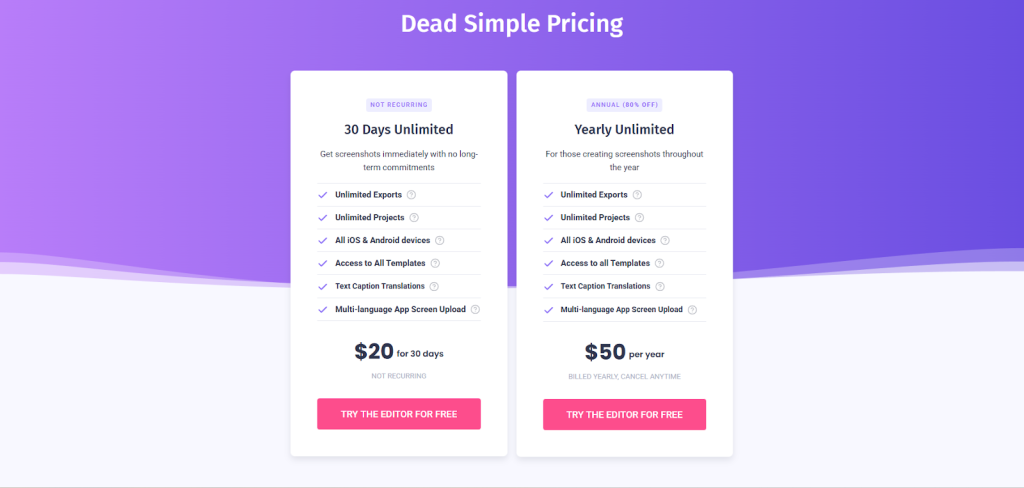
Launchmatic screenshot generator uses a time-based access model, rather than a traditional feature-tiered subscription.
30-Day Unlimited Plan ($20 one-time)
This plan works best for one-time launches or short ASO sprints.
Yearly Unlimited Plan ($50/year)
This pricing model is most cost-effective only if the screenshot work is clearly time-bound. For ongoing updates, the value drops quickly.
The real difference between AppLaunchpad vs Launchmatic becomes clear in daily usage and how you manage app store screenshots.
AppLaunchpad is a structured app store screenshot tool. It assumes screenshots will be updated often, reused across devices, and localized for multiple markets. Launchmatic app store screenshots assume that screenshots are a one-off task you complete and then move on.
When comparing AppLaunchpad vs Launchmatic, template variety is a major gap.
When it comes to app store screenshot templates, AppLaunchpad offers an extensive library of 1000+ pre-built app store screenshots. These app store screenshot templates guide text placement, spacing, and visual hierarchy, which help maintain clarity and compliance for better app store screenshots.
Launchmatic screenshot generator has fewer app store screenshot templates, only 18 in total, grouped mainly by app category, which often requires manual layout fixes when switching devices or orientations.
AppLaunchpad vs Launchmatic also differ heavily in device support.
Device support is another significant gap. A modern app store screenshot tool, AppLaunchpad app store screenshots supports the latest iOS and Android devices, including premium 3D and hand-held device frames. This helps screenshots feel modern and trustworthy.
Launchmatic app store screenshots and device library are stuck on outdated device models, which can make your app look unprofessional and out of step with current trends. AppLaunchpad app store screenshots are regularly updated, whereas Launchmatic’s app store screenshots can feel outdated.
AppLaunchpad supports bulk localization and handles device cloning while preserving layout and branding. Launchmatic app store screenshots offer translation and cloning, but both require more manual steps and frequent corrections.
Over time, this difference adds up in both effort and consistency. For localization, AppLaunchpad is the superior app store screenshot tool, efficiently scaling App Store and Google Play Store screenshots.
Another key factor in AppLaunchpad vs Launchmatic is export flexibility.
Export quality and flexibility also favor AppLaunchpad. It supports both PNG and JPG exports in exact store sizes, reducing upload issues. Launchmatic app store screenshots support only PNG and require a paid plan to export.
Overall, AppLaunchpad prioritizes saving time and reducing errors at scale, while Launchmatic app store screenshots prioritize speed for short-term use.
Follow the steps below to create app store screenshots on AppLaunchpad.
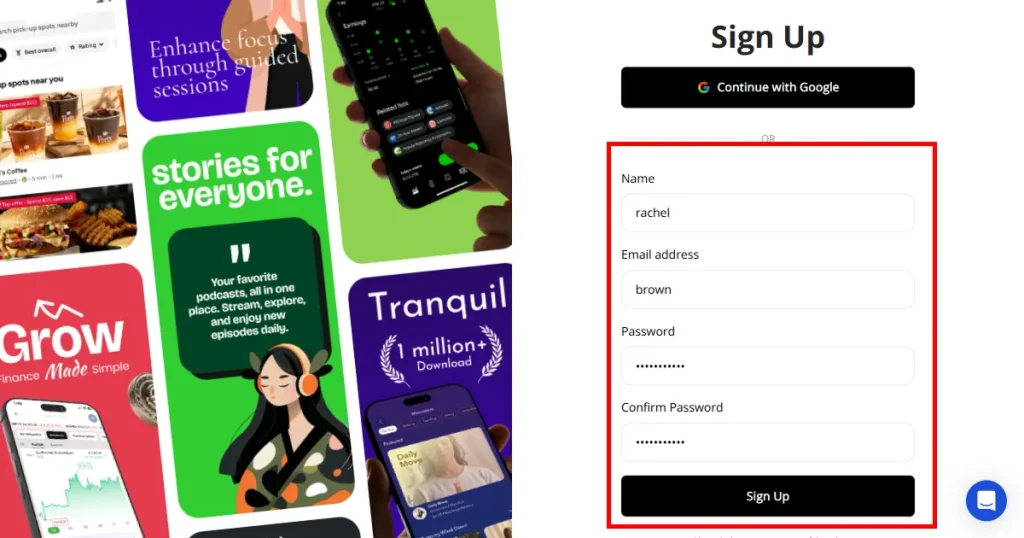
Step 1: Create an account on AppLaunchpad using Google sign-in or email, or log in using saved credentials if you already have an account
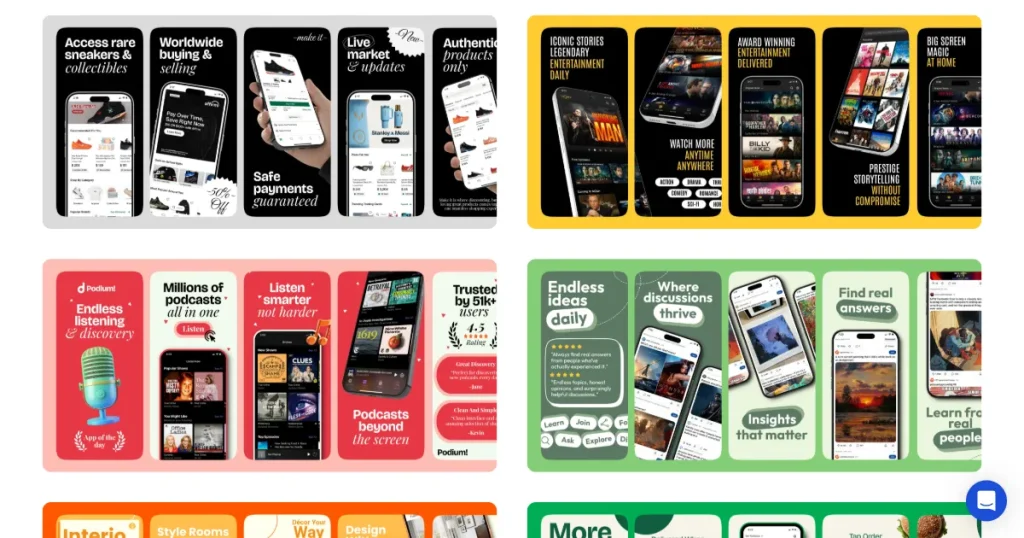
Step 2: Choose how you want to create screenshots(pre-designed templates or start from scratch).
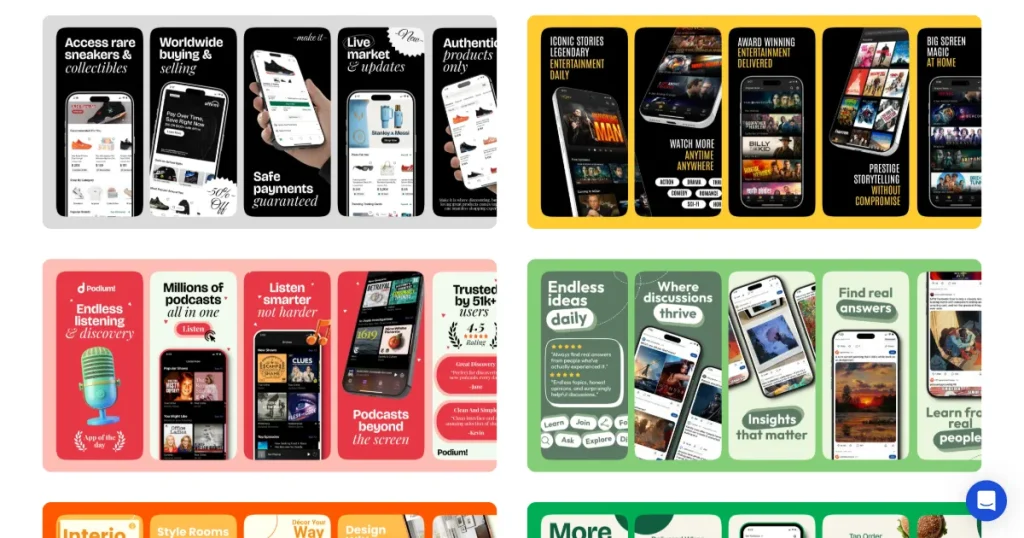
Step 3:Pick a screenshot template from the available options.
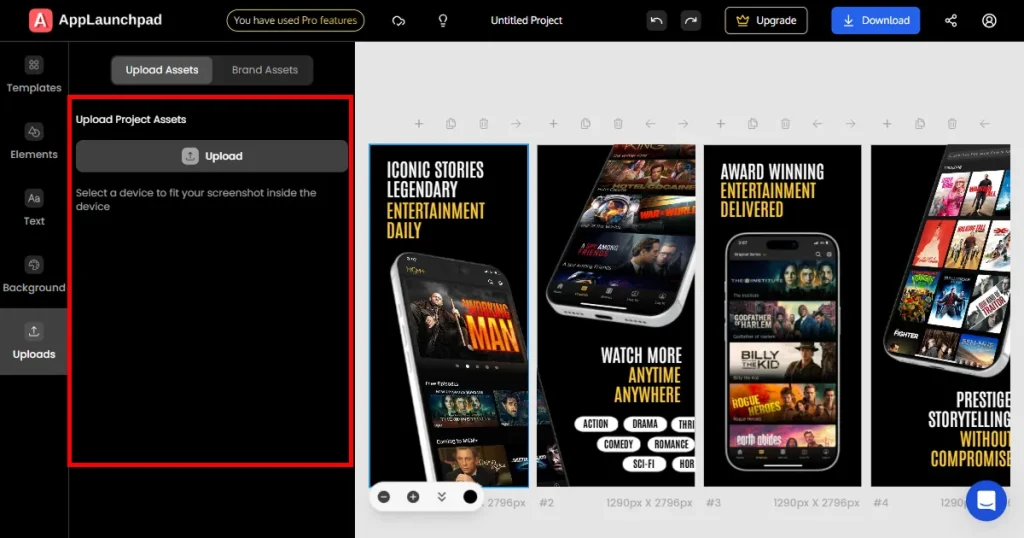
Step 4: Once inside the editor, start customizing the selected template. Upload your app screens and place them into each screenshot frame
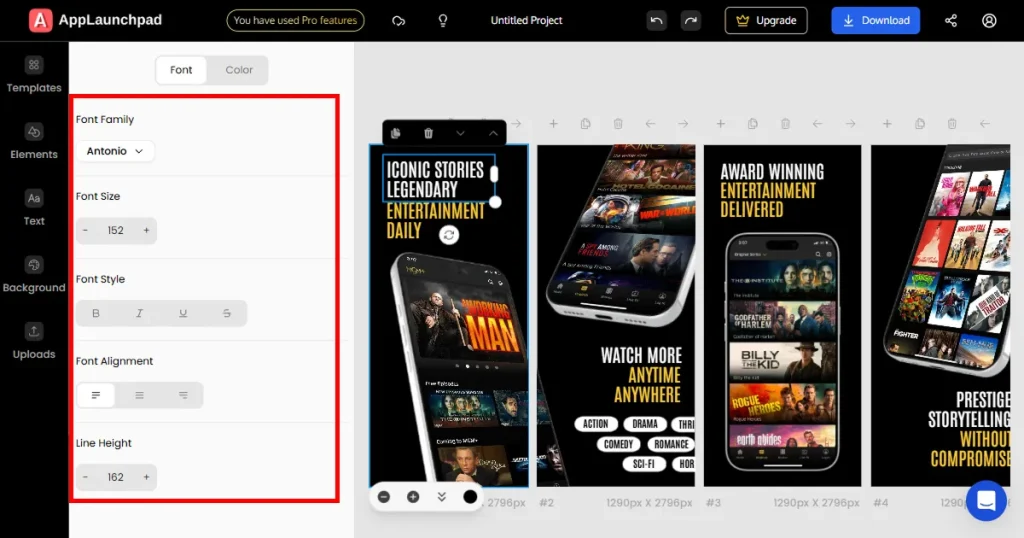
Step 5: Add, remove, or edit text inside the template. Customize font size, alignment, and spacing for better readability.
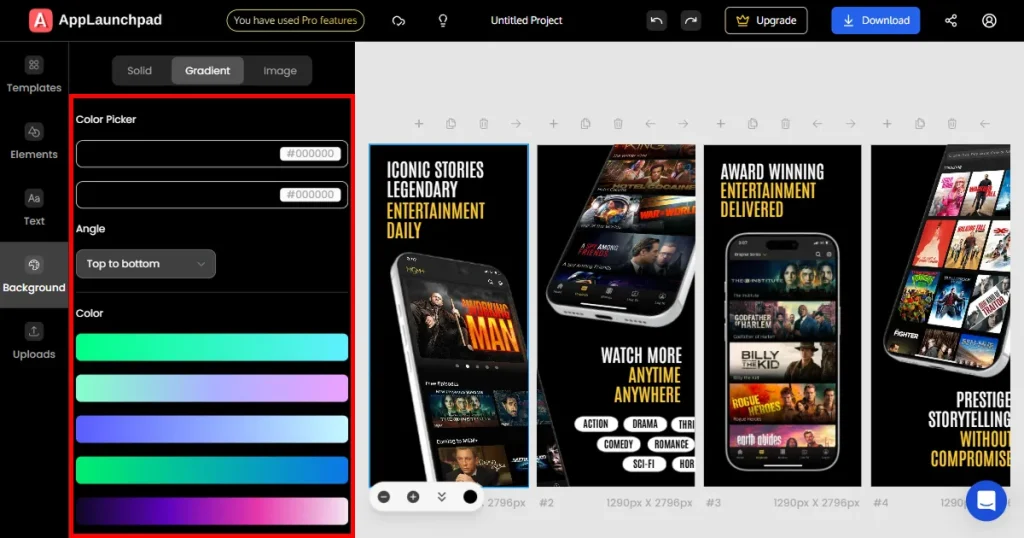
Step 6: Apply background customization if needed. Choose a background color, gradient, or upload a background image.
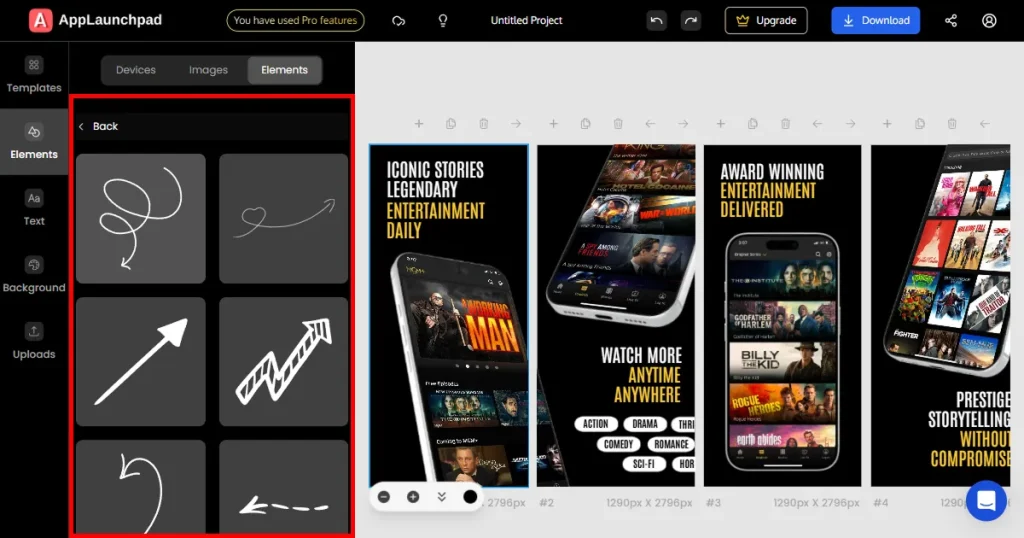
Step 9: Add extra elements like App Store or Google Play badges, App icons, Illustrations, or design elements
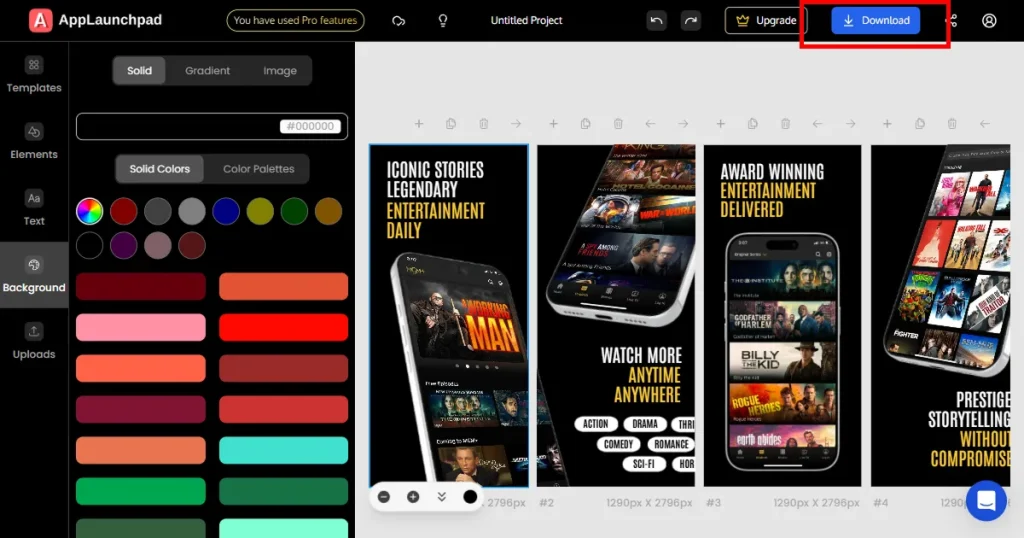
Step 10: Export your screenshots as JPG or PNG. Screenshots will be downloaded as a ZIP file to your local computer.
Note: All projects are automatically saved. You can return at any time to make edits or revisions without starting over.
Choosing between AppLaunchpad vs Launchmatic screenshot generators depends less on features and more on how you plan to manage screenshots over time. If App Store screenshots are a one-time task for a single launch, Launchmatic app store screenshots may be sufficient. It’s quick to set up, easy to use, and reasonably priced for short-term use.
However, if screenshots are part of your ongoing ASO strategy, AppLaunchpad is a better choice. It supports modern devices, scales smoothly across both the App Store and Google Play, handles localization more reliably, and reduces repetitive manual work. These advantages matter more as your app grows.
Launchmatic screenshot generator is a fine App Store screenshot tool. However, for ongoing growth. AppLaunchpad is the better choice for app store screenshot tools. It offers better App Store screenshot templates and handles App Store and Google Play Store screenshots more reliably.
For teams shipping frequent updates, expanding into new regions, or testing different screenshot variations, AppLaunchpad delivers far better long-term efficiency. In simple terms, if you’re deciding between tools, AppLaunchpad vs Launchmatic screenshot generator is an easy call for growing apps.
AppLaunchpad allows you to design a set of screenshots once and clone it across devices like iPhone, iPad, and Android. Layout, text, backgrounds, and branding remain unchanged while only the device frame is swapped.
Launchmatic lets you manually edit App Store and Google Play Store screenshots, giving you greater control over your screenshots. Launchmatic screenshot generator focuses on manual customization. You can freely edit text, backgrounds, and device styles, or start from a blank canvas if needed. While this gives flexibility, it also means more hands-on work.
Indie developers who plan to update app store screenshots regularly should choose AppLaunchpad for its superior app store screenshot templates, test variations, or localization for new markets. Launchmatic screenshot generator is better suited for indie devs who launch once and don’t expect to revisit screenshots often.
AppLaunchpad offers broader, latest model device support and a much larger device-specific template library. Launchmatic app store screenshots and device options are more limited, which may feel restrictive over time.
AppLaunchpad is a powerful app store screenshot tool for bulk localization of App Store and Google Play Store screenshots. AppLaunchpad supports bulk, AI-powered localization in one click. Whereas Launchmatic screenshot generator offers limited localization features and often requires manual fixes.
AppLaunchpad app store screenshots are built for scaling across devices and regions. You can reuse layouts, apply changes quickly, and export in correct sizes, which saves time and reduces the need for manual edits.
Launchmatic app store screenshots work fine for quick or one-time use. But for regular updates or scaling across devices, they often need manual adjustments, which can slow down your workflow over time.