


How to Create App Store Screenshots Using…
A complete guide to creating App Store screenshots with AppLaunchpad, including steps, requirements, and common mistakes to avoid
Published Jan 30, 2026
We tested AppLaunchpad vs Screenshots.pro by creating real app screenshots. See which tool offers better compliance, speed, and control.
17 min
Creating app store screenshots can get tricky without the right tool. This AppLaunchpad vs Screenshots.pro detailed comparison explores both the tools across screenshot templates, design, and usability.
This guide shows how AppLaunchpad simplifies multi-device resizing, text consistency, and bulk updates using structured templates, while Screenshots.pro focuses more on flexible editing and API-based image generation for custom use cases.
In conclusion, AppLaunchpad performs better with pre-built layouts aligned to App Store and Google Play Store screenshot requirements, consistent text styling, and faster iteration across multiple screens.
Screenshots.pro, on the other hand, is more suited for generating custom visuals through its API, but offers fewer ready-to-use templates and requires more manual effort for store-ready screenshots.
I steer clear of marketing pages or feature lists that are often AI-suggested. Instead, I tested both AppLaunchpad and Screenshots.pro screenshot editor with the same app screens and brand assets. I focused on how both tools behave when you actually try to build App store screenshots from start to finish.
At the end of my test, I evaluated 14 key criteria to compare AppLaunchpad vs Screenshots.pro. These criteria came from manual testing and research. Throughout the AppLaunchpad vs Screenshots.pro comparison, my main focus areas were:
Disclaimer: All of these points are tied to the real App Store and Google Play requirements for App Store screenshots. Nothing here is theoretical.
Before we dive further into this AppLaunchpad vs Screenshots.pro comparison, you should have some knowledge of AppLaunchpad app store screenshot generator and the Screenshots.pro screenshot editor, so we are on the same page.
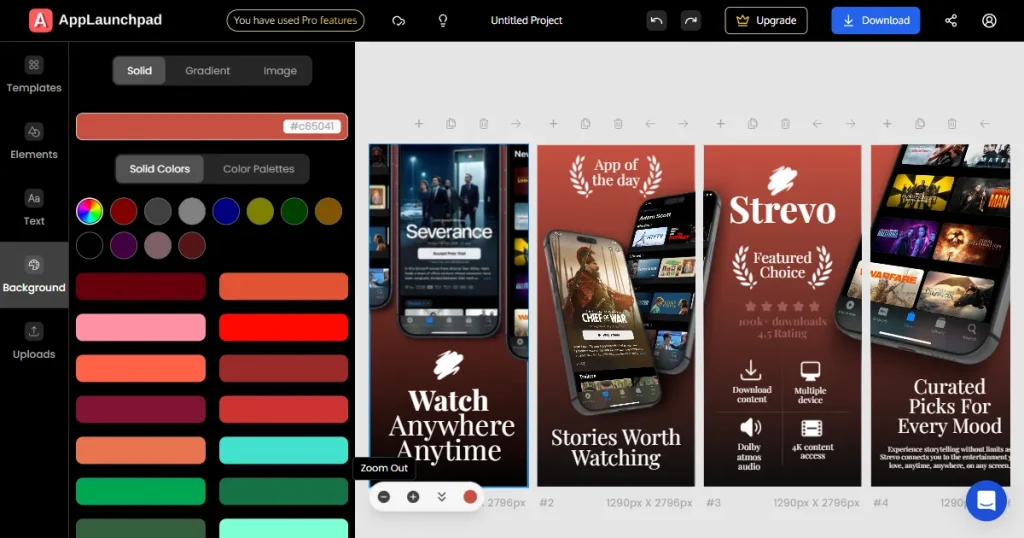
AppLaunchpad app store screenshot generator is built for creating store-ready App Store screenshots and Google Play Store screenshots. Everything from the dashboard to the editor screams beginner-friendly.
The interface is easy to follow, and you get a drag-and-drop editor, making it a contender for the best app store screenshot tool. AppLaunchpad is a powerful screenshot tool packed with features like a large template library (over 1000 templates), Support for the Latest iOS and Android devices, and high customization.
AppLaunchpad app store screenshot generator is a must-have for solo developers, small startups that can’t afford a moody designer, and agencies that keep updating their App store screenshots. It’s a tool you can commit to and grow with, making it your best app store screenshot tool.
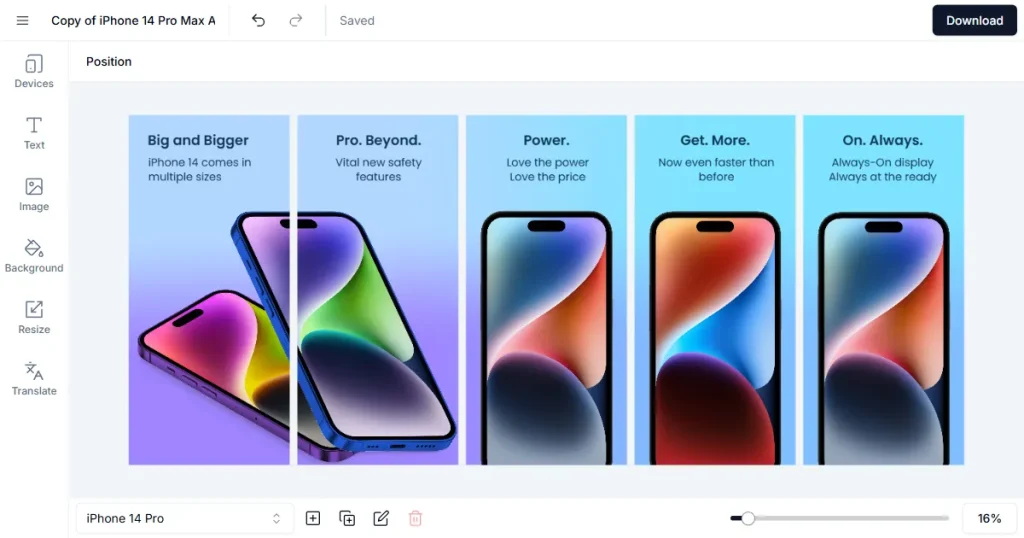
Screenshots.pro Screenshot editor is yet another much-loved tool for App Store and Google Play Store screenshots. It offers basic templates, localization, and some 3D device frames. If your App Store screenshots are a one-off, Screenshots.pro may be the right tool for you.
Screenshots.pro app store screenshots are ideal for indie developers, small teams, App developers with a tight deadline, or anyone who prefers speed and simplicity over high customization.
Screenshots.pro screenshot editor is not the best choice if you plan to update App Store screenshots frequently or experiment with different versions.
| Key Criteria | AppLaunchpad app store screenshot generator | Screenshots.pro screenshot editor |
| App Store & Play Store Compliance | Uses exact device-specific sizes, safe margins, and store-ready exports | Some Screenshots.pro app store screenshots don’t follow official size guidelines |
| Latest iOS & Android Devices | Includes the latest iPhone and Android device models | Usually one generation behind on device updates |
| Templates & Device Variety | Large library with modern templates and multiple device types | Very limited templates and fewer device options |
| Customization & Design Control | Full customization with support for from-scratch designs | Basic customization with limited design flexibility |
| Performance & Editor Stability | Smooth editing experience with stable performance | Frequent bugs and editor stability issues |
| Scalability & Long-Term Use | Designed for frequent updates and growing teams | Better suited for one-time or infrequent use |
Below are the 14 key comparison criteria I used to fairly evaluate both tools in this AppLaunchpad vs Screenshots.pro comparison.
The App Store and Google Play have their own sets of guidelines that must be followed before you publish your App Store screenshots. Underestimating these app screenshot guidelines can put you on a waitlist and cause major launch delays and rejections.
Below are the requirements for screenshots in the App Store and Google Play Store.
| Requirement | Details |
| Supported Devices | iPhone and iPad |
| Screenshot Orientation | Portrait or Landscape (Portrait recommended) |
| Required Screenshot Sizes | Must match exact Apple device resolutions |
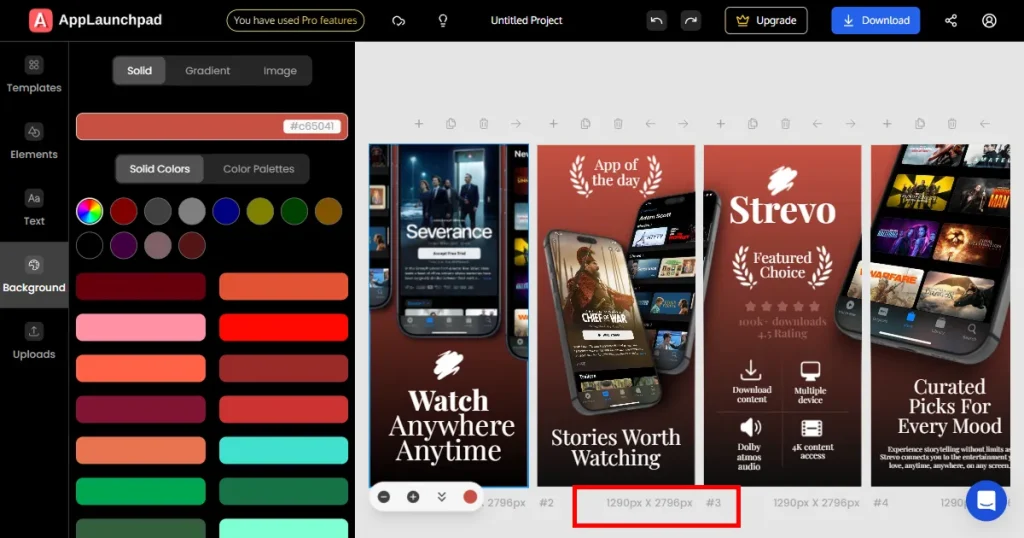
| Example iPhone Sizes | 1290 × 2796 px (6.9-inch), 1179 × 2556 px (6.1-inch) |
| File Formats | JPG or PNG |
| Color Space | RGB |
| Max File Size | 10 MB per screenshot |
| Number of Screenshots | Up to 10 per device type |
| Text Safe Areas | Text should stay within visible safe margins |
| Device Frames | Allowed, but must not distort the actual device |
| Compliance Risk | Incorrect sizes or distorted frames may cause rejection |
| Requirement | Details |
| Supported Devices | Phone, Tablet, Chromebook |
| Screenshot Orientation | Portrait or Landscape |
| Minimum Resolution | 320 px |
| Maximum Resolution | 3840 px |
| Aspect Ratio | Between 16:9 and 9:16 |
| File Formats | JPG or PNG |
| Max File Size | 8 MB per screenshot |
| Number of Screenshots | Up to 8 per device type |
| Text Placement | Must be readable on smaller screens |
| Device Frames | Allowed but must not misrepresent the app |
| Compliance Risk | Low compared to App Store, but misleading visuals can be rejected |
For this AppLaunchpad vs Screenshots.pro criteria, I checked the screenshot template’s sizes of both tools, the text margins, and looked for any distortion or defects in the device frames for App store screenshots.
AppLaunchpad
Screenshots.pro
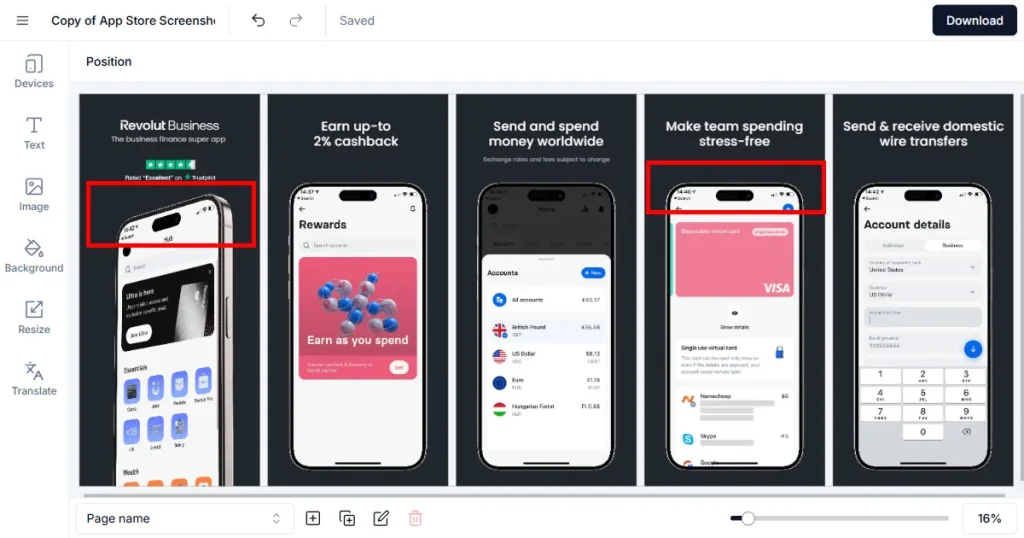
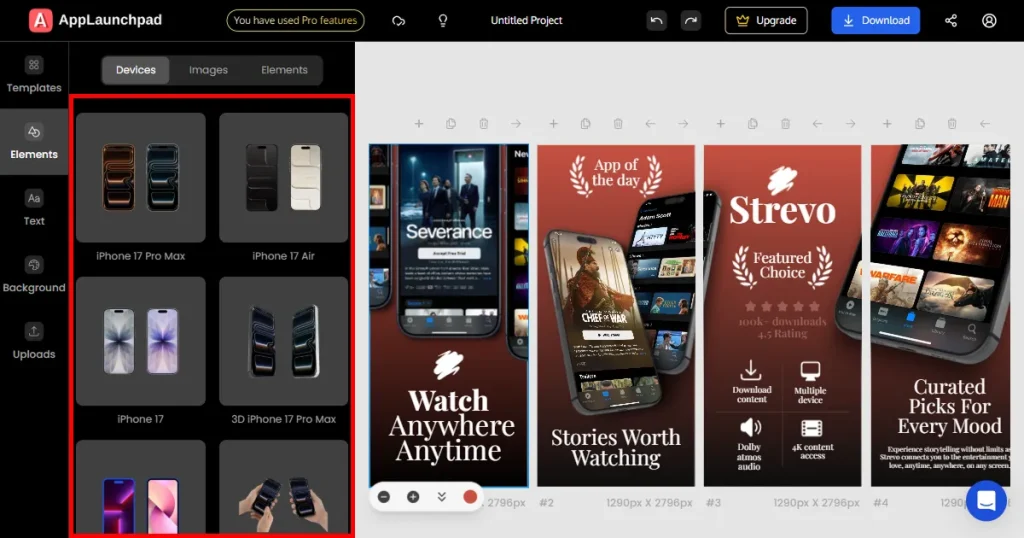
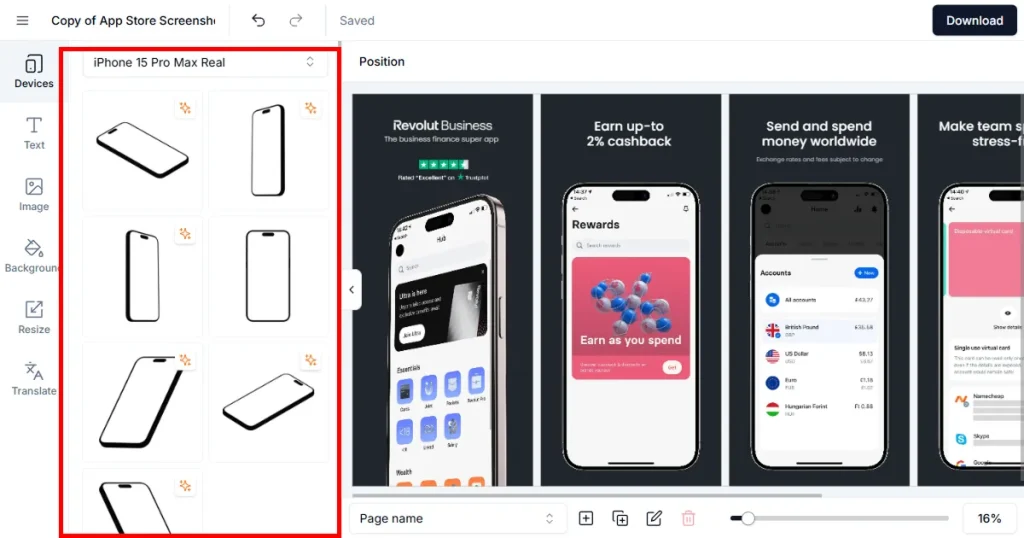
For this AppLaunchpad vs Screenshots.pro criteria, I checked all iOS (iPhone, iPad) and Android devices (Android phone, Android tablet) in both tools to see which one has the latest set of devices for App Store screenshots.
Using the latest device in your App Store screenshots remains a much-debated topic, but using the best app store screenshot tool with the latest devices can make your brand look more up-to-date.
AppLaunchpad
Screenshots.pro
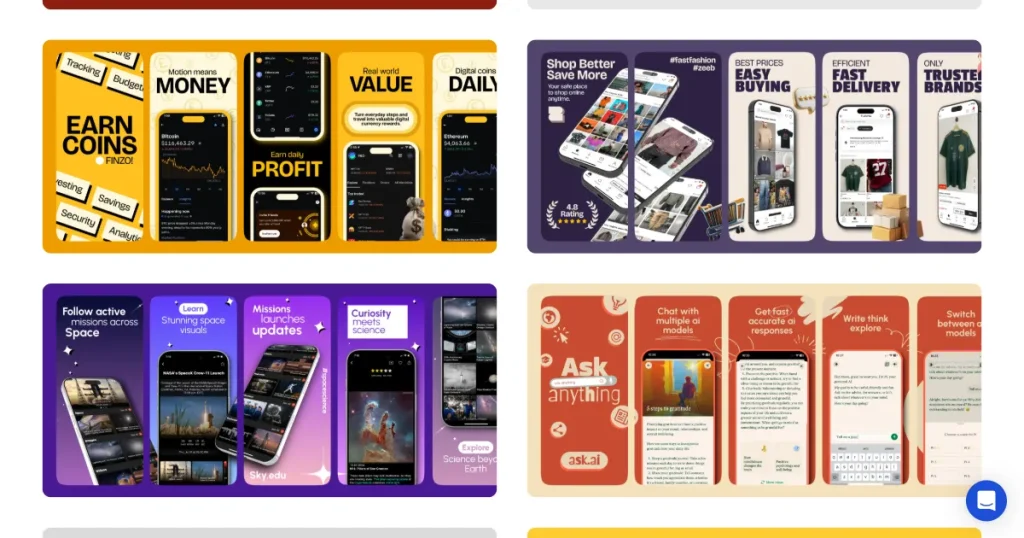
For this AppLaunchpad vs Screenshots.pro criteria, I checked the variety of templates for App store screenshots in both tools.
AppLaunchpad
Screenshots.pro
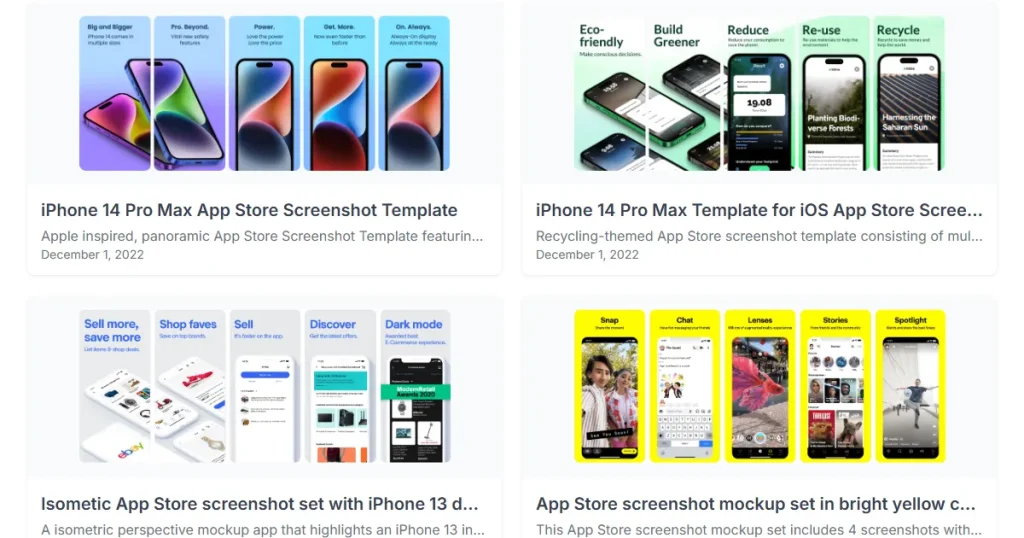
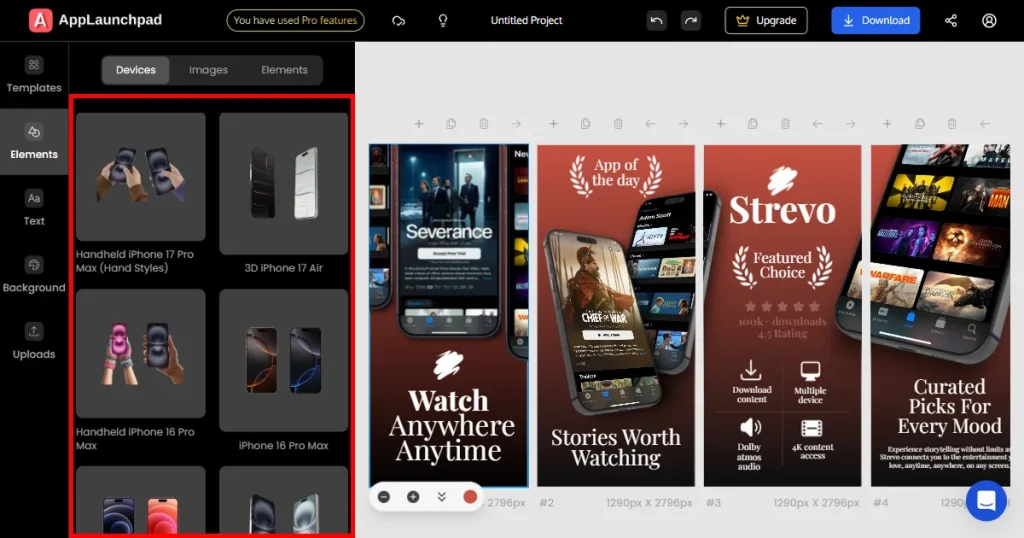
For this criterion, I judged both tools based on whether they offer 3D devices. 3D devices can make your App store screenshots look instantly premium. 3D devices have become the new normal. You will see 3D devices in screenshots being used by utility apps and social media apps.
AppLaunchpad
Screenshots.pro
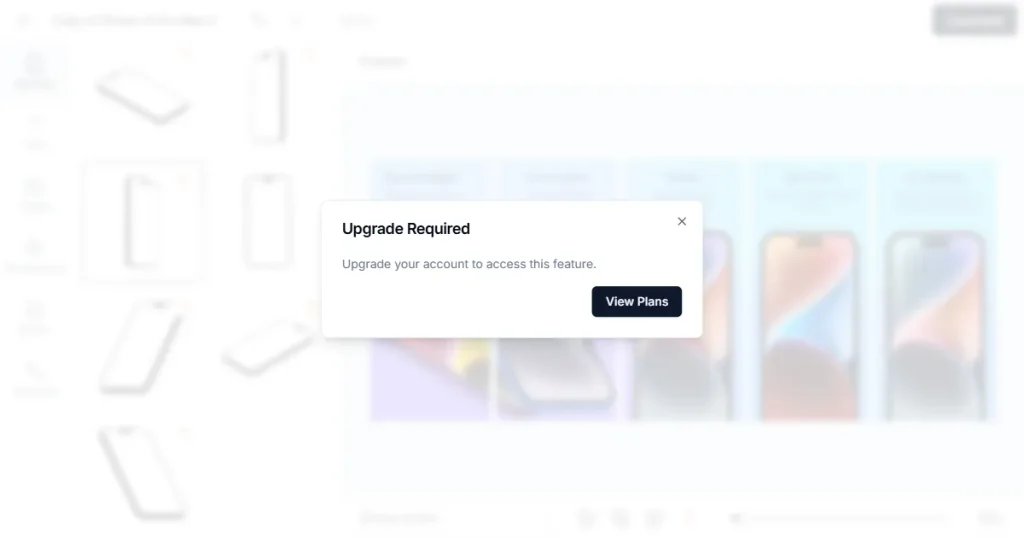
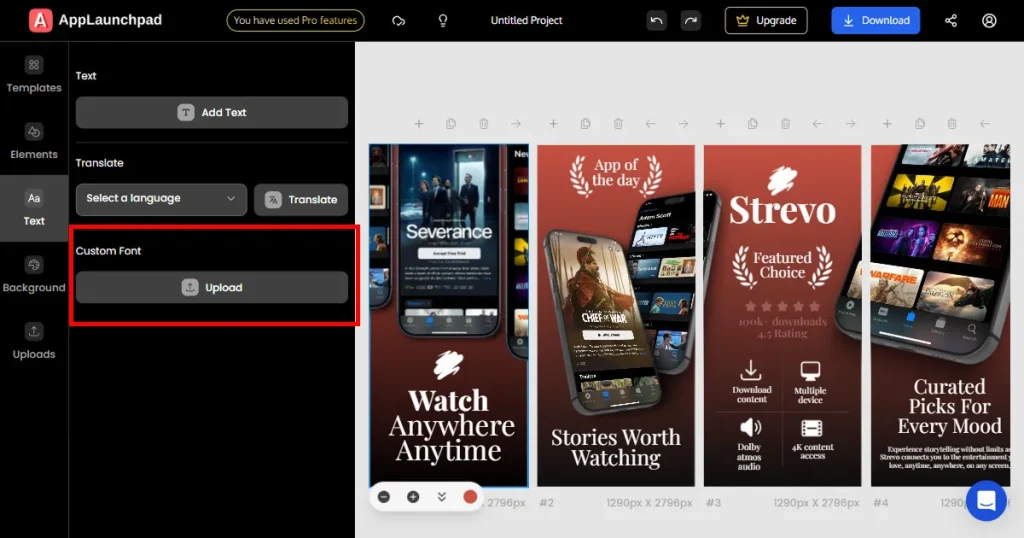
For this AppLaunchpad vs Screenshots.pro criteria, I explored what all could be done to the text on App store screenshots and judged them on basic to high-level text customization.
AppLaunchpad
Screenshots.pro
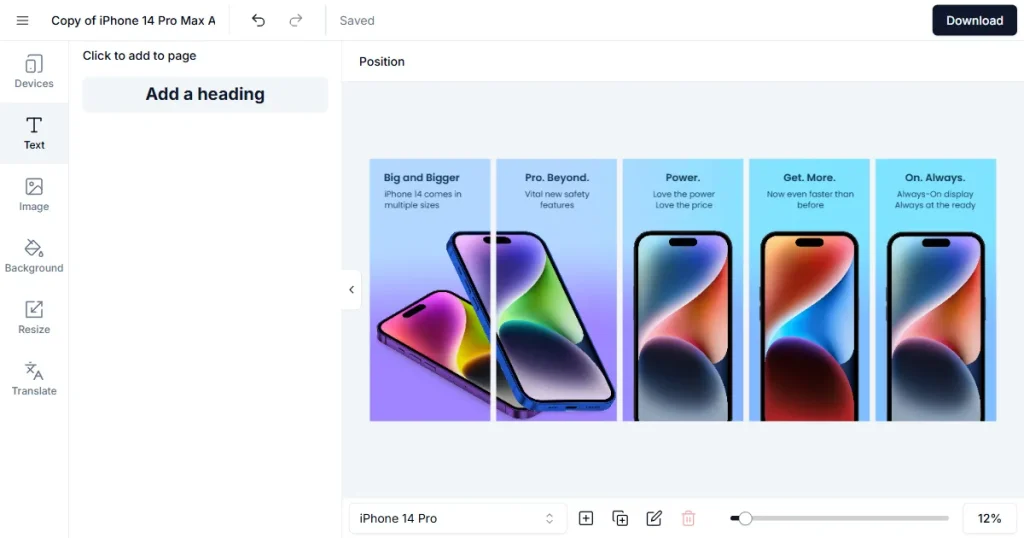
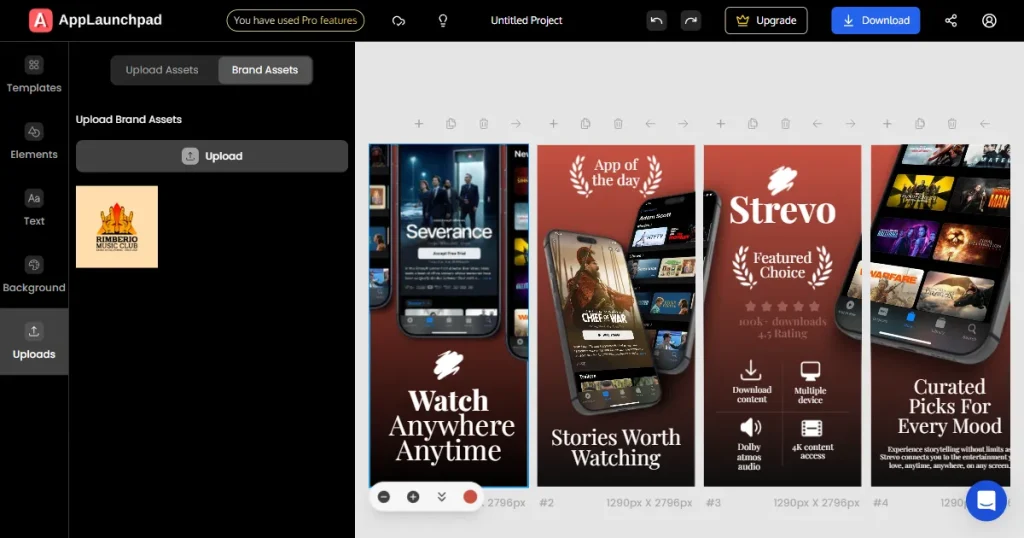
For this criteria, I checked whether these tools support the use of brand assets. Using brand assets, such as logos, helps increase user trust in App Store screenshots.
AppLaunchpad
Screenshots.pro
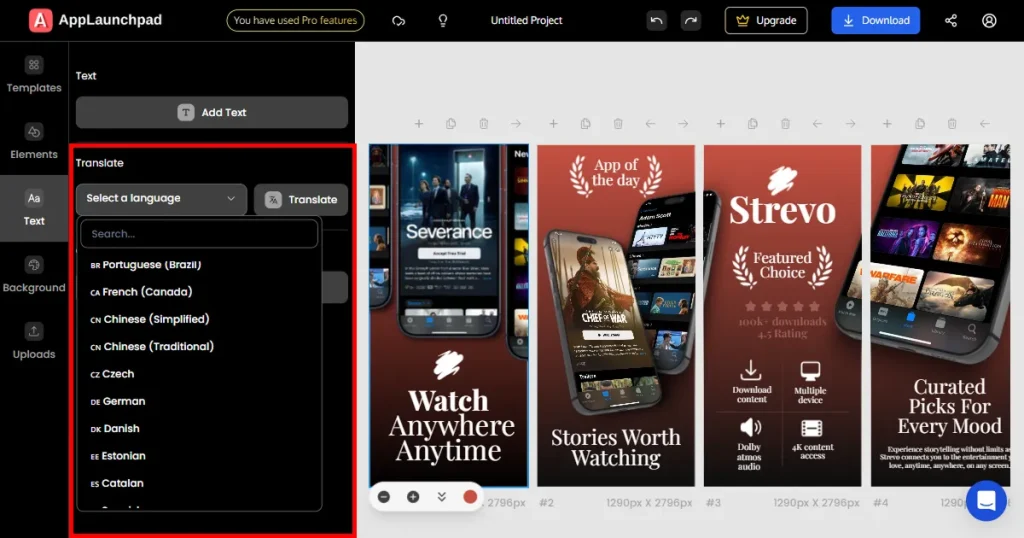
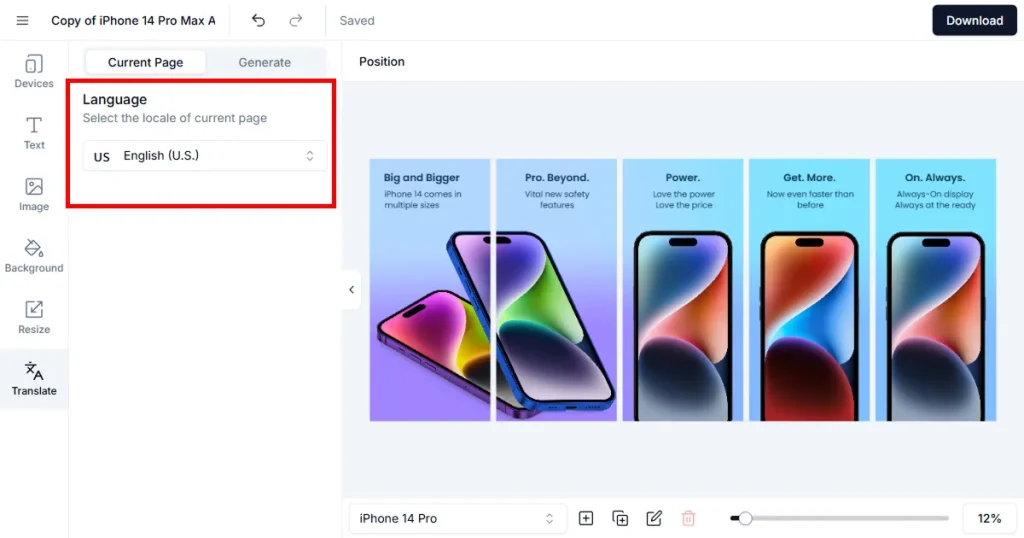
For this criterion, I checked if these tools support screenshot localization. Localization means translating the text on your screenshots into another language. Localization is essential for globally used App store screenshots. According to ASO, localization can help uncover hidden opportunities and attract more users to your app.
AppLaunchpad
Screenshots.pro
For this criteria, I explored all editing and customization options available on each tool. In-depth customization means complete control over your App store screenshots.
AppLaunchpad
Screenshots.pro
I judged both tools on how fast they are. And are they free of bugs? I noticed these observations while designing my test App store screenshots.
AppLaunchpad
Screenshots.pro
This section includes my own words and feedback on how I felt while designing my screenshots. Did I struggle to navigate features while making App Store screenshots? Was I confused about usage? Was the tool filled with guided tutorials and other helpful features?
AppLaunchpad
Screenshots.pro
For this criterion, I looked for a way to A/B test different screenshot variants. A/B testing is a standard practice for identifying the best, high-converting App store screenshots.
AppLaunchpad
Screenshots.pro
For this criterion, I checked whether these tools support bulk actions and automation. Automation saves time when managing App Store and Google Play Store screenshots.
AppLaunchpad
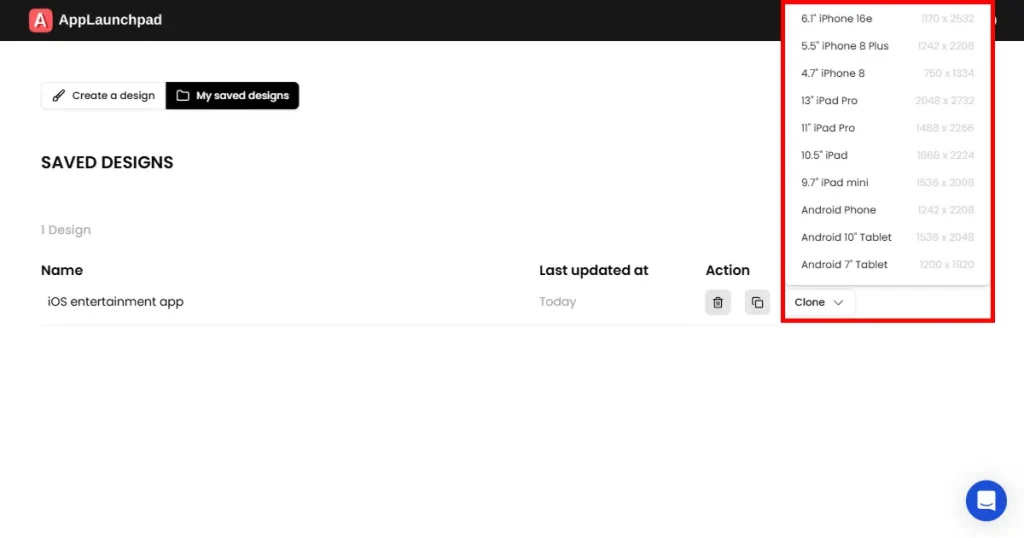
Screenshots.pro
It’s no good discussing features without discussing the price of each tool. For this criterion, I checked both free and paid plans of each tool. How decent is the free plan for making App Store screenshots? Is it worth paying for the subscription?
AppLaunchpad
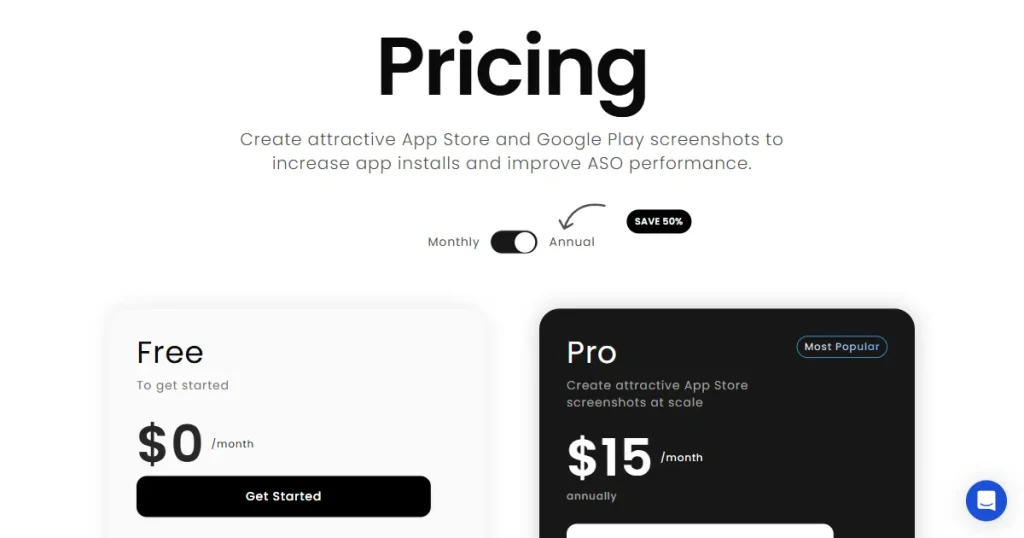
Screenshots.pro
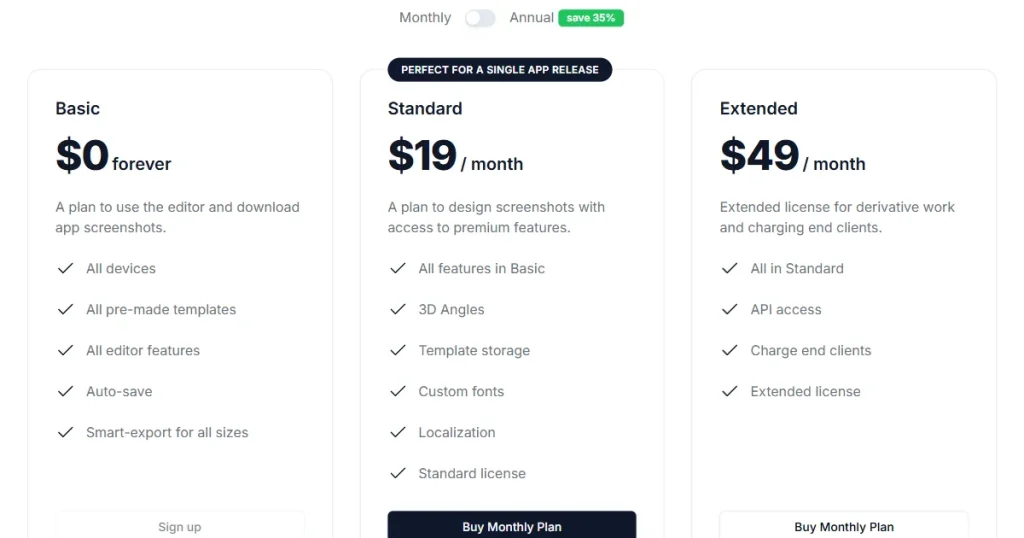
For this criterion, I checked if any of these tools offer any unique features. By unique, I don’t mean unique editing. I looked for a tool with exceptional features that can cut time and increase efficiency.
AppLaunchpad
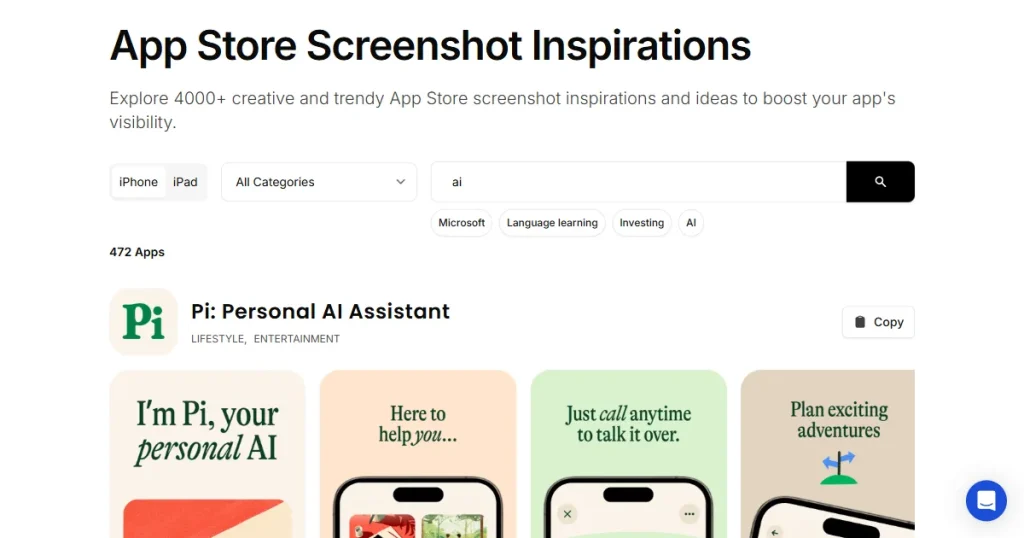
Screenshots.pro
After manually testing AppLaunchpad vs Screenshots.pro, the difference is clear. AppLaunchpad is ideal for real, ongoing App store screenshots work. Screenshots.pro is better suited for simple, one-time projects.
Throughout my analysis, I felt AppLaunchpad performed better in design, store compliance, template variety, and the editor experience. Whereas, Screenshots.pro offers an API which can be used to generate stunning images and illustrations for App Store screenshots.
For solo developers, AppLaunchpad offers an easy-to-use, beginner-friendly editor. For small startups and ASO teams, AppLaunchpad offers better scaling options. For Global apps, AppLaunchpad offers helpful features, such as AI-powered screenshot localization. Based on real use, AppLaunchpad is a more reliable app store screenshot tool.
Yes. AppLaunchpad App Store screenshot generator follows guidelines more closely for App Store screenshots. Templates use the correct sizes, safe margins are handled correctly, and exports are store-ready.
Screenshots.pro often requires manual fixes because some templates don’t match official requirements. Over time, that adds extra work.
AppLaunchpad is easier to use for beginners, especially when making App Store screenshots. The editor is simple, and guided tutorials help you understand features without confusion.
Screenshots.pro has a steeper learning curve. The interface feels unstructured, and the lack of onboarding makes it harder for new users.
AppLaunchpad works better for global App store screenshots. One-click localization lets you translate all screenshots at once, saving time and reducing errors. Screenshots.pro offers localization too, but it’s locked behind a paid subscription.
Yes. Both tools support A/B testing for App Store screenshots. AppLaunchpad makes it easier by keeping variants organized inside the same project. Screenshots.pro can also be used, but managing multiple versions feels less clean.
It depends. Screenshots.pro screenshot editor can work for basic, one-time use. However, limited customization, weaker compliance, and performance issues make it harder to rely on it in the long term. If screenshots are a regular part of your workflow, AppLaunchpad saves more time and effort overall.
Screenshots.pro app store screenshots are fine for one-time use or small projects. You won’t find any automatic save or screenshot cloning feature here, which means if you need frequent updates or multiple versions, you’ll likely need extra manual work to keep everything consistent.


