AppLaunchpad vs Screenshots.pro: Feature Comparison
We tested AppLaunchpad vs Screenshots.pro by creating real app screenshots. See which tool offers better compliance, speed, and control.
Published May 22, 2026
AppLaunchpad vs Appure: Compare leading app screenshot generators and choose the right tool for faster, App Store-compliant screenshots.
17 min

Creating app store screenshots manually often leads to sizing issues, slow edits, and inconsistent designs. AppLaunchpad vs Appure compares two app screenshot generators built to fix this problem.
Appure screenshot generator lacks screenshot templates and offers more manual design control, while AppLaunchpad focuses on automation and compliance. Both tools help you create app screenshots.
In this AppLaunchpad vs Appure comparison, we tested both tools across 14 key factors, including compliance, localization, and device support.
You’ll see why AppLaunchpad is a better tool with more compliant screenshots, support for the latest devices, 3D and handheld frames, AI localization for 80+ languages, and automated screenshot cloning.
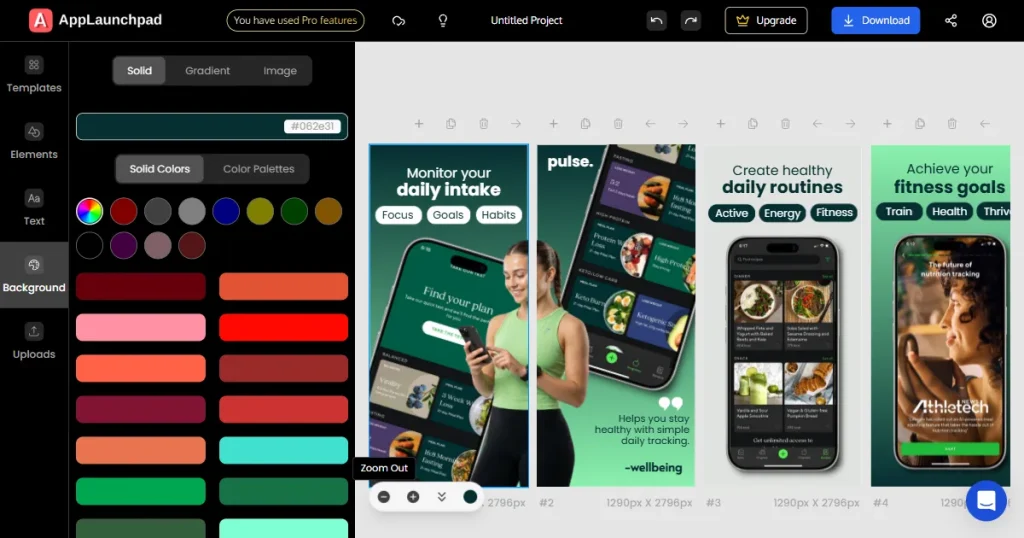
AppLaunchpad is a purpose-built app screenshot generator designed to handle the heavy lifting of store listings. It provides store-compliant device frames, regularly updated iOS and Android models, ready-to-use templates, and built-in automation to minimize manual errors.
This app screenshot generator is designed for beginners, small startups, and ASO teams who want store-ready screenshots and an easy-to-use interface for their App Store and Google Play screenshots, without manual effort.
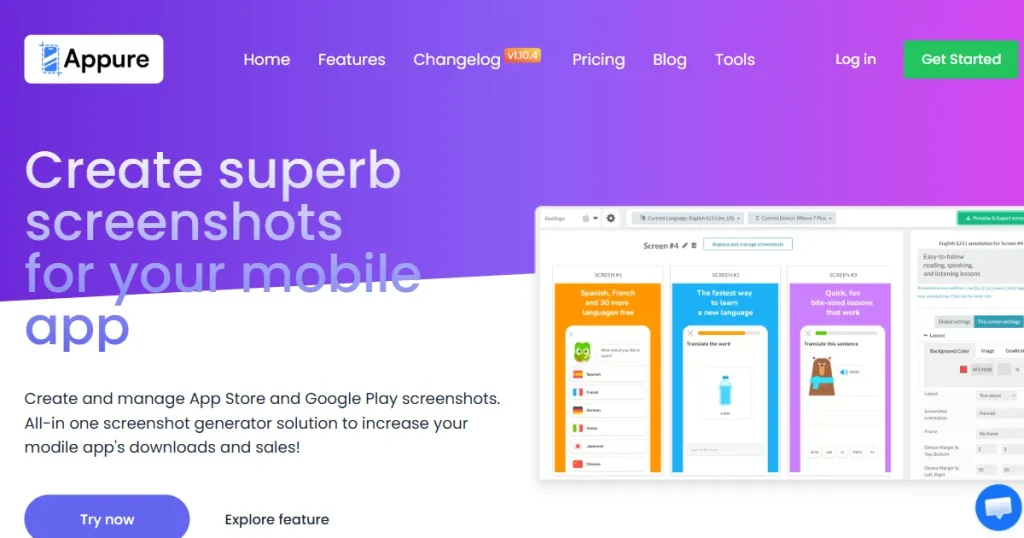
Appure screenshot generator relies heavily on manual layout control. Appure’s workflow requires users to handle most of the customization themselves.
While it supports app store screenshots, it assumes users already understand the store’s requirements. It is a bring-your-own-design screenshot generator, best for those who prefer manual editing and don’t mind the extra effort.
| Features | AppLaunchpad | Appure screenshot generator |
| Starting Price | Free plan available · Pro at $29/month ($15/month billed annually) | Free plan available · Plus plan starts at $9/month |
| App Store & Play Store Compliance | ✓ Exact, store-approved sizes with predefined safe areas | ✗ Manual sizing, no compliance guarantees |
| Screenshot Templates | ✓ 1000+ ready-to-use screenshot templates | ✗ No screenshot templates |
| Device Support | ✓ iPhone, iPad, Android (phones & tablets) | ✓ iOS and Android |
| Latest Device Models | ✓ Frequently updated with new Apple & Android devices | ✗ Slower updates, older device coverage |
| Device Frame Variety | ✓ Colored, handheld, custom, and 3D frames | ✗ Limited to flat or real-device frames |
| 3D Device Frames | ✓ Available for iOS and Android | ✗ Not supported |
| Text Customization | ✓ Full control (fonts, styles, alignment, spacing) | ✓ Basic controls with manual tags |
| Brand Asset Management | ✓ Dedicated brand asset library | ✗ Not available |
| Localization Support | ✓ One-click automatic localization | ✓ Manual localization only |
| A/B Testing Workflow | ✓ Built-in variant creation and saving | ✗ Manual duplication required |
| Bulk Actions & Automation | ✓ Bulk localization and screenshot cloning | ✗ Not supported |
| Customization Depth | ✓ High (templates + scratch builds) | ✗ Limited customization |
| Performance & Stability | ✓ Fast and stable editor | ✗ Slower performance, reported bugs |
| Best Fit For | Founders, startups, ASO, and growth teams | Developers needing manual control |
In this AppLaunchpad vs Appure comparison, we will see which of the two tools follows actual screenshot guidelines.
Compliance is not just about using roughly correct sizes, it determines whether your app store screenshots get rejected or appear cropped in store previews. This is a critical factor for any app screenshot generator.
✓ Uses device-specific, store-approved dimensions for all app store screenshots
✓ Tailored templates with realistic device frames (for example, specific dimensions for large iPhone models), removing the need to calculate or double-check sizes
✓ Built-in text safe areas that reflect how screenshots are actually displayed in App Store and Play Store previews, reducing the risk of cropped headlines
✓ Automatically copy exact layout and styling when switching devices, ensuring spacing, alignment, and design remain the same without manual fixes
✓ Supports both iOS and Android platforms
✓ Gives users complete manual control over layout and margins
✗ Does not guarantee that the screenshots match the official store size requirements
✗ Requires manual estimation of text safe areas, even though store previews crop screenshots differently across devices
✗ Provides no warnings when text or visuals are too close to edges, increasing the chance of cut-offs after upload
✗ Can create layout distortion when resizing between devices, requiring manual correction for each size
Winner: AppLaunchpad is the more reliable app screenshot generator for App Store and Play Store compliance, as it enforces store rules through templates and safe areas. Appure offers flexibility but lacks compliance safeguards, increasing the risk of errors.
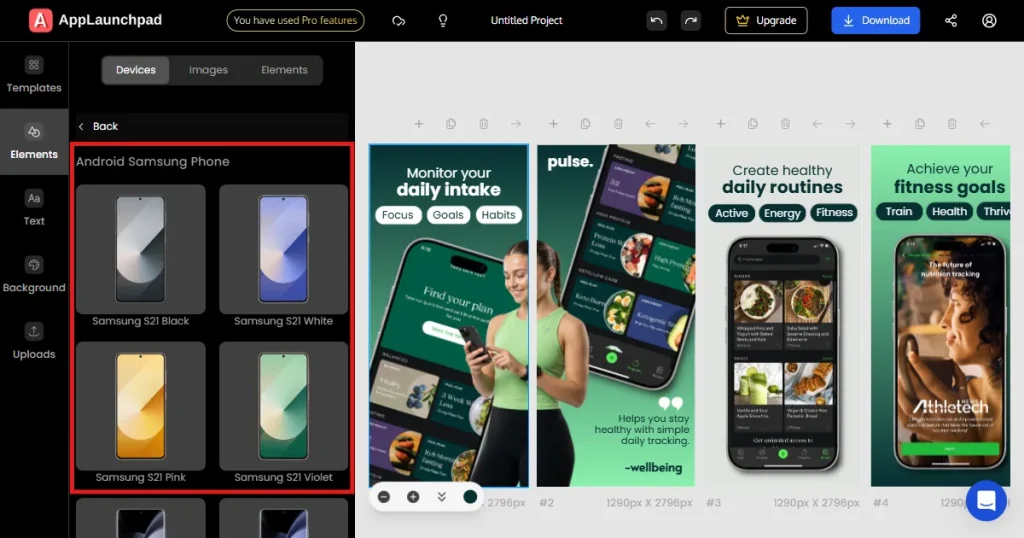
Outdated device frames make your app store screenshots look unprofessional and fail to capture user attention. An app screenshot generator must stay up to date with the latest device model releases to maintain user trust. In this AppLaunchpad vs Appure comparison, we test both tools to see which offers support for the latest devices.
✓ Maintains a frequently updated device library, treating new Apple and Android releases as a priority for app store screenshots
✓ Adds support for new flagship devices soon after launch (iPhone 17, iPhone 17 Pro Max, and iPhone 16, etc.)
✓ Ensures screenshots visually match what users actually see in real devices, reducing perceptual mismatch
✓ Signals active maintenance through up-to-date iOS and Android devices.
✓ Supports old and outdated iOS and Android device frames
✗ Updates device libraries at a slower pace for new app store screenshots
✗ Limits teams to continue using older device frames, even when newer models dominate user bases
✗ Makes screenshots subtly feel dated over time, especially for fast-moving consumer apps
✗ Visual lag can subconsciously hurt brand perception
Winner: AppLaunchpad is the better app screenshot generator for staying updated with the latest iOS and Android devices. Appure supports standard devices but updates more slowly, making screenshots feel outdated.
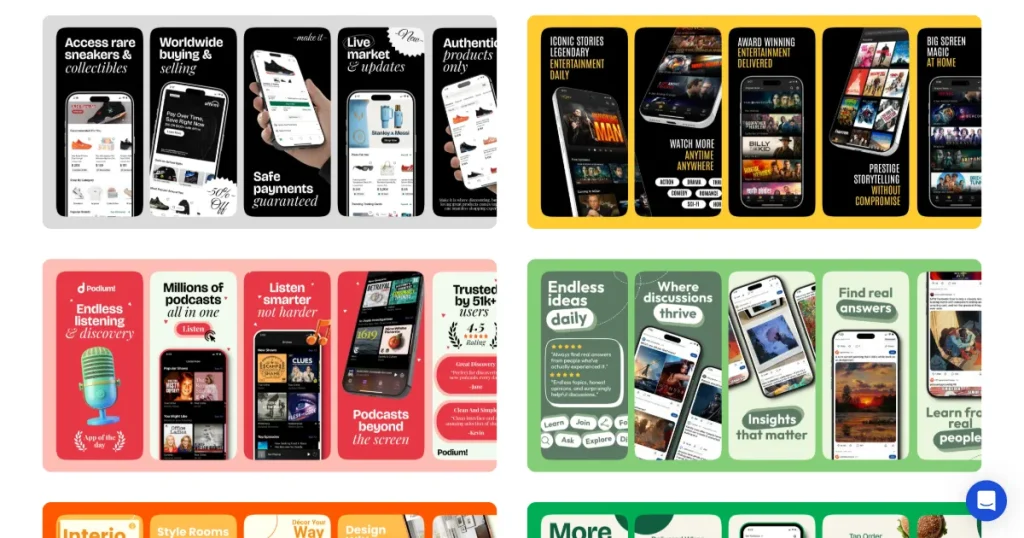
Once teams move past their first few screenshots, design efficiency becomes the real bottleneck. This is where device frames and screenshot templates matter. Design efficiency is the primary reason to use an app screenshot generator. Without templates, every update becomes a massive design chore.
In this AppLaunchpad vs Appure comparison, we analyze which tool offers more variety in terms of screenshot templates and device frames.
✓ 1000+ professionally designed templates for App Store screenshots and Google Play Store screenshots.
✓ Provides templates tailored for specific device categories like iPhone, iPad, and Android, rather than forcing one layout to fit all
✓ Wide variety of frame styles, including colored, handheld, 3D devices, and custom devices
✓ Turns screenshot creation into a repeatable, scalable system
✓ Basic device frames for simple app store screenshots
✗ No template library, every layout is designed manually
✗ Limits frame variety, making it harder to differentiate screenshots visually
✗ Increases time spent on alignment, spacing, and layout decisions for each new screenshot
✗ Makes scaling across devices or regions slower and more error-prone
Winner: AppLaunchpad stands out as a scalable app screenshot generator with 1000+ templates and diverse device frames. Appure lacks templates and offers limited frame variety, requiring more manual effort.
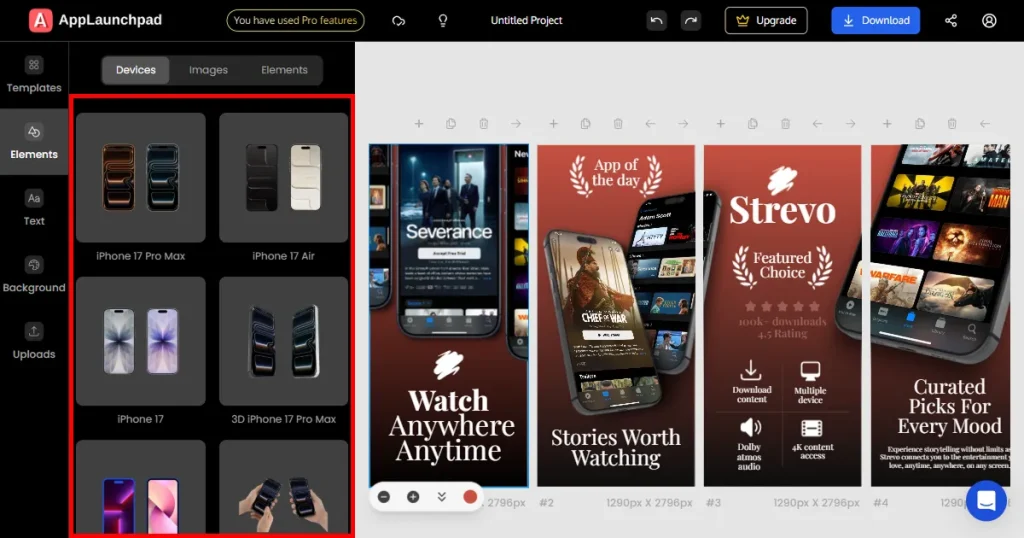
3D device frames add depth, perspective, and a premium feel to screenshots that 2D devices struggle to achieve. For many apps, especially consumer-facing ones, these subtle visual cues help screenshots feel more real and presentable.
In this AppLaunchpad vs Appure comparison, we take a good look at both tools to see which one offers support for 3D devices.
✓ High-quality 80+ 3D device templates, with 20 preset angles for iPhone, Android, and iPad
✓ Supports multiple-angle device frames for dynamic app store screenshots
✓ Includes color variations, making it easier to match brand themes without redesigning layouts
✓ Creates stunning visuals without needing external design software
✗ Does not support 3D device frames at all
✗ Limits visual style to flat or basic 2D devices for app store screenshots
✗ Require an external tool for adding 3D device frames
Winner: AppLaunchpad is the stronger app screenshot generator with built-in 3D device frames that enhance visual quality. Appure does not support 3D devices, limiting presentation.
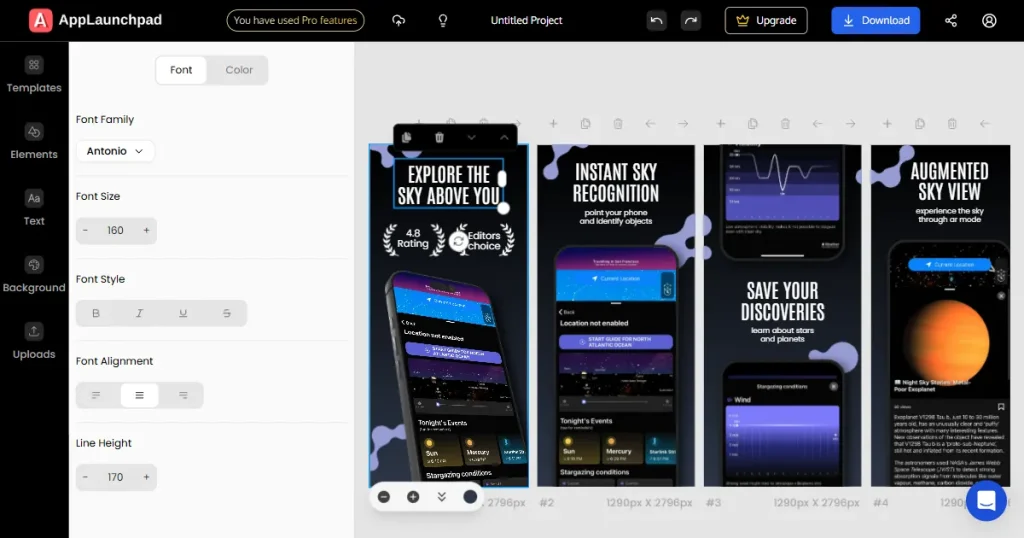
On app store screenshots, text does most of the selling. It explains features, highlights value, and guides the user’s eye to the best-selling features. Poor text control leads to crowded layouts, inconsistent hierarchy, and hard-to-read messaging.
In this AppLaunchpad vs Appure comparison, we will see which of the two tools offers better text customization for screenshots.
✓ Supports over 150+ fonts with granular control over font family, size, and line height
✓ Native support for bold and styled text in app store screenshots
✓ Supports text boxes and custom font uploads, enabling teams to reuse brand typography
✓ Applies text changes instantly and reliably across all devices
✓ Basic text editing for font size and color
✓ Allows users to upload custom fonts
✗ Uses a manual, tag-based system for formatting app store screenshots
✗ Tag-based formatting can break, with tags sometimes appearing in exported screenshots
✗ Color changes can be slow or require resets
Winner: AppLaunchpad offers more advanced text control, making it a more reliable app screenshot generator for clear messaging. Appure provides basic controls but relies on manual formatting, which can be inconsistent.
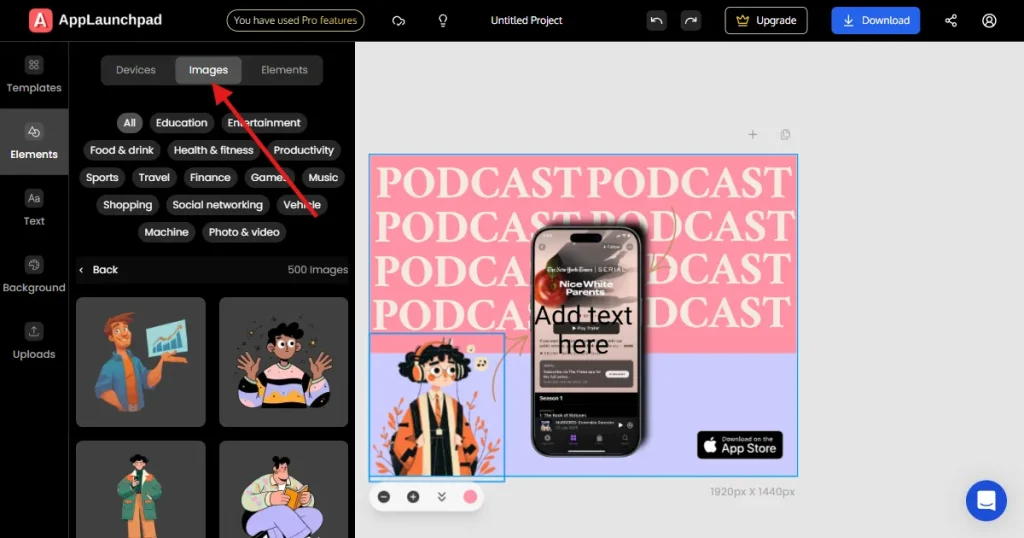
As apps grow, screenshots stop being one-off designs and start becoming brand assets. Logos, icons, and proprietary visuals need to be reused consistently across various app updates.
In this AppLaunchpad vs Appure comparison, we check which tool offers better support for brand assets and custom designs.
✓ Dedicated brand assets section for logos and icons
✓ Enables reuse of brand assets across all app store screenshots and Google Play screenshots
✓ Helps teams maintain consistent branding across devices, locales, and updates.
✓ Faster iteration with always-accessible assets
✗ Does not offer a built-in brand asset management system
✗ Requires users to upload logos and visuals for each screenshot manually
✗ High risk of brand inconsistency in app store screenshots
Winner: AppLaunchpad is a better app screenshot generator for branding, thanks to its dedicated asset library. Appure lacks this feature, requiring repeated manual uploads and risking inconsistency.
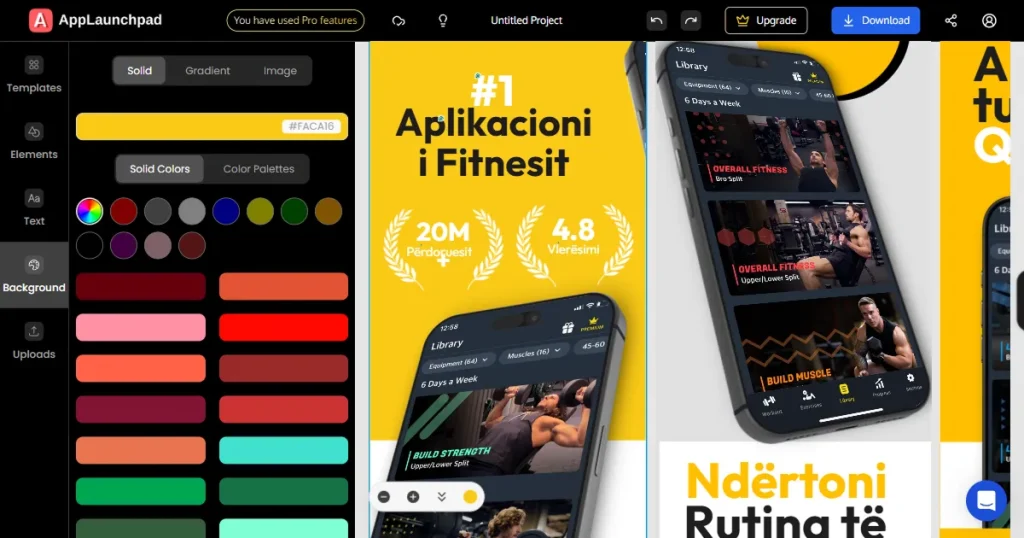
Localization is one of the most effective ways to increase app installs in global markets. However, many teams avoid it because of the effort involved. Screenshot localization is especially painful when each language requires manual updates across multiple screens.
In this AppLaunchpad vs Appure comparison, we will see how each tool help in screenshot localization, whether the localization is mostly manual or automated.
✓ One-click automatic localization for all app store screenshots and Google Play screenshots
✓ Applies translations consistently across entire screenshot sets, not one screen at a time
✓ Superior for supporting 80+ languages without manual work
✓ Lowers the barrier to entry for new global markets
✓ Basic multi-language support
✗ No automated translation; requires manual input for all app store screenshots
✗ Makes large-scale localization time-consuming and error-prone
✗ Limits the number of languages on free plans
Winner: AppLaunchpad is a more scalable app screenshot generator with one-click localization across multiple languages. Appure supports localization but requires manual input, making it slower at scale.
8. Which Tool Offers More In-Depth Customization?
Customization becomes critical once screenshots move beyond basic layouts. As apps evolve, teams need flexibility to adjust backgrounds, add visual emphasis, introduce illustrations, and experiment with different visual directions.
In this AppLaunchpad vs Appure comparison, we will analyze what type of design controls are supported, whether you can add design elements, icons, and stickers to your screenshots.
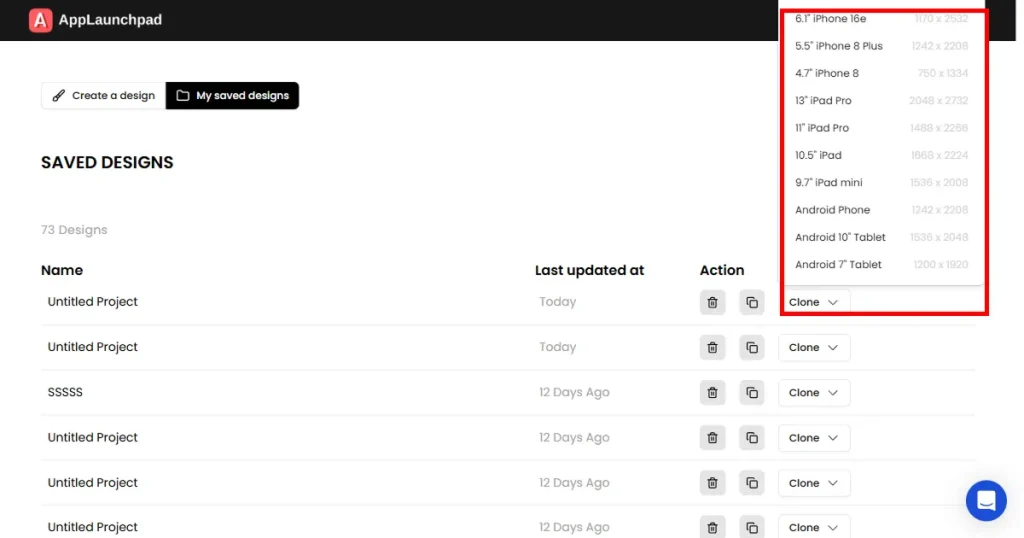
Screenshot tools are used repeatedly during launches, updates, experiments, and localization. Slow rendering, lag, or bugs don’t just waste time. They interrupt creative flow and reduce the final output.
In this AppLaunchpad vs Appure comparison, we do a hands-on analysis to see which tool offers a better interface. We will also look for major red flags like bugs, crashes, and lagging screenshot editor.
✓ Maintains smooth performance even with complex layouts and multiple assets
✓ Renders changes quickly, supporting rapid iteration and experimentation
✓ Highly stable during long, high-volume editing sessions
✓ Handles bulk automation without performance drops
✓ Functional for small, simple projects
✗ Noticeable performance lag as app store screenshots grow complex
✗ Reduces efficiency during repeated or long-term use
✗ Technical bugs can interrupt the creative workflow
Winner: AppLaunchpad delivers a faster and more stable experience as an app screenshot generator, even for complex projects. Appure works for simpler use cases but can lag as projects grow.
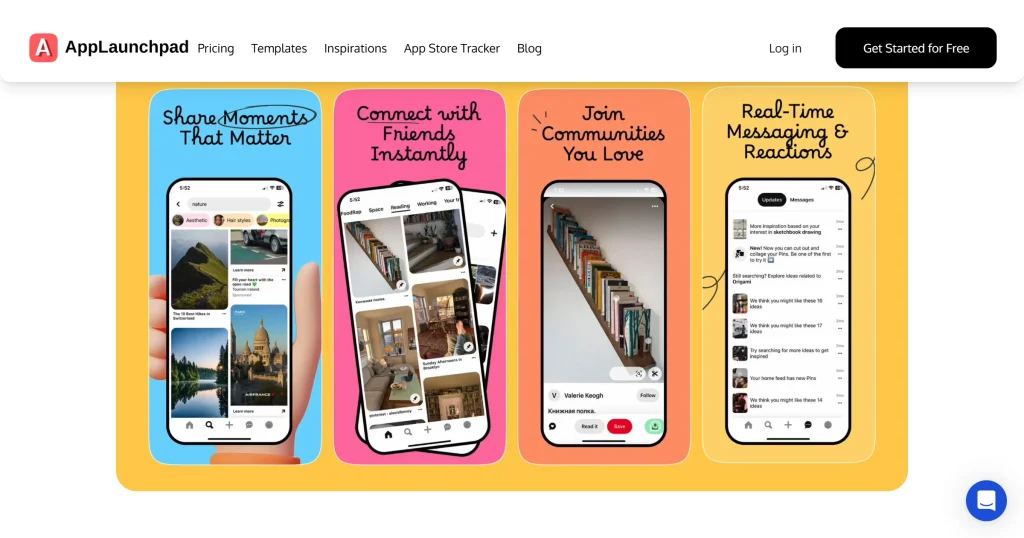
Screenshot tools are often used by multiple users, founders, marketers, designers, and sometimes developers. A smooth user experience reduces onboarding time and interface issues. The best app screenshot generator is one that any team member can pick up and use immediately.
In this AppLaunchpad vs Appure comparison, we will use each tool personally to see which one is more beginner-friendly.
✓ No learning curve and an Intuitive drag-and-drop editor for app store screenshots
✓ Guided onboarding and helpful tutorials
✓ Organizes features logically so that users can find tools without trial and error
✓ Accessible to non-designers and experts both
✓ Appeals to users who prefer technical, manual control
✗ Interface lacks a clear hierarchy for app store screenshots
✗ Creates a steeper learning curve for non-designers and marketers
Winner: AppLaunchpad is the more user-friendly app screenshot generator with intuitive workflows. Appure has a steeper learning curve and suits users comfortable with manual editing.
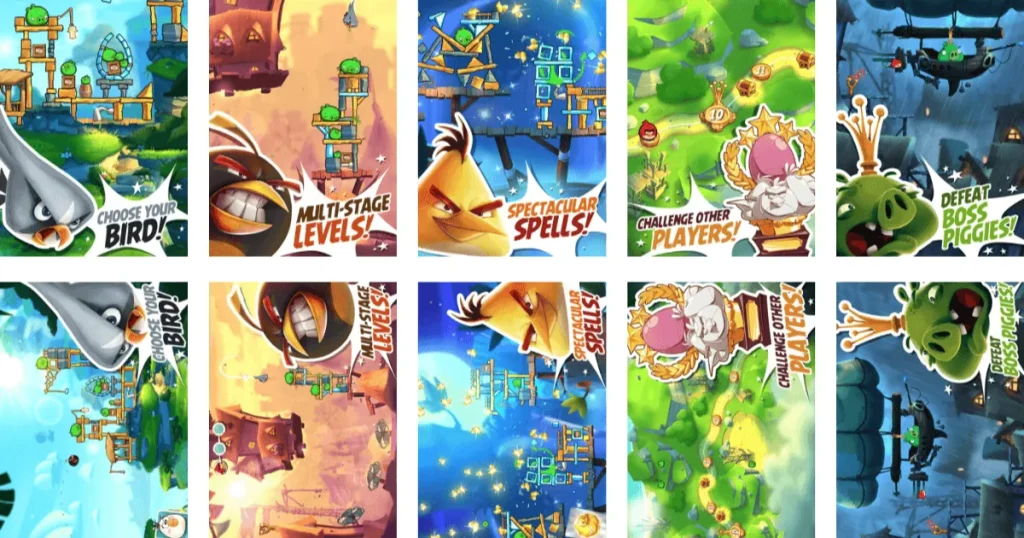
A/B testing app store screenshots is one of the most reliable ways to improve app conversion rates over time. However, the real challenge is not creating variants but managing and comparing them.
In this AppLaunchpad vs Appure comparison, we will check the A/B testing capabilities of both the tools to see which one is more suitable for test experiments.
✓ Multiple canvases in one project for app store screenshots testing
✓ Supports clear naming of variants such as Variant A and Variant B, reducing confusion during testing
✓ Automatically saves all variants for future edits
✓ Lowers the need to run frequent experiments
✓ Can be used to create manual variants
✗ Requires manual duplication of every app store screenshots project
✗ Lacks a centralized system to manage or revisit past variants
Winner: AppLaunchpad is a more efficient app screenshot generator for A/B testing with built-in variant management. Appure allows testing but relies on manual duplication.
As apps grow, screenshot workflows quickly become repetitive. Multiple devices, languages, and updates can turn simple revisions into hours of manual work. Automation is what separates a professional app screenshot generator from a basic editor.
In this AppLaunchpad vs Appure comparison, we will test and see which one of the two tools offer automated features and bulk screenshot editing.
✓ Bulk localization for all app store screenshots and Google Play screenshots
✓ Enables batch cloning of screenshot sets across devices, such as moving from iPhone to iPad
✓ Preserves layout accuracy during automated scaling
✓ Eliminates repetitive tasks as your app grows
✓ Basic individual screen editing
✗ Almost entirely reliant on manual actions for app store screenshots
✗ Requires repeating every step for every device and language
✗ Becomes increasingly inefficient as screenshot volume grows
Winner: AppLaunchpad is the superior app screenshot generator for automation, offering bulk actions and screenshot cloning. Appure depends on manual processes, making it inefficient for scaling.
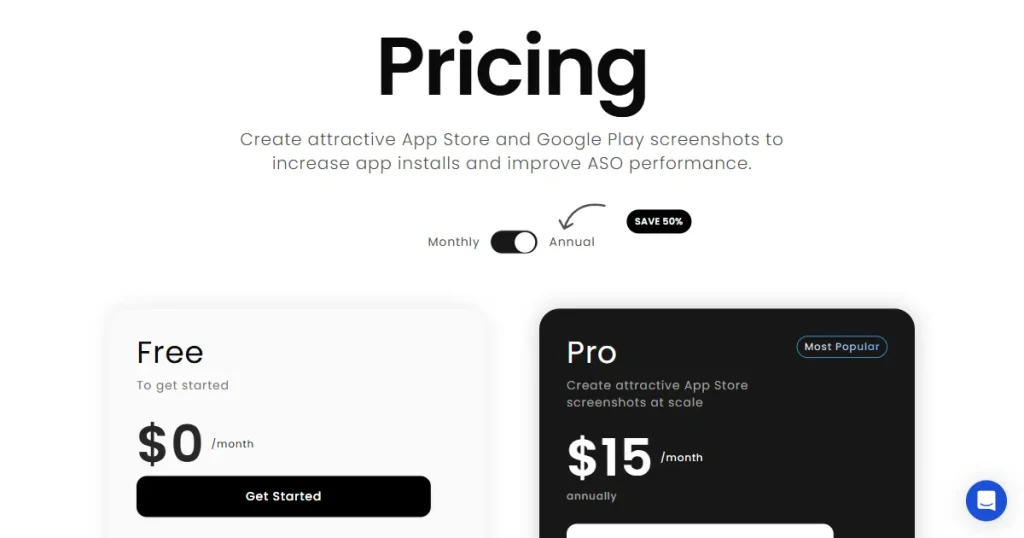
Evaluating value is not just about monthly pricing. It’s about what a tool provides over time. A cheaper tool that slows teams down can end up costing more in the long term.
In this AppLaunchpad vs Appure pricing comparison, both tools are evaluated by features, time saved, and how well they support growth as the app scales.
✓ Generous free plan for basic app store screenshots
✓ Paid plans unlock automation, localization, advanced templates, and device support
✓ High ROI for professional ASO and app store screenshots
✓ Replaces the need for expensive external design tools
✓ Lower entry price for basic features
✗ Manual workflows increase the time cost
✗ Limited scalability reduces long-term ROI
✗ Fewer professional assets are included in the price
Winner: AppLaunchpad provides better long-term value as an app screenshot generator with automation and scalability. Appure has a lower entry price but fewer features and higher time costs.
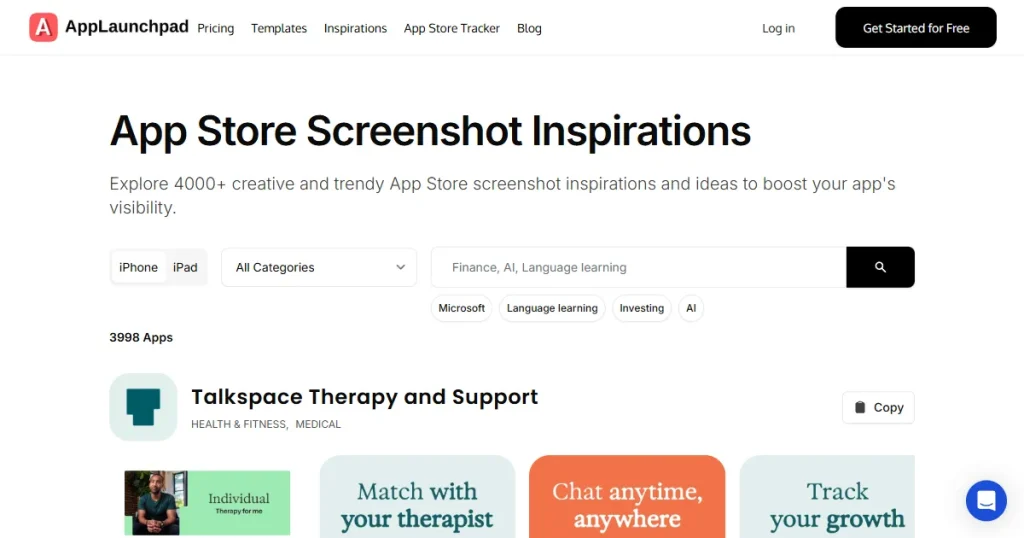
This is a bonus AppLaunchpad vs Appure comparison criteria; in this, we will simply check what extra, helpful features are supported by the two tools.
✓ Inspiration Gallery with thousands of real-world app store screenshots examples
✓ Supports custom-size screenshot creation, allowing you to design visuals outside standard App Store and Play Store dimensions
✓ Enables complete screenshot set cloning across devices, including layout, text, styling, and app screens.
✗ No inspiration gallery or any other unique feature for app store screenshots
Winner: AppLaunchpad is a more complete app screenshot generator, with features such as an inspiration gallery and screenshot cloning. Appure lacks standout features, limiting its overall value.
In the final AppLaunchpad vs Appure feature comparison, AppLaunchpad is the clear winner for anyone looking for a professional app screenshot generator. It excels in automation, compliance, and design variety, making app store and Google Play screenshot creation faster and more reliable.
Appure screenshot generator may work for simple, occasional needs, but it lacks the scalability required for a competitive app market. For a future-ready app screenshot generator, AppLaunchpad is the definitive choice.
AppLaunchpad is more compliant than Appure screenshot generator because it uses device-specific templates and hardcoded safe areas for all App Store screenshots and Google Play screenshots.
Yes, but AppLaunchpad is a much better app screenshot generator for this, as it simplifies the process by saving variants and managing them centrally. At the same time, Appure screenshot generator requires manual duplication and tracking of each version.
Yes, but only AppLaunchpad offers device mockups. Applaunchpad has a built-in tool that lets you create free device mockups for iPhone, iPad, Android, iMac, and even Apple Watch.
AppLaunchpad is the easiest app screenshot generator for non-designers due to its intuitive drag-and-drop editor, guided interface, and ready-made templates. Appure screenshot generator has a steeper learning curve with more manual layout control.
AppLaunchpad’s one-click localization makes it the superior app screenshot generator for scaling app store screenshots across multiple languages.
When comparing Appure with other tools, check how easy it is to use, whether it supports the latest devices, and if it ensures proper screenshot sizes. Also, look at automation and templates, and how much time they save in the long term.