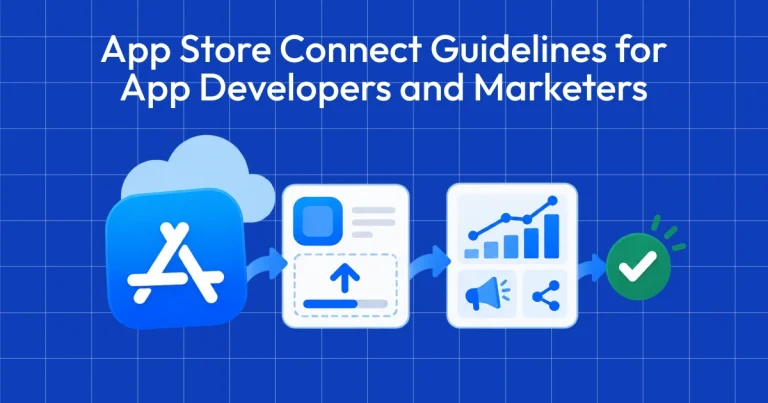
App Store Connect Guidelines for App Developers and…
App Store Connect is the platform that lets you upload your app and manage all updates, including metadata, revenue details, […]
If you want to design premium apps, you need to pay attention to small details like animations, haptic feedback, loading states, and clear navigation, which can make a noticeable difference in how users experience an app.
Apart from how to design premium apps, in this guide we will cover how app designs influence user behavior, key app screens to focus on, and how AppLaunchpad helps in the app design research process.
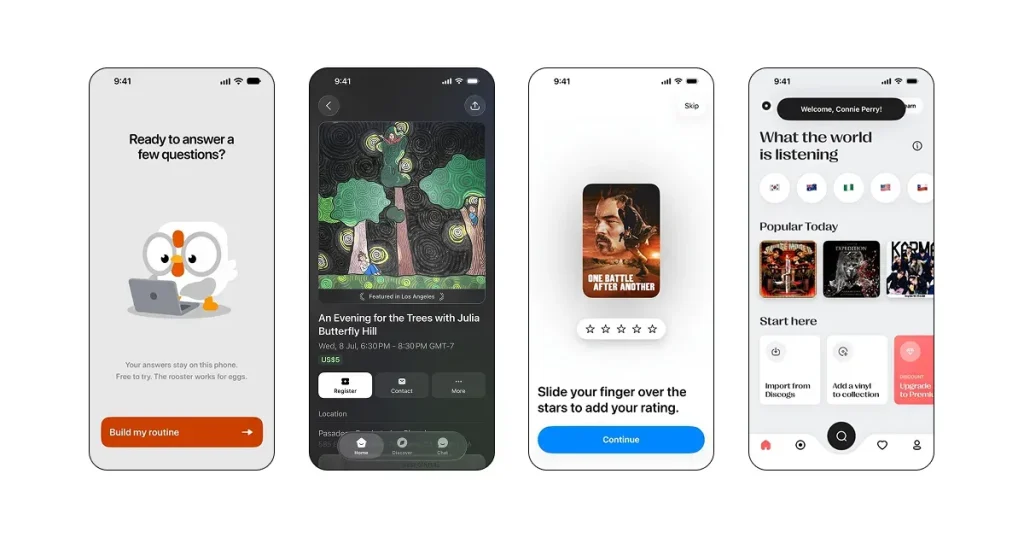
When users download an app, beyond functionality, the UI design and user experience play a major role in whether they stay on your app or switch to another.
If users keep using your app for a long time, it improves retention and signals to app stores that your app is good, encouraging them to promote it organically.
Here are a few ways design changes influence user behavior:
When you design premium apps, even the smaller screens can make a big difference. Here are some key pages worth focusing on.
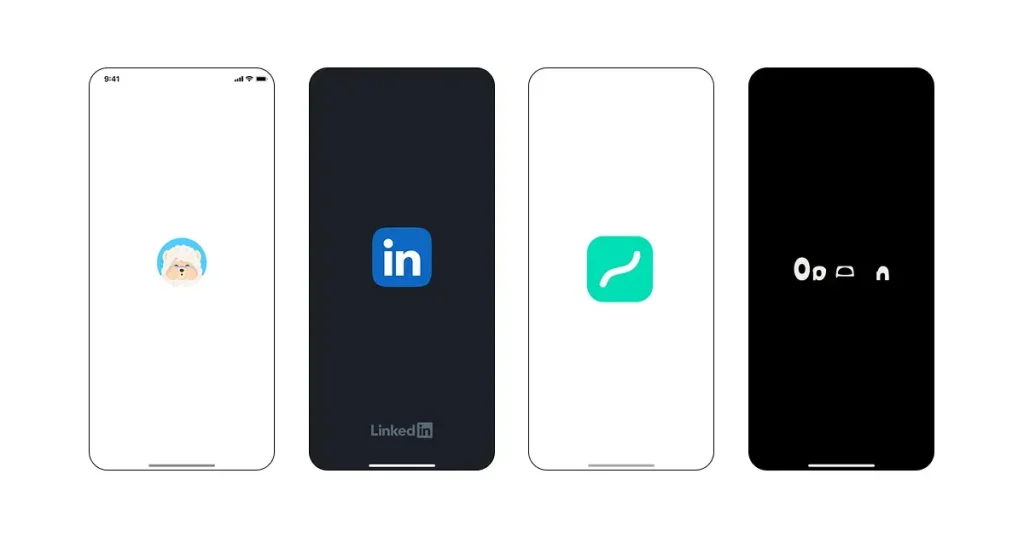
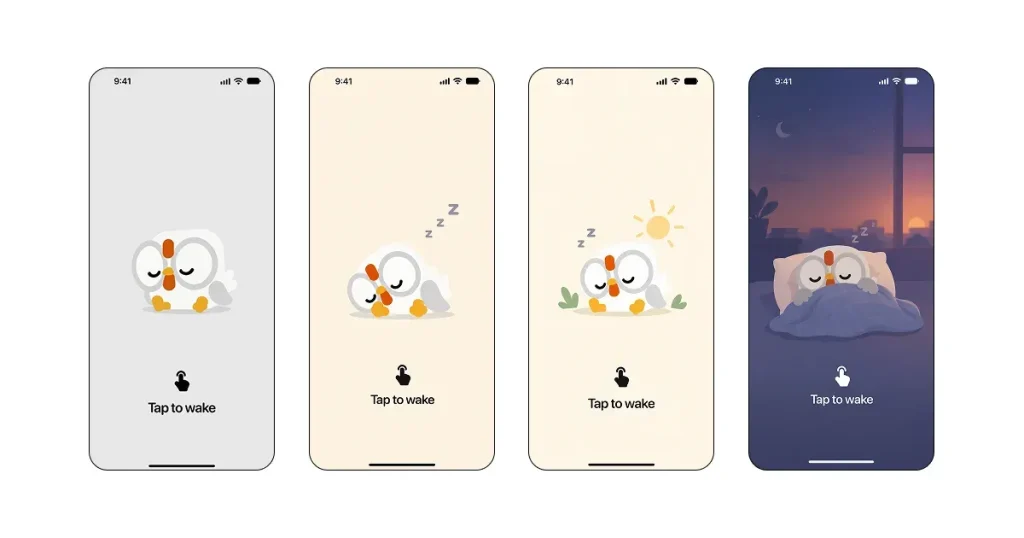
A splash screen is your app’s loading screen that establishes what your app is about. It can include subtle animations with your app icon, typography, or welcome elements to give users a premium experience.
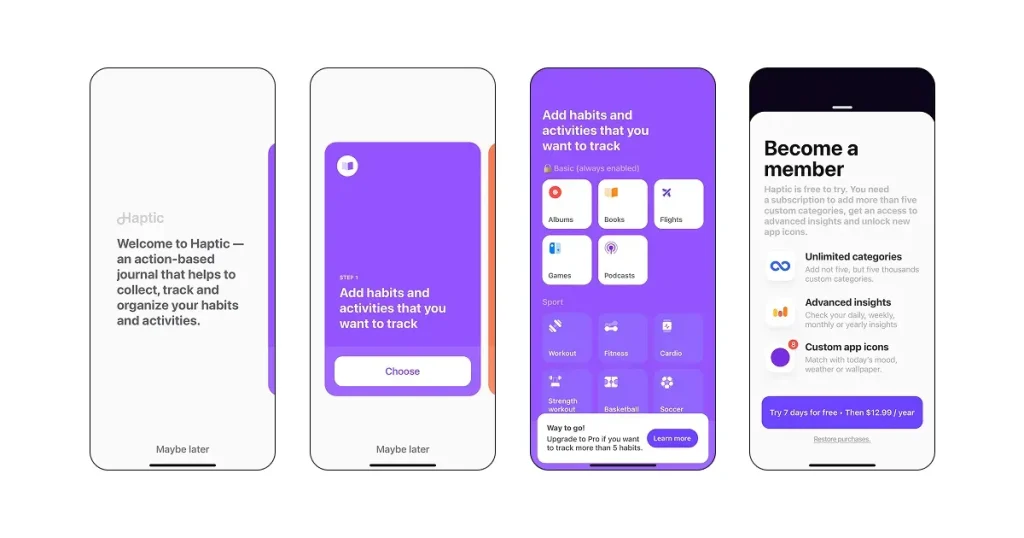
The onboarding screen is an app screen that highlights your app’s main features and functionality, giving users a teaser of what it can do. Depending on the app, it may appear after the splash screen or at another point in the user journey.
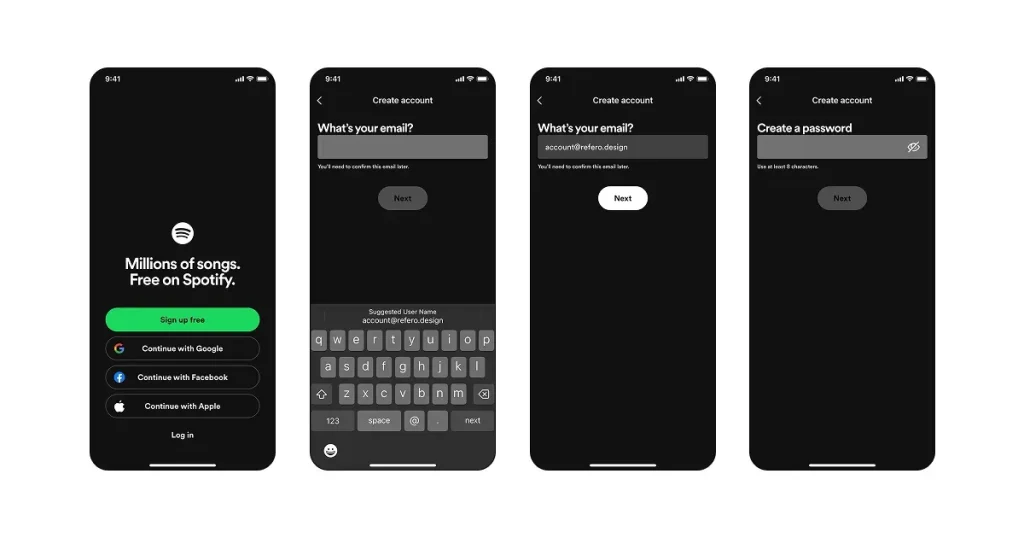
The sign-up page is a simple form that lets users create an account in your app. Although most sign-up pages are boring and make users lose interest, you can make it interactive by adding subtle micro-interactions or loading screens.
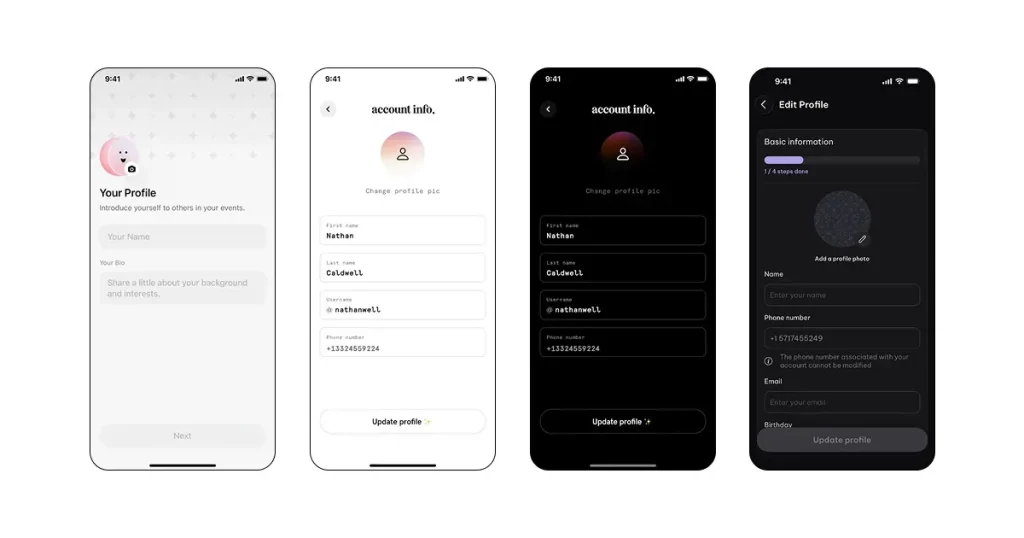
Once inside an app, you can set up your profile. For example, a weight tracking app might require you to enter your name, age, weight, and height to accurately calculate your BMI and give you better instructions.
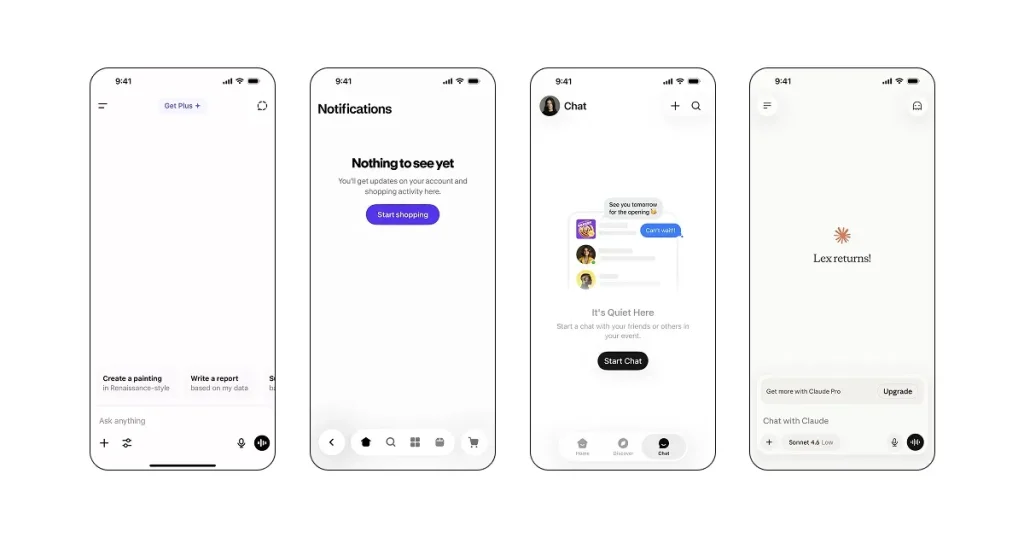
An empty state appears when a screen has no content to display. Most app designers make the mistake of keeping the screen blank. However, you can make it interactive by adding simple illustrations and guides that explain how to use your app.
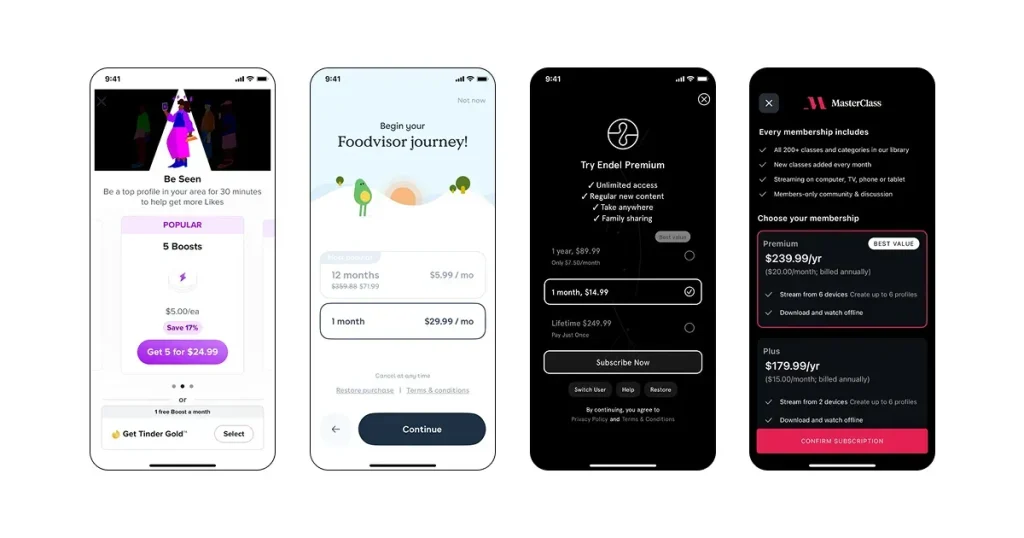
A paywall is a screen that prompts users to subscribe or pay to access your app’s premium features. It can appear as a pop-up, a full-screen view, or an in-app page. When designed well, it can help increase subscription conversions and app revenue.
Before you learn the step-by-step process to design premium apps, let’s take a look at the key differences between premium and generic app design.
| Premium App Design | Generic App Design |
| Clean layouts with clear visual hierarchy | Cluttered layouts with too many elements |
| Smooth animations and micro-interactions | Basic or static interactions |
| Consistent fonts, colors, icons, and spacing | Inconsistent visual elements |
| Simple, intuitive user flows | Complicated or disconnected flows |
| Thoughtful loading and empty states | Basic or empty loading states |
| Fast, responsive, and smooth | Slow or inconsistent performance |
To design premium apps, you need more than a good-looking UI. Let’s look at the steps you can follow to create, test, and refine your designs.
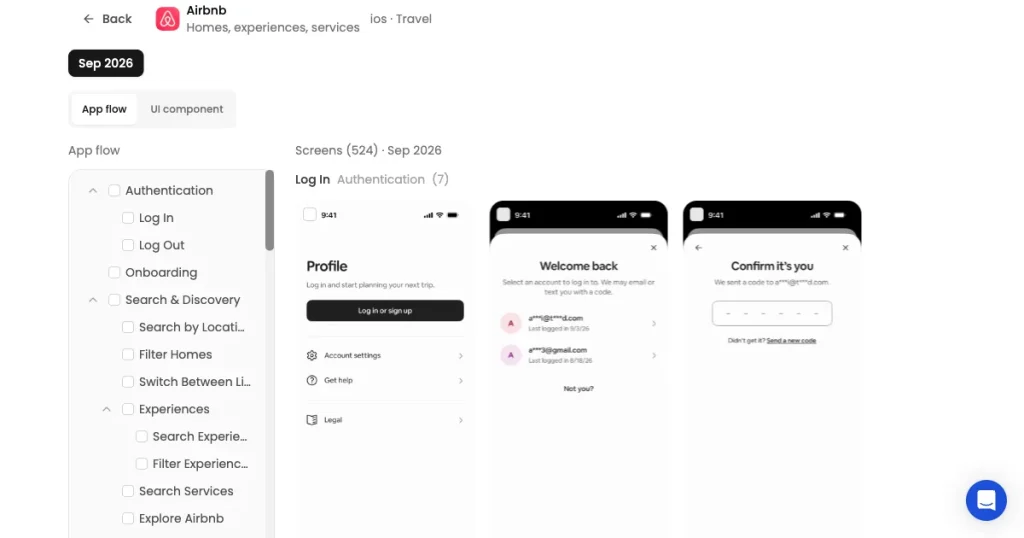
Once you have a feature in mind for your app, you can search for the same in AppLaunchpad’s UI/UX research tool. You will find a bunch of examples of app UI design from multiple real apps.
You can see how different apps implement the same feature and copy their strategy.
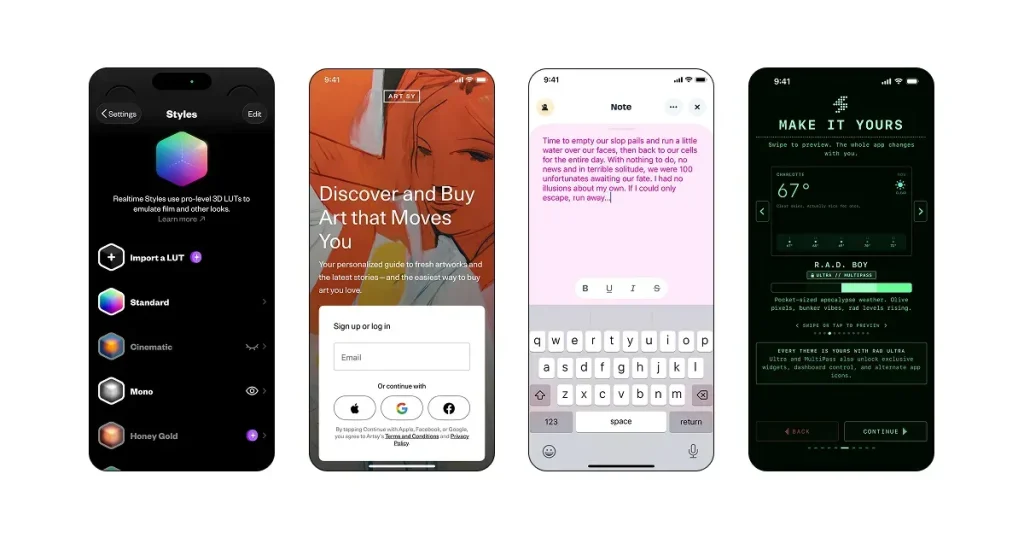
Next, decide on a few visual styles. You don’t need to directly copy a competitor’s visual DNA, you can create your own or combine a bunch of typography, colors, and icons to test what looks good.
Once you have locked in a few visual styles, create multiple prototypes for the same. Sometimes a design style looks flawless in Figma, but when you test it against real data on a mobile device, the user experience isn’t that great.
That’s why, if you want to design premium apps, you should always create multiple variations of the same design so you can test them side by side and judge them.
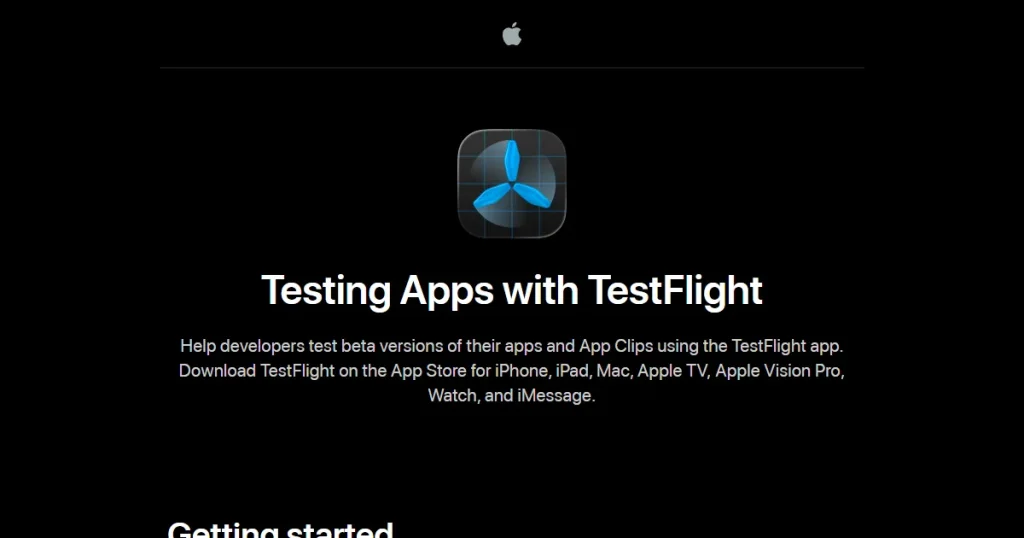
You can test your app in multiple ways. You can use TestFlight, but we recommend testing your app designs directly on your personal devices with real personal data, if possible. This gives you a good sense of the user experience, and since personal raw data is often imperfect, it lets you see how your app performs with those variables.
Once you have the designs on your device, as you go through the user flows, you’ll notice UI/UX flaws and get a bunch of ideas you can implement in your app. And once you have those notes, you can keep on iterating your app design to make it feel premium before you finally ship the app.
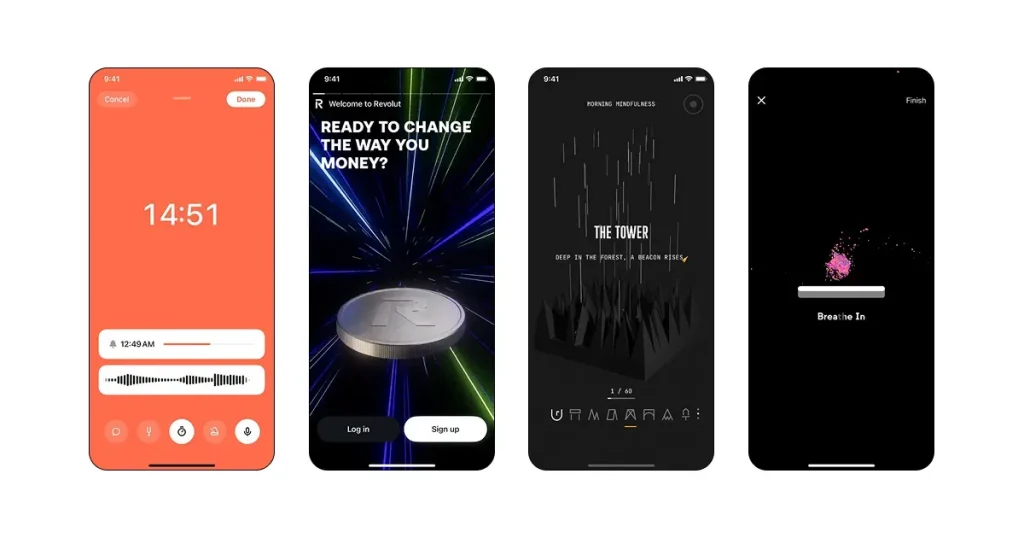
Most apps use static animations for interactions, which means when you click a button, the next screen appears instantly without any animation. However, if you want to design premium apps, you need to add small animations wherever possible.
A small loading screen that goes from zero to one hundred once the screen loads is a big animation that makes the interaction look good, but the magic happens in small interactions that others don’t pay much attention to.
With the use of AI, you can animate almost anything without any manual effort, and that means you can design premium apps by experimenting with different animation styles. You can look into AppLaunchpad’s UI/UX research tool to find animation styles that you can add to your app.
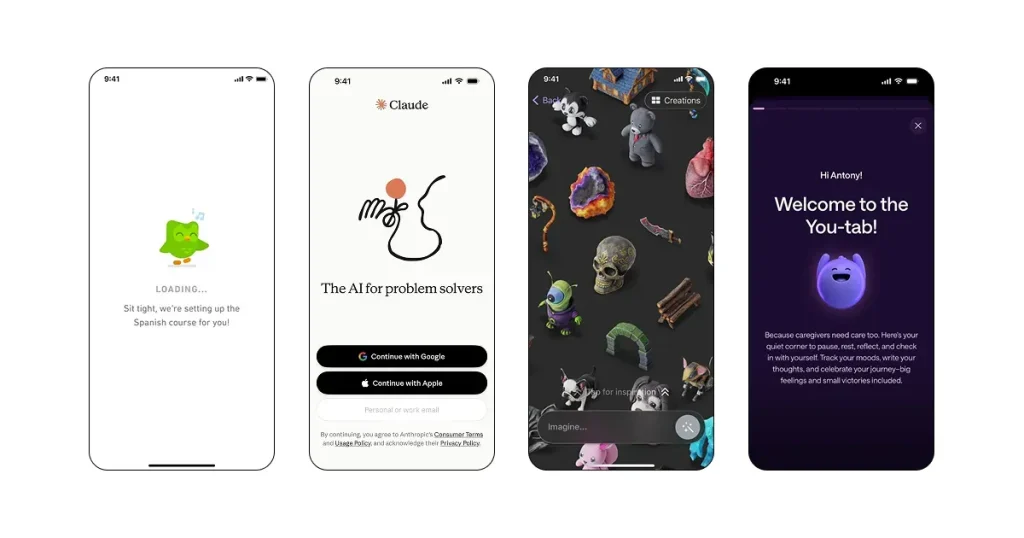
AI tools make it easy to create illustrations, but hand-drawn artwork can make your app feel more personal and premium. Users can instantly feel the difference between AI-generated illustrations and hand-drawn ones.
That’s why, create a base illustration with hand, and then you can use AI to customize and generate multiple variations of the same. You can even create animated illustrations and use them throughout the app whenever you want to give your app a premium feel.
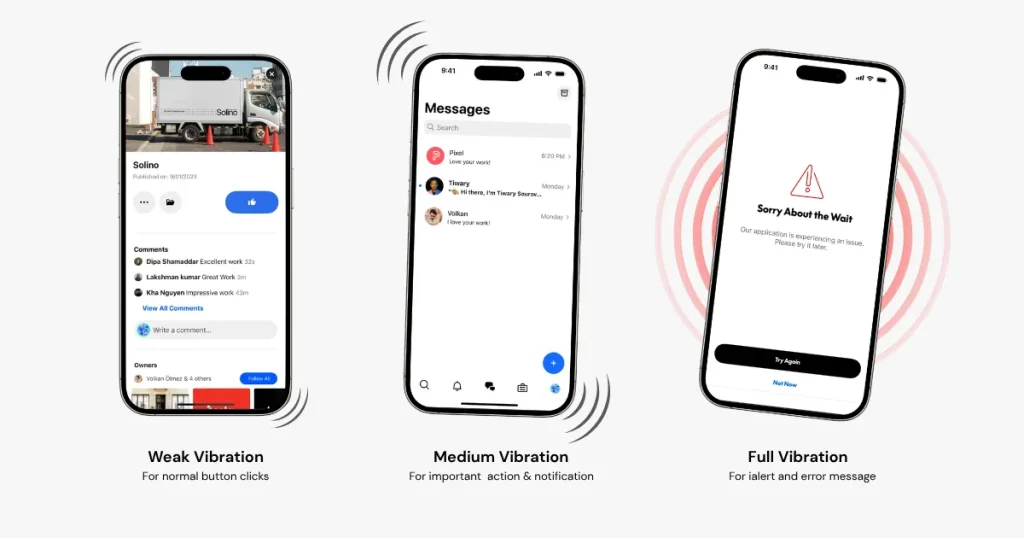
Haptic feedback is physical feedback, usually in the form of subtle vibrations or taps, that users feel when interacting with an app. For example, when you click the wrong button, the app vibrates the phone to let you know you did something wrong.
This physical feedback is extremely helpful for keeping users engaged and making the app more responsive and intuitive. If you want to design premium apps, add haptic feedback of different strengths to different functions.
As mentioned earlier, Empty states are app screens where no data has been entered yet. These pages are mostly blank and don’t add much value. However, if you want to design premium apps, you need to add some animations or illustrations.
A small mascot waiting for you to enter something, or doing something instantly, makes the app more enjoyable by giving you something more to stick around for. Once you enter some data, the illustrations can change or smoothly dissolve into the next page.
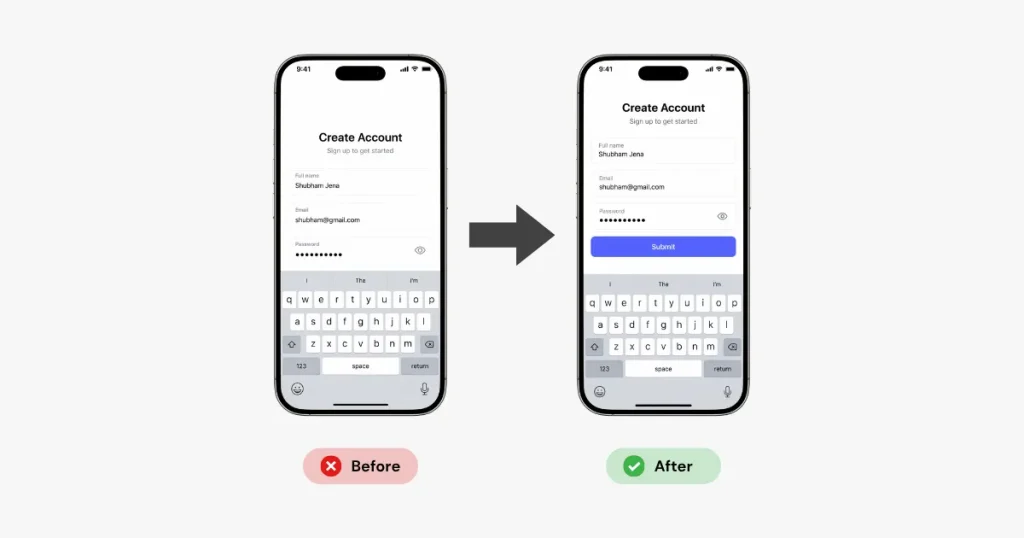
Keyboard behavior is another way premium apps differentiate themselves from others. While using some apps, when you enter text, the keyboard appears and hides the submit button or other images, so the user has to manually dismiss the keyboard to click the submit button.
This might seem like a small effort from the user, but the goal of premium app designs is to remove any manual effort from the user and make the experience smoother.
That’s why, if you want to design premium apps, design your text bars and other important buttons keeping the keyboard in mind.
If you want to design premium apps, you need to look beyond design hacks and actually build an experience that users love. Here are a few things you should consider.
Premium app designs follow a simple rule, they make the app user experience extremely simple and smooth. Simple doesn’t mean no animations or illustrations it means there isn’t any point in the user flow where the user feels stuck, not knowing what to do or where to go.
Your mobile app design should use visual cues and user psychology to guide users smoothly through the user flow.
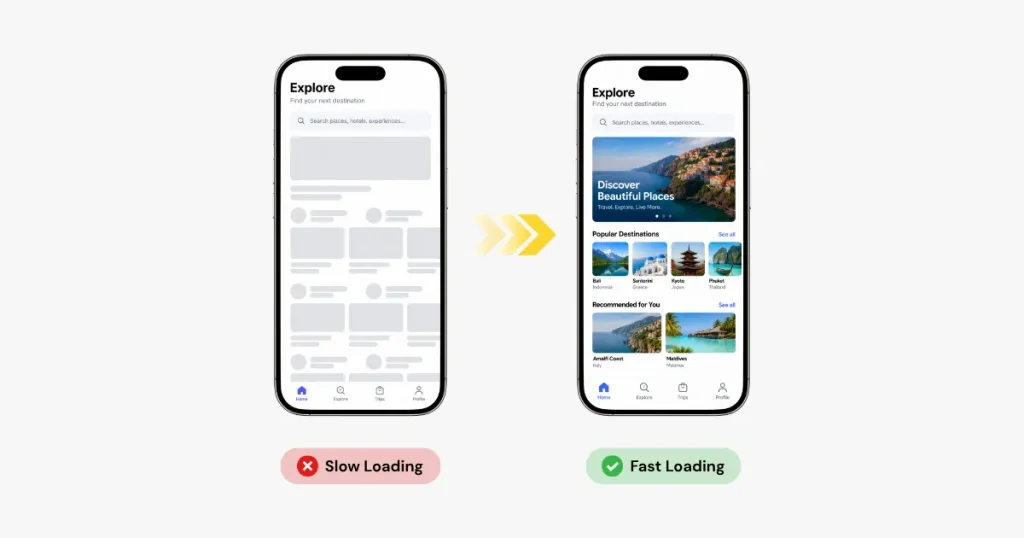
Users might not notice the small micro animations that you put hours into, but they will definitely notice a slow loading time. Even if your UI looks premium, if your screens take time to load and don’t flow smoothly, it gives a negative impression of your app.
So, if you want to design premium apps, focus on responsiveness and aim to make the first usable screen appear within 3 to 5 seconds. Load content as quickly as possible, show a loading indicator when needed, and avoid unnecessary interruptions that break the user flow.
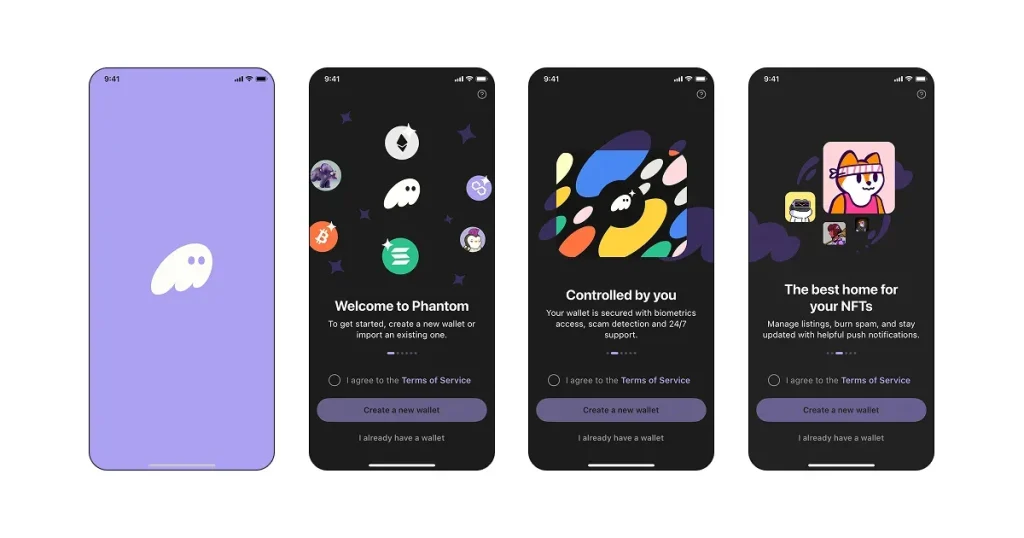
Since app designers design screens around different user flows, like onboarding or paywall flows, the design and transitions between screens can sometimes look disconnected.
App users don’t think in terms of a splash screen, onboarding screen, or sign-up screen, for them, the whole iOS app design process is interconnected. If you want to design premium apps, focus on maintaining a smooth flow across different user flows.
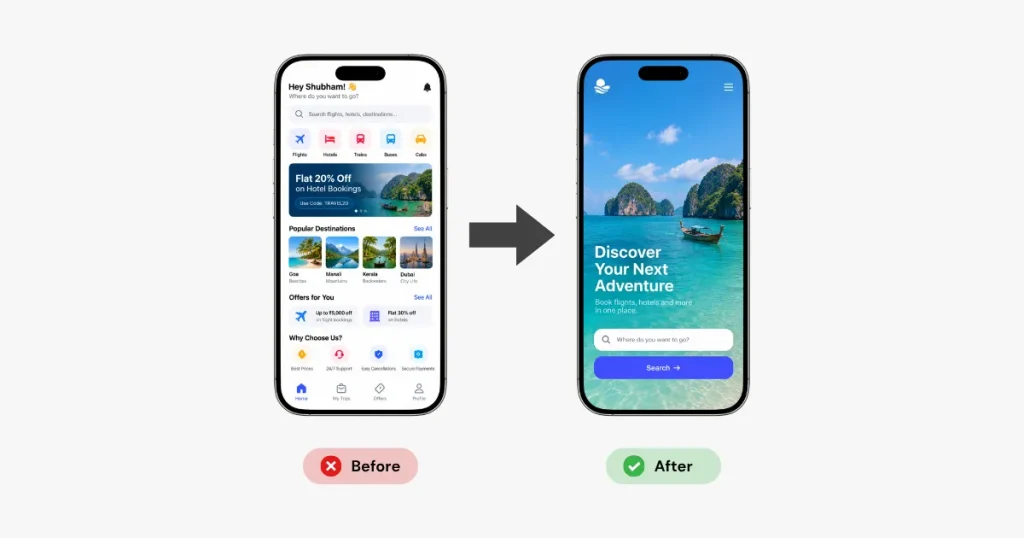
Many apps think adding multiple features to a screen is a good idea, but too many options in one view can overwhelm users, even when the design looks premium. If you want to design premium apps, go beyond design and functionality remove clutter from your screens.
Add as few features as possible for different app screens and user flows, so users know exactly what to click without thinking much.
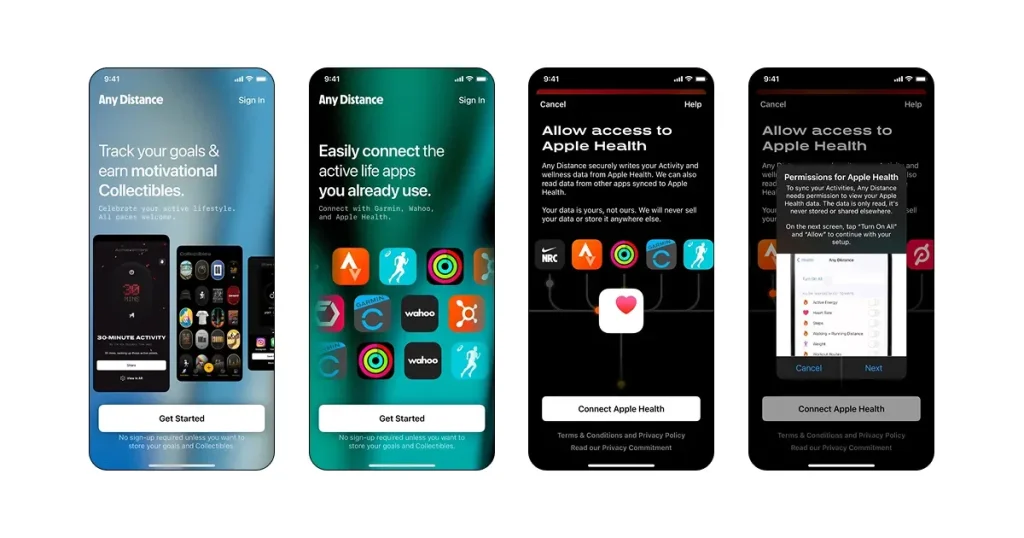
Visual consistency plays a crucial role in making mobile app designs feel premium. Users might not notice that the font is 12 pixels in one place and 13 or 14 in another, but they will definitely feel the difference while using the app.
So keep all elements consistent throughout the app, including icons, fonts, text sizes, and brand colors. This makes the user experience much smoother and gives your app a premium feel.
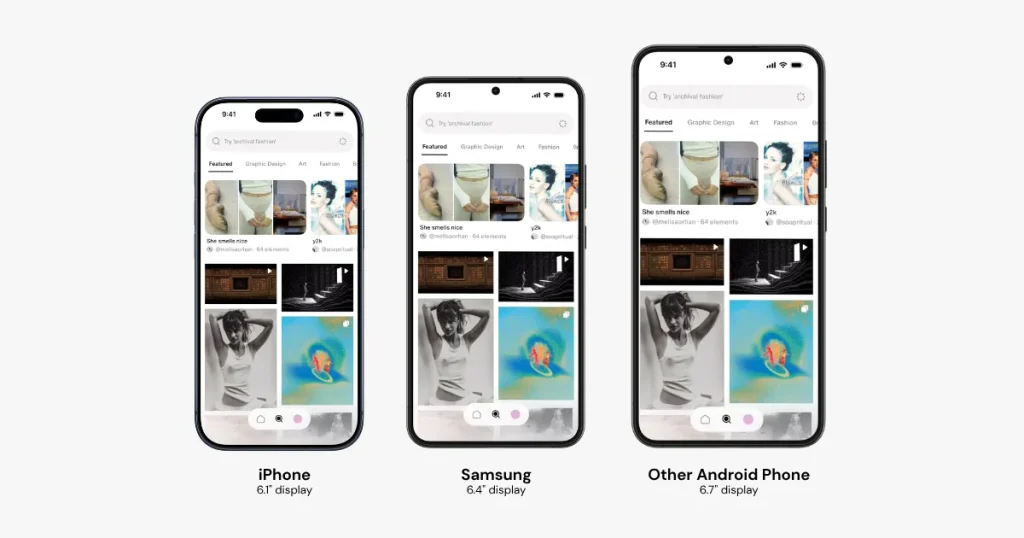
For a normal app user, app performance and user experience are the same thing. Even if your mobile app design feels premium, users won’t feel the same way if your app crashes occasionally or behaves differently across devices.
That’s why, if you want to design premium apps, keep fixing bugs and addressing user feedback as your app grows.
Moodboarding or studying competitor app designs is the very first thing you should do before you start designing your app screens. And if you want to find real app design ideas, then AppLaunchpad is the best tool for you.
AppLaunchpad is an app store screenshot generator, but it also offers an app UI/UX design inspiration library with a good collection of real app screens, video user flows, and UI elements so app designers can study how their competitors design their user experiences and improve upon them.
Here are a few key features of the AppLaunchpad UI/UX design research tool for finding app design ideas:
If you want to design premium apps, you need to follow the best UI/UX design practices and go beyond the design elements to create an app users want to use.
Small details like animations, haptic feedback, loading states, and smooth interactions may seem minor, but they can make a noticeable difference in how users experience the app.
And if you want to look at app design ideas before you start designing your app UI screens, use AppLaunchpad’s UI/UX research tool, as it not only allows you to understand how top apps design their app experience but also allows you to learn how to present your app in the app stores, covering the complete app journey from app ideation to presentation.
To design premium apps from scratch, study competitor designs, choose a visual style, create multiple prototypes, and test them on real devices. Focus on smooth user flows, animations, and small details.
A premium app design has a clean layout, clear visual hierarchy, consistent styling, smooth interactions, and fast performance.
You can find iOS app design inspiration in AppLaunchpad, which lets you explore real app screens, UI elements, and user flows.
Some good app design ideas include adding subtle animations, custom illustrations, haptic feedback, interactive empty states, and smooth loading screens to improve your app design.
Animations make interactions feel smoother and more responsive. Small transitions, loading animations, and interactive effects can also make a mobile app design feel more premium.