Top 8 Butterkit Alternatives Ranked: Features,…
Explore the top 8 Butterkit alternatives ranked by features and pricing. Find the best tools for app screenshots, ASO, automation, and scaling workflows.
Published May 15, 2026
An in-depth AppScreens review exploring its core features, pricing, advantages, limitations, and top alternatives to consider in 2026.
15 min
AppScreens screenshot generator is a web-based tool that helps create app store screenshots using templates, automation, and responsive scaling.
It offers 100+ templates, multi-device support, bulk generation, and localization, but lacks originality, built-in assets, and has a settings-heavy editor. This AppScreens review breaks down whether the tool actually helps improve your app store conversions or just speeds up the process.
AppScreens pricing starts at $25/month with a very limited free plan. This AppScreens review covers features, highlights the main limitations, and compares AppScreens with alternatives like AppLaunchpad, Butterkit, MockUPhone, Hotpot.ai, and Figma templates.
Out of these, AppLaunchpad stands out as the top AppScreens alternative. It has an easy-to-use editor, a large asset library, and over 1,000 templates, whereas AppScreens offers only 139. AppLaunchpad also gives you 10 templates for free, but AppScreens only includes that many in its paid plans.
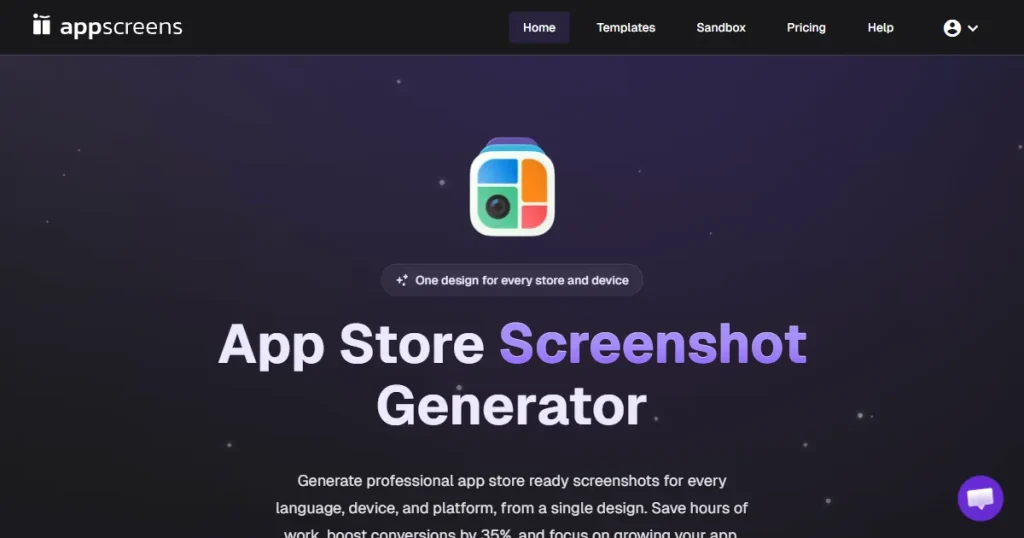
AppScreens screenshot generator is a web-based design tool designed to help developers and marketers quickly create app screenshots for the Apple App Store and Google Play Store. Instead of making every size manually in design software, AppScreens uses reusable layouts and automation.
There are three ways to design screenshots on AppScreens. The AI creator gives you initial ideas from your prompts. Template mode lets you copy and adjust existing layouts. The blank project mode lets you start from scratch.
AppScreens offers over 139 templates based on real app designs from many categories. You can create assets for iPhones, Android devices, tablets, desktops, smartwatches, and smart TVs in both portrait and landscape orientations. The main idea is to reduce repetitive work so you can publish faster.
Before we go deeper into this AppScreens review, let’s see who the actual audience of the AppScreens screenshot generator is.
AppScreens is not for everyone. It fits a specific niche and is a practical choice for:
But if you fit into the following groups, you might find AppScreens screenshot generator frustrating:
If you are wondering how AppScreens screenshot generator could fit into your workflow, here are the most common ways people use it:
Pro Tip: Use AppScreens for quick drafts and early versions. After you identify which layouts work best, rebuild and improve those top performers in a dedicated design tool to boost conversions.
Now, let’s discuss the key features and functionality of the AppScreens screenshot generator in this AppScreens review.
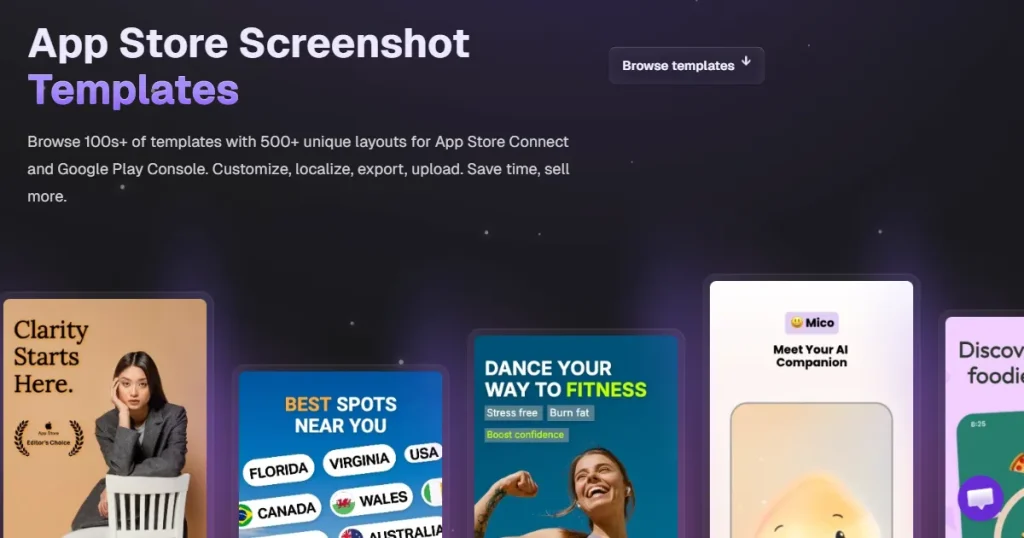
AppScreens screenshot generator comes with 139 templates inspired by top apps. It supports standard portrait layouts, which are most common in app stores, and also offers landscape formats, though there are only about 8 main landscape templates.
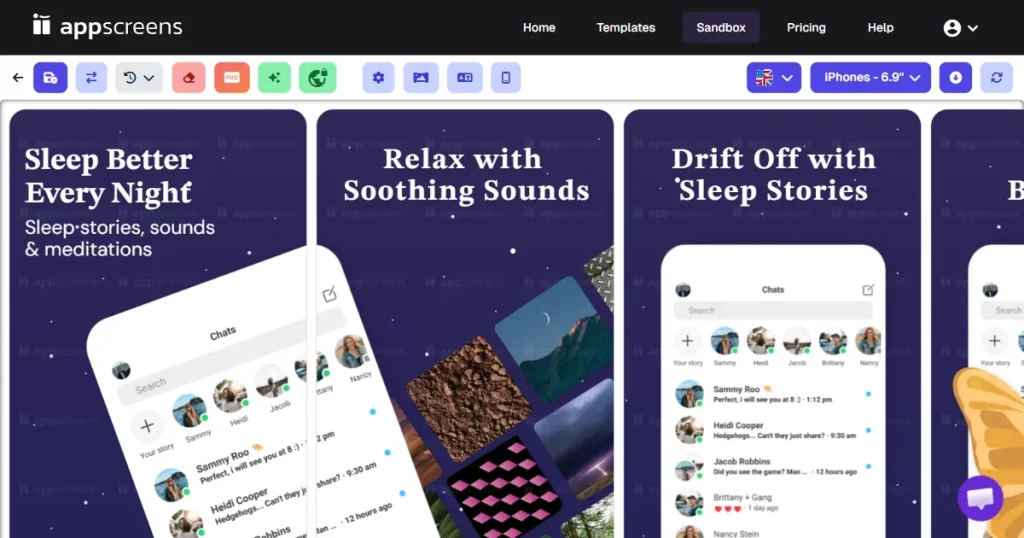
As highlighted in this AppScreens review, the platform focuses heavily on speed over full app screenshot customization. This approach lets you quickly get a professional-looking layout. But since many users use the same templates, your app might end up looking generic.
Device framing is where AppScreens does much of the heavy lifting. The platform supports a massive range of devices.
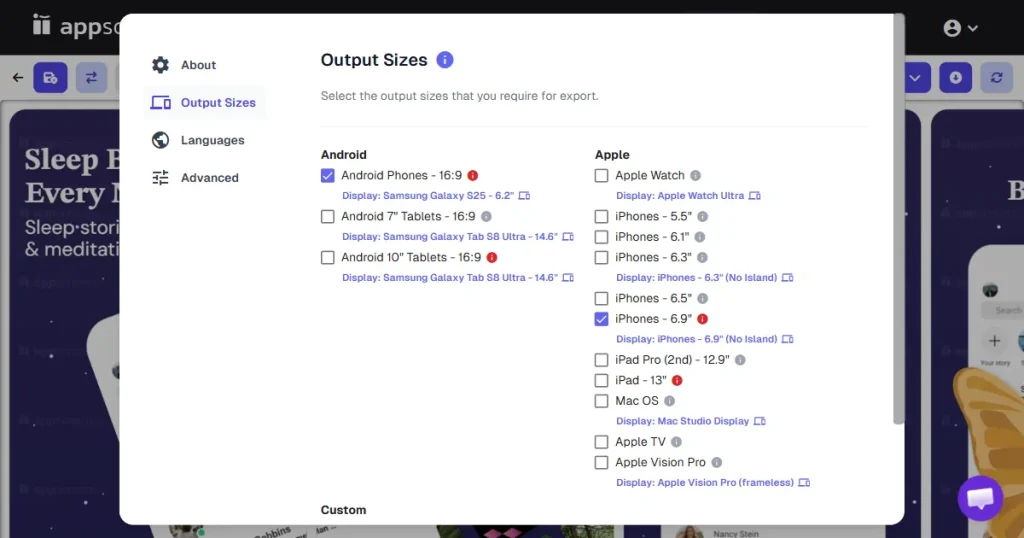
You can frame your app screens inside devices like iPhones, iPads, Android phones, and Android tablets. It also covers Apple devices like the Apple Watch, Vision Pro, Apple TV, and MacBooks. On the Android side, it supports specific brand frames from Samsung, Google Pixel, OnePlus, Realme, and even CMF by Nothing.
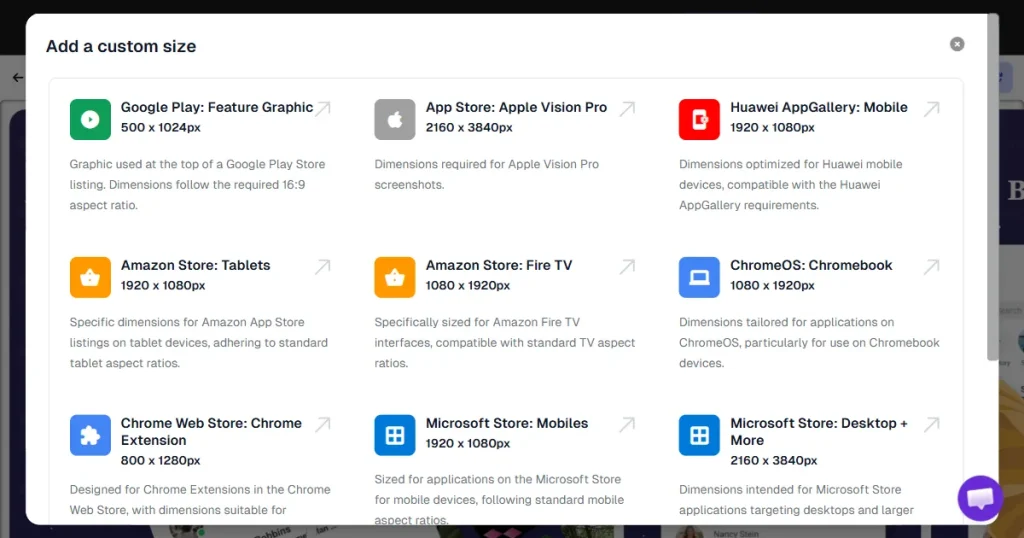
AppScreens has over 10 types of 3D device mockups, but this feature is limited. You can use only two preset angles for 3D devices, which limits your creative options. There are also no handheld device mockups, which are now very popular for showing real-world use.
The editor works well, but mostly uses a settings panel instead of a simple drag-and-drop canvas.
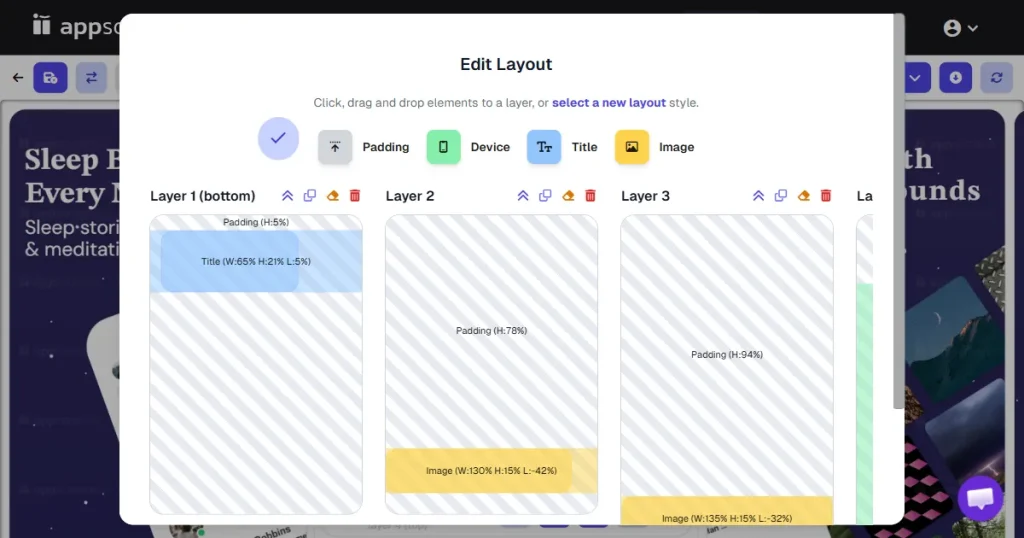
For layout, you can adjust padding, spacing, and element positioning. You can save a layout you like and apply it to future projects.
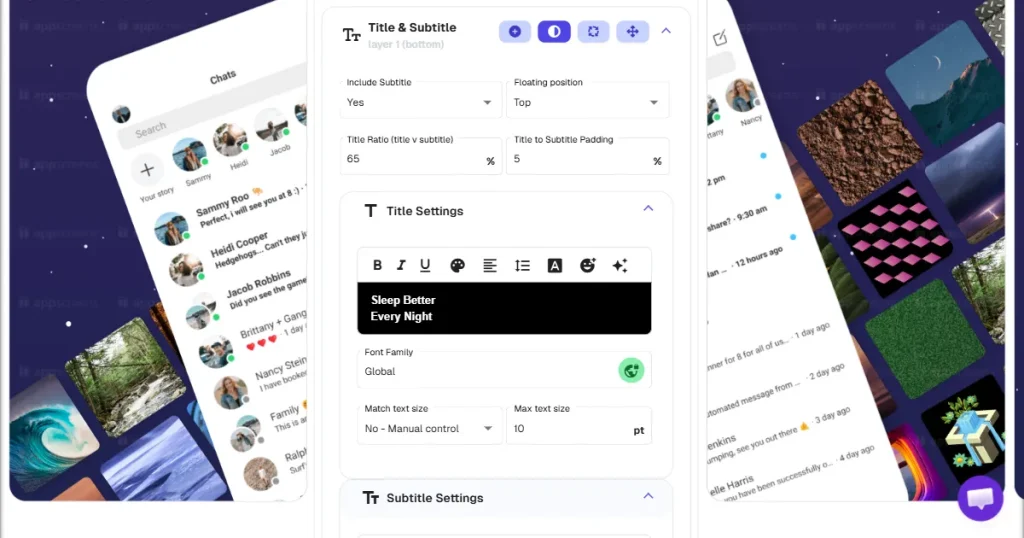
Text controls are standard, with options such as font selection, color selection, line height, spacing, and emoji support. AppScreens also includes an AI tool to help generate titles and subtitles if you are suffering from writer’s block.
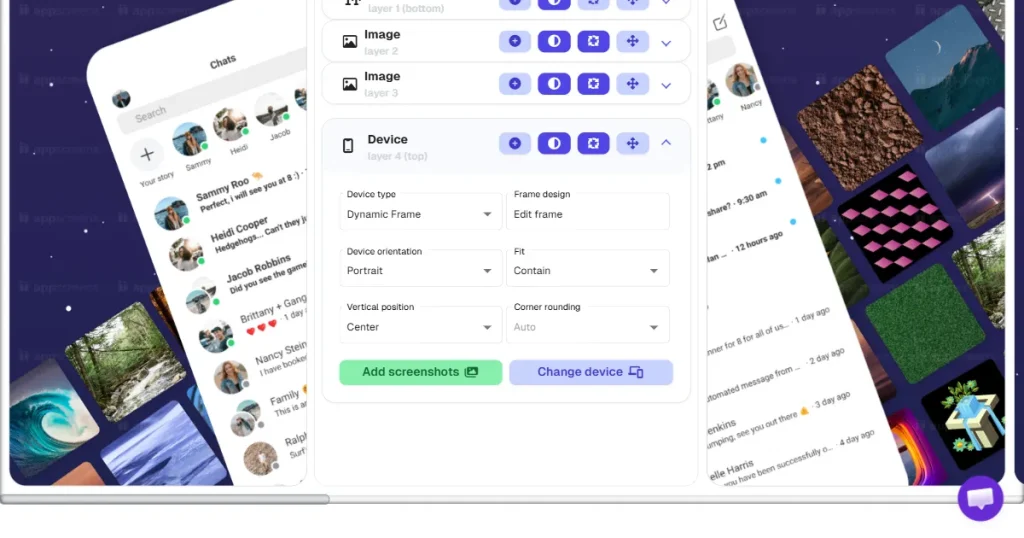
You can toggle between flat and 3D device frames and switch orientations.
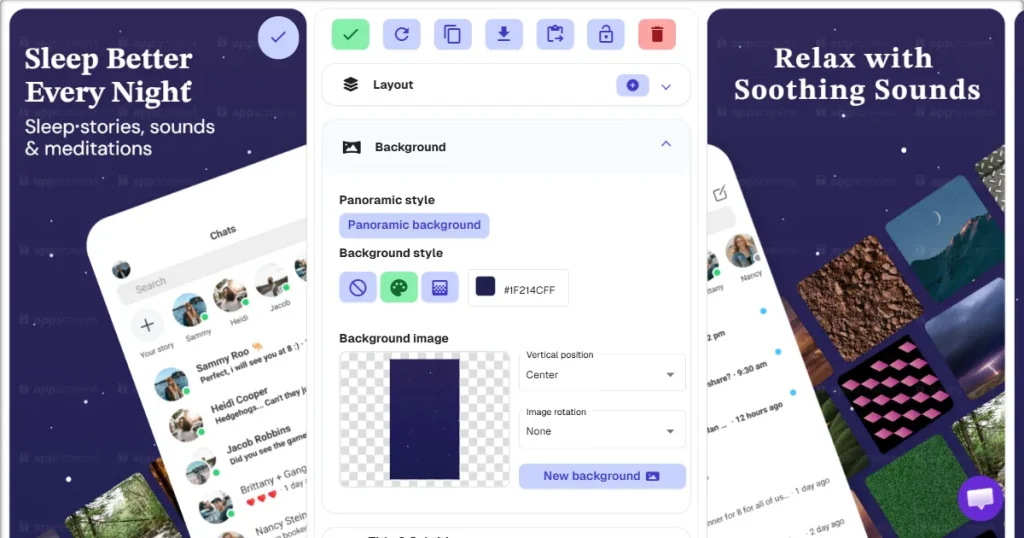
Background options include solid colors, gradients, panoramic backgrounds (where an image stretches across multiple screenshots), and custom image uploads.
One big drawback is the lack of a built-in asset library. There are no built-in icons, illustrations, or stock photos, so you have to find and upload them yourself. There is also no system to save your logos or brand colors for easy access.
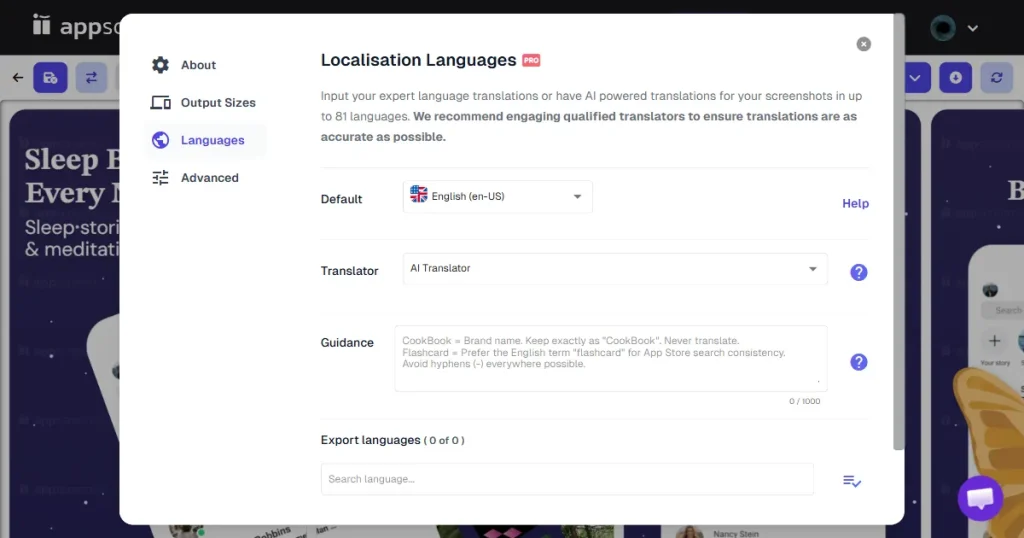
If you are expanding globally, localization is not optional. AppScreens supports up to 80 languages. You can translate your text using their built-in AI translator, Google Translate integration, or manual input.
Even though AppScreens covers many languages, the workflow is tedious. You need to go through several settings and menus to translate, so it is not a smooth, one-click process.
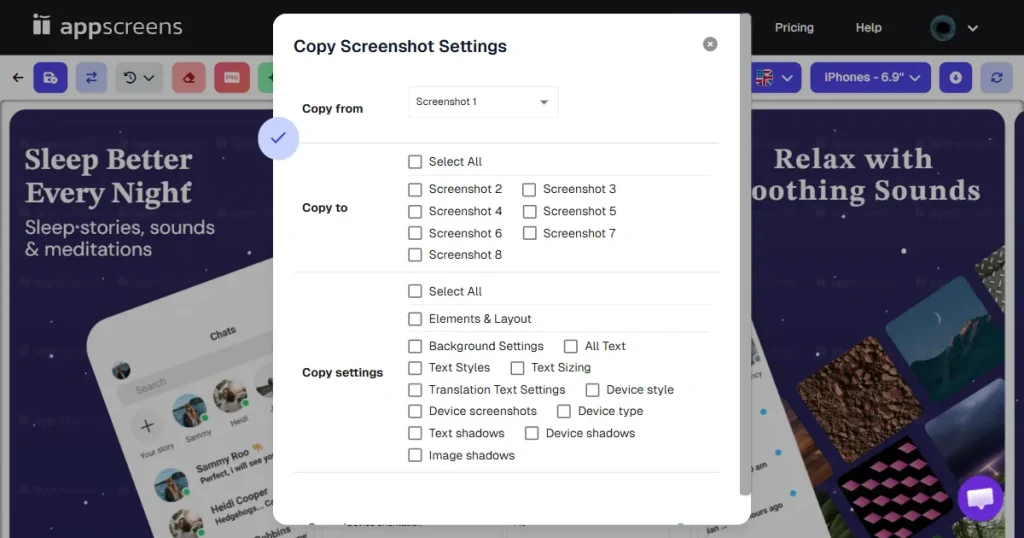
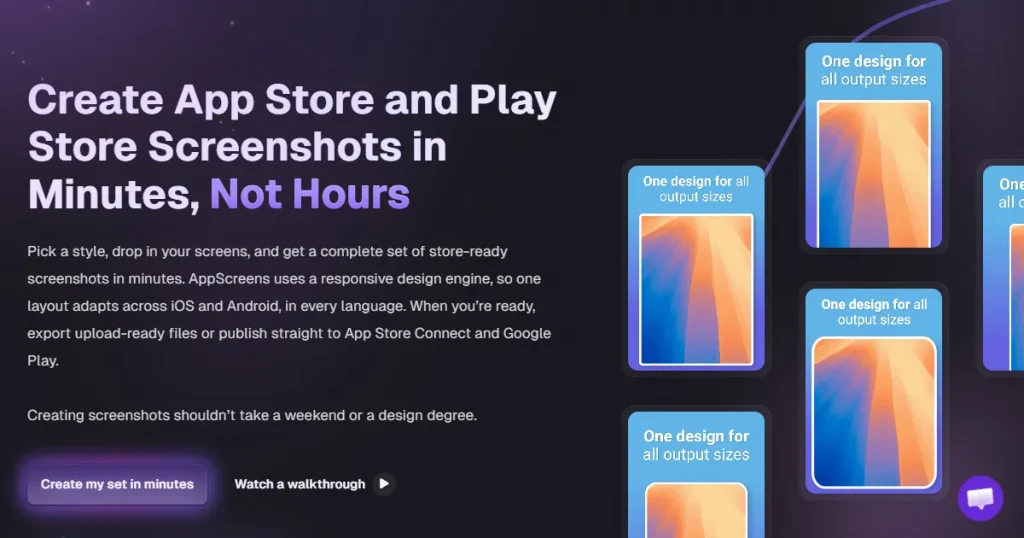
The responsive design engine is AppScreens standout feature. It lets you create one layout that automatically adjusts to fit iPhones, iPads, Android devices, and even desktop screens.
AppScreens handles aspect ratios and safe zones for you. Manually resizing designs to meet Apple and Google’s strict guidelines can take hours, but AppScreens does it in minutes. For example, you can design 6 iPhone screenshots and copy the same design edits for iPad and Android, cutting manual work by 60-80%.
However, it is not perfect. Complex layouts with overlapping elements can break or look odd when scaled from a phone to a tablet. Also, auto-generated iPad screenshots that just stretch phone layouts may not meet Apple’s review guidelines and can get rejected.
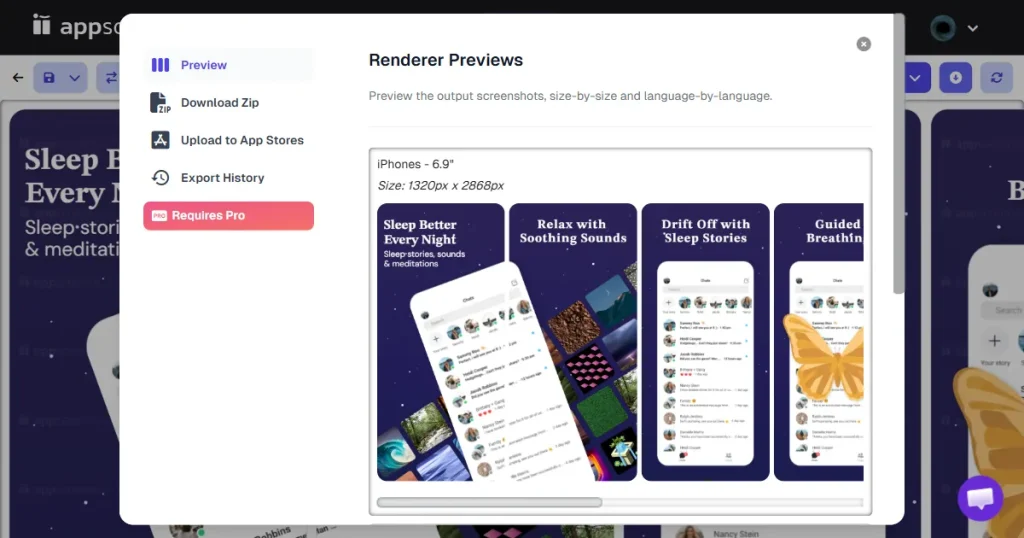
AppScreens also includes automation features. In addition to responsive scaling and AI-generated captions, it lets you generate screenshots in bulk.
The one-click publishing feature is a huge time-saver for teams. Once your screenshots and localizations are ready, you can send them directly to the App Store Connect and Google Play Console via the API. It also supports advanced features, such as Custom Product Pages (CPP).
This AppScreens review wouldn’t be complete without assessing whether the AppScreens pricing justifies the features. AppScreens uses a SaaS subscription model. The free tier is just for exploring the interface and is not meant for creating visuals needed for launch.
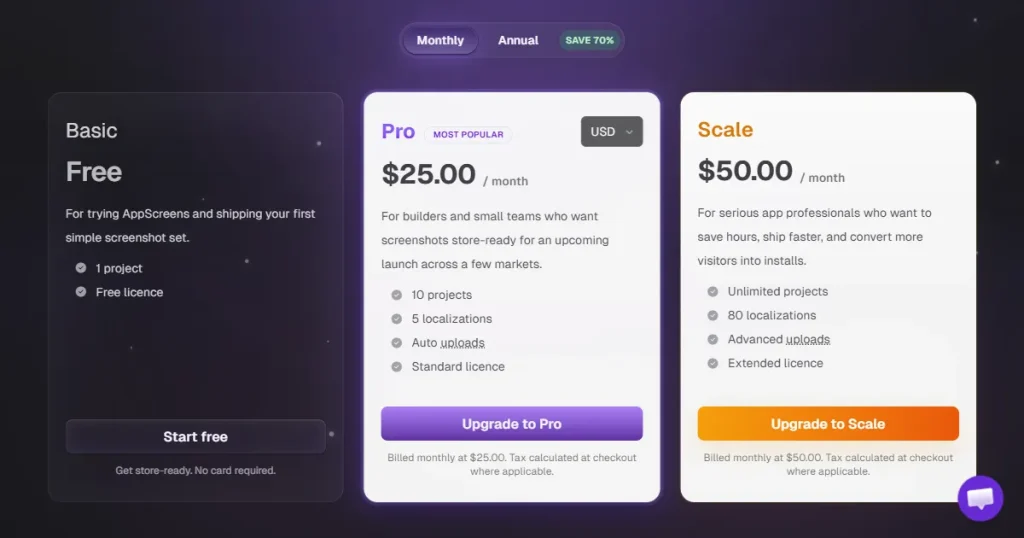
With the free plan, you can only have one project and one app. You get four templates and can make up to five screenshots per project. Localization is disabled, and you cannot upload custom fonts. Features like landscape exporting, panoramic backgrounds, one-click publishing, and premium device frames are also locked.
Verdict: Only use the free plan to test if you like the interface. It is not useful for actually launching an app.
If you decide to commit, you have two main options.
| Plan Tier | Monthly Price | Key Features Included | Best For |
| Pro Plan | $25 | 10 projects, unlimited apps, 100+ templates, 5 localization languages, custom fonts, bulk uploads, and direct store publishing. | Solo developers and small teams with a focused market presence. |
| Scale Plan | $50 | Unlimited projects, up to 80 localization languages, advanced publishing (Custom Product Pages, In-App Events). | Agencies and global teams require massive localization. |
Based on this AppScreens review, the tool has clear strengths, but also some trade-offs you should know. Here is a summary of what AppScreens does well and where it falls short.
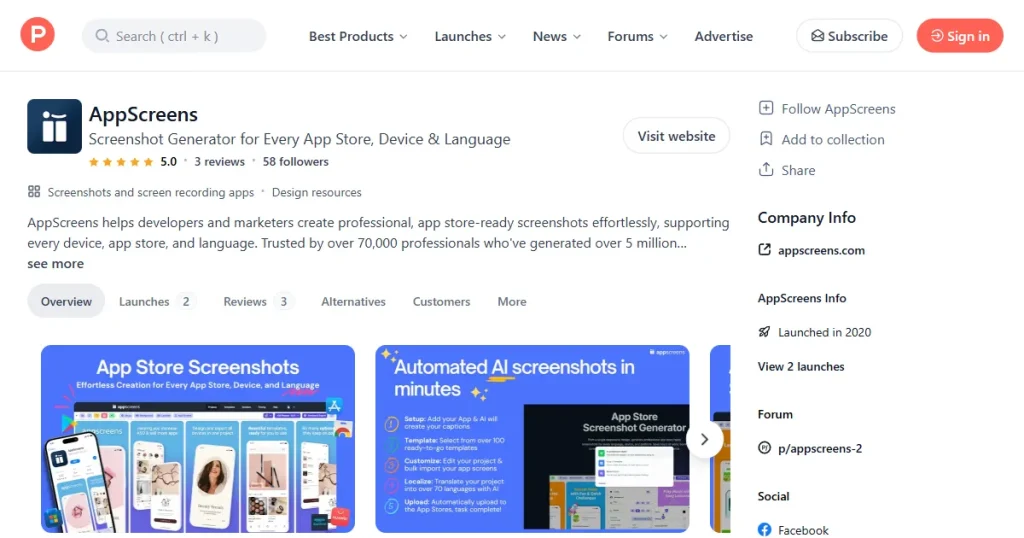
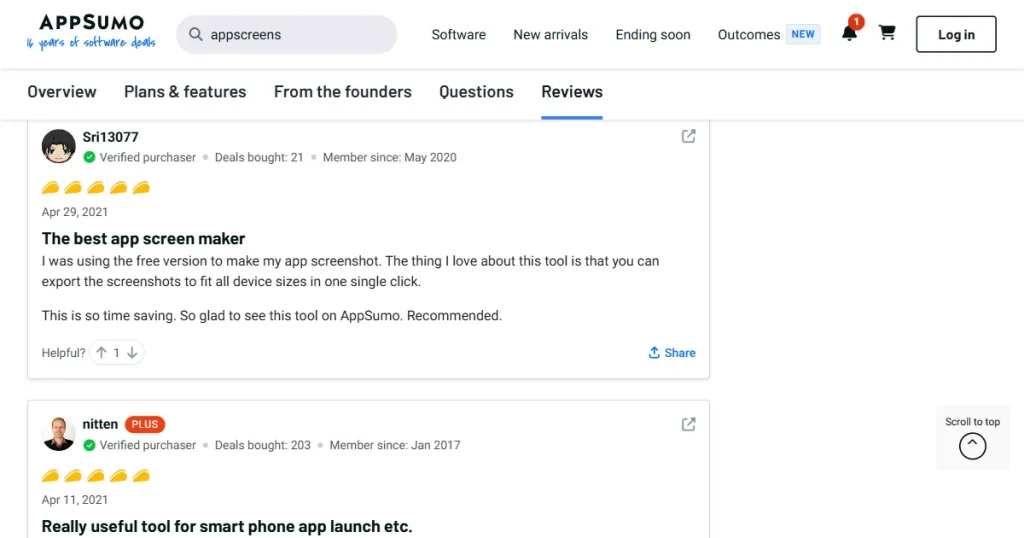
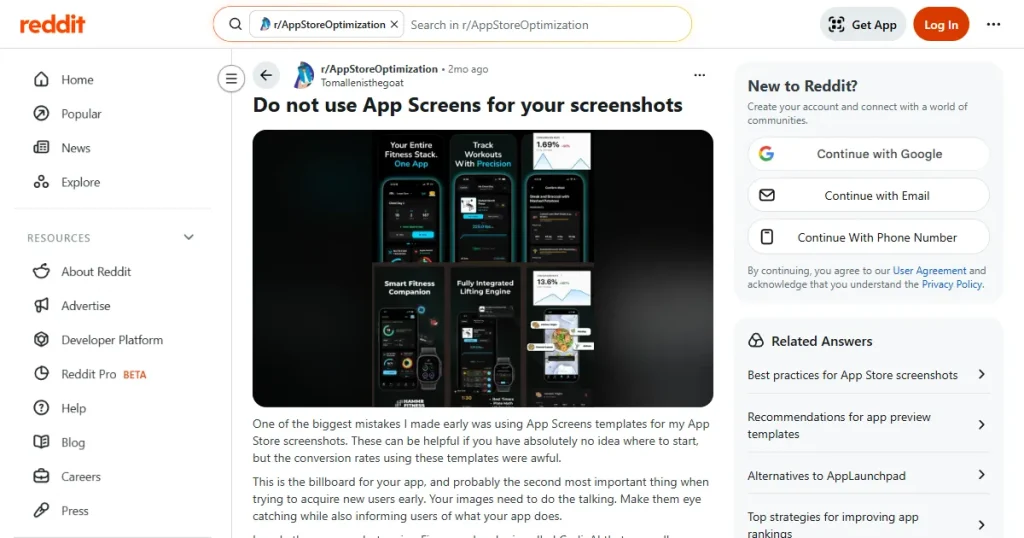
To validate our findings, this AppScreens review also considers feedback from real users across platforms. Opinions vary a lot depending on the source.
If AppScreens doesn’t meet your needs, this AppScreens review also explores better AppScreens alternatives.
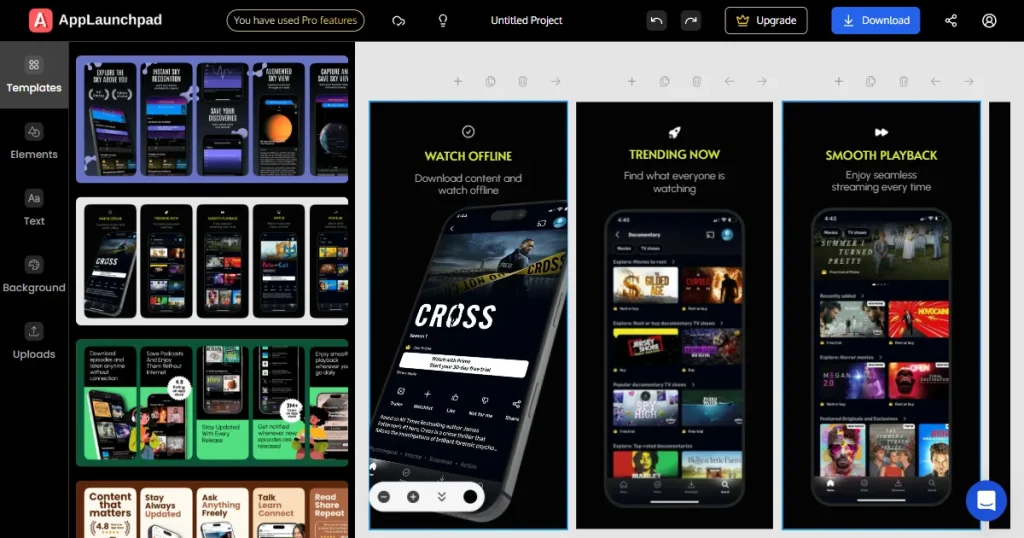
If your primary goal is high-conversion ASO, AppLaunchpad is arguably the better AppScreens alternative. Starting at $19/month, it completely outclasses AppScreens in terms of asset volume.
It provides over 1,000 templates and a built-in library of 10,000+ graphics (icons, badges). The editing interface is much more visual and real-time. It features true one-click translation that auto-fits text, and it supports over 20 angles for 3D devices, including handheld mockups.
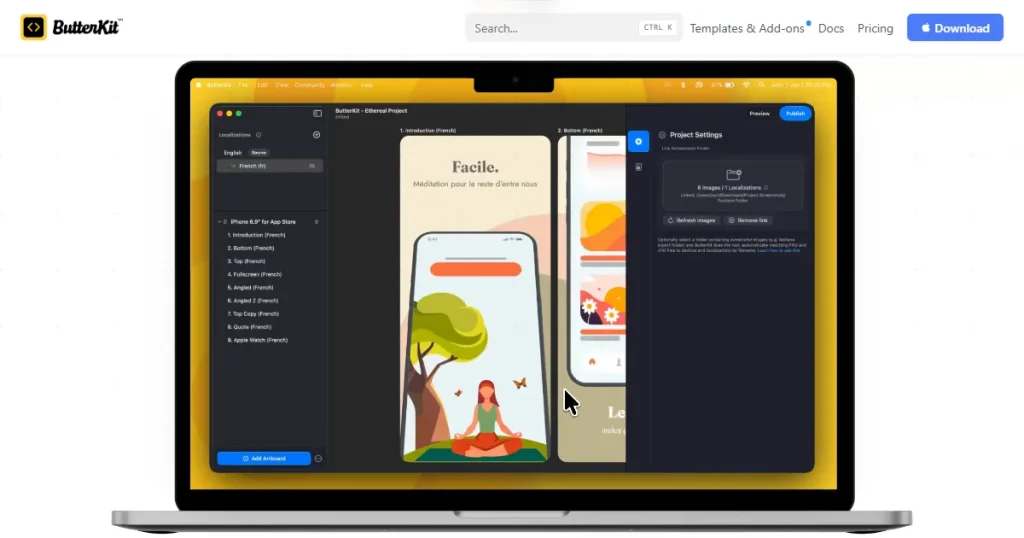
For developers who live exclusively in the Apple ecosystem, Butterkit is a fascinating alternative. Rather than a web app, it is a native macOS application.
It integrates directly with the Xcode Simulator to capture screens instantly. It works offline and uses a one-time purchase model, meaning no recurring monthly fees. It supports 39 languages with auto-translation and handles App Store Connect uploads beautifully.
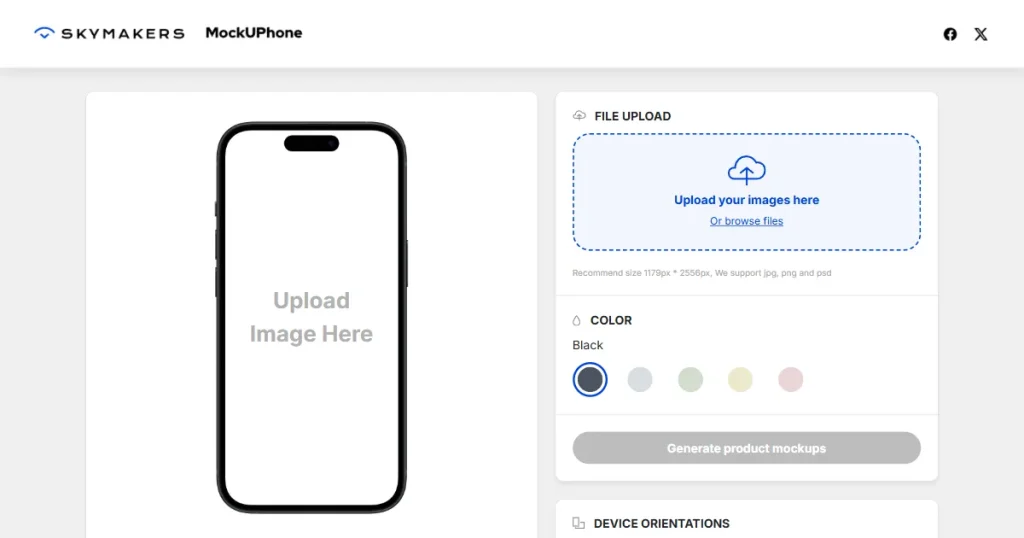
If you don’t care about automation, localization, or text layouts, and simply need to wrap a screenshot in a nice device frame, MockUPhone is the answer. It is a completely free, straightforward tool. It is particularly strong for Android, offering frames for major brands like Samsung and Pixel. It does exactly one thing, but it does it well.
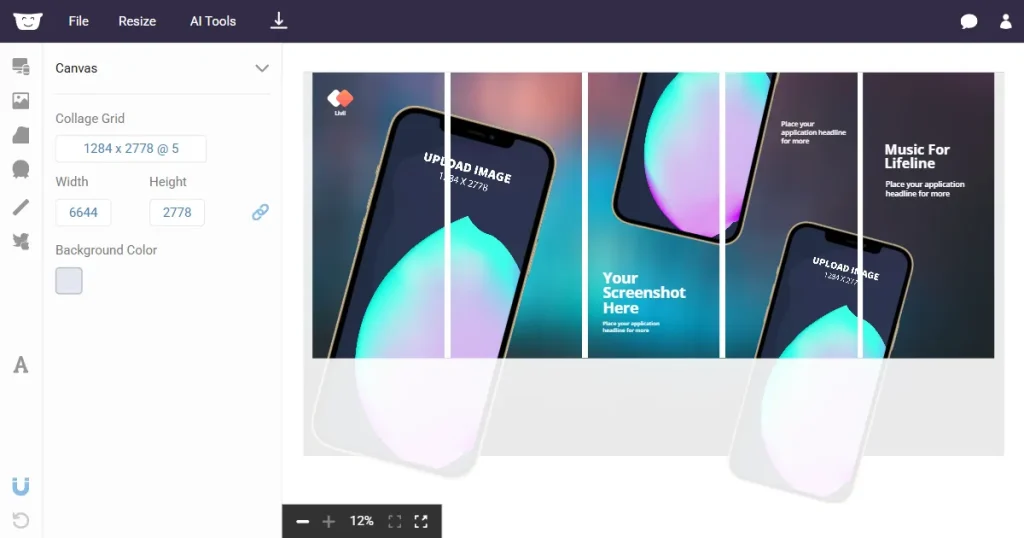
Hotpot.ai is a broader visual editing suite powered by AI. It operates on a credit-based pricing model. It is fantastic for general marketing visuals, background removal, and quick graphic tweaks. However, it is not specialized for app store compliance, meaning you have to do your own research on safe zones and required device resolutions.
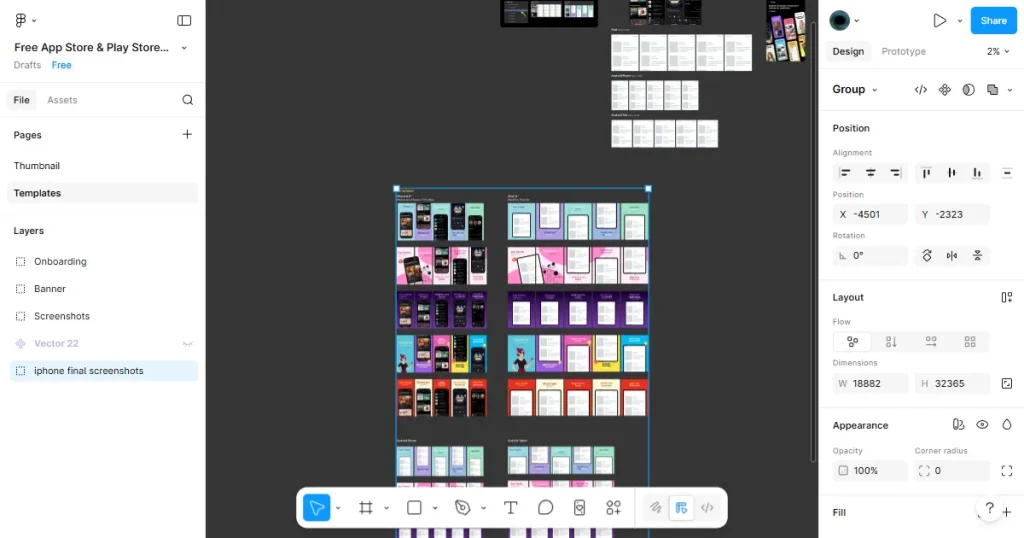
For ultimate creative control, nothing beats Figma. By tapping into Figma Community templates, you get access to hundreds of free, professional-grade ASO designs.
You have total freedom over every vector and pixel. The massive downside is the complete lack of automation. You will have to manually resize every screen for every device and manually export every localization.
Tip: The best approach is often to combine tools. Use ASO research tools to see what works in your niche, design your main screens in Figma, and use AppScreens to scale those designs to other device sizes.
AppScreens is a great tool for indie developers, startup founders, and non-designers who need speed. If you need to launch your app quickly and do not have time to learn Figma, AppScreens can help you get it done.
But if you work in a very competitive area where even a small drop in click-through rate is costly, AppScreens generic templates and limited editor may not be enough. It is best for scaling, not for creative design. This AppScreens review shows that the tool is best suited for speed-focused workflows rather than conversion-focused design.
Yes, AppScreens pricing offers a free plan, but it is extremely limited. You can access only 4 templates and generate a total of 5 screens. It is strictly for testing the interface, not for launching an app.
Yes. AppScreens supports all standard device sizes across both platforms and includes a responsive engine that scales your design automatically to fit different hardware.
The templates can look generic, the editor interface relies too heavily on complex settings panels, and the pricing feels steep if you only update your app a few times a year. Also, auto-scaling iPad screens sometimes triggers rejections from the App Store.
AppLaunchpad is the best AppScreens alternative for conversion-focused, asset-rich design. Figma is the best AppScreens alternative for total creative control. Butterkit is the best native macOS option.
Absolutely. AppScreens screenshot generator is built to be beginner-friendly. Just keep in mind that creating a high-converting screenshot still requires a basic understanding of App Store Optimization principles.
The AppScreens review shows it’s a fast screenshot generator that saves time with automation and multi-device scaling. It’s great for quick launches, but templates can feel generic, so customization is needed for better conversion results.