20 Best AI App Marketing Tools In 2026
Boost app growth with the 20 best AI marketing tools of 2026. Master ASO, automate retention, and scale faster with expert picks for indie devs and growth teams
Published Feb 3, 2026
AppLaunchpad vs Placeit comparison for app screenshots. Learn which tool fits App Store and Play Store needs, workflows, and scaling best.
13 min
Choosing between app screenshots and mockups can get confusing. AppLaunchpad vs Placeit compares the two clearly, including what Placeit mockup generator offers and what it is best for.
This guide explains when to use Placeit mockups for marketing and when you need premium App Store screenshots from a tool like AppLaunchpad.
AppLaunchpad comes out ahead in this AppLaunchpad vs Placeit with trendy 1000+ app store screenshot templates, one-click localization, screenshot cloning, and a free plan with watermark-free exports, while Placeit is the largest mockup hub, including device and app mockups.
These mockups are highly favored for marketing visuals and app demos. One of the biggest drawbacks is the Placeit pricing plan, which provides watermarked exports even on the free plan.
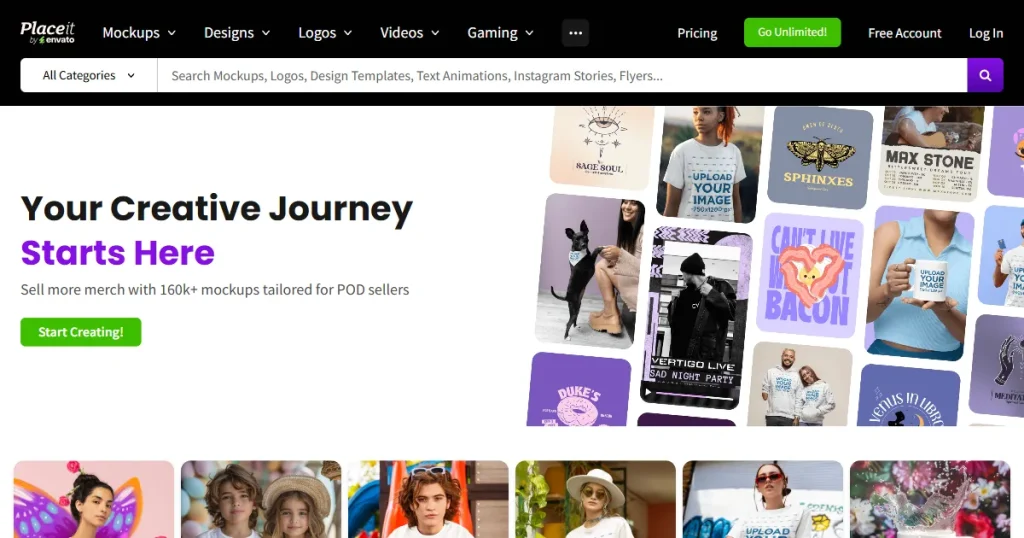
Placeit is a large, all-in-one design platform. It offers Placeit device mockups, videos, logos, thumbnails, and social media graphics. Creating app store screenshots is only one small part of what the platform supports, and many people approach Placeit mockup generator for Placeit mockups rather than a dedicated app store screenshot generator.
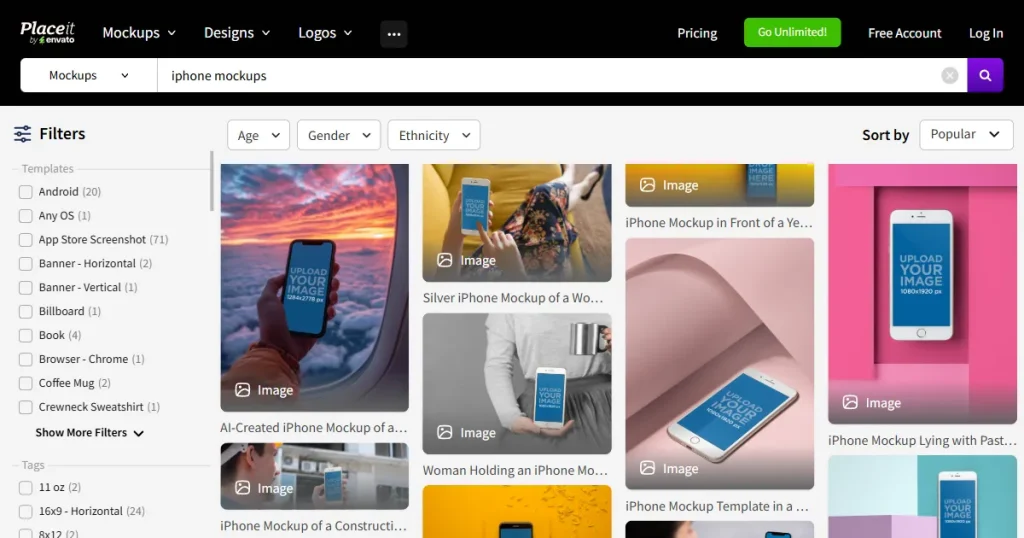
One of Placeit mockup generator’s biggest strengths is visual variety. You can create lifestyle mockups showing phones in real environments, hands holding devices, or apps displayed in everyday scenes. This works very well for ads, landing pages, and campaigns. Many designers rely on the Placeit mockup generator as a marketing tool rather than strictly for app store screenshots.
However, Placeit mockups are not built around app store screenshot templates or store-specific rules. That difference becomes noticeable when managing multiple device sizes, updating screenshots often, or preparing visuals for both App Store screenshots and Google Play screenshots.
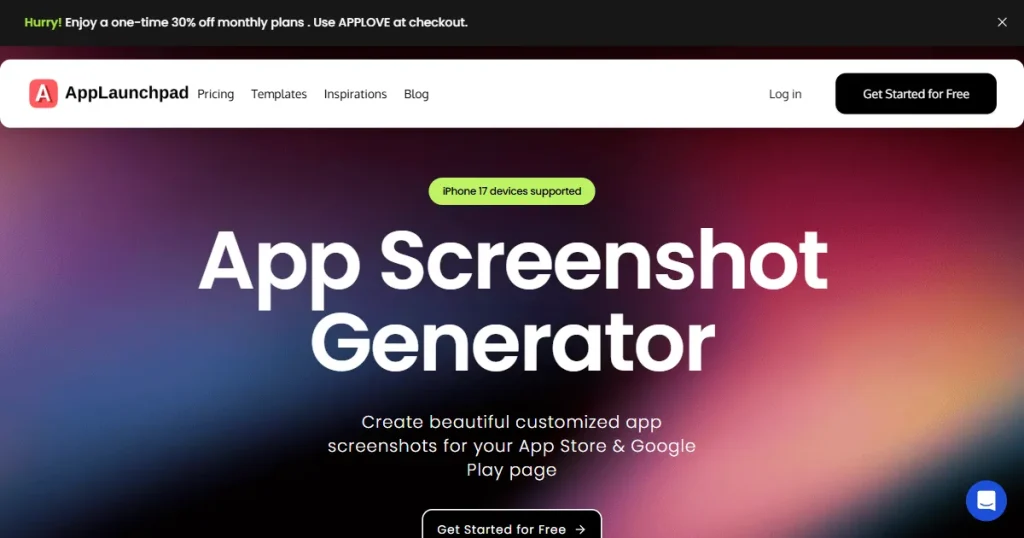
AppLaunchpad app screenshot generator is built specifically to create app store screenshots and Google Play screenshots. It does not cover other design needs, such as logos or videos. Every feature in AppLaunchpad is designed to support app listing visuals in a focused way.
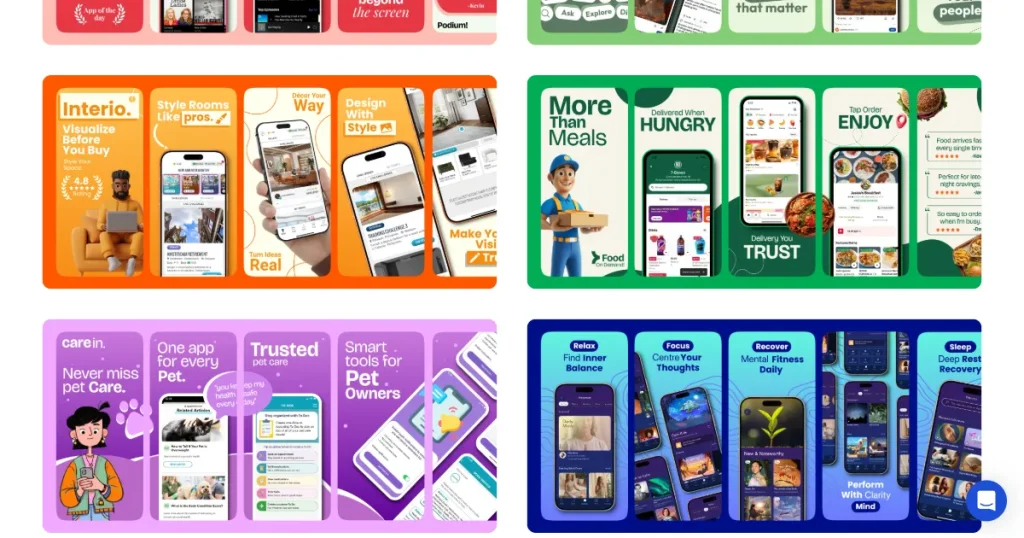
From the first interaction, AppLaunchpad behaves like a purpose-built app store screenshot generator. Templates follow store-friendly layouts, export sizes match platform requirements, and workflows are tailored for the App Store or Play Store.
Let’s look at how AppLaunchpad vs Placeit compare in terms of app screenshots and what each tool offers.
| AppLaunchpad vs Placeit Comparison | AppLaunchpad App screenshot generator | Placeit mockup generator |
| Primary Focus | Dedicated app store screenshot generator | All-in-one creative and mockup platform |
| Best For | App Store & Google Play screenshots with additional features like Device mockups | Marketing visuals, Placeit mockups, ads. |
| Screenshot Use Case | Built specifically for App Store and Google Play Store listings | Screenshot creation is one small feature |
| App Store & Play Store Compliance | Store-ready sizes and formats by default | Manual checks and adjustments needed |
| Screenshot Templates | Story-driven, store-optimized templates | No screenshot templates, only mockups |
| Device Support | Latest iOS & Android devices | older device focus |
| Auto-Resizing for Devices | Yes, clone screenshots across sizes | No automatic resizing |
| Localization Support | Built-in multi-language localization | Not available |
| Branding Control | Brand assets feature includes custom fonts, custom images, and brand logo | Brand kit for quick reuse |
| Pricing Fit | Optimized for screenshot-only needs | Better value if you are looking for mockups in general |
Takeaway from the Table: In this AppLaunchpad vs Placeit comparison, Placeit mockup generator is broader and more flexible. AppLaunchpad is narrow and specialized.
If your priority is marketing visuals and lifestyle mockups, Placeit mockups can be a good fit. If your priority is a reliable app store screenshot generator explicitly built for app store screenshots, AppLaunchpad is purpose-built for that role.
App store screenshots must follow strict rules. Screenshot sizes, aspect ratios, device frames, and screenshot guidelines all matter. Even small mistakes can lead to rejected uploads or cropped visuals that hurt credibility and conversions.
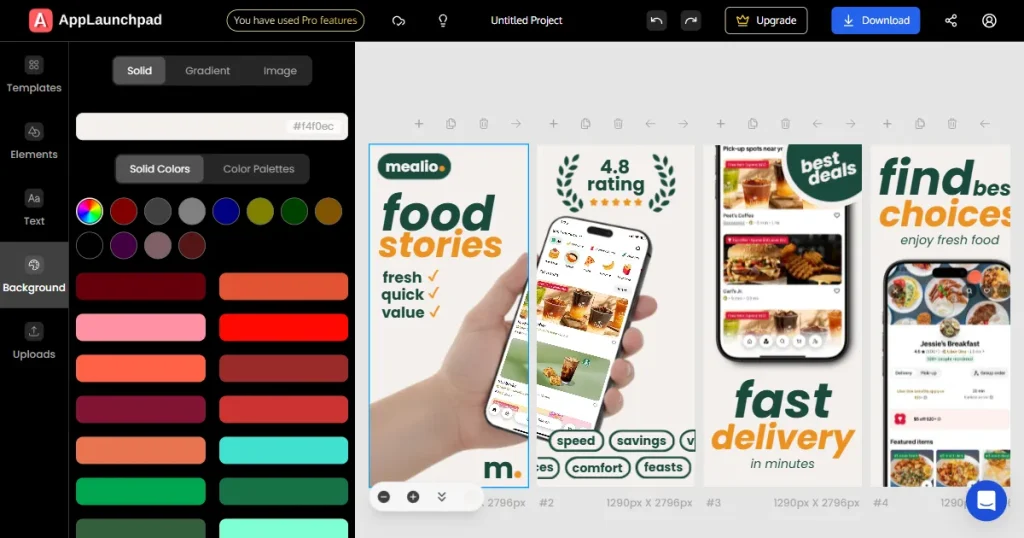
When using AppLaunchpad, compliance feels built in. As an app store screenshot generator, it creates app screenshots in Apple and Google-approved formats by default. Both app store screenshots and Google Play screenshots are generated in the correct sizes without manual resizing or compression.
For example, in the image above, check the dimensions below the screenshots. You can see that each screenshot for the Latest iPhone model is 1290 × 2796 px (portrait), as per Apple screenshot guidelines.
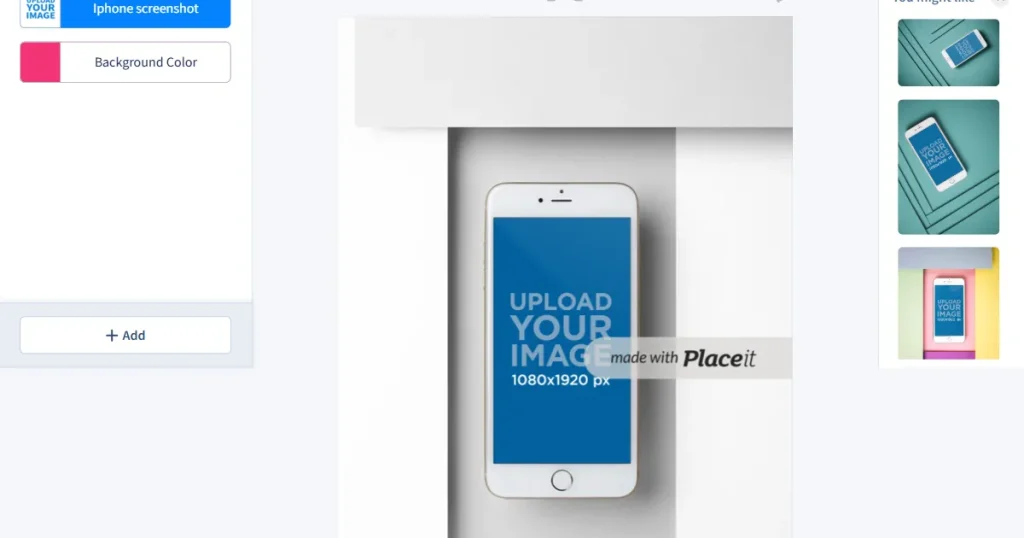
Placeit supports screenshots, but compliance is mostly manual. On Placeit, you need to double-check dimensions and other requirements after export, especially when submitting updates across multiple devices.
Verdict: In the AppLaunchpad vs Placeit comparison, AppLaunchpad reduces compliance risk and saves time during app submission.
Effective app store screenshot templates follow a straightforward narrative. They usually introduce the core value first, then explain key features, and finally reinforce trust or differentiation.
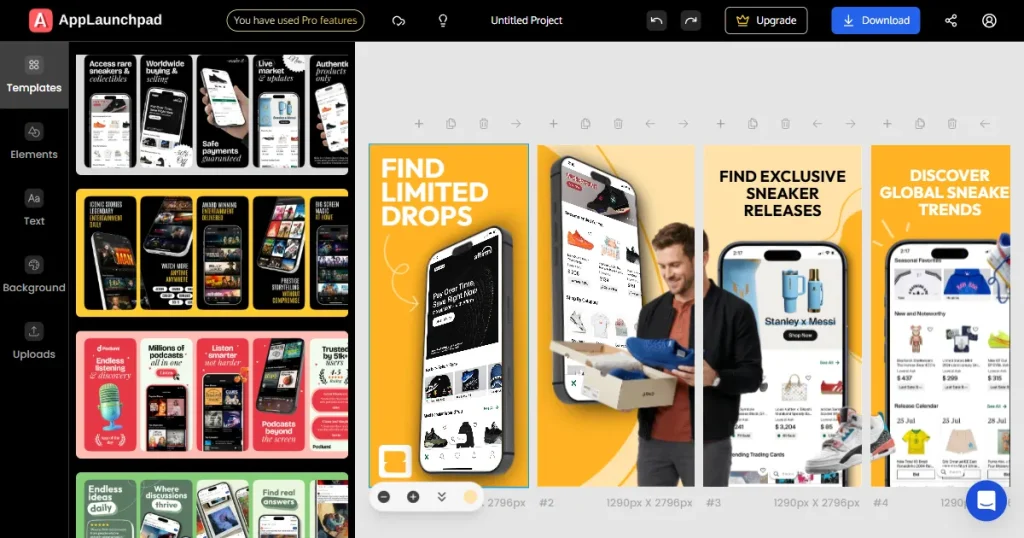
AppLaunchpad provides app store screenshot templates designed around this exact flow. Each screenshot has a defined storyline, making the app store screenshot generator easier to use, even for non-designers. The complete set of screenshots feels connected.
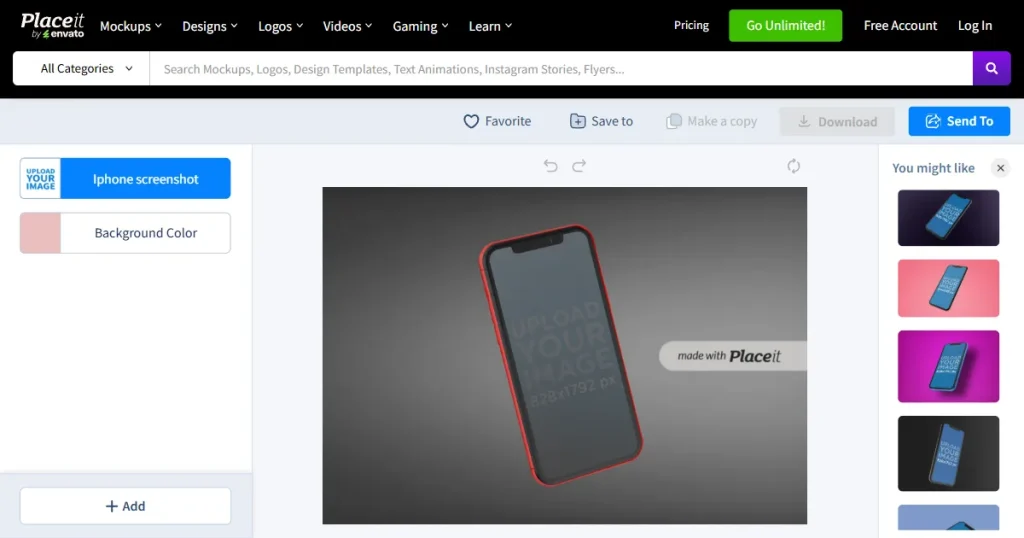
Placeit mockup generator offers visually strong Placeit mockups, but most templates are generic. You have to design the structure yourself, which increases effort and leads to inconsistencies across app store screenshots.
Verdict: In this AppLaunchpad vs Placeit feature comparison, AppLaunchpad has a better template structure that follows App Store and Google Play Store guidelines for screenshots.
Modern apps need app store screenshots across many devices. Different iPhone devices, different Android mockups, and sometimes tablets as well.
AppLaunchpad supports the latest devices and lets you clone screenshots across various device sizes effortlessly. This is precisely what a scalable app screenshot tool should provide when listings need frequent updates across multiple platforms.
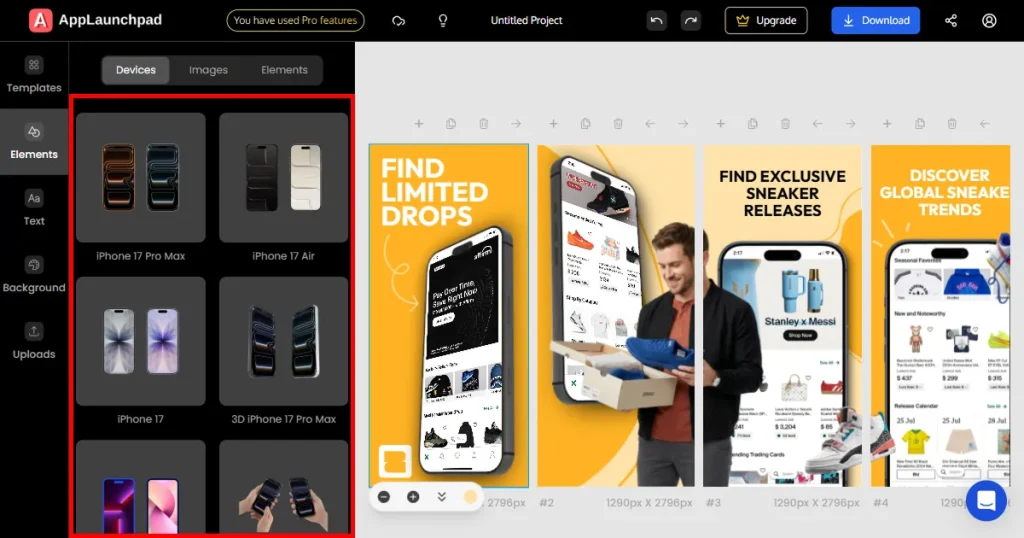
In the image above, we see the recently launched iPhone 17 Pro Max in multiple color variants at AppLaunchpad.
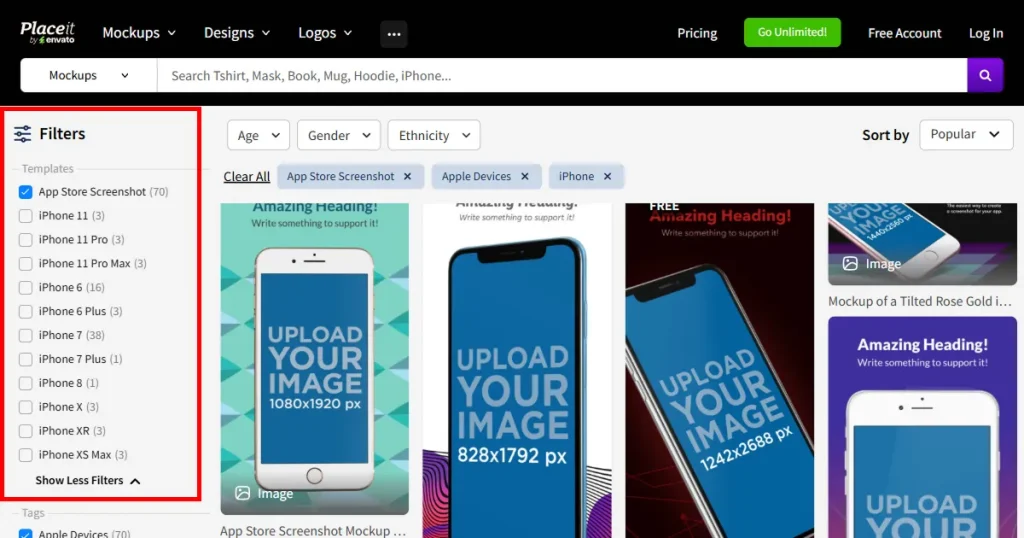
The latest iPhone model on Placeit is currently the iPhone 11 Pro Max, as shown in the image.
Placeit mockups support multiple devices, but resizing is manual. Each additional device means extra work and more chances for layout issues.
Verdict: AppLaunchpad offers a more up-to-date device library and handles multi-device screenshot scaling more efficiently.
Text readability is critical in app store screenshots. What looks fine on a large canvas can become unreadable in store previews if spacing and hierarchy are not handled well.
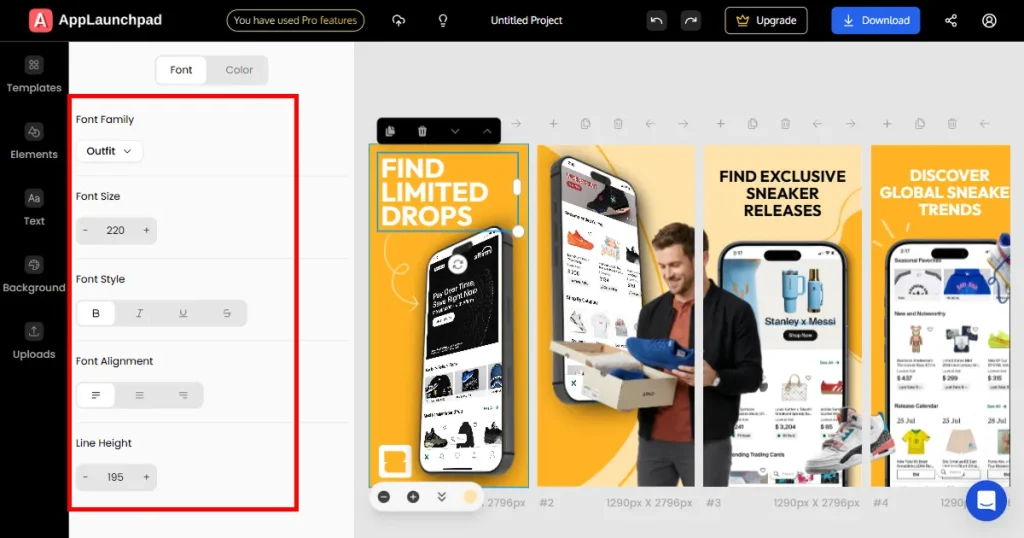
AppLaunchpad layouts are designed for short, clear text copy. The text hierarchy remains the same and within safe text areas, even if the length of text captions increases.
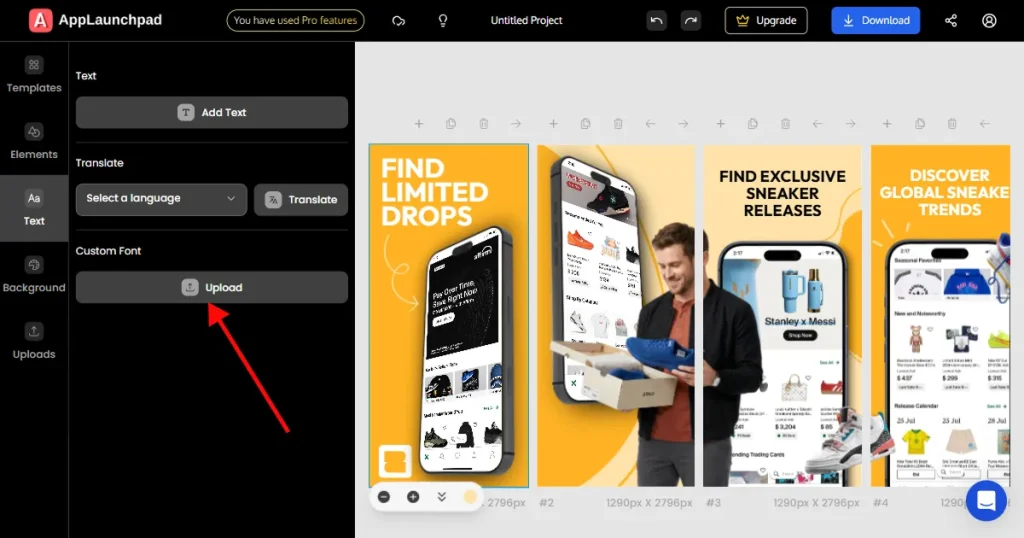
You can also upload custom brand fonts on AppLaunchpad to maintain brand consistency.
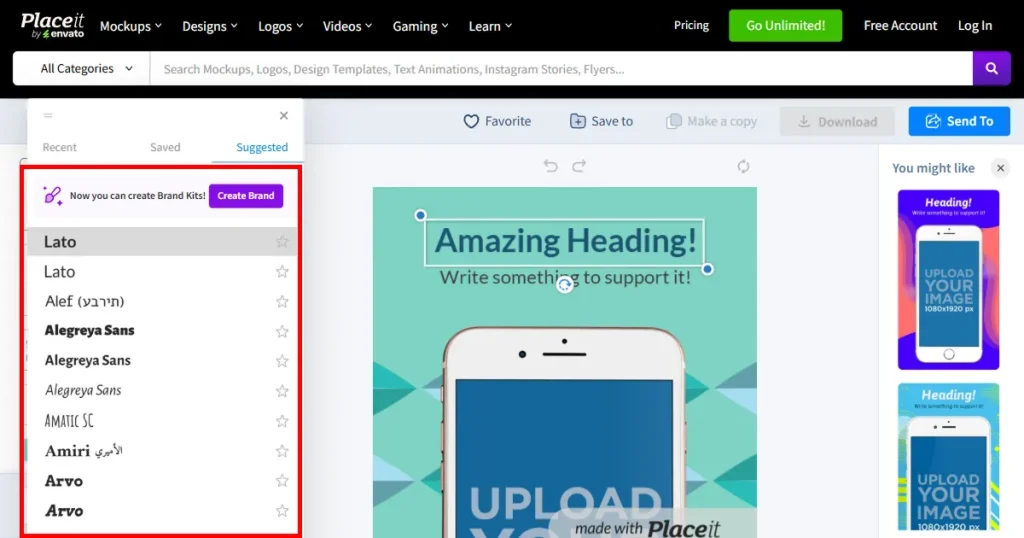
Placeit mockups offer greater freedom in font selection and text placement. That flexibility is helpful for branding, but it also increases the risk of broken layouts if text runs long.
Verdict: In this AppLaunchpad vs Placeit feature comparison, AppLaunchpad offers better text readability for store listings.
App screenshots are rarely final. Different messaging, UI changes, and new features are released regularly, so you need to update your screenshots too.
AppLaunchpad is built for iteration. Updating text or swapping screens across multiple app store screenshot templates is fast and straightforward, which matters when you are running experiments or seasonal updates.
Placeit mockup generator works well for one-off visuals, but updating a complete set of screenshots requires more manual effort. It’s a general app screenshot tool.
Verdict: AppLaunchpad supports faster long-term screenshot iteration and updates.
Each app store screenshot should clearly explain one feature. Users should be able to scan a screenshot and immediately understand what problem the app solves or what action it enables.
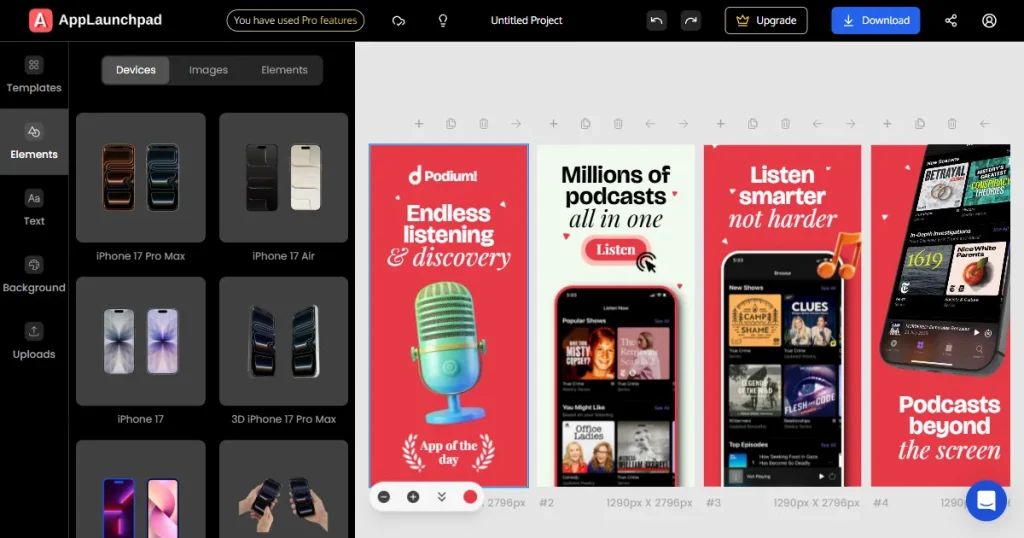
AppLaunchpad treats screenshots as feature slots by design. Each layout encourages a single clear message per screen, helping keep app store screenshots focused and easy to understand. This approach works well when using an app store screenshot generator for feature-driven apps.
Placeit mockups are more focused on visual composition. You can still explain features, but clarity depends on how carefully you design each layout using the app screenshot tool.
Verdict: In the AppLaunchpad vs Placeit comparison, AppLaunchpad makes feature communication clearer with less manual effort.
Localization means translating the text in screenshots into other languages so your app can reach users in different regions. This affects both App Store screenshots and Google Play screenshots for global apps.
AppLaunchpad includes built-in localization. You can translate all text in the screenshots in one click, and the app store screenshot generator handles layout adjustments automatically. This makes scaling to multiple languages much easier.
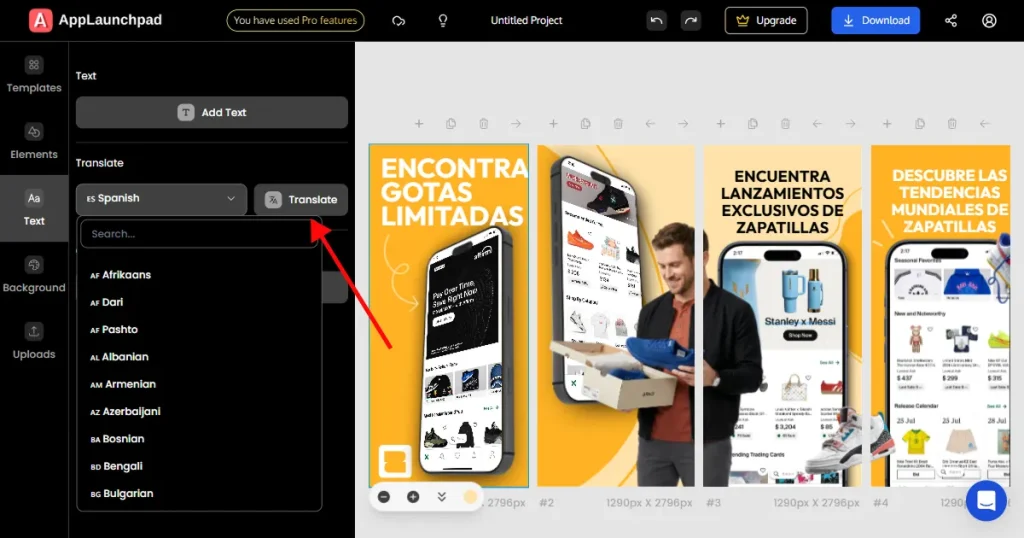
The image above is from AppLaunchpad, showing that all the text in the template has been translated into Spanish.
Placeit does not offer localization features. You need to use external translation tools and manually update every screenshot using the app screenshot tool, which is time-consuming if you need to localize in multiple languages.
Verdict: AppLaunchpad scales better for multi-language screenshot localization in this AppLaunchpad vs Placeit feature comparison.
Brand consistency is essential for app store screenshots. Fonts, colors, and layout style should match your brand identity.
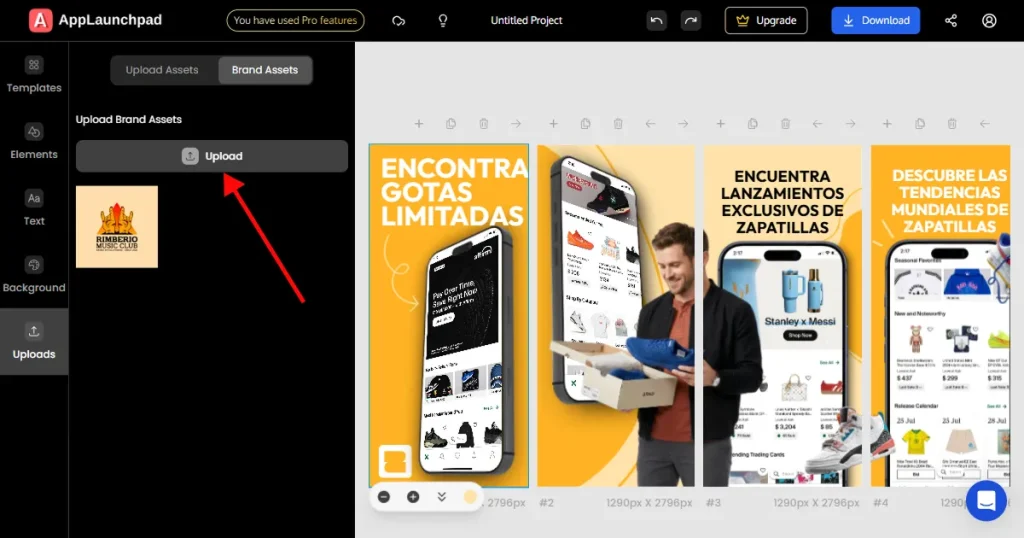
AppLaunchpad allows deeper customization inside its app store screenshot templates. You can control typography, colors, spacing, and add a brand logo while still staying within store-friendly layouts. You can further customize your brand assets with effects such as shadow, border, flip, and positioning.
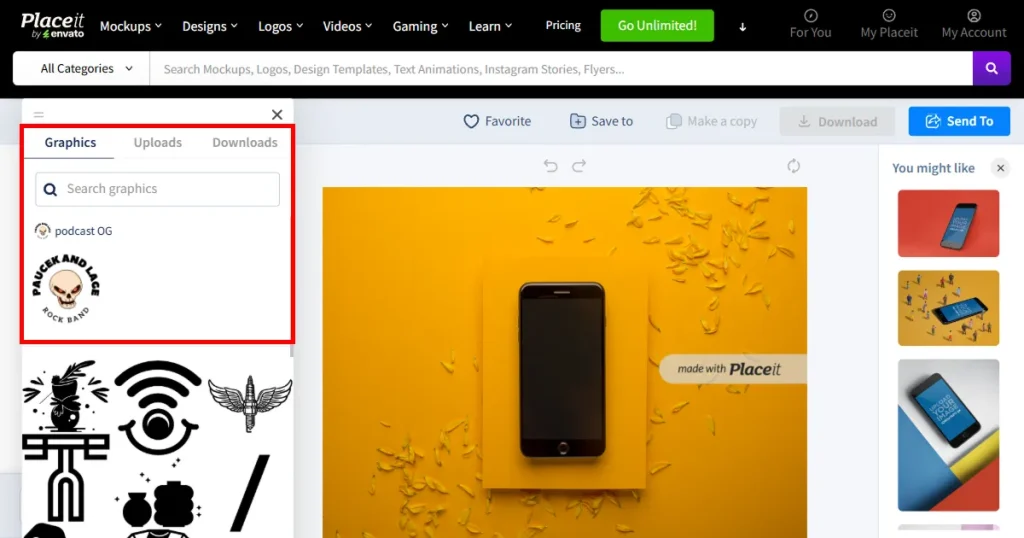
Placeit offers a dedicated brand kit, but it provides less flexibility than a focused app store screenshot generator. You can add a brand logo, colors, and fonts, but it offers less customization of brand assets than AppLaunchpad.
Verdict: This remains a tie; AppLaunchpad and Placeit both offer brand asset features. However, on AppLaunchpad, you can apply advanced editing to brand assets.
Most app store screenshots are in portrait orientation, but some apps, like games and streaming apps, require landscape layouts.
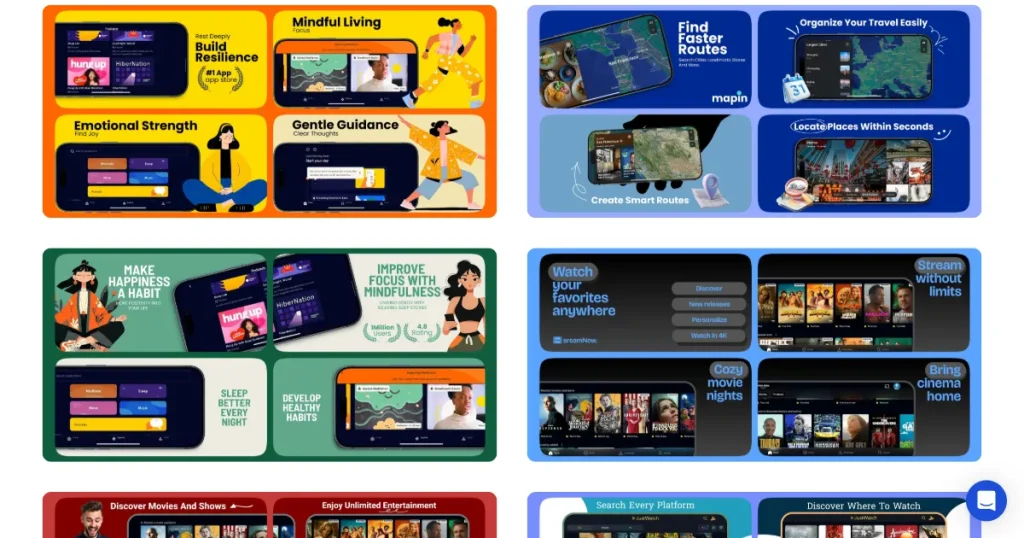
AppLaunchpad offers pre-designed landscape templates where devices are placed horizontally, and layouts feel intentional. This is useful when you need consistent orientation across stores.
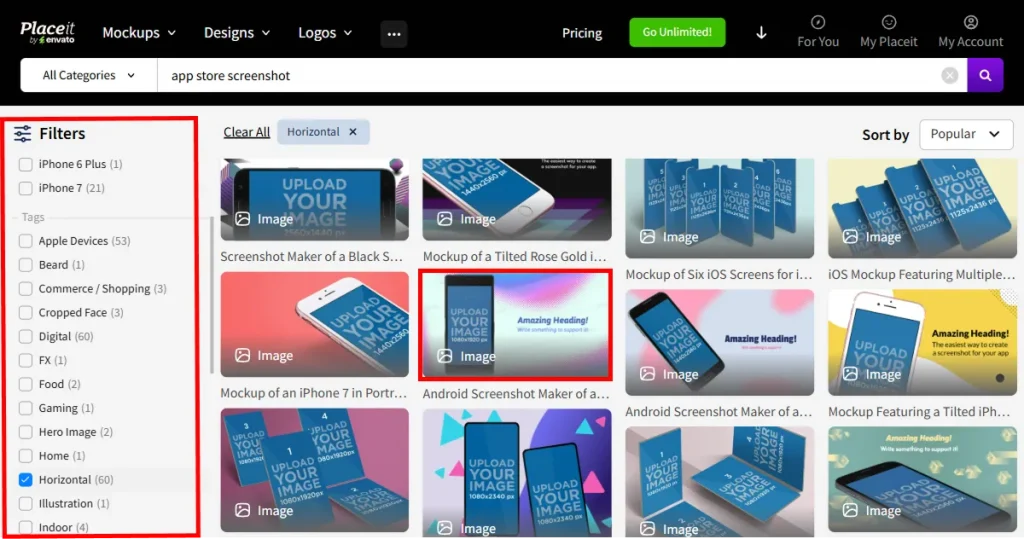
Placeit includes horizontal and landscape orientation filters, but some mockups still show vertical devices inside wide images, which can feel confusing in store listings.
Verdict: AppLaunchpad handles orientation more cleanly for store listings.
Now we will look at AppLaunchpad vs Placeit pricing comparison. For this comparison, we will put emphasis on the value for screenshot-only use.
Pricing matters when screenshots are your primary focus. Paying for features you don’t need doesn’t make sense if you only need listing visuals.
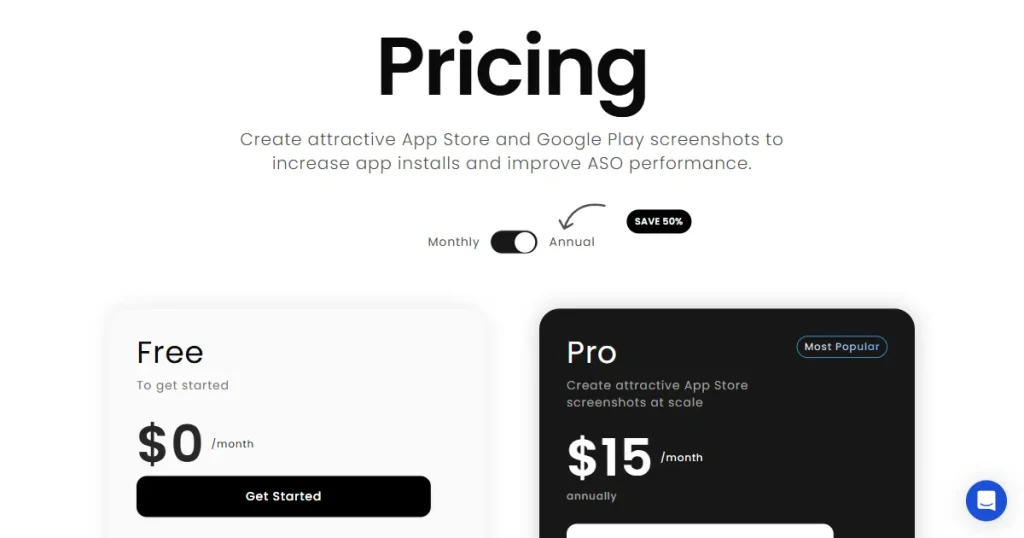
AppLaunchpad pricing is centered around using an app store screenshot generator. You pay for screenshot functionality, iteration, and localization. You are paying for the features you absolutely need.
AppLaunchpad offers 2 Plans:
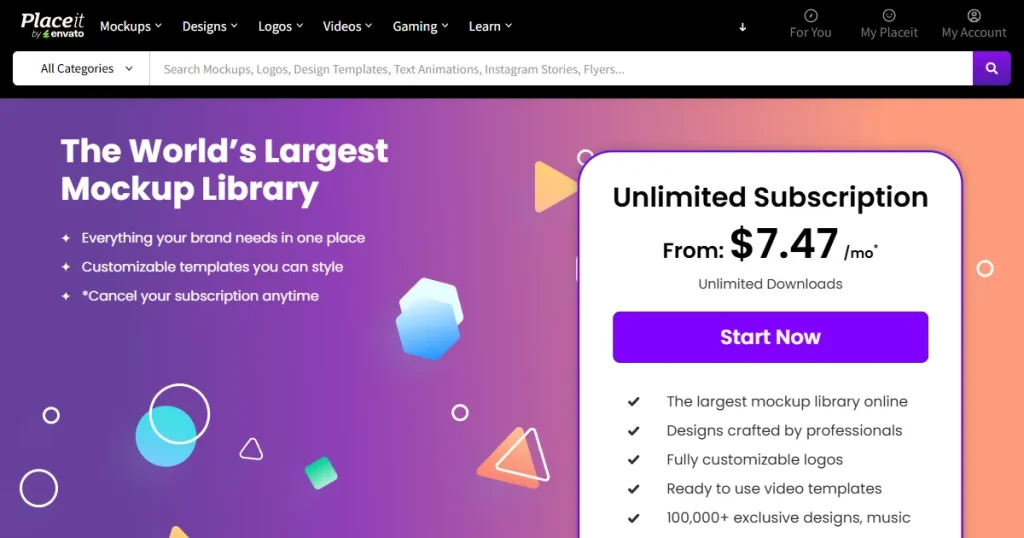
Placeit pricing bundles screenshots with videos, logos, and other assets. That only makes sense if you plan to use the full creative suite and aren’t limited to just an app screenshot tool. Placeit pricing plan offers an Unlimited Subscription Placeit pricing plan starting at $7.47/month.
Verdict: The honest answer to this AppLaunchpad vs Placeit pricing comparison depends on what you want to achieve and how you plan to use your screenshots.
If you are specifically looking for app store screenshots, AppLaunchpad is your best option, and if you just need mockups for social media or app promo, paying for the Placeit pricing plan is the right option.
On Reddit and other forums, AppLaunchpad and Placeit are famous for their own reasons. Placeit is often praised for mockups and marketing visuals, while AppLaunchpad is mentioned as a popular app store screenshot generator for listings.
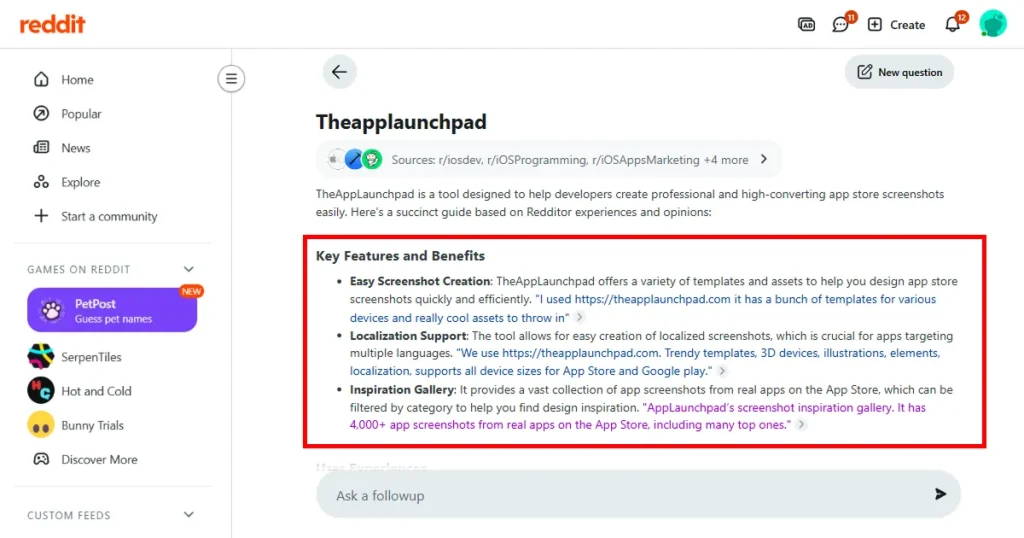
Below are a few examples of what Redditors think of AppLaunchpad as an App store screenshot generator, given by Reddit AI
Here’s what Redditors are saying about Placeit iPhone mockups sourced by Reddit AI
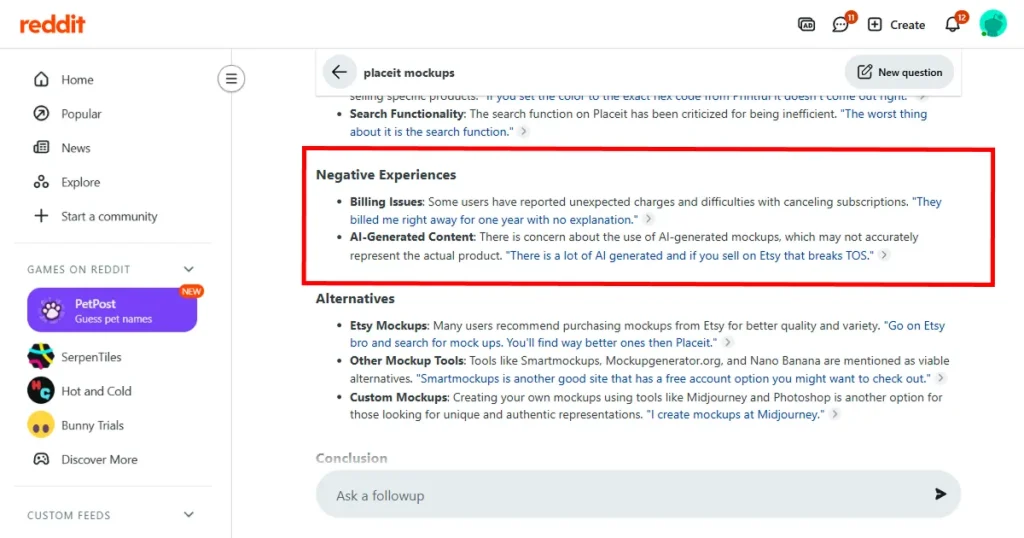
Takeaway: Many users highlight faster updates, fewer submission issues, and clearer structure when using AppLaunchpad for app store screenshots. Placeit is mostly used for iPhone mockups. However, a few critical pieces of feedback mentioned that Placeit has become generic, has color accuracy issues, and has no platform integration.
By the end of this AppLaunchpad vs Placeit comparison, we hope you already know which tool is right for you. If app store screenshots are central to your growth, AppLaunchpad is the best app screenshot tool. It reduces friction, supports localization, and scales well as your app evolves.
Placeit still works well for marketing visuals and lifestyle mockups. But on the App Store or Google Play Store, focus matters most when screenshots directly affect installs and conversions.
For teams that want a reliable app store screenshot generator rather than a general design tool, AppLaunchpad fits naturally into long-term app growth workflows.
Placeit can be used as an app screenshot tool, but it works best for basic or occasional needs. You need to manage sizes manually, safe areas, and layout consistency for app store screenshots. For teams that are frequently updating store listings, this manual effort can add up over time.
AppLaunchpad is built purely as an app store screenshot generator. This focus reduces errors, speeds up workflows, and makes it easier to manage app store screenshots as your app grows. It is invaluable when screenshots are part of ongoing optimization rather than a one-time task.
No, Placeit is a mockup tool and does not offer localization. You need to manually translate text captions and add them to screenshots in Placeit. If you are looking for an automatic, one-click localization, use AppLaunchpad.
No, Placeit does not offer templates for the App Store or Google Play Store screenshots. You get individual(single) mockups only, which you can later use to create a set of screenshots.
The Placeit mockup generator is useful for creating app visuals like promotional banners, landing page graphics, and social media previews. It helps showcase your app in realistic scenes, but it isn’t built for structured, store-ready screenshots.
Placeit app mockups are best for marketing use cases like social media posts, website banners, and presentations. They help show your app in realistic settings, but they don’t follow app store screenshot guidelines or structured layouts.
Subscribing to Placeit pricing can be worth it if you need a variety of design assets like mockups and videos. But for app store screenshots, Placeit doesn’t offer App Store and Google Play Store compliant screenshots to begin with, it only provides app mockups.
AppLaunchpad is better if you need proper app store screenshots with templates, correct sizes, and easier scaling. Placeit works more like a mockup tool for marketing app visuals and often requires more manual effort to produce app store-ready screenshots.