
AppLaunchpad vs MockUPhone: Pricing, Features & Use Case Comparison
AppLaunchpad vs MockUPhone: Pricing, Features & Use Case Comparison
AppLaunchpad vs MockUPhone comparison covering pricing, features, and use cases to help you choose the right tool for App Store and Google Play screenshots.

App Store screenshots are not just some visuals that sit beside the app description. They directly influence whether someone installs your app. Who would you trust more? An app with outdated mockups, messy app store screenshots, or an app with the latest mockups, professional app store screenshots? The silence is clear! According to an ASO study, optimized app store and Google Play screenshots alone can improve install conversion rates by 20-40%. To generate high-conversion App Store screenshots, you need the right app screenshot generator. These app screenshot generator tools don’t require design expertise.
Today in this blog, we are going to compare AppLaunchpad and MockUPhone to see which app screenshot generator is better.
This comparison isn’t a copy-paste from marketing articles or feature lists. I have used both tools myself and drafted my analysis with no bias, so you get only an honest, heartfelt opinion.
Key Takeaways
AppLaunchpad and MockUPhone serve different purposes, even though they are often compared.
AppLaunchpad is a specialized app store and Google Play Store screenshot generator, while MockUPhone is more of a device mockup generator.
Device mockup tools like MockUPhone can be used to generate App screenshots, but the workflow is quite tiresome and may require external tools.
Pick an app screenshot generator, keeping in mind that your app will grow with time.
Look for features like Localization, screenshot cloning, and auto-publishing to the app store, so you don’t need to use an external tool.
Find the right screenshot tool depending on your launch stage, app update frequency, and ASO strategies.
AppLaunchpad Vs MockUPhone: Quick Comparison
AppLaunchpad
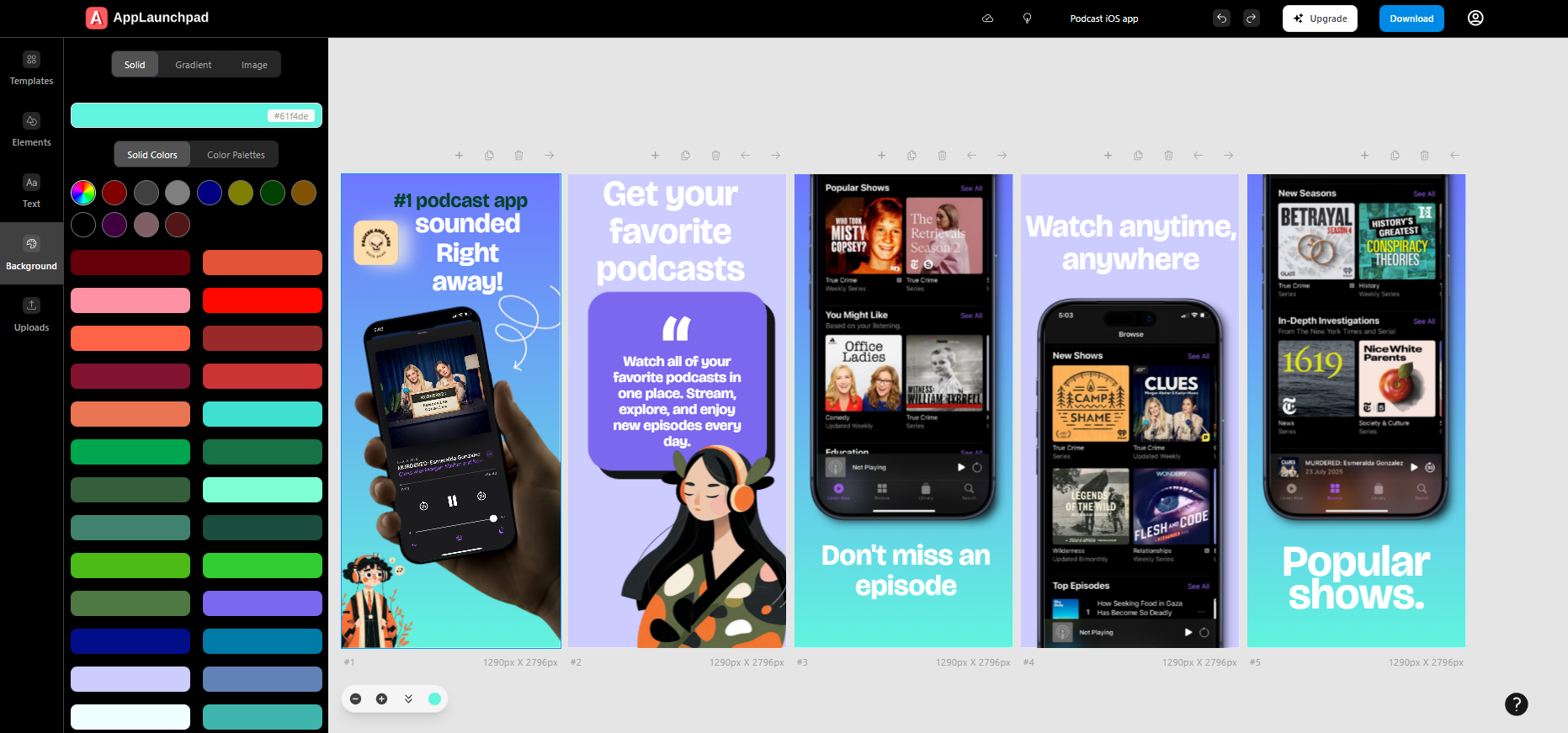
AppLaunchpad is a specialised app screenshot generator. AppLaunchpad is explicitly designed for app developers, founders, and teams who need screenshots that are both visually appealing and store-compliant.
Key features of AppLaunchpad
App store and Google Play Store support: AppLaunchpad is a screenshot tool focused on App Store and Google Play Store screenshots
Latest Device Mockups: Access to the newest iOS and Android device mockups, including 3D device mockups.
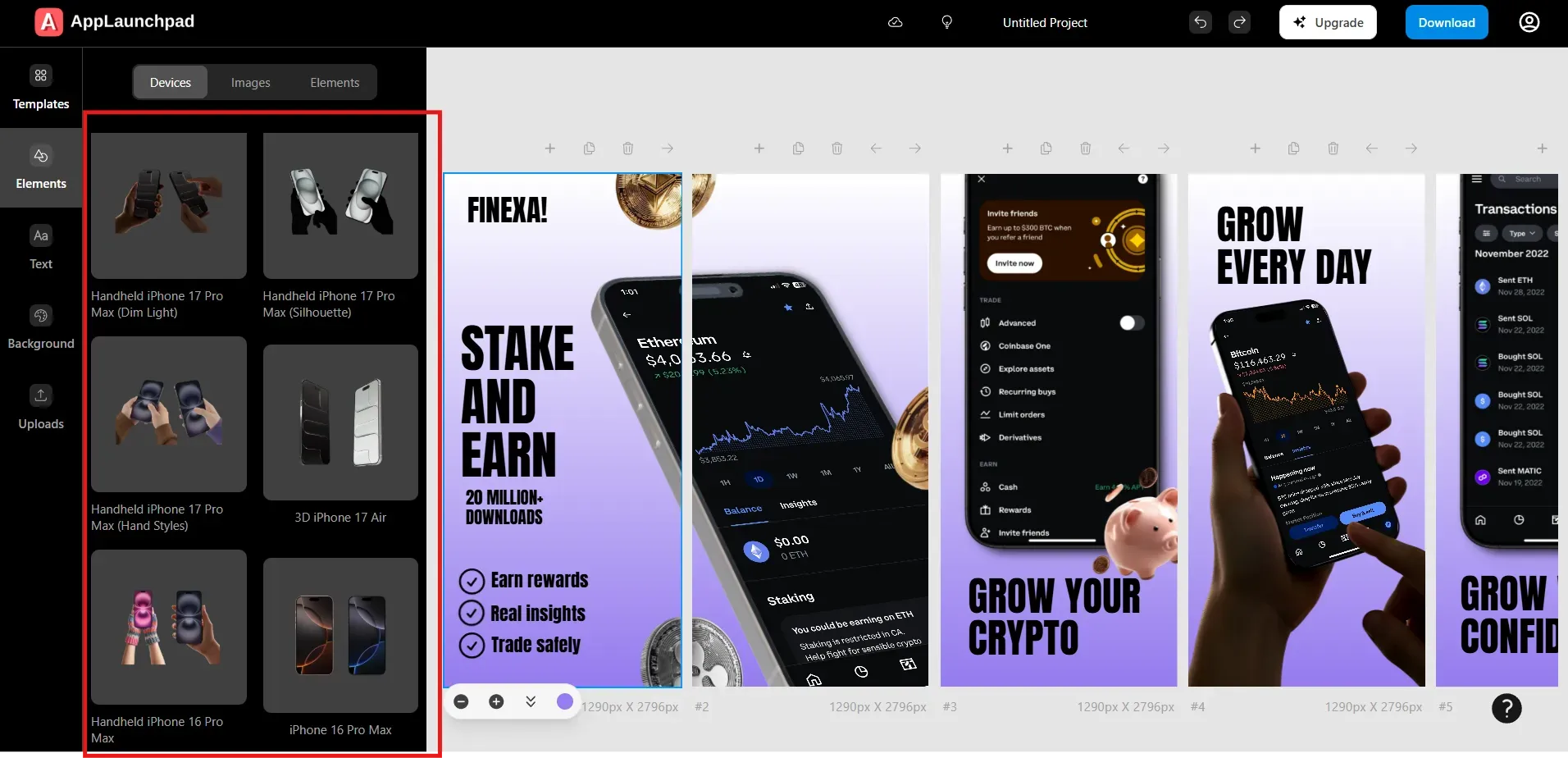
1000+ Templates: A massive library of app screenshot templates tailored for App Store and Google Play screenshots.
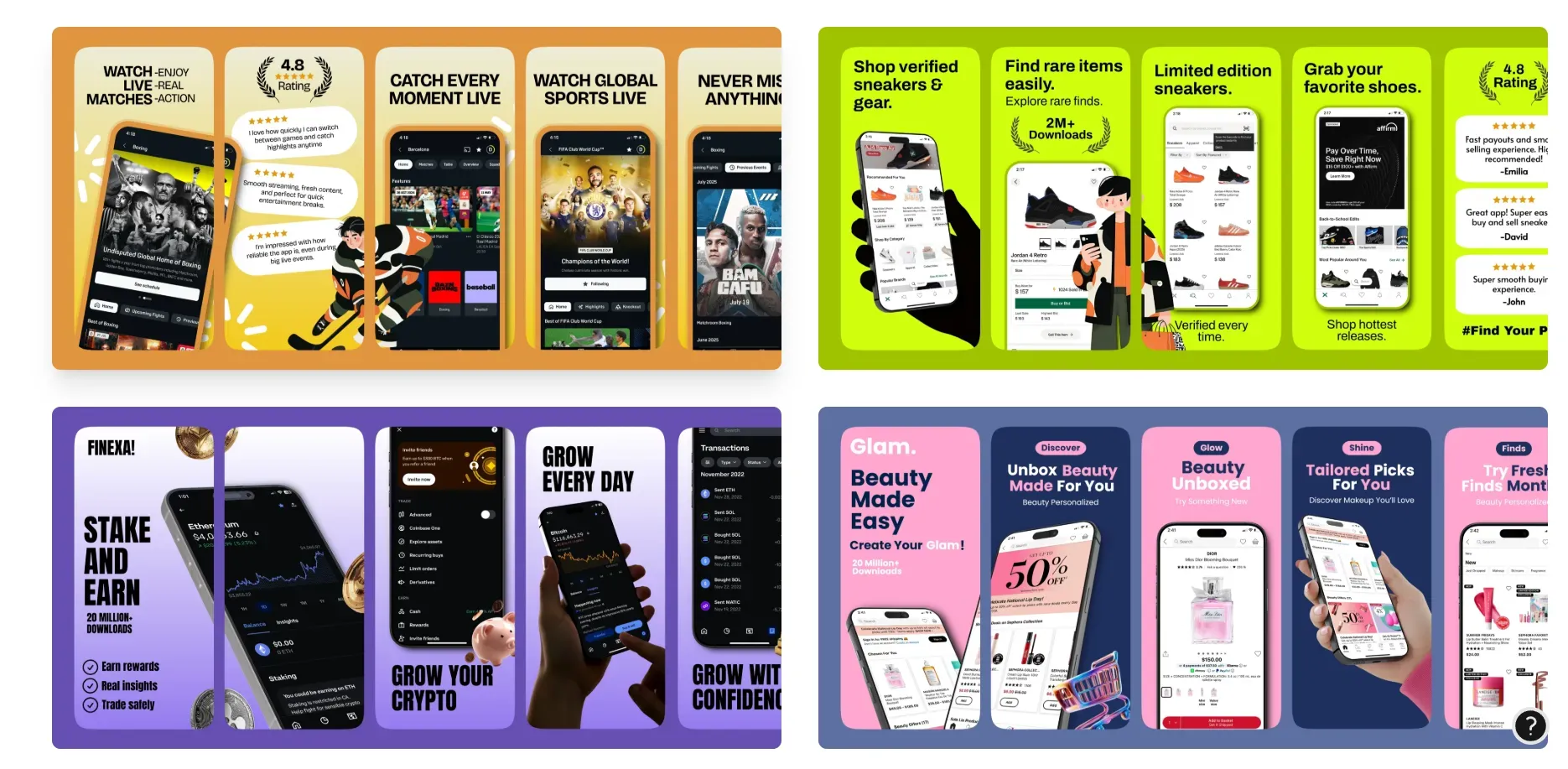
Customizable layouts: This app screenshot generator offers highly customizable App Store screenshots. You get complete control over text, background, spacing, and the elements hierarchy.
Brand assets support: You can easily upload brand assets such as the brand logo, brand font, and a custom background image to maintain brand consistency.
AI-powered localization: Easily translate text captions on all your App Store screenshots in one click within the app screenshot generator. AppLaunchpad uses AI-powered localization.
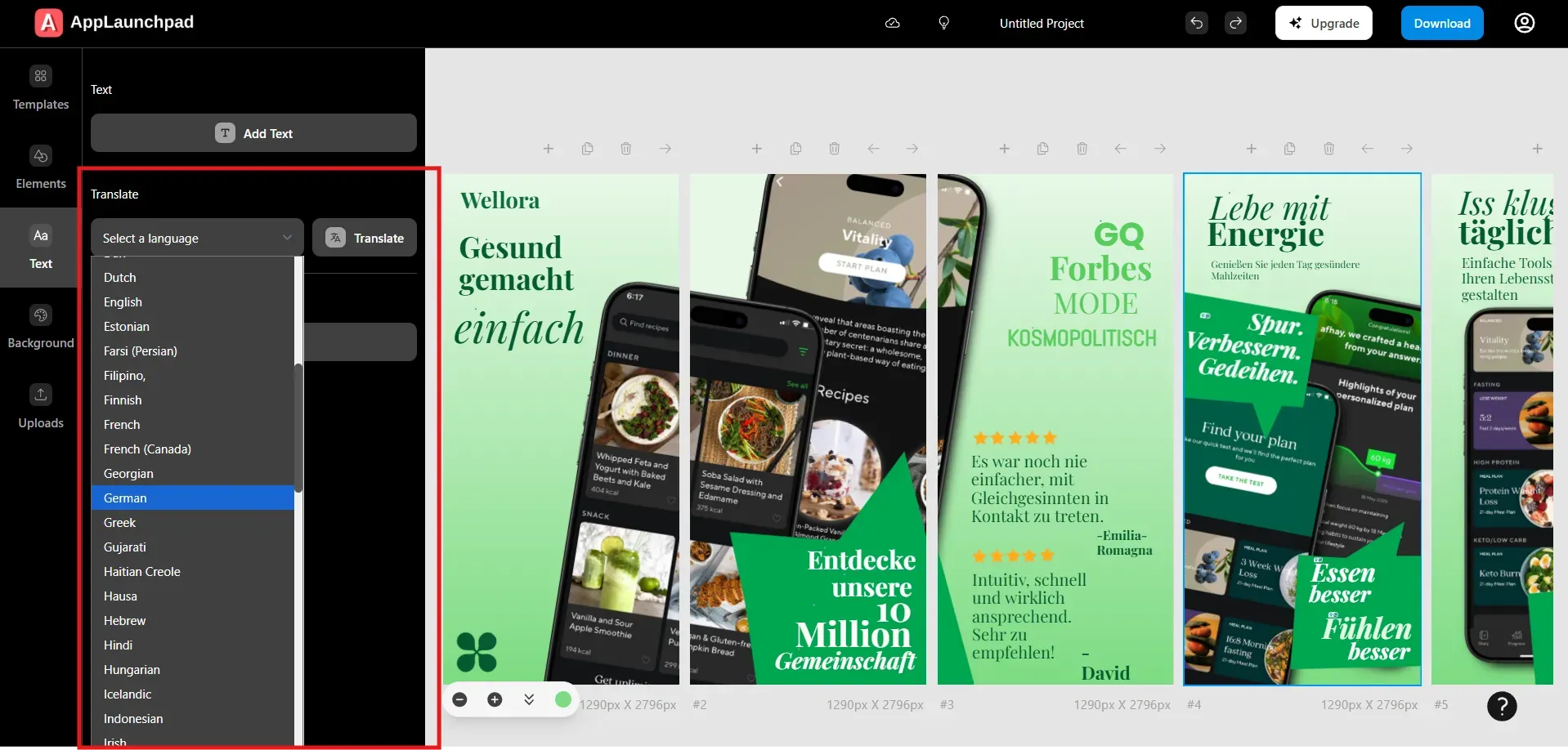
Screenshot cloning: this app screenshot generator offers a unique and helpful cloning feature that lets you clone your App Store screenshots across multiple iOS and Android devices, with the same styling and layout options.
High-resolution exports: export high-quality screenshots in store-required JPG and PNG formats.
Built-in Mockup generator: Apart from the screenshot generator, AppLaunchpad offers a free-to-use mockup generator
What’s great about AppLaunchpad
Strong focus on store compliance, reducing rejection risk
Supports the latest devices, keeping screenshots modern and up to date.
Automatic scaling for frequent updates and multi-device apps
Localization and cloning save significant time and manual effort
An extensive template library helps non-designers work with ease
Web-based tool, no installation or setup requirements
Custom brand assets features to personalize and maintain brand consistency
More than just a screenshot generator, AppLaunchpad offers additional features, including a free device mockup generator and a screenshot inspiration gallery for fresh ideas.
Where AppLaunchpad Needs Improvement
Not yet tapped into animated promo and app preview videos.
For frequent use, you may need to upgrade to the Paid plan.
Compared to MockUPhone, AppLaunchpad has fewer brand-specific Android devices and does not support Motorola or OnePlus models.
What does this mean for you?
If your goal is to create compliant, premium-looking screenshots, AppLaunchpad is the best option for your workflow. AppLaunchpad is especially valuable if your work requires constant use of App Store screenshots, you plan to localize your app but just don’t know how to do it fast, or you are updating your screenshots to drive more traffic and improve visual appeal.
AppLaunchpad also offers features such as brand assets, custom images, and fonts, which can be very helpful for startups and small brands. However, if you are looking for a free option, a simple mockup tool, or your app is not yet past the MVP stage, AppLaunchpad can feel too overwhelming.
MockUPhone
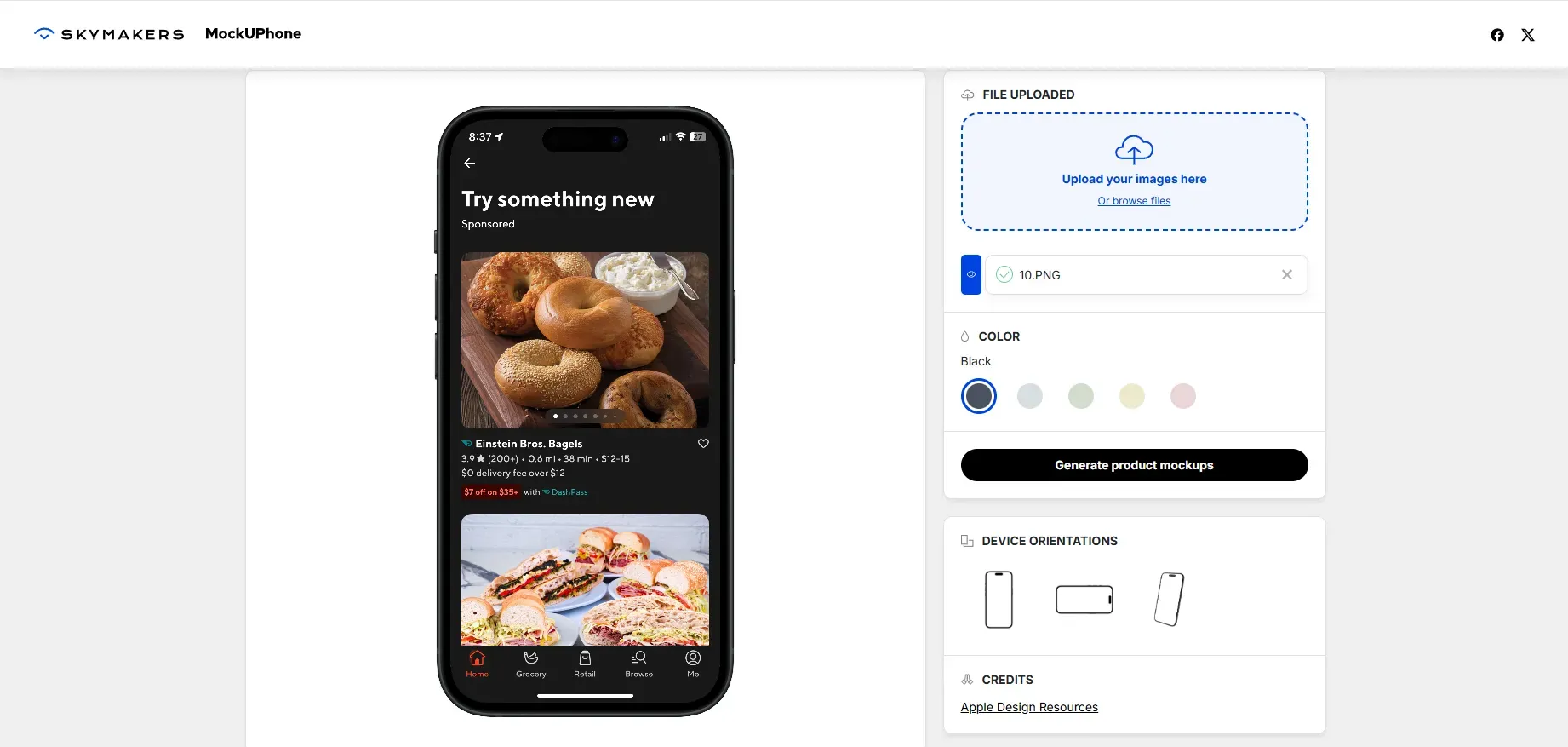
MockUPhone is not a specialised app screenshot generator; it primarily generates device mockups. MockUPhone follows a simple workflow: pick one of their device mockups, upload your app screen, change the color, and it’s done.
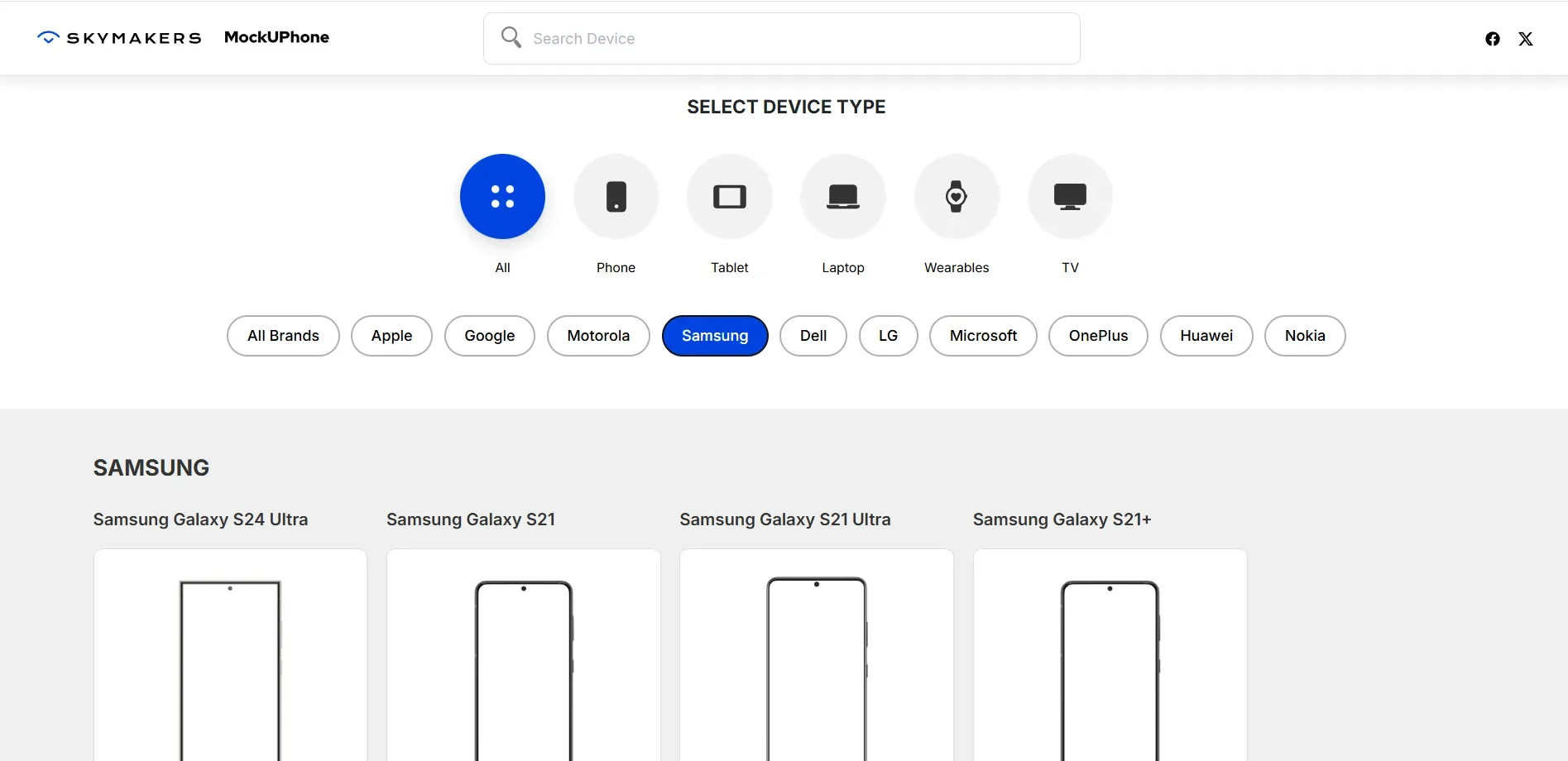
MockUPhone remains a popular tool because of its extensive device mockup library. Device mockups range from iOS (iPhone, iPad, iMac, Apple Watch) to mobile brands like Google, Samsung, Motorola, OnePlus, and even Nokia. It lacks the app screenshot templates required for a whole app screenshot generator experience.
Key Features of MockUPhone
Device mockups generator: MockUPhone is a device mockups-focused tool for iOS and Android devices.
Broad device support: MockUPhone offers an extensive library of device mockups, including iPhones and iPads, as well as Google, Samsung, Motorola, and OnePlus devices.
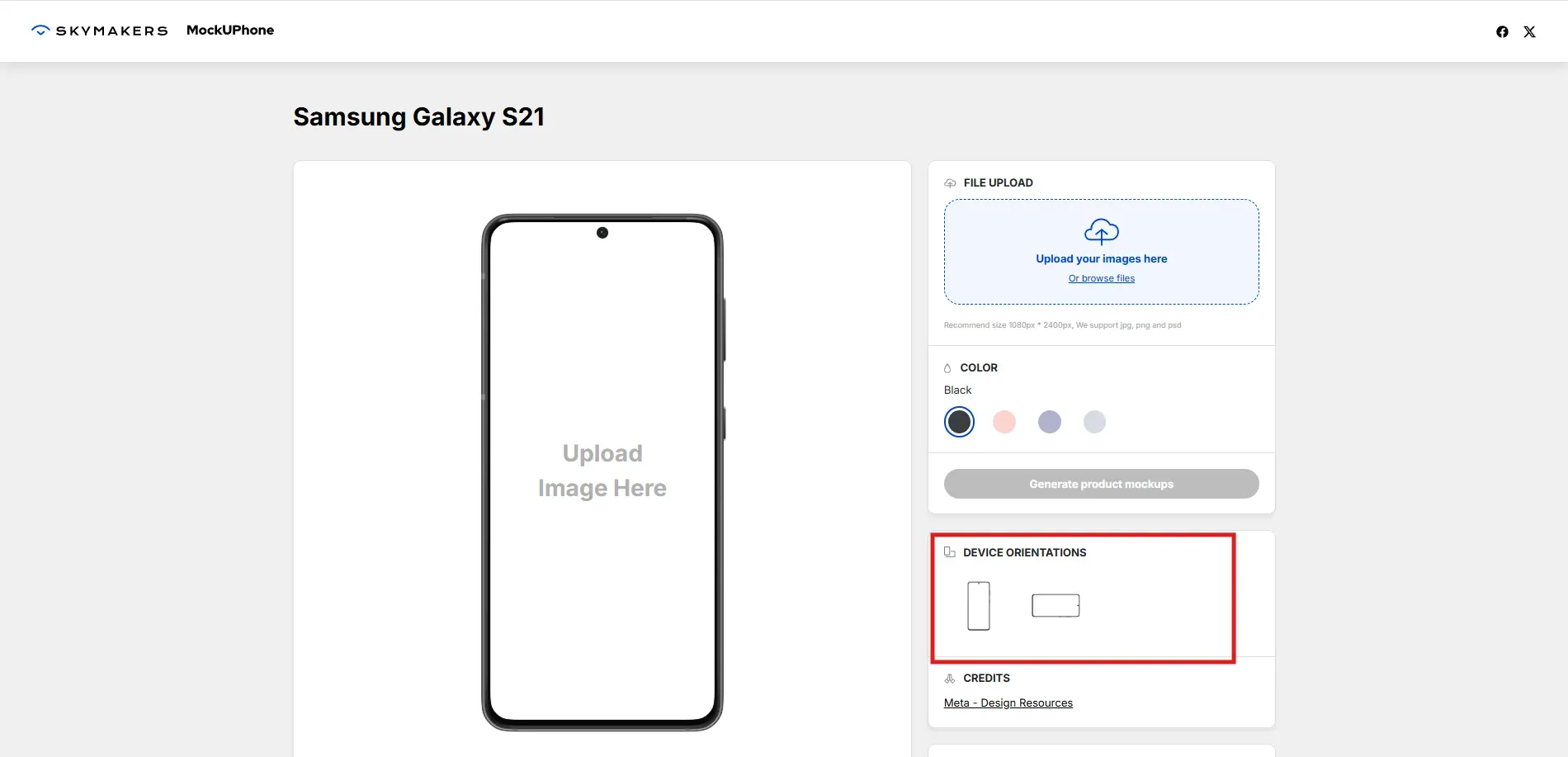
Multiple orientations: Select from various device mockups orientations like Portrait, Landscape, and 3D variants
Color variants: Get multiple color variants for devices.
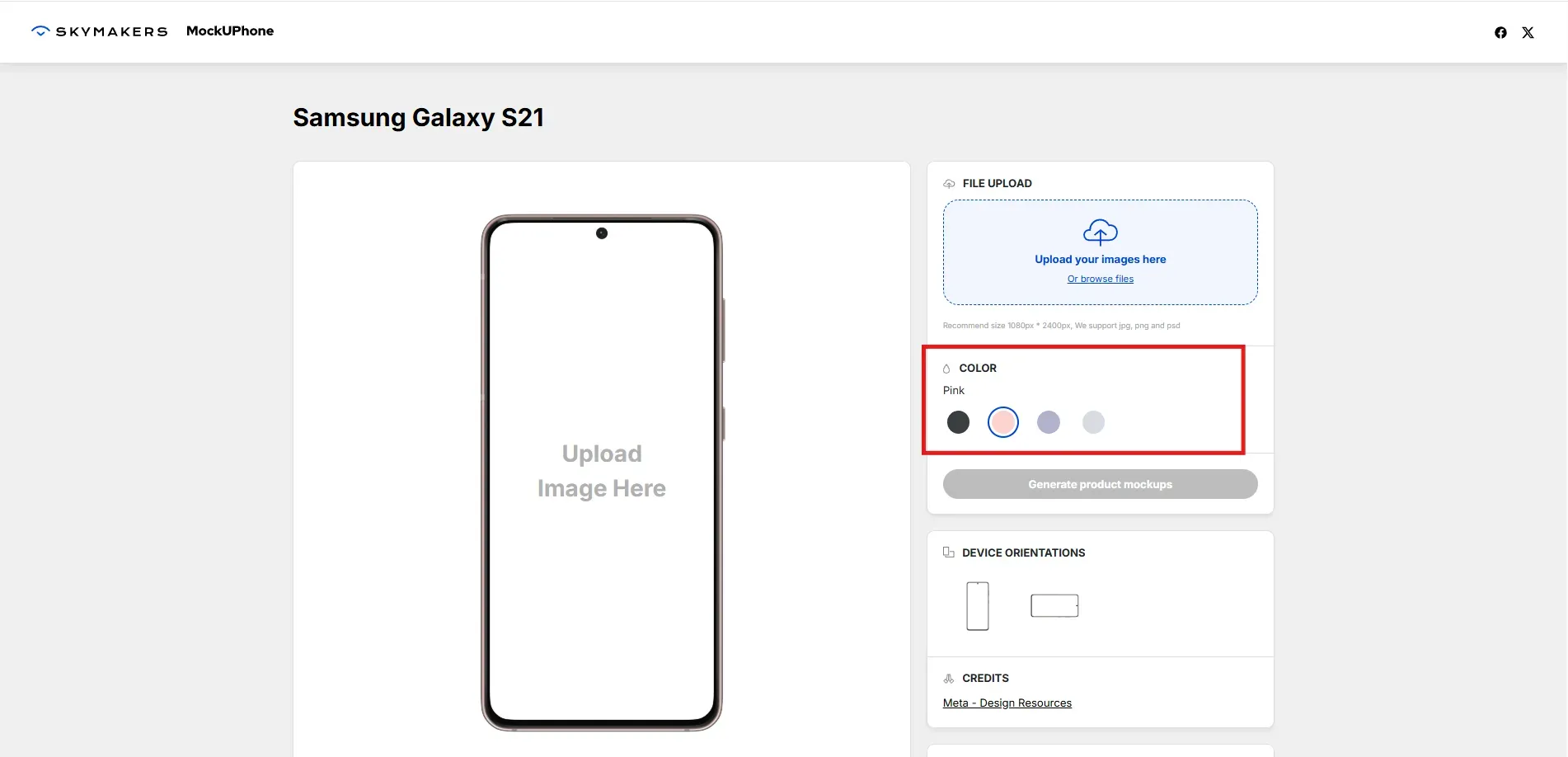
Browser-based: MockUPhone is a browser-based tool, which means no installation or heavy setup is required.
No sign-up needed: You can start creating app store screenshots as soon as you pick a device mockup.
Simple workflow: MockUPhone has a very basic, straightforward workflow: pick a mockup from various device mockups, upload your app screen, apply basic edits, and download.
What’s great about MockUPhone
The tool is extremely easy and quick to use
No account or sign-up is required to create mockups
Practical and highly recommended tool to create device mockups for marketing visuals, pitch decks, and presentations
MockUPhone is entirely free to use with attribution
Supports a wide variety of iOS and Android devices.
Where MockUPhone needs improvement
Not designed for App Store and Google Play screenshots
Fewer customization options for text, background, and layouts
No branding or custom feature support
Doesn’t offer the latest devices, the most recent iPhone is the iPhone 15 Pro Max. Whereas AppLaunchpad is already offering the iPhone 17 Pro Max model
No localization or batch automation features
You may need to use external design tools and manually edit device mockups yourself for final publish-ready screenshots.
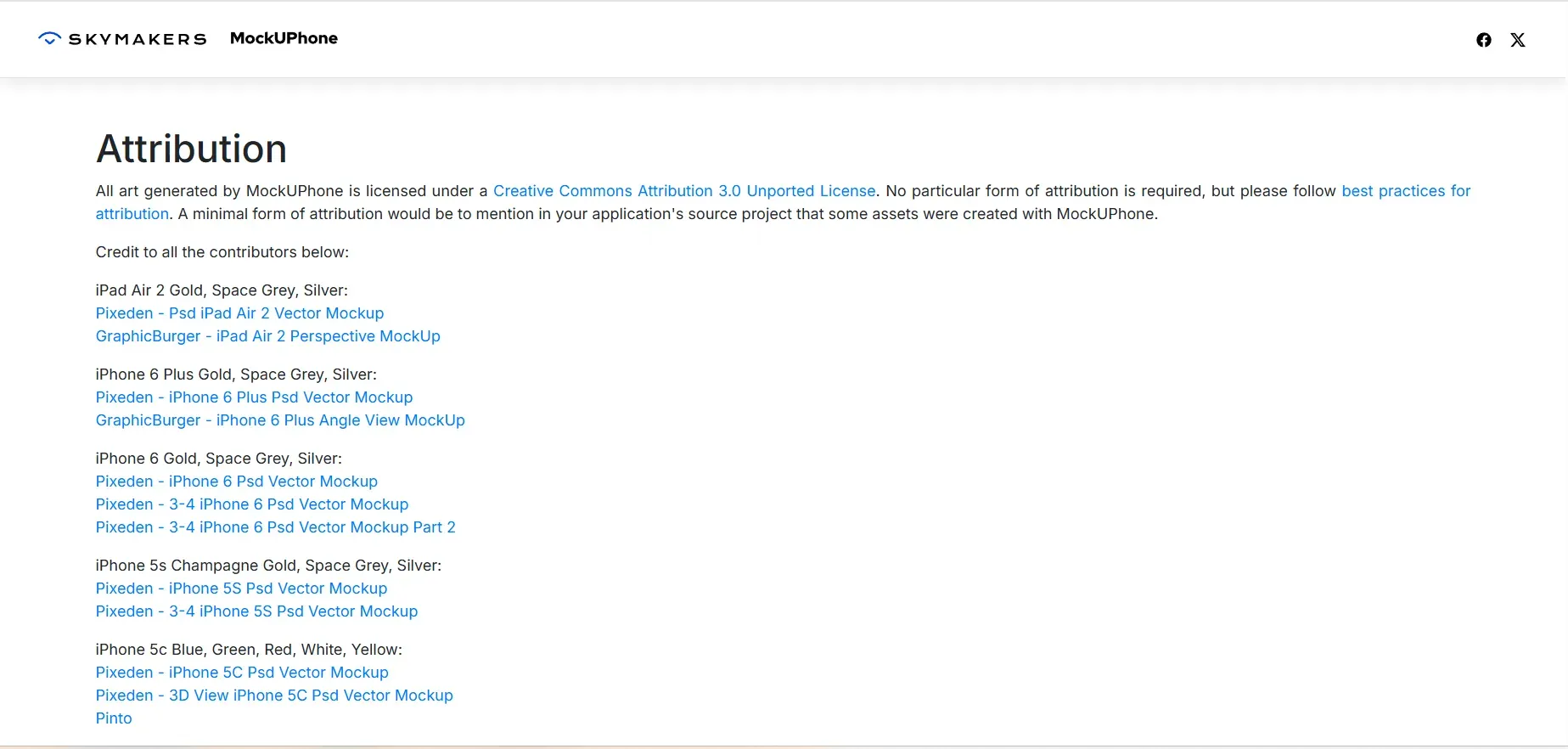
Attribution is required for commercial use of MockUPhone generated device mockups.
What does this mean for you?
MockUPhone is an excellent tool for creating device mockups for marketing posts, startup pitch decks, and landing pages. Use this tool if your app is in the early stages, and you only require device mockups.
Using MockUPhone for App store and Google Play screenshots can increase design redos, manual edits, and the need to use an external design tool. MockUPhone works great alongside other design tools.
AppLaunchpad vs MockUPhone: Pricing comparison
AppLaunchpad follows a freemium pricing model. The free plan is extremely useful for testing templates and exploring the tool.
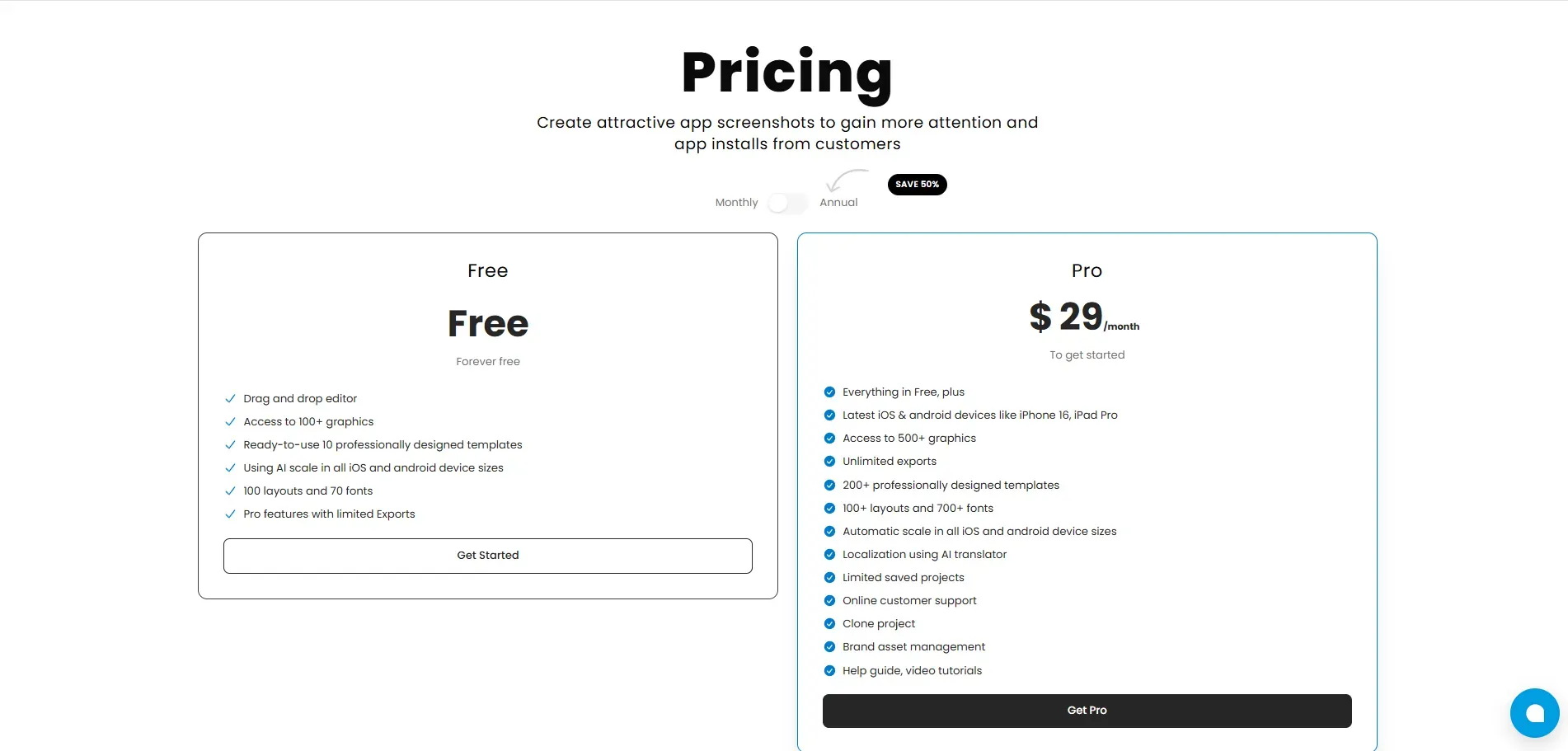
The Pro plan, priced at $29/month for a monthly plan, unlocks unlimited exports, the latest iOS and Android devices, AI-powered localization, Screenshot cloning, and custom brand features. This app screenshot generator is ideal for teams and startups that frequently update their screenshots, as it eliminates the need for external tools and manual effort.
MockUPhone is a completely free tool to use and doesn’t require you to create an account. However, commercial use of mockups needs an attribution to the tool.
While the free option may sound good, and maybe the most convenient choice right now, it quickly adds up. The hidden cost usually comes from using extra tools needed for resizing, branding, and customization. Over time, these costs can pile up and cause you both time and money.
Final Verdict: Which Tool Is Right For You?
By now, you already know which tool is right for you. Both AppLaunchpad and MockUPhone offer screenshot creation, but they serve different purposes. The right choice depends on how important app screenshots are to your app’s growth and how often you will need to update them.
If screenshots are part of a new launch, app growth strategy, or feature update, using a dedicated app screenshot generator saves you time and helps you avoid rejection risks.
Choose AppLaunchpad if:
You need high-converting App Store and Google Play Store-ready screenshots
You keep updating your screenshots now and then
You are looking for built-in compliance and automation features.
You plan to go global or localize your screenshots for more traffic
You need to scale and clone your screenshots across different devices
You are looking for highly customizable screenshots that let you add a brand logo and use a custom font or background.
You care about long-term ASO and conversion rate.
Choose MockUPhone if:
You only need basic device mockups
Your visuals are aimed at marketing and app presentations
Store compliance is not a requirement
You need app screenshots for one-time use.
You are specifically looking for a free tool that gets the job done
FAQs
1. What is the main difference between AppLaunchpad and MockUPhone?
The main difference between AppLaunchpad and MockUPhone lies in what they offer. AppLaunchpad is an app screenshot generator explicitly built for app screenshots. On the other hand, MockUPhone is more focused on device mockups.
2. How can I use MockUPhone for App Store and Google Play screenshots?
MockUPhone doesn’t offer screenshot templates or let you create multiple screenshots side by side. If you still wish to make screenshots, you can make final edits to exports and integrate them with external design tools like Canva or Photoshop to add text, backgrounds, brand assets, and illustrations.
3. AppLaunchpad vs MockUPhone: Which Tool Is Better for Long-term Scalability?
When it comes to scalability, you look for factors such as automatic scaling, high customization, and batch creation. AppLaunchpad is an app screenshot generator that provides all these features, eliminating the need for a separate tool and manual efforts.
MockUPhone requires extra work from your side and design tools as your app grows.
4. Does MockUPhone Offer App Store Screenshot Templates?
Short answer: NO. MockUPhone is a device-mockup generator and has nothing to do with screenshot templates.
5. AppLaunchpad vs MockUPhone: 3 reasons why AppLaunchpad won?
AppLaunchpad is our best app screenshot generator choice for app store and Google Play screenshots. MockUPhone is, no doubt, an excellent tool for device mockups, but it often falls short when it comes to App screenshots.
Below are three key reasons why AppLaunchpad won this comparison:
Screenshots generated in AppLaunchpad are already App Store and Google Play Store-compliant.
AppLaunchpad offers time-saving automation and workflow features.
The high level of customization and brand asset features make this app's screenshot generator a complete package; you don’t have to shop elsewhere.
Related Blog