ASO Checklist for App Store: A Complete Guide
App Store Optimization (ASO) is the process of improving your…
Published Jun 2, 2026
Learn the Apple App Store ranking factors in 2026. Discover how keywords, installs, screenshots, ratings, and engagement influence your app’s search rankings.
22 min
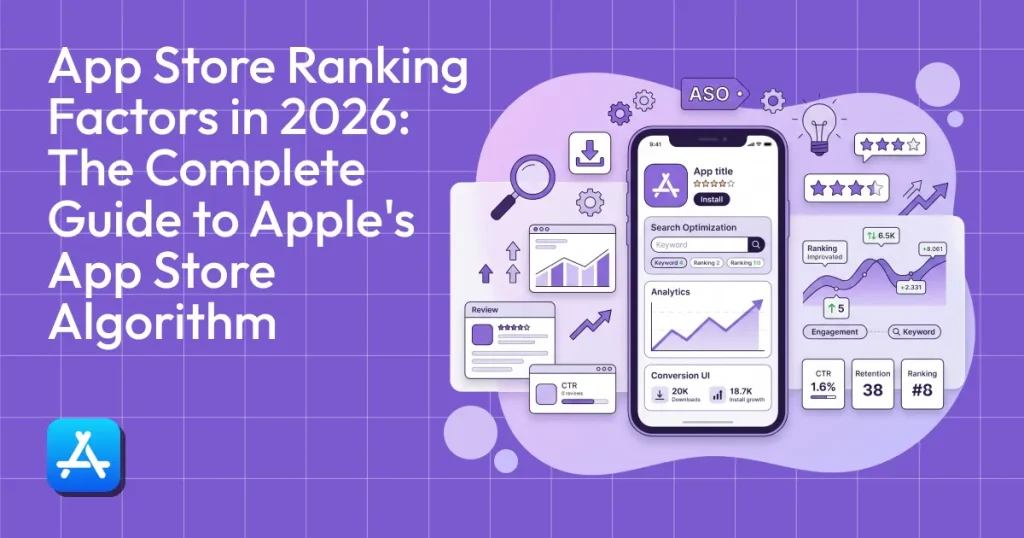
App Store ranking factors are the signals Apple uses to decide which apps appear in search results and how high they rank. These factors help the App Store ranking algorithm understand two things, whether your app is relevant to a search and how well it performs with users.
They mainly include metadata (title, subtitle, keywords), conversion signals (how many people install after viewing), and user behavior (downloads, ratings, retention).
We’ve also created a complete guide that breaks down how the App Store ranking algorithm works, the key ranking factors, and practical strategies to help improve your App Store ranking.
In simple terms, App Store optimization is about improving these factors to help your app rank higher and gain more visibility on the App Store.
Alt: Search results for workout tracker on the App Store
Apple’s App Store ranking algorithm doesn’t rank apps based on a single ranking factor. Instead, it follows a two-step ranking process.
Step 1: Checking if your app is relevant
First, Apple App Store ranking algorithm checks whether your app is relevant to the user’s search query.
This is done by analyzing your app’s metadata, which includes:
If your app’s keywords match the search query, the algorithm considers your app eligible to appear in the search results.
Step 2: Checking how well your app performs
Once the App Store ranking algorithm finds your app relevant, it ranks it based on performance signals, including:
If your app performs well in these signals, it’s more likely to appear higher in search results.
Over time, Apple’s App Store ranking algorithm learns from historical user behavior. If users consistently download and keep using your app, the system understands that your app matches what users are looking for.
Alt: Top Apps in the Entertainment Category on the App Store
Simply put, Apple’s App Store ranking algorithm determines which apps appear in search results and top charts. Its only job is to connect a user with the best, most relevant app for their specific search query.
When someone types in a query, the system automatically scans thousands of apps in a fraction of a second.
The Apple search algorithm evaluates several App Store ranking factors simultaneously, including text metadata, conversion rates, and historical user behavior.
Core Objective of the Apple Search algorithm
This approach helps Apple maintain a high-quality ecosystem where users can trust search results.
Many developers assume that App Store Optimization works the same way on both the App Store and Google Play. In reality, the two platforms rank apps quite differently.
Apple App Store
Google Play Store
Because of these differences, the ASO strategy that works well on Google Play may not work as effectively on Apple’s App Store.
To make sense of how this all works, let’s take a quick look at the specific signals Apple actively tracks when evaluating your app.
| Inside the App Listing (Developer Controlled) | Outside the App Listing (Market Driven) |
| Metadata fields (Title, subtitle, and keyword list) | Install velocity (How fast downloads are growing) |
| Creative assets (Icon, screenshots, and preview videos) | User engagement signals (Retention and session times) |
| Ratings and reviews (Average score and total reviews volume) | Brand demand (People specifically searching for your app) |
| Technical performance (Reported crash rates and app size) | External traffic sources (Backlinks and social media traffic) |
Metadata is the information Apple uses to understand what your app does and which searches it should appear for.
Alt: Habit Tracker app on the App Store
Your App Title has the strongest keyword influence in the entire App Store listing.
Apple limits titles to 30 characters, which means every word needs to be chosen carefully.
The best practice is to include:
This helps both users and Apple understand what your app does.
For example:
Habit Tracker – Daily Planner & Goal Tracker
In this title:
One thing to remember is that you should always avoid stuffing multiple keywords into the title. A title that looks unnatural can drop conversion rates, even if it’s technically more keyword optimized.
To identify useful keywords, use ASO tools such as:
These tools help you find keywords with strong search volume but low competition.
Alt: Spotify app on the App Store
The App Subtitle appears directly below the title in the App Store listing.
Like the title, the app subtitle also has a 30-character limit.
Apple considers subtitle keywords as a ranking factor, making the subtitle a valuable place to add extra keywords.
The subtitle should do two things:
For example:
Title: Spotify: Music and Podcasts
Subtitle: Songs, Playlists & Audiobooks
The subtitle here adds extra keywords while helping users understand what the app offers.
One important rule, do not repeat words already used in the title. Apple automatically combines words from different fields when creating keyword matches, so repeating them wastes the keyword space.
Apple provides a hidden keyword field in App Store Connect where developers can add additional search keywords.
This field allows up to 100 characters and is not visible to users.
It exists purely to help Apple understand which searches your app should appear for.
To use this field effectively:
For example:
Habit, tracker, goals, productivity, routine
Avoid adding:
Alt: Search results for Hotel booking app on the App Store
Adding keywords to your metadata is a job half done. Apple also evaluates how relevant your app is to the user’s search query.
When someone searches for a query like ‘hotel booking app’, Apple looks for apps whose metadata clearly matches that intent.
Alt: Makemytrip app ranking for primary keyword ‘Hotel’.
The App Store ranking algorithm evaluates several signals, including:
If users frequently install and use your app after searching for a certain keyword, Apple will assume your app is a good match for that search query.
As a result, your search ranking for that keyword may improve over time.
Ranking in search results was the first step. Now users need to decide whether your app is worth downloading or not.
Alt: multiple featured apps on the App Store
Your app icon is the first visual element users see in search results. Before users read your description or look at screenshots, they usually notice the icon first.
A strong icon can significantly improve the number of users who tap on your app to learn more.
Alt: Instagram App icon
Effective app icons usually follow a few principles:
Avoid designs that include:
App icons must always remain clear and recognizable, even at small sizes on mobile devices.
Alt: Netflix App description on the App Store
The app description helps users understand what your app does and why they should install it.
Although Apple does not rely heavily on app descriptions as App Store ranking factors, they still play an important role in convincing users to download your app.
The most important part of the app description is the first three lines. Everything after that is hidden behind a Read More button.
Those first three lines should quickly explain:
For example:
“Looking for the most talked about TV programmes and films from around the world? They are all on Netflix”
Additionally, you can consider using tools like ASO.dev’s Metadata Editor, which allows developers to preview how the app description will appear in the App Store.
Alt: Red Ball 4 ball with preview video
App preview videos allow you to show the app in action before users download it.
Apple allows up to 3 preview videos per app listing. These videos automatically play as users scroll through your app listing, making them a powerful way to demonstrate your app’s key features.
Effective preview videos typically:
Preview videos are especially helpful for complex apps like productivity tools or editing software, where screenshots alone may not explain how the app works.
When done well, preview videos can significantly increase install rates.
App Store screenshots are one of the most important elements of your App Store listing because they show users what your app actually looks like and how it works.
Alt: Candy Crash Saga App Store listing
Your first screenshot is extremely important because it is usually the first image users see when viewing your app listing.
Instead of simply showing random screens from your app, it is much more effective to organize screenshots into a logical story.
A common approach is:
This approach helps users quickly understand your app and what it provides.
Tools like AppLaunchpad are incredibly helpful here, as they let you generate App Store-compliant screenshots with the correct device sizes and professional layouts.
Alt: Expedia App Store screenshot text captions
Screenshots without explanations can sometimes be confusing. Most successful apps add short text headlines on top of their screenshots to explain what the user is seeing.
For example:
Alt: Duolingo screenshot text caption
Alt: Headspace screenshot text caption
These short phrases help users immediately understand the app’s value and why they should install it.
Good screenshot text captions should:
The goal here is to help users quickly understand why the app is useful.
Alt: Healthify App store screenshot order
Most users do not scroll through every screenshot. In many cases, they only look at the first two or three images before deciding whether to install the app.
Because of this, the first screenshots should focus on the most important features or benefits of your app.
A strong screenshot sequence might look like this:
Later, you can also add more details(App Store allows you to upload up to 10 screenshots), but the first few images should clearly explain why the app is worth downloading.
Alt: Spotify App store screenshots
Localization means adapting your app listing for users in different countries and languages. This often involves translating text from screenshots into the user’s native language.
When users see screenshots written in their own language, they are more likely to trust the app and install it.
For example, many apps that localized their screenshots for markets like Spain, Germany, and Japan reported a 30% increase in app downloads.
Localization helps because it makes the app feel designed specifically for that audience, rather than translated as an afterthought.
Ratings and reviews play an important role in building user trust and improving App Store rankings. Before downloading an app, many users quickly check the rating to see whether other people had a good experience.
Alt: Discord App average rating on the App Store
The average rating of your app has a strong impact on how users perceive it. Apps with ratings above 4.5 stars generally convert much better than apps with ratings closer to 4.0 or lower.
Lower ratings can discourage users from downloading the app, reducing install rates and potentially affecting search rankings.
To maintain strong ratings, developers often encourage users to leave reviews after a positive experience, such as successfully completing a task.
Apple provides an in-app review prompt that can be triggered at the right moments during the user journey.
After reviews start coming in, tools like AppFollow or Sensor Tower can help monitor reviews and detect recurring user complaints.
Alt: Discord user ratings on the App Store
The number of reviews an app receives can also influence user perception. Apps with a large number of reviews usually appear more trustworthy and widely used.
Apple also looks at how frequently new reviews are posted. A steady stream of recent reviews suggests that the app is actively used and updated.
Apps that receive new reviews regularly often appear more relevant to users.
Alt: Latest user reviews on the Discord App
Recent reviews often matter more than older reviews. If users leave positive feedback after your recent app updates, it signals that the app is continuously improving.
Developers should also respond to user reviews when possible. This shows that the development team is active and willing to fix issues.
Responding to feedback can also improve user trust and encourage more people to download the app.
If your app is technically broken, no amount of marketing or keyword optimization will save your App Store rankings.
Alt: Firebase Crashlytics onboarding page
Apps with frequent crashes frustrate users, which often leads to lower ratings and user engagement.
Apple’s App Store ranking algorithm tracks this, and high crash rates will cause your app to lose visibility very quickly. You have to proactively monitor your crash data using developer tools like Firebase Crashlytics or Bugsnag to catch issues.
Slow-loading apps naturally lead to higher uninstall rates because users nowadays simply do not have the patience to wait for a screen to load.
You need to continuously optimize your app’s performance by using efficient code, lightweight design assets, and much faster API calls.
Alt: Monster Hunter Stories game size on the App Store
The app’s size can also influence whether users decide to install it. Very large apps may discourage downloads, especially for users with limited storage space or slower internet connections.
You can optimize your app’s overall size by compressing your visual assets and removing unused resources before you push a new build.
Alt: latest app updates and version history on the App Store
Frequent updates signal that the app is actively maintained and continuously improving.
Updates often include:
Apps that receive regular updates are more likely to maintain user engagement and positive reviews.
Many developers aim to release updates every four to six weeks to keep the app stable and relevant.
Once users install your app, Apple continues to monitor how they interact with it. These user behavior signals help Apple understand whether the app is actually delivering value.
Install volume refers to the total number of downloads your app receives. Install velocity measures how quickly those downloads are increasing over time.
For example, if an app suddenly receives thousands of downloads in a short period, Apple may interpret this as a sign that the app is becoming popular.
This rapid growth can temporarily push the app higher in search results and category rankings.
Alt: Forest explorer App conversion rate
Conversion rate measures how many people install your app after seeing it in search results.
For example:
If 100 people view your app page and 30 install it, your conversion rate is 30%.
A higher conversion rate tells Apple that users find the app relevant for that search. Apps that consistently convert more users often maintain stronger ranking positions for those keywords.
Retention measures how many users continue using your app after installing it.
Apple likely evaluates retention metrics such as:
Apps with strong retention indicate that users find lasting value in the product.
Uninstall rate measures the percentage of users who uninstall the app shortly after installing it.
High uninstall rates can indicate that:
If multiple users uninstall an app quickly, Apple may assume the app does not meet users’ needs and reduce its visibility.
Your app does not exist in isolation. Apple also considers how your app performs relative to other apps in the same category.
Alt: App categories on the App Store
Apps on the App Store are grouped into categories such as:
Within each app category, Apple maintains top charts and rankings.
Alt: Fox one as the top ranking entertainment app on the App Store
Apps that perform well in their app category often gain additional visibility through:
Strong category rankings can generate additional organic downloads beyond search traffic.
Alt: App Store search results for Duolingo
When users search for your app by its exact name, it sends a strong signal that people are actively looking for your product. This is known as brand search demand.
For example:
If many users search for ‘Duolingo,’ Apple recognizes that the app has strong brand recognition and user interest.
Brand searches can strengthen overall ranking signals by indicating consistent demand for the app.
Alt: LinkedIn App Store listing localized in german language
The App Store operates across hundreds of regions worldwide, and each region has its own search results. Localization means adapting your app listing for different languages and markets.
This can include:
Localized listings often perform better because users are more likely to download apps that appear tailored to their language and culture.
In many cases, expanding into international markets can unlock large volumes of new downloads with relatively lower competition.
Not all downloads happen inside the App Store. External traffic sources can also influence an app’s visibility.
Users can reach your App Store listing from multiple sources outside the App Store itself.
These may include:
If these sources send large numbers of users to your app page, they can drive increased installs and push your ranking.
Alt: Apple search ads for the App Store
Apple Search Ads allow developers to promote their apps directly within App Store search results.
Sponsored apps appear at the top of search results for specific keywords. This allows developers to generate installs even for highly competitive keywords.
Paid installs from Apple Search Ads can also increase install velocity, which in turn improves organic search rankings.
Alt: Top Apps on the Today tab of the App Store
Apple’s editorial team regularly features apps in curated sections of the App Store.
The featured apps appear on pages such as:
Being featured by Apple can generate large spikes in downloads and visibility. These download spikes can significantly improve install rate and strengthen other App Store ranking factors.
Developers can also drive installs through external marketing channels.
Common web traffic channels include:
When these campaigns successfully drive installs, they contribute to overall download growth and help strengthen your app’s position in the App Store.
Optimizing App Store visuals is just as important as optimizing keywords. While keywords help users discover your app, visuals help convince them to download it.
Alt: Spotify app screenshots localized into German language
When taking your app global, you need to do more than just translate the text overlays in screenshots for each target market.
Effective localization often includes adapting:
For example, design preferences in Japan or Germany may differ significantly from those in the United States.
Localized screenshots help users feel that the app was designed for their market, which can improve trust and conversion rates.
AppLaunchpad simplify the process of creating localized screenshots.
Alt: AppLaunchpad editor showing localized App Store screenshots
AppLaunchpad allows developers to:
This approach allows teams to produce multiple localized screenshots quickly, without redesigning each screenshot from scratch.
For apps targeting multiple regions, this can significantly improve efficiency while maintaining consistent design quality.
App Store rankings are ultimately influenced by a blend of metadata relevance, strong conversion performance, user engagement, and external App Store ranking factors.
Developers should treat ASO as a continuous, living optimization process, not a one-time task to prioritize at the initial app launch.
The apps that consistently improve their core user experience, their listing conversion rates, and their external acquisition channels will naturally maintain the strongest rankings over time.
Some of the most influential factors include keyword relevance in metadata, install velocity, listing conversion rate, user ratings, and long-term user retention.
Screenshots influence your rankings indirectly by improving your conversion rates. Higher conversion rates signal to the App Store ranking algorithm that you deserve greater visibility.
Apple Search Ads can increase install velocity by driving quick downloads. This jump in installs can indirectly strengthen your organic rankings for certain keywords.
Positive ratings and frequent reviews improve user trust and signal to Apple that users are satisfied with the app. Apps with stronger ratings often maintain better conversion rates and more stable rankings.
Most developers release updates every four to eight weeks. Regular updates help fix bugs, improve performance, and signal to Apple that the app is actively maintained.
The App Store ranking algorithm decides which apps show up in search and how they are ordered. It looks at factors like keywords, downloads, conversion rate, ratings, and user activity to rank apps based on relevance and performance.
App Store optimization is the process of improving your app listing to rank higher and get more downloads. It includes optimizing keywords, visuals, and user experience so more people find your app and choose to install it.