6 Best App Radar Alternatives to Boost Your App Store Rankings
Explore the 6 best App Radar alternatives for ASO in 2026. Compare features, pricing, pros, and cons to boost your app store rankings and organic installs.
App Radar is an ASO tool for managing keywords and updates, but it has clear limits, limited market insights, weak competitor analysis, rising App Radar pricing, and occasional missing data.
Better App Radar alternatives, such as AppTweak, AppFollow, Sensor Tower, Mobile Action, ASOdesk, and Appfigures, go beyond tracking.
These ASO tools cover deeper keyword analysis, competitor insights, ratings and review management, and visual asset optimization, making App Store optimization more effective and helping apps improve rankings and downloads.
Key Takeaways
AppTweak: Best App Radar alternative for teams that need detailed keyword data and AI-powered suggestions.
AppFollow: Great for handling reviews and boosting your app’s ratings.
Sensor Tower: Ideal for large teams needing in-depth market and competitor insights.
Mobile Action: Good for combining keyword tracking with Apple Search Ads data for App Store optimization.
ASOdesk: Helpful for apps expanding into different countries and languages.
Appfigures: Budget-friendly option with quick keyword rank tracking and detailed reports.
What is App Radar?
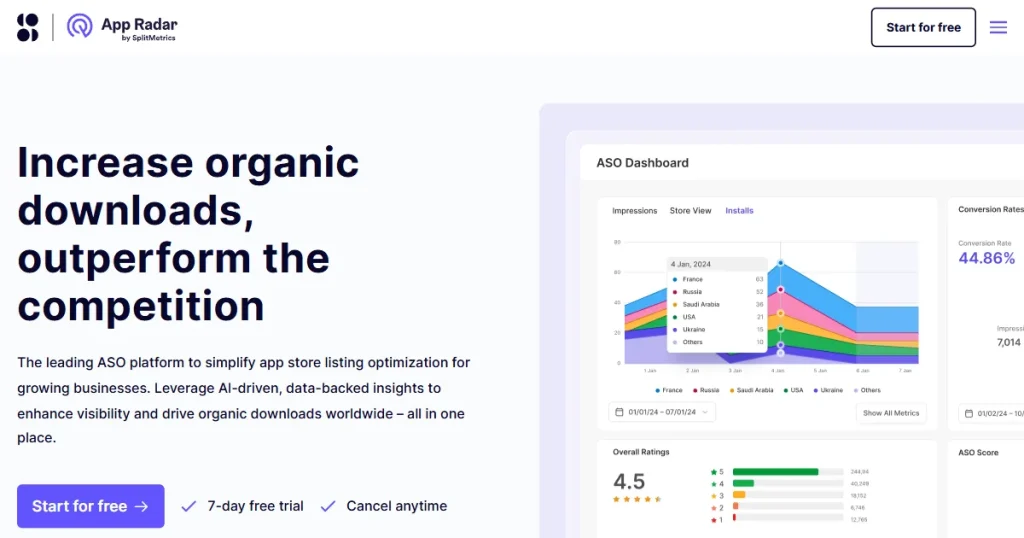
App Radar is an App Store optimization tool focused on workflow management with keyword tracking, metadata updates, and publishing changes. It’s designed for small to mid-sized teams that want a clear process for updating store listings. Compared to more advanced ASO tools, its strength is organization rather than deep analysis.
It works well if your focus is on maintaining rankings and consistently pushing updates. But if you’re expanding into new markets or trying to outmaneuver larger competitors, you may start noticing gaps. That’s where many teams start evaluating other App Radar competitors more seriously.
Why Look for App Radar Alternatives?
Teams usually move on from App Radar when basic tracking isn’t enough, and they are tired of rising App Radar pricing. They need more than rankings. They need to know why rankings are changing. That’s when looking at other App Radar alternatives makes sense.
Limitations of App Radar for Growing Teams
Limited market insights: You don’t get a clear view of overall market trends or category changes.
Basic competitor analysis: You can see rankings, but it’s harder to find keyword gaps your competitors are using.
No clear link between paid and organic: It doesn’t clearly show how ads affect your organic rankings.
Costs increase as you grow: App Radar pricing can rise quickly when you add more apps or competitors.
Data gaps: Some users report delays or missing historical ranking data.
Key Capabilities Modern Teams Require
Basic ASO isn’t enough anymore in 2026. You need ASO tools that show what’s moving and why. The stronger App store optimization tools go beyond tracking and focus on analysis. When evaluating App Radar competitors, these are the capabilities that usually separate basic tools from advanced ones.
Detailed keyword data: You need accurate search volume numbers, keyword difficulty, and past trends so you can choose the right keywords with confidence instead of guessing.
Fast rank tracking: Real time or hourly updates help you quickly notice ranking drops or sudden changes and take action before installs are affected.
Revenue and download estimates: You should be able to see whether a ranking increase actually led to more downloads and revenue, not just better visibility.
Review analysis: The tool should group user feedback and highlight common complaints so you can fix problems before your rating drops.
Automatic alerts: You should get notified when competitors change their keywords, screenshots, or titles so you can respond quickly.
The 6 Best App Radar Alternatives: Quick Glimpse
If you just want the summary, here’s how these App Radar alternatives compare.
AppTweak: Best for data-heavy teams needing AI-driven keyword modeling.
AppFollow: Best for teams obsessed with reputation management and review automation.
Sensor Tower: Best for enterprise teams needing total market visibility.
Mobile Action: Best for startups needing affordable ad intelligence.
ASOdesk: Best for teams scaling into multiple international markets.
AppFigures: Best for agile developers who need hourly data and low costs.
Top App Radar Alternatives: Detailed Comparison
Tool Name
Best For
Pricing (Starts at)
Free Trial
AppTweak
Data-heavy teams & AI Insights
$79/month
Yes
AppFollow
Review Management & Sentiment
$179/month
Yes (Free Plan available)
Sensor Tower
Enterprise / Market Intelligence
Custom Pricing
No
Mobile Action
Startups & Ads Intelligence
$15/month
Yes
ASOdesk
Localization & Global Growth
$59/month
Yes
AppFigures
Agile / Hourly Tracking
$9.99/month
No
1. AppTweak
About the Tool
AppTweak is built for teams that want deeper keyword modeling and forecasting, rather than the simple rank tracking offered by lighter ASO tools. It combines keyword research and ad data in one dashboard, so you do not need multiple App store optimization tools to see the full picture.
Key Features
Atlas AI: Analyzes category-level keyword patterns and suggests keywords based on historical performance data, providing more detailed insights than many lighter ASO tools.
Campaign Manager: You can manage Apple Search Ads and track your organic rankings in the same place, so you see both paid and organic performance together.
App Reviews Manager: Centralizes reviews and highlights recurring feedback, enabling teams to respond faster to negative reviews.
Mobile Intelligence: It shows overall market trends and helps you find new growth opportunities beyond just keywords.
ASO Tools: A robust suite of built-in tools designed specifically to increase visibility. It focuses on improving both conversion rates and downloads.
Pros
The interface is clean and structured, which makes it easier to navigate
Atlas AI provides detailed keyword suggestions that go deeper than those offered by many entry-level App Radar alternatives.
Customer support is frequently cited as exceptional and responsive.
You get granular, in-depth insights beyond surface-level metrics.
Cons
Some users mention occasional ranking inconsistencies
Lack of deeper information regarding certain analytics metrics.
Historical data may be limited for smaller markets or older time ranges
Pricing
No free plan available. Essential Plan: Starts at $79/month.
2. AppFollow
About the Tool
AppFollow focuses heavily on review management and user feedback as part of its broader ASO tools offering. It brings ASO tracking, performance monitoring, and review management into a single dashboard, reducing the need to switch between separate ASO tools.
It suits teams that view ratings and reviews as a ranking factor and want stronger control over how reputation affects store performance.
Key Features
Sentiment Analysis: Identifies hidden opportunities by analyzing user sentiment in reviews. It allows you to extract feature-level feedback to integrate into your product page.
Centralized Review Management: Use this App Radar alternative to address user issues and track reviews, with over 10 integrations (Slack, Zendesk, etc.).
Competitor tracking: You can see which keywords your competitors rank for and how their positions change over time compared to your app.
Visibility tracking: It shows rankings, downloads, and traffic sources in one place, so you can understand what is affecting your performance.
Updates & Alerts: Stay up to date with critical changes impacting KPIs. Get notified instantly about app ranking drops, new featured spots, or metadata changes.
Pros
The centralized reviews feature is highly efficient for managing feedback.
Session replay data can help teams understand how users interact with store listings before installing.
This tool combines keyword tracking with review and rating management in one place.
The interface is relatively straightforward and does not require a steep learning curve
Cons
Just like App Radar pricing, Appfollow pricing can rise quickly as the number of apps or advanced features increases.
Filtering options may feel limited when working with very large volumes of reviews.
Managing high review volume across multiple apps can feel slower than expected.
Pricing
Free Plan is Available. Essential Plan starts at $179/month (includes 5 apps).
3. Sensor Tower
About the Tool
Sensor Tower is an enterprise-level market intelligence platform focused on large-scale app and advertising data. It provides category-wide downloads and revenue estimates, competitor tracking, and ad performance insights across regions.
It is built for teams that need a broader market context, not just day-to-day rank tracking. The emphasis is on long-term market analysis rather than tactical ASO adjustments.
Key Features
App Performance Insights: This App Radar alternative provides total visibility into the mobile ecosystem. Monitor downloads, revenue, active users, sessions, and time spent across the market.
Ad Intelligence: This ASO tool tracks advertisers, publishers, and creative assets across major ad networks, allowing you to see who is spending and where campaigns are concentrated.
Advanced Usage Insights: Includes sessions per user, retention rates, and churn trends, so teams can compare engagement metrics across competing apps.
Audience insights: You can see who is using your app and your competitors’ apps, helping you find new user groups to target.
Web insights: You can track how many people visit your website, including unique visitors.
Pros
Data is comprehensive and rare to find in mid-tier tools.
Data updates are frequent enough to support ongoing competitive monitoring.
Remains relatively easy to navigate despite data complexity.
Reports are detailed enough to support executive-level decision making
Cons
Pricing is high like App Radar pricing and typically suited to larger organizations.
There is no public pricing, and access requires direct contact with the sales team
Pricing
Directly connect with the support team or submit a request form to get pricing details.
4. Mobile Action
About the Tool
Mobile Action combines organic ASO tracking with paid advertising insights in one platform. It provides keyword difficulty data, ranking history, and Apple Search Ads information in a single dashboard.
It is particularly useful for teams running paid campaigns who want to see how those campaigns relate to organic rankings.
Key Features
Mobile Action API: This App Radar alternative gives you access to raw data from the App Store and Google Play. This includes Apple Ads keywords and ad creatives for custom internal dashboards.
Ad Creative Analysis: Analyze ad creatives and custom product pages. See exactly what top advertisers are running to inform your own creative strategy.
Competitor Research: Track trending and declining keywords. Analyze competitors’ common vs. unique organic keywords to identify untapped opportunities.
Visibility monitor: It shows where your keywords rank, how they move each week, and how much organic traffic they bring compared to other apps in your category.
Localization: You can quickly translate keywords to target other countries without needing a separate translator.
Pros
The Lite plan offers a low-cost entry option for smaller teams.
User-friendly interface with time-saving automated ASO tools.
Keyword research tools are easy to use and cover the basics well.
Customer support is reliable and helpful.
Cons
Advanced features in this App Radar alternative can take some time to master.
Competitor analysis may not be as deep as what larger ASO tools provide
Users occasionally report inconsistencies in certain metrics.
Pricing
The Lite plan starts at $15/month and includes five apps and three competitors. Pricing increases for ad intelligence features and higher usage limits.
5. ASOdesk
About the Tool
ASOdesk focuses on organic growth with a strong emphasis on international markets and localization. It combines keyword research, competitor tracking, and metadata updates in one dashboard, which makes managing multiple countries more practical.
Its main appeal lies in data accuracy and automation features that reduce repetitive work when handling multiple regions.
Key Features
Own ranking system: The tool uses its own data model to estimate keyword performance. This helps you understand which keywords are strong in your category and which ones are too competitive to target.
Traffic source analysis: You can clearly see where your downloads are coming from, such as search results, browse sections, or external referrals. This helps you understand which channels are driving growth.
Automation: The tool reduces manual work by automatically tracking keyword rankings, updating app reports, and monitoring performance, so you don’t have to check everything yourself every day.
Easy localization: You can translate and adjust your app title, description, and keywords for different countries, making it easier to expand into new markets.
Organic insights: It shows which specific keywords are bringing in installs, so you can focus on what is actually driving growth
Pros
Data accuracy is a major selling point.
It covers keyword research and competitor tracking in one platform
User-friendly and simplifies complex data.
Cons
Performance may slow when working with large volumes of data.
Pricing
The Pro plan starts at $59/month and includes 5 apps and up to 500 competitors. Billing options include monthly and annual plans.
6. AppFigures
About the Tool
AppFigures focuses on fast data updates and simplicity. It combines rankings, reviews, downloads, and revenue in a single dashboard, with hourly refreshes for many metrics.
It is suited to smaller teams that want frequent updates without dealing with overly complex reporting systems.
Key Features
Rank Tracking: Monitor keyword rank trends across stores. It offers hourly updates so you can react to algorithm changes immediately.
Rank Shift Alerts: Get notified instantly via email or Slack. You know the moment your keyword ranking shifts significantly.
Keyword Translation: Translate keywords instantly using this App Radar alternative. This allows you to capture wider markets without deep localization expertise.
Competitor Analysis: Compare your app against competitors. See where they rank and which keywords drive their installs.
Keyword Research: AI-powered tools to discover new keywords. It analyzes the best keywords for your specific niche to expand your reach.
Pros
Pricing is lower than that of many mid-tier App Radar alternatives.
Frequent updates allow quicker adjustments to ranking changes.
Rankings, reviews, and revenue data are accessible within the same dashboard.
The interface is relatively simple and accessible for smaller teams.
Cons
The amount of data shown on a single screen may feel dense for new users.
Pricing
There is no free plan. The Connect plan starts at $ 9.99/month and includes 5 apps.
ASO Beyond Keywords: The Role of App Store Visuals
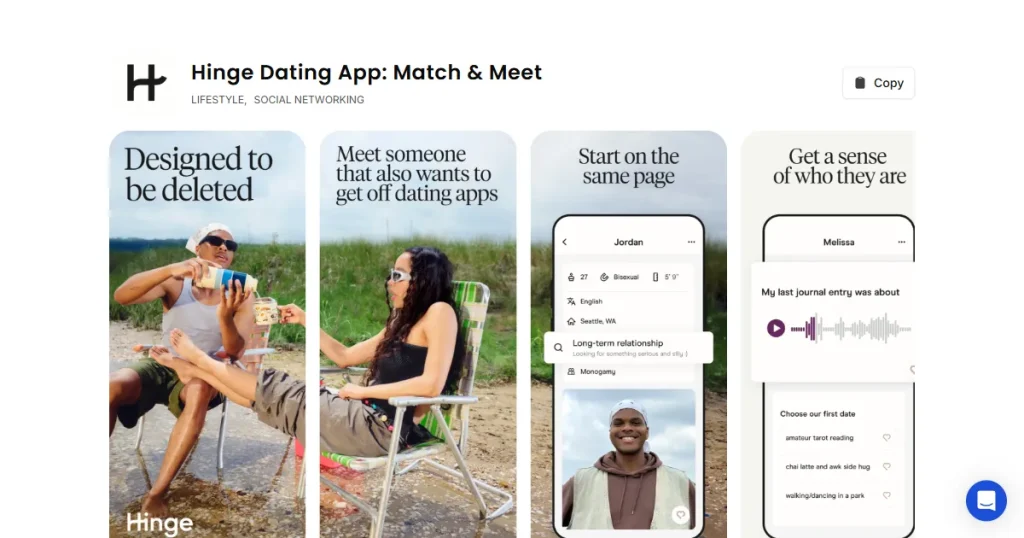
You can have the best keywords in the world and rank #1 for all of them, but if your screenshots look amateur, nobody is going to download your app. Apple has publicly stated that a massive share of downloads comes from search, but the decision to download happens on the product page.
Your icon, screenshots, and video preview are the non-negotiable elements that seal the deal and are the first interaction a user has with your brand.
Furthermore, the conversion rate also influences ranking. Both the App Store and Google Play reward apps that convert impressions into installs. If you drive a ton of traffic to your page but nobody installs, the algorithm assumes your app isn’t relevant and downranks you.
That is why ASO cannot focus only on metadata. Visual clarity and positioning matter just as much as keyword selection.
AppLaunchpad: The Only Tool You Need for App Store Visuals
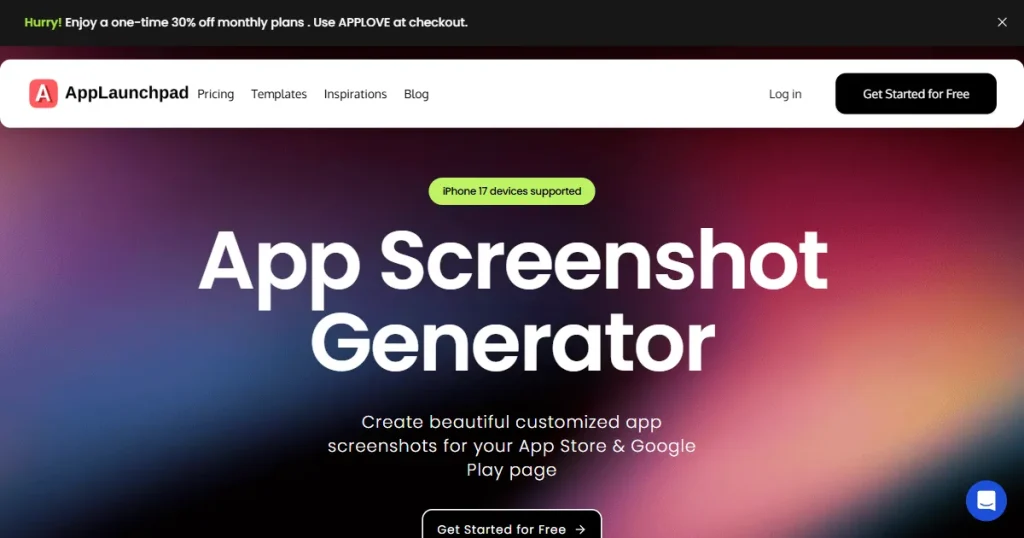
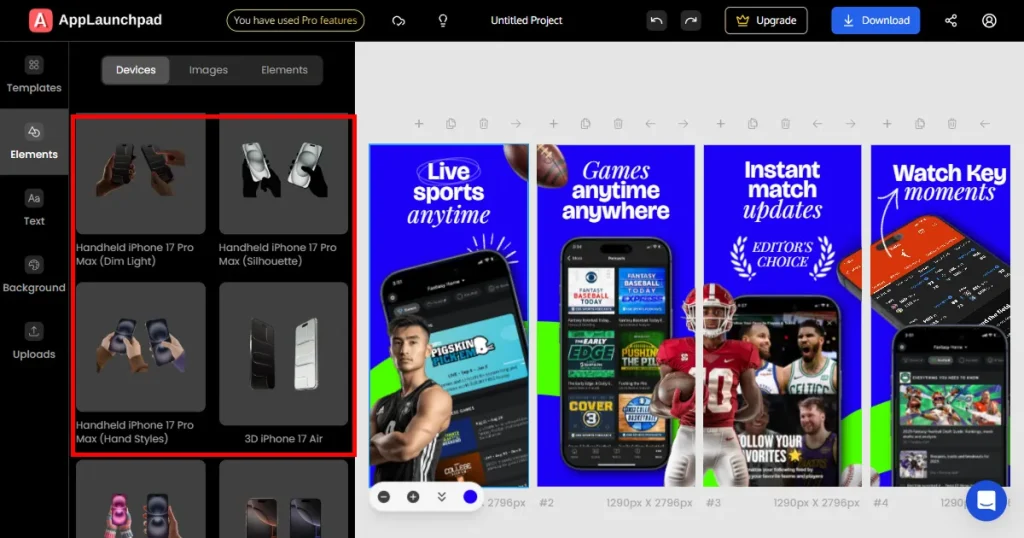
Most ASO tools tell you that you need to improve your visuals, but AppLaunchpad actually helps you do it. It is a tool built specifically for app screenshot creation and optimization, removing the bottleneck of waiting for a designer. You no longer need to open Photoshop or Figma every time you want to change a caption, empowering you to make changes instantly.
What AppLaunchpad Offers
AppLaunchpad is designed to cover the entire visual workflow for ASO:
Ready-Made Templates: Includes a library of pre-designed screenshot layouts so teams do not have to start from a blank canvas.
Multiple Device Frames: Supports adding iPhone, iPad, and Android device frames to screenshots within the same workspace.
Store Badges: Allows adding App Store and Google Play badges to promotional images when needed.
Design Elements: A rich library of illustrations, backgrounds, and icons to make your visuals pop.
AI-Powered Localization: Automatically translate your screenshot captions into multiple languages, saving hours of manual copy-pasting.
Brand Assets: Upload your own brand logo, custom images, and fonts to ensure Brand consistency.
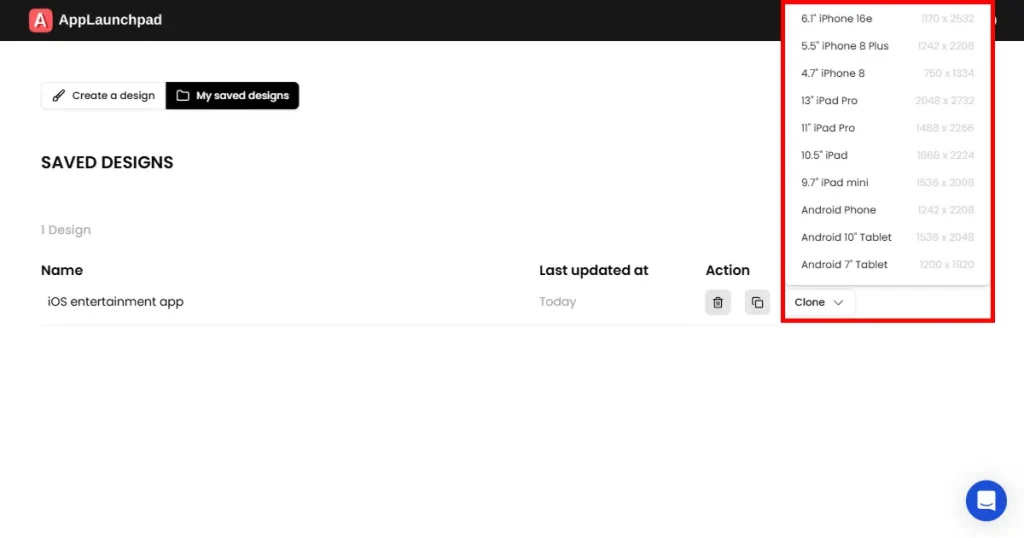
Screenshot Cloning: Design for one device size (e.g., iPhone 15) and instantly clone the design to all other required sizes (iPad, Android 6.5″, etc.)
Fast Iteration: The tool’s speed makes it incredibly easy to create A/B test variations in minutes, not days.
Final Verdict: Which App Radar Alternative Should You Choose?
Choosing a tool comes down to what is limiting your growth right now. Different teams need different levels of data depth, automation, and reporting. Here is the decision framework to make the right choice:
Early-stage developers with limited budgets, people who find App Radar pricing too high usually benefit from AppFigures or the Lite version of Mobile Action.
Scaling teams that need clearer competitor gaps and better visibility into paid and organic overlap may find AppTweak or Mobile Action more suitable.
Apps where ratings and reviews directly influence growth tend to get more value from AppFollow.
Teams expanding into multiple countries often prefer ASOdesk because of its localization focus.
Large publishers that require broader market intelligence across apps, ads, and web data typically lean toward Sensor Tower.
Before selecting any tool, identify whether your constraint is visibility, conversion, localization, or market research. The software should support that specific need, not define it.
If rankings are improving but installs are not, visual optimization deserves equal attention alongside keyword tracking.
FAQs
Which App Radar alternative is best for advanced keyword intelligence?
AppTweak is widely recognized for its high-accuracy keyword modeling and “Atlas AI,” which provides data-backed recommendations. ASOdesk is also a strong contender, thanks to its proprietary tracking algorithm.
Why should you use the App Radar App Store optimization tool?
App Radar is an excellent App Store optimization tool for teams that need structure because it simplifies the ASO workflow, making it easy to edit and publish updates. It is a great choice for teams that want a guided, process-driven approach.
Is there any free App Radar alternatives on this list?
If you feel App Radar pricing is too high for you, you can try free App Radar alternatives, like AppFollow offers a free plan that is great for basic tracking. For very low-cost paid options, AppFigures ($9.99/mo) and Mobile Action ($15/mo) are fantastic entry points.
Which App Radar alternative is best for review management?
AppFollow is the clear winner here due to its ability to centralize reviews from all platforms. Its integration with support tools like Zendesk makes it the industry standard for reputation management.
How do I choose the right ASO tools based on growth stage?
Early-stage teams that can’t afford expensive App Radar pricing should focus on ASO tools with low cost and high performance options (AppFigures), while scaling teams need competitor gaps and paid integration (AppTweak). Enterprise teams need macro market trends to guide long-term strategy (Sensor Tower).
How does App Radar pricing work?
App Radar pricing is based on usage, including the number of apps, keywords, and features you need. Costs can increase as you scale, especially when adding more apps or advanced capabilities for deeper analysis and tracking.