Published Jul 14, 2026

Best App Keyword Research Tools for 2026

Best App Keyword Research Tools

App keyword research tools help developers find the keywords people search for on the App Store and Google Play. By targeting the right keywords, apps can improve their rankings, reach more users organically, and increase downloads.

However, with so many ASO tools available, choosing the right one can be confusing. That’s why, to make the decision easier, here are 5 of the best app keyword research tools for 2026, compared based on their features, pros, cons, pricing, and overall usability.

Key Insights

  • App keyword research tools are essential for improving app visibility and organic downloads. Without them, it’s difficult to rank in search or appear in app recommendations.
  • The best ASO keyword research tools do more than keyword discovery. They also help with competitor analysis, metadata optimization, keyword tracking, and A/B testing.
  • Ranking higher in search is only part of ASO. Your app screenshots and creatives also play a major role in converting visitors into downloads.
  • AppLaunchpad is one of the best app store screenshot generators, offering an easy-to-use editor, 1000+ store-compliant templates, advanced customization, AI-powered localization, and cloning features.
  • App Store Optimization is a never-ending iterative process. So, keep researching new keywords and creating new creatives, A/B test them, and keep improving.

What Are App Keyword Research Tools and Why Do We Need Them?

App Keyword Research tools are platforms that let you find the right keywords, analyze them, and add them to your app store listing so users can find it through app store search or when downloading similar apps.

They are a core part of App Store Optimization (ASO). Without proper keyword research, it becomes difficult for apps to rank organically, making developers rely heavily on paid ads to drive downloads.

Here’s why app keyword research tools matter.

  • Organic traffic: Optimizing your app for relevant keywords helps it rank higher when users search for those terms. This helps people find and download your app. Many ASO tools also support A/B testing, helping you identify which keywords and metadata changes improve click-through rates and conversions.
  • Updating app metadata: App metadata, including titles, subtitles, and descriptions, needs regular updates to stay competitive. So, a good keyword research tool should help you find the right keywords based on your hypothesis.
  • Analyze competitors: App keyword research tools also let you track the keywords your competitors rank for, helping you identify gaps in your strategy. You can use this information to improve your app’s organic search ranking.

What Features to Look for in an App Keyword Research Tool?

When choosing an app keyword research tool, there are a few important ASO features you should look for.

Keyword Volume and Difficulty

A good app store keyword research tool should provide accurate details about keyword volume and difficulty, so you can decide which keywords to target for maximizing your app’s organic visibility.

Competitor Analysis

Competitor tracking is one of the most valuable ASO features. A strong keyword research tool should let you monitor the keywords your competitors rank for, helping you identify content gaps, discover new opportunities, and improve your own ranking strategy.

Keyword Suggestion

Besides tracking your current keyword rankings, a good app store optimization tool also helps you discover new keywords to target and stay ahead of competitors.

Keyword Localization

Localization has become essential as apps now compete in a global market. If an app keyword research tool doesn’t let you track keyword rankings across different countries, you could miss out on major growth opportunities.

Ease of Use

An app store keyword research tool should be easy to use, with a clean UI, fast onboarding, and quick filtering and sorting of keywords, so even beginners with no ASO experience can get started quickly.

Competitor Tracking Analysis

Competitor tracking is one of the most important ASO features. A good app keyword research tool should let you monitor the keywords your competitors rank for, helping you discover missed keyword opportunities, identify gaps in your strategy, and improve your app’s search visibility.

Top 5 App Keyword Research Tools at a Glance

ToolBest ForStarting PriceApp Store SupportStandout Feature
AppTweakComprehensive ASO suite$99/monthiOS/AndroidVisual keyword editor with performance heatmaps
ASOMobileBudget-conscious startups$59/monthiOS/AndroidUnlimited keyword tracking
App RadarEnterprise-level operations$69/monthiOS/AndroidAI-powered competitor intelligence
AsodeskMid-market teams$59/monthiOS/AndroidReal-time app store algorithm updates
Sensor TowerData-heavy organizationsNot AvailableiOS/AndroidMassive keyword database

Top 5 App Keyword Research Tools to Try in 2026

1. AppTweak – Best for Advanced Keyword Insights

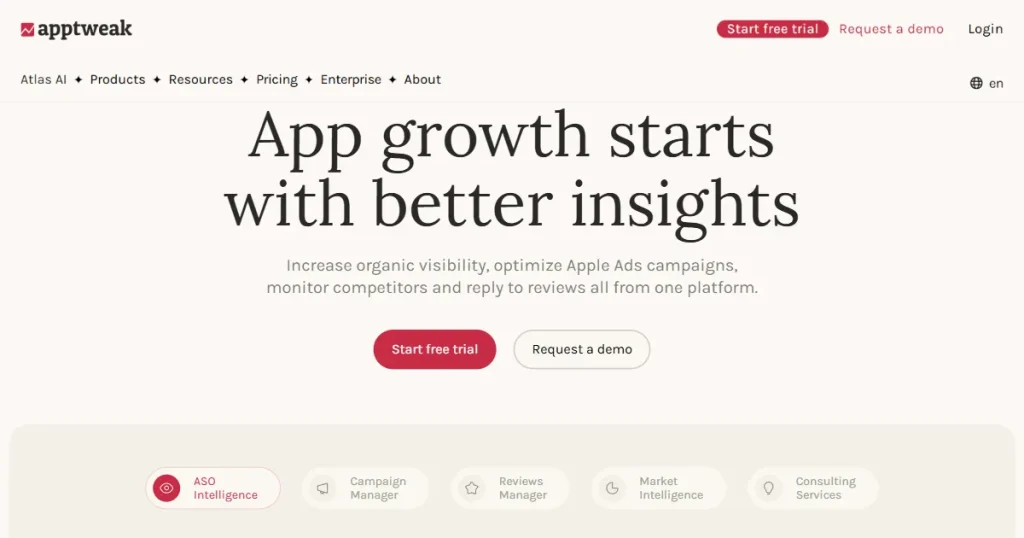
AppTweak homepage

AppTweak is one of the best app keyword research tools for easily assessing an app’s visibility across the App Store and Play Store.

Apart from keyword research, you can also analyze competitor keyword strategies to understand what’s working for them and apply it to your app.

Pros

  • Faster keyword ranking: Helps you identify relevant keywords, enabling your app to rank faster and improve visibility in search results.
  • All-in-one ASO ecosystem: Includes features like keyword research, competitor analysis, review management, and market intelligence in a single platform.
  • AI search optimization: Atlas AI helps monitor how your app appears in AI-driven search experiences and identifies new visibility opportunities.

Cons

  • High pricing structure: Many advanced features are locked behind separate paid plans, which can become costly for smaller teams or indie developers.
  • Steep learning curve: The interface and features can feel complex for first-time users, requiring time to fully understand and use them effectively.

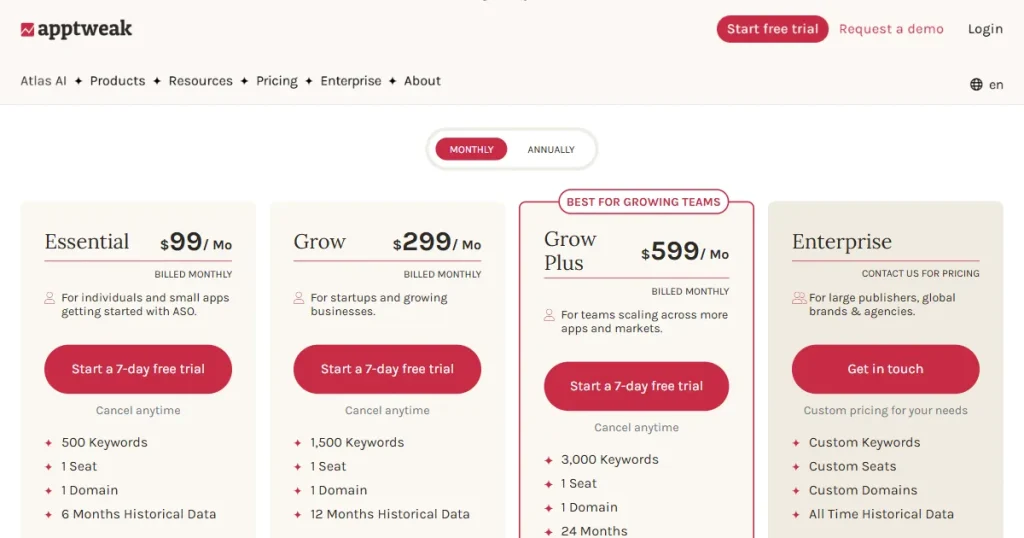
Pricing: $99/month

AppTweak pricing page

2. ASOMobile – Best for Budget-conscious Developers

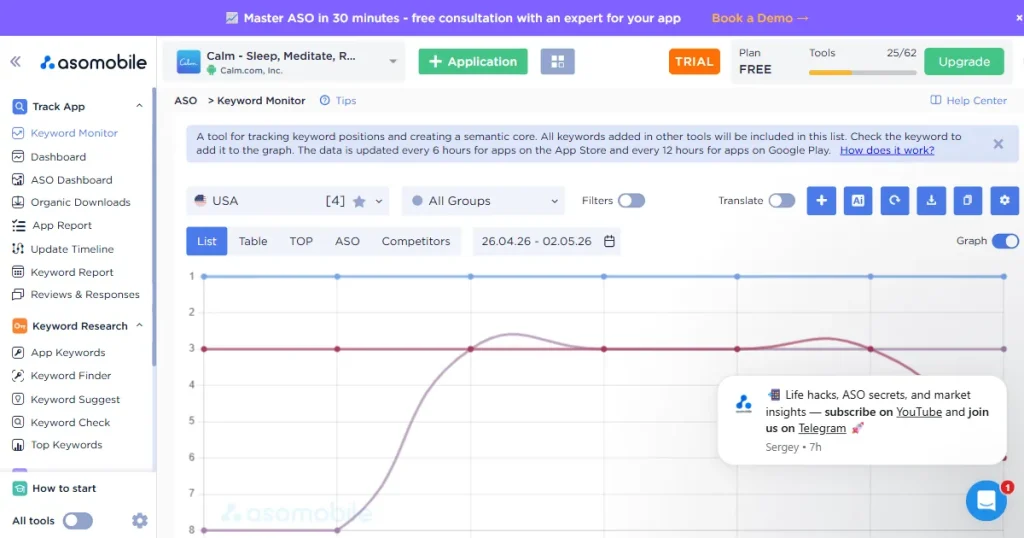
ASOMobile keyword monitoring tool

ASOMobile is a dedicated platform for keyword research with over 15+ keyword research tools that can help you find the right keywords when launching apps, updating metadata, and running A/B tests.

Pros

  • Ease of use: Its simple and responsive UI makes it one of the best app keyword research tools out there.
  • Best for concentrated keyword efforts: It provides more 15+ dedicated keyword tools to analyze your current keyword rankings, find new keywords, and analyze competitors to learn their strategies and improve yours.
  • Budget-friendly tool: Compared to most ASO keyword research tools, ASOMobile offers more affordable pricing, making it a solid option for indie developers and small app teams.

Cons

  • No multi-language support: ASOMobile only supports English-language keyword research and doesn’t allow keyword research in other languages, which can be limiting if you’re planning to launch in multiple locations.
  • Too many options to choose from: There are many tools to choose from, which can be pretty overwhelming for first-time users, as they can’t figure out which tool works best for their specific use case.
  • Steep learning curve: The platform includes many advanced tools and analytics, which may feel overwhelming for first-time ASO users.

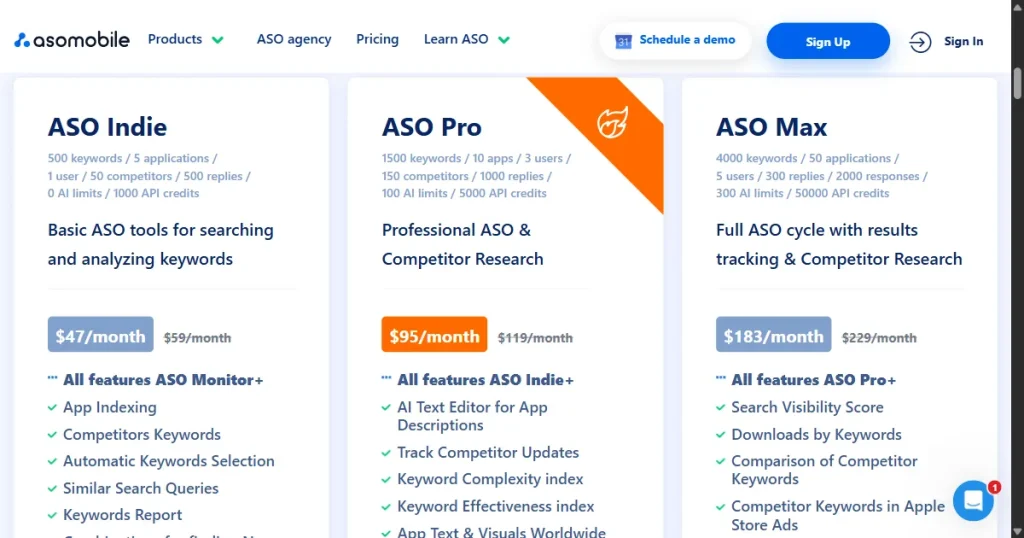
Pricing: $59/month

ASOMobile pricing page

3. App Radar – Best for New Keyword Discovery

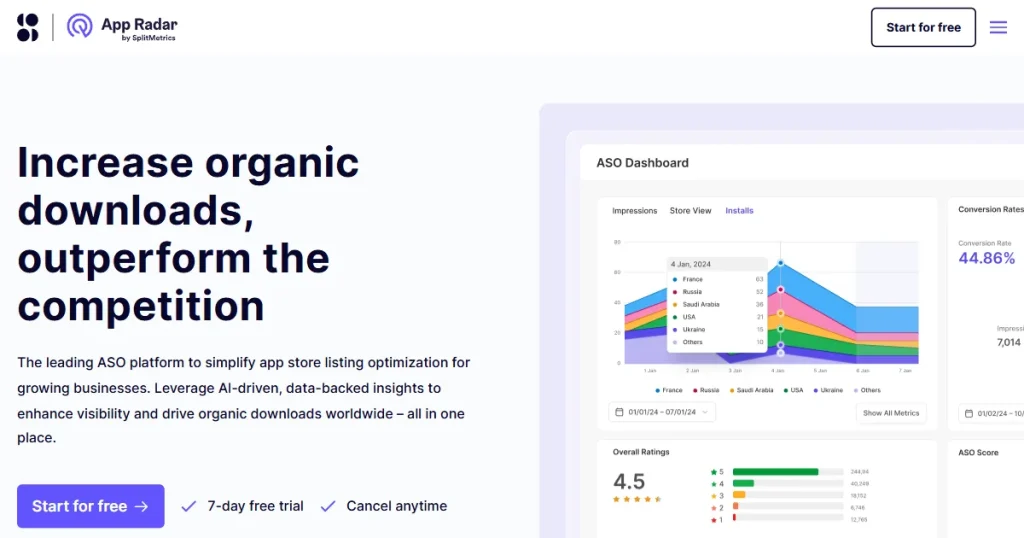
App Radar homepage

App Radar by Splitmetrics is an all-in-one app store optimization tool with a powerful app store keyword research tool that lets you analyze current keyword rankings, find new keywords, and optimize your app for more organic visibility.

Pros

  • AI-powered keyword suggestions: App Radar uses an AI-powered tool that suggests new keywords that you can include and rank based on your current metadata.
  • Multi-country keyword monitoring: You can analyze all the keywords your app currently ranks for in a specific country and app store.
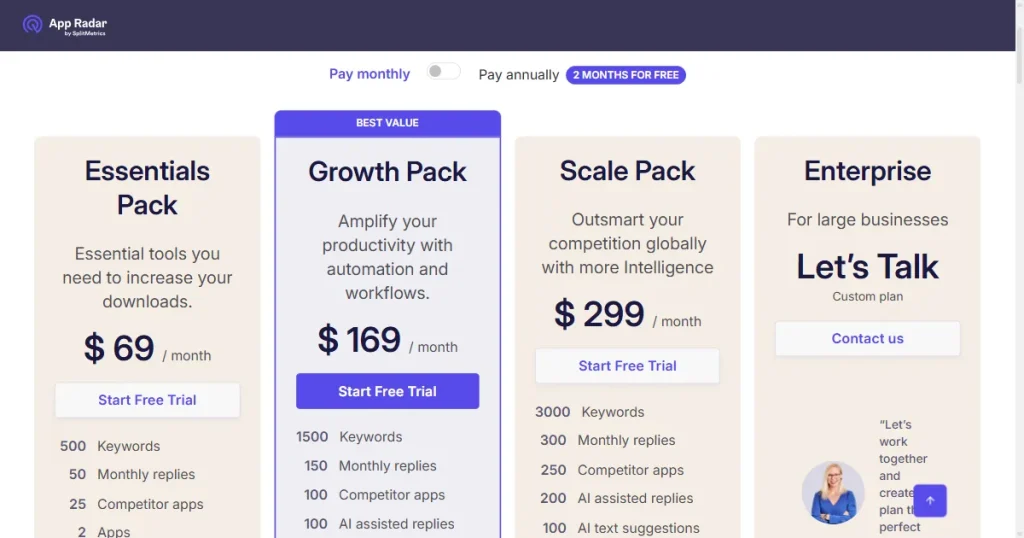
  • Easy to use and budget-friendly: It’s one of the easiest tools to get started with, and it’s also pretty budget-friendly, starting at $69 per month.

Cons

  • No downloads or impression monitoring: Even though it offers one of the ASO features on the market, it doesn’t let you monitor your app’s downloads or impressions.
  • Not an in-depth keyword tool: Because the tool focuses on overall app store optimization, it lacks the advanced keyword insights and predictive data needed for important decisions.

Pricing: $69/month

App Radar pricing page

4. Asodesk – Best for Keyword Performance Tracking

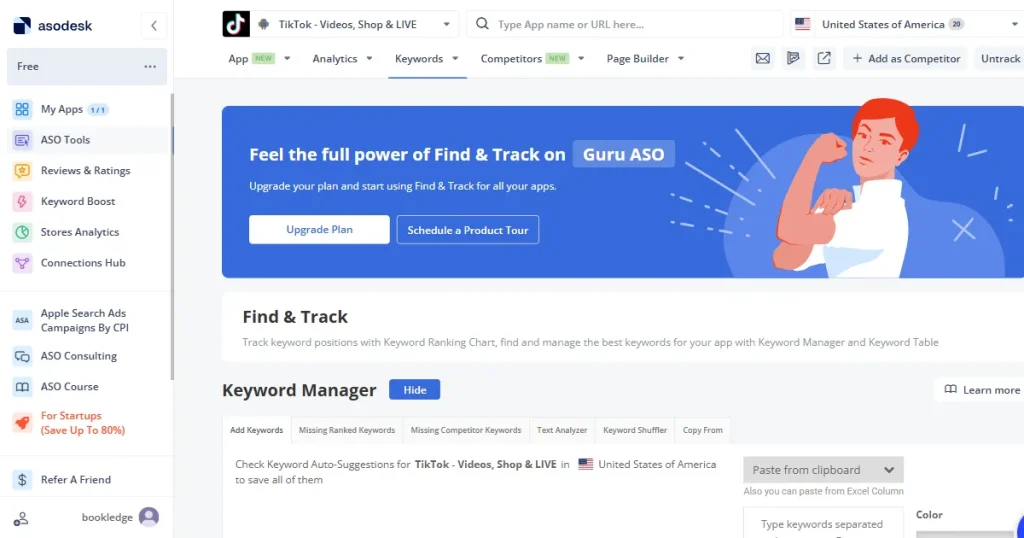
Asodesk keyword manager tool

ASO desk is an advanced ASO platform with an easy-to-use keyword research tool that supports localization, provides live keyword rankings, competitor keyword tracking, and an AI-powered metadata creator.

Pros

  • All-in-one ASO platform: Asodesk is a comprehensive solution for all app store optimization needs, including keyword research, competitor analysis, and review management.
  • Live keyword ranking: It offers a live keyword ranking tool that shows your ranking for a given keyword in real time.
  • Accurate keyword reporting: Asodesk ensures accurate reporting by regularly updating its keyword data to include new, trending keywords and ensuring old keywords reflect the latest data.

Cons

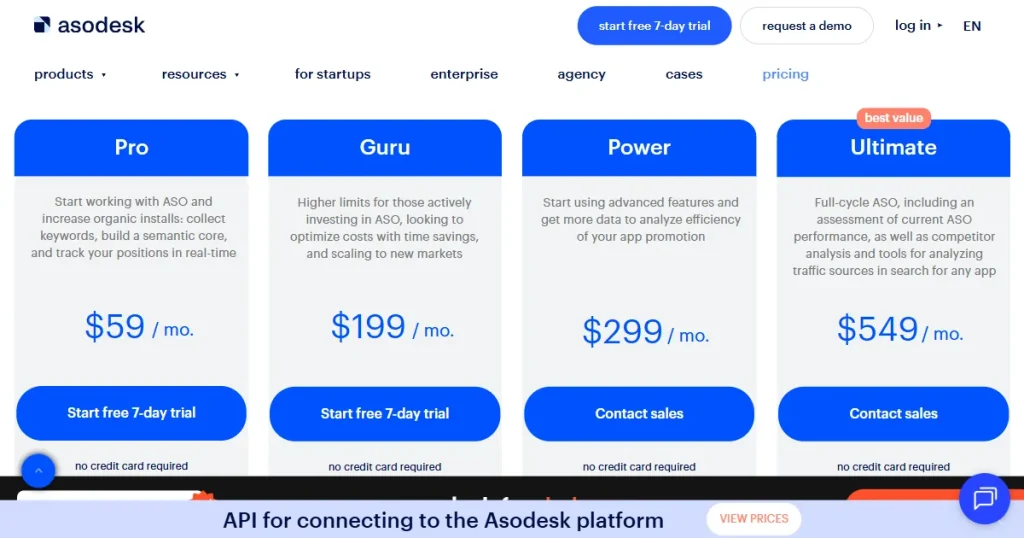
  • Confusing pricing structure: Asodesk has a very confusing paid plan with multiple tiers and unclear offerings of what one gets in each tier.
  • Slow platform speed: There have been multiple complaints about the platform being slow to update or load data, often requiring users to wait while analyzing app metrics.

Pricing: $59/month

Asodesk pricing page

5. Sensor Tower – Best for Competitive Keyword Intelligence

Sensor Tower homepage

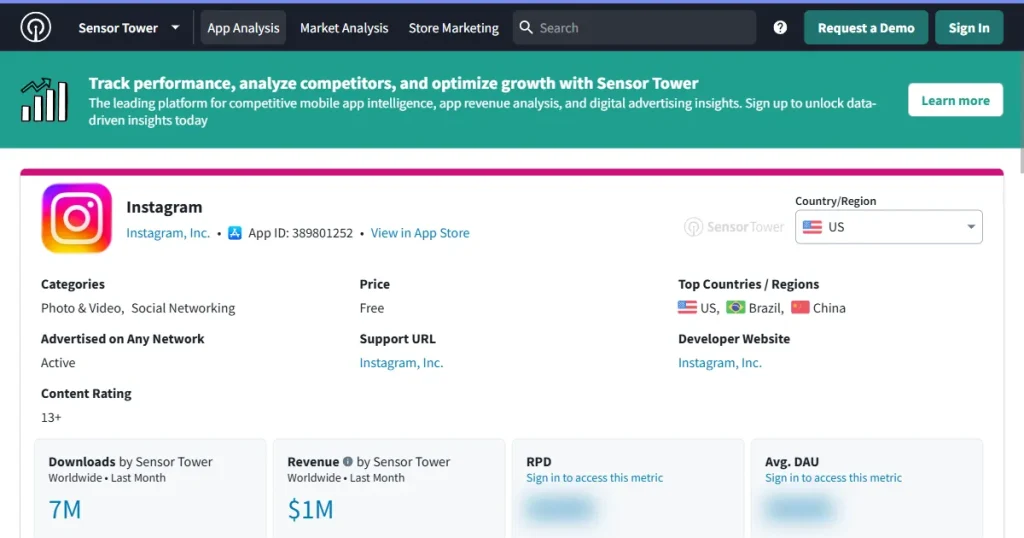
Sensor Tower is a market intelligence platform built specifically for larger companies to track app downloads, revenue, user engagement, and accurate keyword tracking across the Apple App Store and Google Play.

Pros

  • Estimated app downloads and revenue: Sensor Towers standout feature is that it allows you to see how well your app is performing on the app Stores and project future growth strategies.
  • Accurate keyword tracking: Because it collects data at a global level, its keyword tracking is highly accurate and to the point.
  • Deep market analysis: It allows you to track competitor advertisements and creatives to get a good idea of what’s working for them and how you can integrate it in your app.

Cons

  • Restrictive free plan: It prevents you from accessing any of its tools, so you can’t test them before committing.
  • Too advanced for first-time users: It is an enterprise-grade tool designed for professional analysts, it can be too overwhelming for indie developers.

Pricing: There is no fixed pricing. You have to contact their team for custom pricing.

Role of App Store Creatives in Capturing Organic Traffic

App store keyword research tools can only help you optimize your app for organic keyword traffic. However, it won’t be enough to convert that traffic into downloads.

To convert traffic into downloads, you need a dedicated app screenshots generator, as your screenshots are often the deciding factor between a user scrolling past your app or downloading it.

Well-designed screenshots instantly communicate your app’s value, highlight key features, and build trust within seconds of landing on your App Store page.

So, if your app doesn’t catch their attention and promise to solve their problem in seconds, they will move past your app. That’s why it’s crucial to invest in a good app store screenshot generator.
AppLaunchpad: The Best App Screenshot Generator

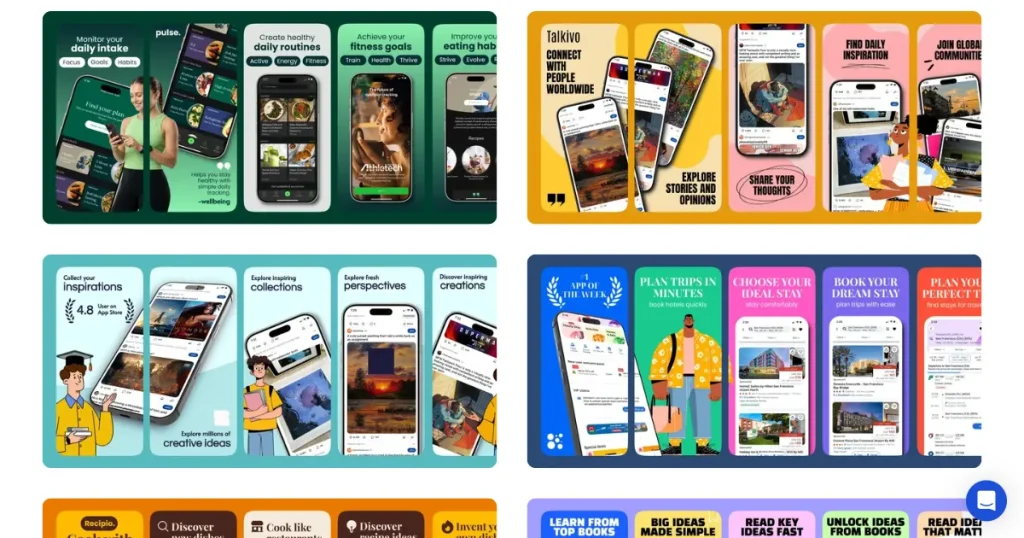
AppLaunchpad screenshot library template page

AppLaunchpad is a web-based, dedicated app screenshot generator that enables users to create store-compliant screenshots in minutes without advanced design tools like Photoshop or Figma.

Key features

  • Easy-to-use editor: AppLaunchpad features a drag-and-drop workflow similar to Canva, allowing you to create store-ready screenshots in a matter of minutes.
  • 1000+ store compliant templates: With AppLaunchpad, you get the option to choose from 1000+ ready-made templates.
  • Latest device frame coverage: AppLaunchpad keeps updating its library with the latest device frames, like the iPhone 17 Pro Max, so your screenshots always reflect the device your customer is holding.
  • AI-Powered Localization: You can translate your app screenshots text into 80+ different languages so your app is available in multiple regions, maximizing your reach.
  • Advanced cloning features: You no longer need to create multiple screenshots for different devices. Just create it once, clone it to different devices, and upload it.

Final Thoughts

Now that we know what app store keyword research tools are, why we need them, and the best 5 tools you can use, ask yourself what level you are at and your current needs, which will help you choose the right tool for your budget.

Moreover, keyword research is not enough. Visibility without conversion won’t lead to anything substantial, that’s why use AppLaunchpad to create store-compliant app store screenshots, as they can help you boost your downloads.

FAQs

1. How to research app store keywords?

To research app store keywords, you need to first sign up for an app store keyword research tool and use its keyword research tool to find relevant keywords related to your app.

2. How to do SEO for mobile apps?

Mobile Apps don’t have SEO. The process of optimizing a mobile app for organic search on the app store is called App Store Optimization (ASO). To do ASO, you first need to research the keywords you can use for your app, then integrate them into your metadata, and optimize your screenshots and icon.

3. What is the best ASO tool?

In our view, AppTweak is the best ASO tool, but the best tool depends on your specific needs. So, try every tool yourself before making a final decision.

4. What is the difference between AppTweak and App Radar?

AppTweak offers deep analytics and advanced insights, while App Radar is simpler, more affordable, and focused on quick keyword research.

5. How is ASO different from SEO?

ASO focuses on optimizing app store listings for mobile apps, while SEO focuses on improving website visibility in search engines like Google Search.
Related Posts

Scroll to Top