
AppLaunchpad vs. AppScreens
AppLaunchpad vs. AppScreens
Compare AppLaunchpad vs AppScreens in this detailed guide—features, mockup quality, device support, pricing & more for top iOS/Android screenshot tools.
When it comes to app screenshot tools, there are tons of popular options to choose from. While some tools offer an easy-to-use interface and automated screenshot sizing, others integrate the latest AI-powered editing features.
You have countless choices, and two screenshot generators that are always in discussion are AppLaunchpad and AppScreens.
You've probably heard about them, and maybe even tested them out. But the real question is, which one best suits your needs and workflow?
If you aren't sure, we're here to help and offer a complete comparison and feature breakdown to help you make your choice.
Whether you’re an app developer looking to improve your app store page or a marketer looking for an easy-to-use tool, this guide will give you everything from A to Z on these two screenshot generator tools.
So without further ado, let's dive in!
Key Highlights
App Store screenshots play a major role in how users judge an app, and well-designed visuals can improve app installs.
Screenshot generator tools help reduce manual work by automatically resizing screenshots for different devices and app store requirements.
Automation features in screenshot generators can save hours of manual design work, especially when screenshots need to be created for multiple devices and languages.
Both AppLaunchpad and AppScreens support screenshot localization in more than 80 languages, making it easier to create visuals for global app store audiences.
AppLaunchpad provides 1000+ templates across multiple app categories, giving users more ready-to-use app screenshot options than AppScreens.
AppLaunchpad includes a built-in library with thousands of design assets, fonts, and Unsplash image integration, while AppScreens relies more on templates and user-uploaded assets.
Quick Verdict
AppLaunchpad: A beginner-friendly drag-and-drop editor tool designed to create app screenshots with 1000+ templates across multiple app categories.
It includes 20,000+ graphic elements, 150+ fonts, Unsplash image integration, custom devices, AI resizing, and one-click localization for 80+ languages. It is suitable if you are looking for speed and automation, especially when you have multiple apps to manage.
The tool also offers a wide range of 3D device screenshots templates with 20 viewing angles, helping create more realistic screenshot presentations.
AppScreens: An app screenshot tool that offers limited templates (100+) and preset layouts with device frames and localization support, but it relies more on manual setup and does not include a built-in graphics library for icons and design elements. Due to its complex UI and steep learning curve, it is better suited for users with design experience (e.g., Photoshop) who are working on a single app or looking for a one-time-use solution.
Applaunchpad vs AppScreens: Quick Overview
Before we explore the feature comparison, let’s first see what AppLaunchpad and Appscreen bring to the table.
AppLaunchpad
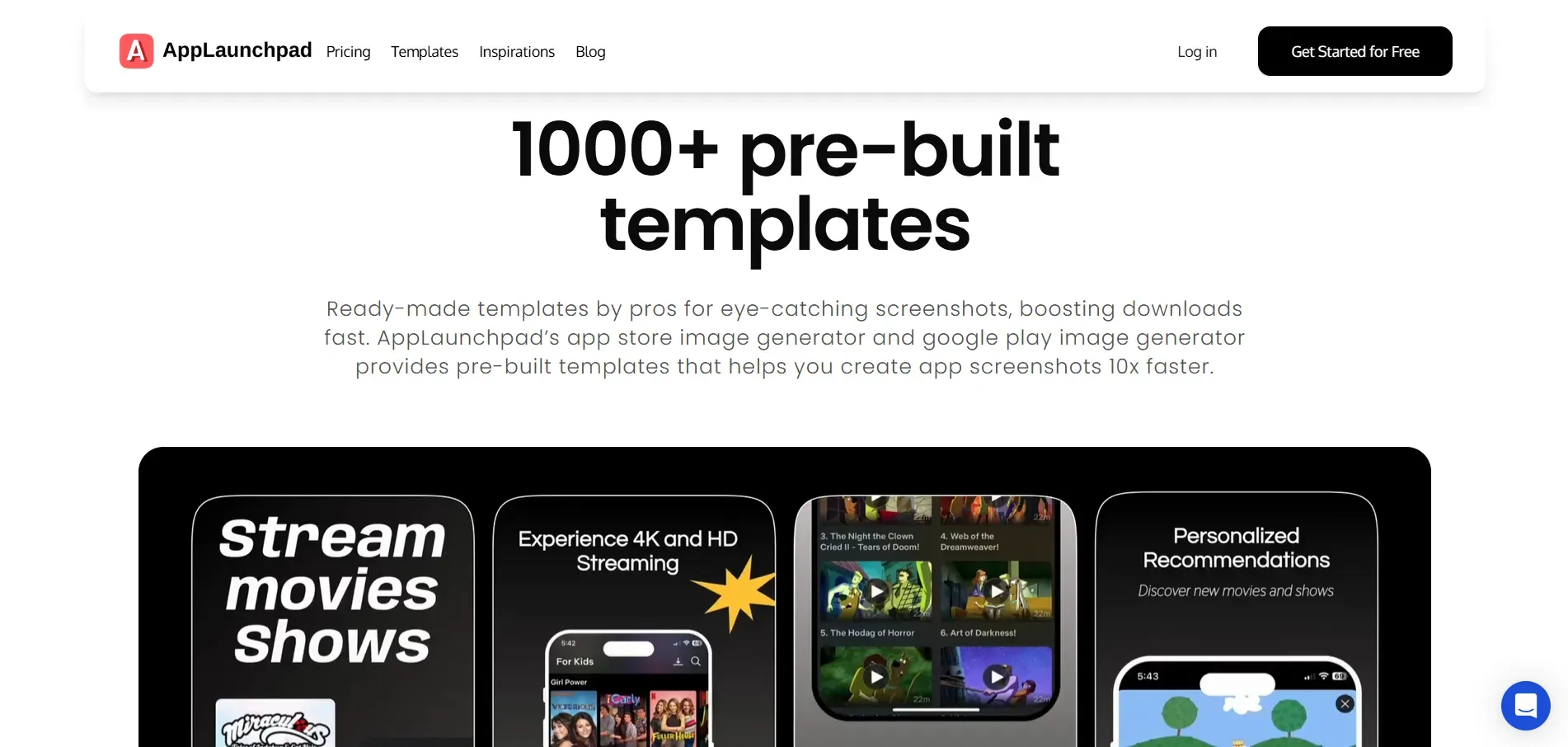
AppLaunchpad is a comprehensive app screenshot generation platform tailored for developers, marketers, and designers looking to publish their apps on the App Store or Google Play.
Known for its user-friendly interface, it offers a massive library of 1000+ uniquely designed templates, all originally crafted by an in-house design team. This ensures creative diversity and safe usage without copyright concerns.
It also includes AI auto-scaling to fit screenshots to different device sizes, AI localization for different languages, and 20,000+ graphic elements to improve your designs.
Additionally, with built-in inspiration tools and extensive support for both iOS and Android devices, it's a powerful tool for anyone launching an app.
AppScreens
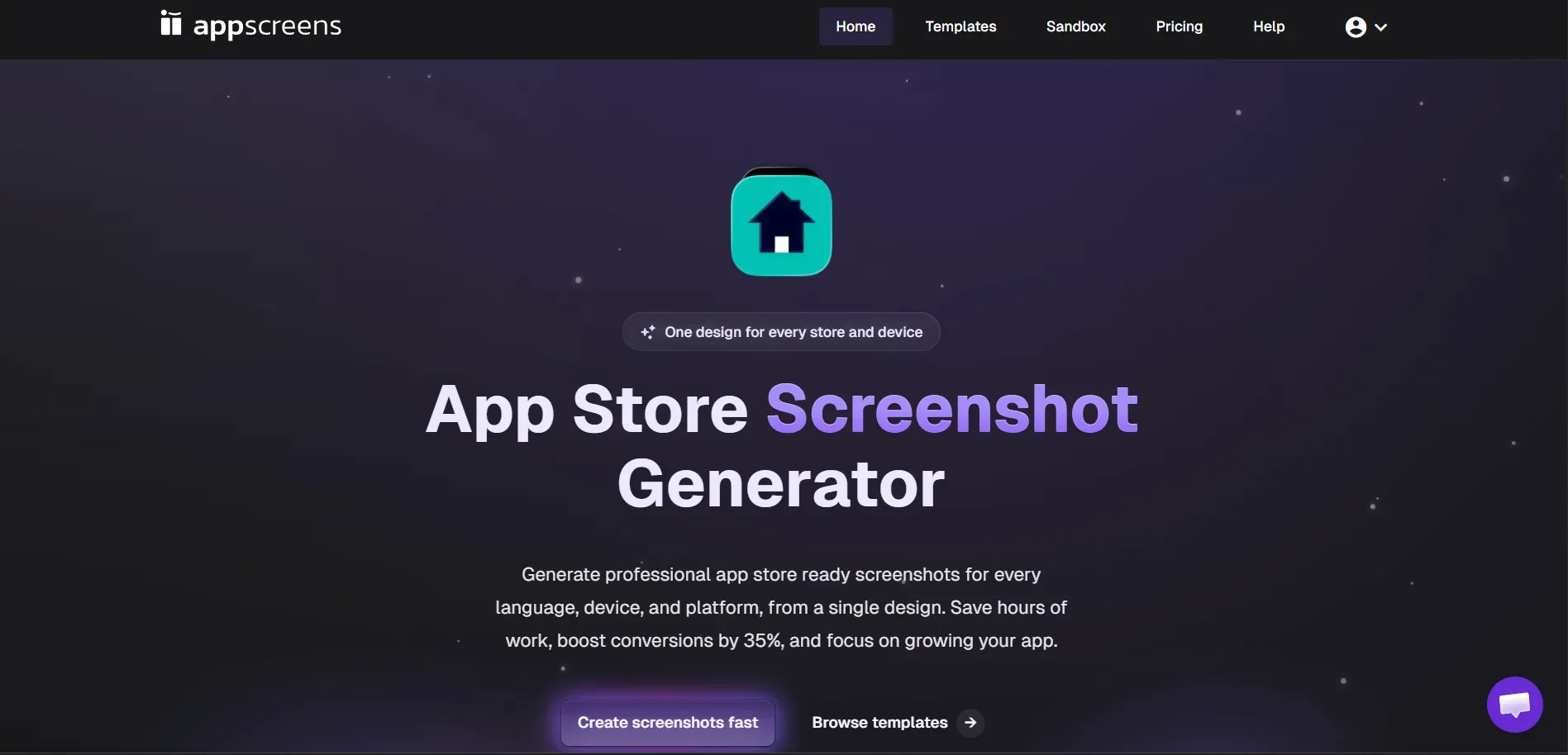
Appscreens is a web-based tool designed for app developers with Photoshop skills, as it has a steep learning curve and is hard for non-designers. With over 100 pre-built templates, the platform offers a wide range of template options for app screenshot design.
However, the editing interface is not very beginner-friendly, and even basic edits like adjusting the text color or background involve navigating multiple dropdowns and settings menus.
It may work for simple screenshot generation needs, but it falls short when advanced customization and creative flexibility are required.
Quick Feature Comparison Table
| Feature | AppLaunchpad | AppScreens |
|---|---|---|
| Template Library | 1000+ pre-built templates | 100+ templates |
| Begginner-friendly | Yes | No |
| Manage Multiple App Projects | Yes | Limited |
| Latest iOS and Android Device Support | Yes | Yes |
| AI Screenshot Auto-Scaling for All Device Sizes | Yes | No |
| 3D Device Frames | 300+ variations | <10 |
| Built-in Graphics collections (icons, illustrations, stickers) | 20,000+ elements | No |
| Unsplash Integration | Yes | No |
| Custom Screenshot Size | Yes | No |
| Custom font upload | Yes | No |
| Built-in color palette presets | 3000+ options | No |
| Vision Pro & TV Device Support | No | Yes |
| Gradient background controls | Yes | No |
| Structured design panels (Templates, Elements, Text, Background) | Yes | No |
| Brand Assets Upload | Yes | No |
| AI Localization | Yes (80+ languages) | Yes |
| Drag-and-drop Screenshot Editor | Yes | No |
| Canvas Zoom Controls (zoom in / zoom out) | Yes | No |
| Supports Huawei AppGallery | No | Yes |
| App Screenshot Inspiration Gallery | Yes | No |
| Clone / Duplicate Screenshot Projects | Yes | No |
| Free Plan | Yes | Limited to only one project |
| Panoramic Background | No | Yes |
| Pricing | $19/ month (With code APPLOVE) | $25/ month |
Now that we’ve reviewed the key features, let’s take a closer look at how each tool compares in more detail.
Which Tool Offers Better AI Automation for Screenshot Resizing?
AppLaunchpad
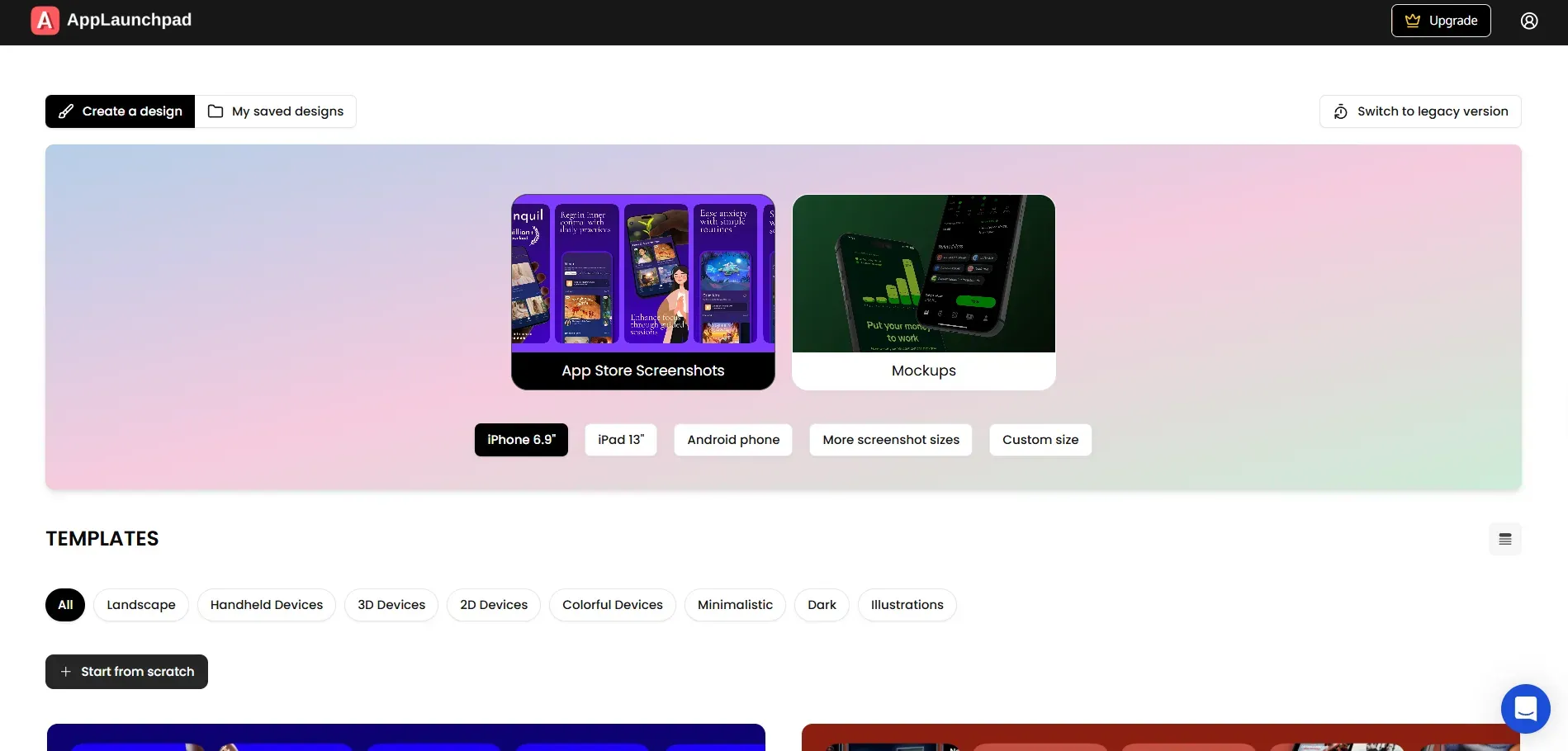
AppLaunchpad uses AI automation to clone screenshots from one device size to multiple others, including across different platforms. Instead of resizing and redesigning screenshots for every device manually, the tool automatically adapts a single design to the required screen sizes and requirements.
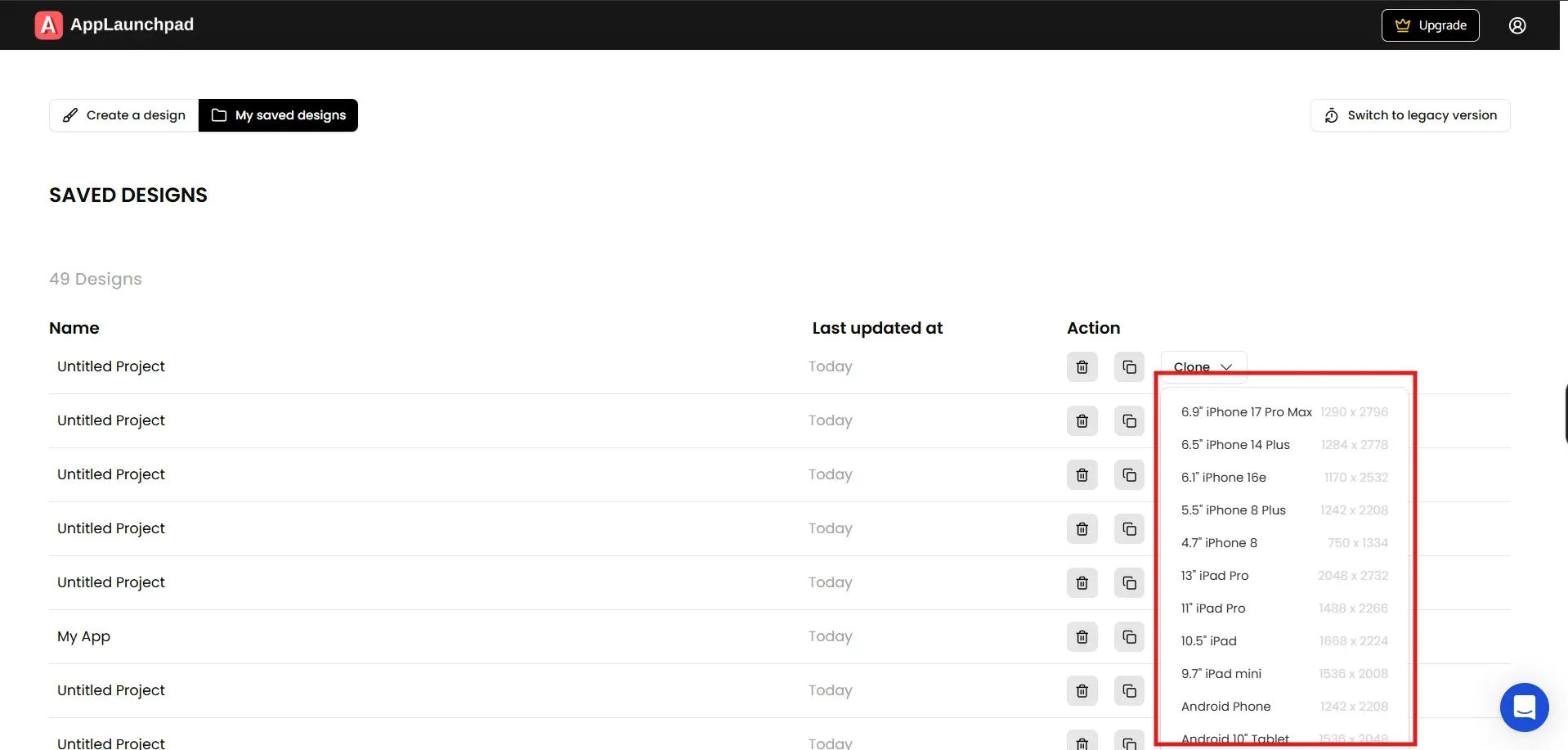
The clone feature helps teams reuse a single set of app screenshots across multiple devices and layouts without having to start from scratch.
You can simply go to the Projects page, open My saved designs, select a project, click the Clone dropdown, and choose the device you want to clone the app screenshots into.
This makes it much faster to create multiple screenshot variations.
AppScreens
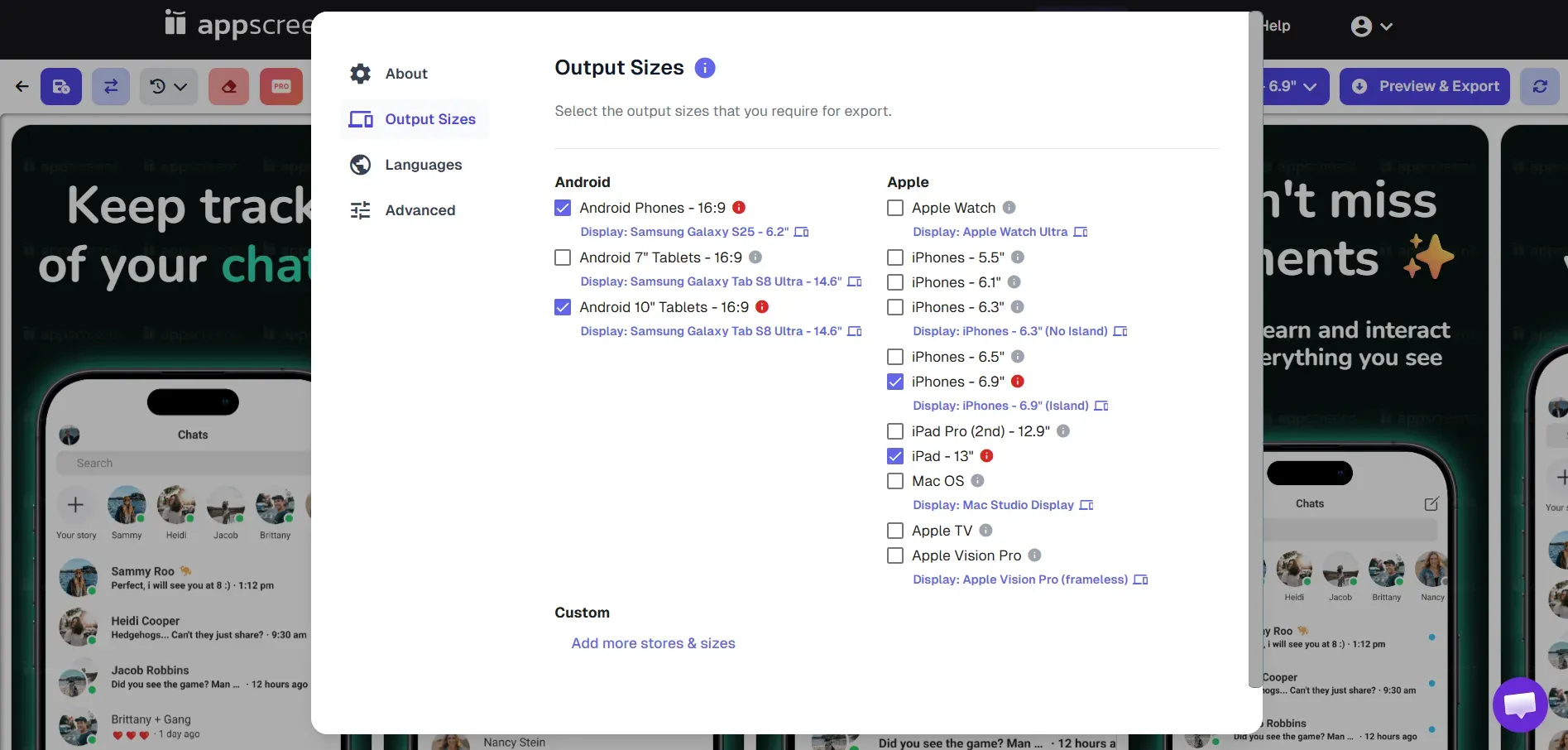
Instead of relying on automation, the customization process in Appscreens is mostly manual.
While it provides ready-made templates that can be edited and exported, users still need to manually set settings such as output sizes, text width, and layouts before downloading the screenshots.
Also, the app screenshot tool doesn’t support project cloning. Once you export a screenshot, you cannot reuse it, you have to manually re-edit and customize it for each screen size.
Verdict
AppLaunchpad offers screenshot automation, including automatic resizing and smart cloning, reducing manual work. AppScreens also offers features such as resizing and export format, but these must be manually set up.
Which Tool Is Easier to Use?
AppLaunchpad
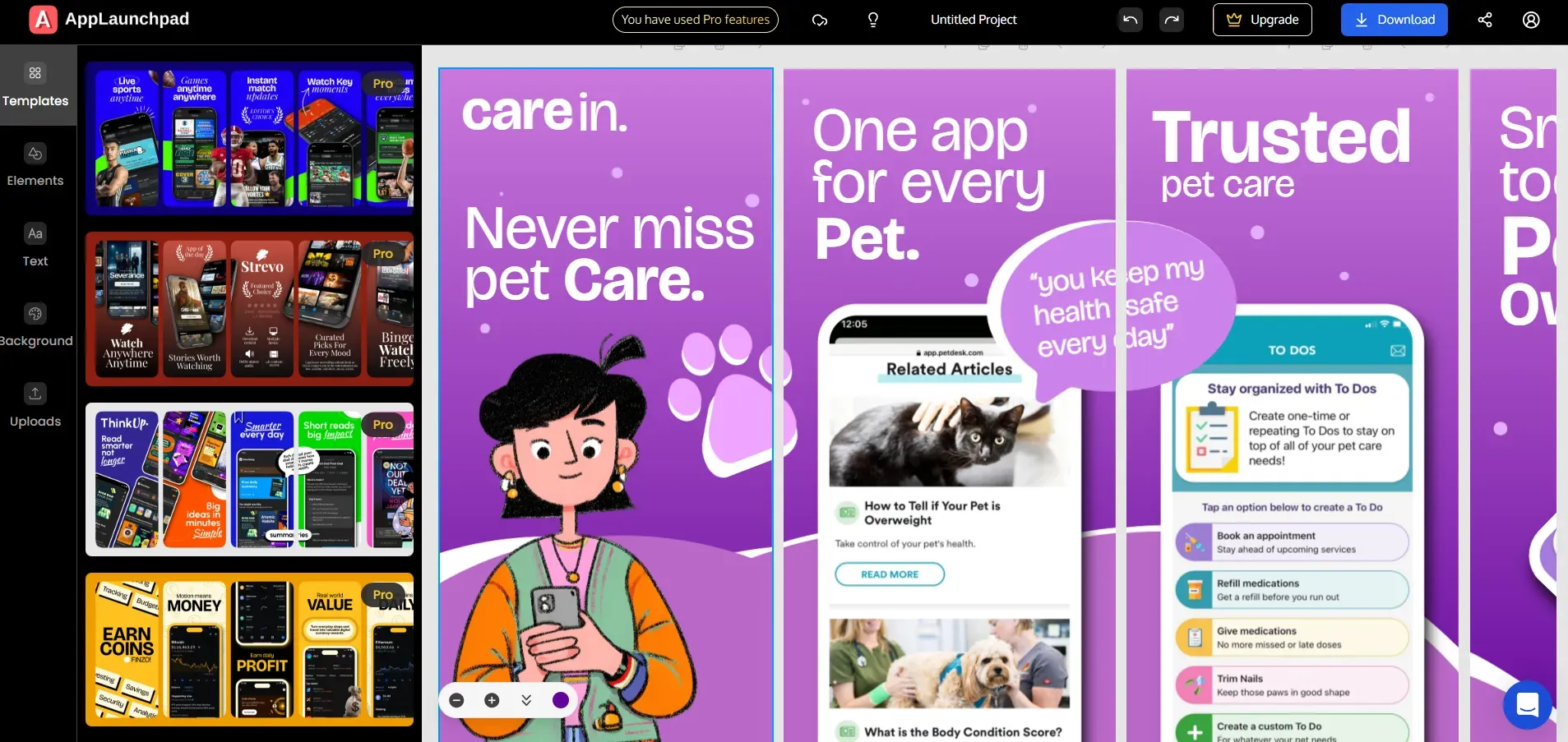
AppLaunchpad focuses on an intuitive UX that lets users create app store screenshots quickly, even without design skills.
It features an easy-to-use drag-and-drop interface and real-time previews, making it fast and effortless to create and update screenshots even for beginners.
AppScreens
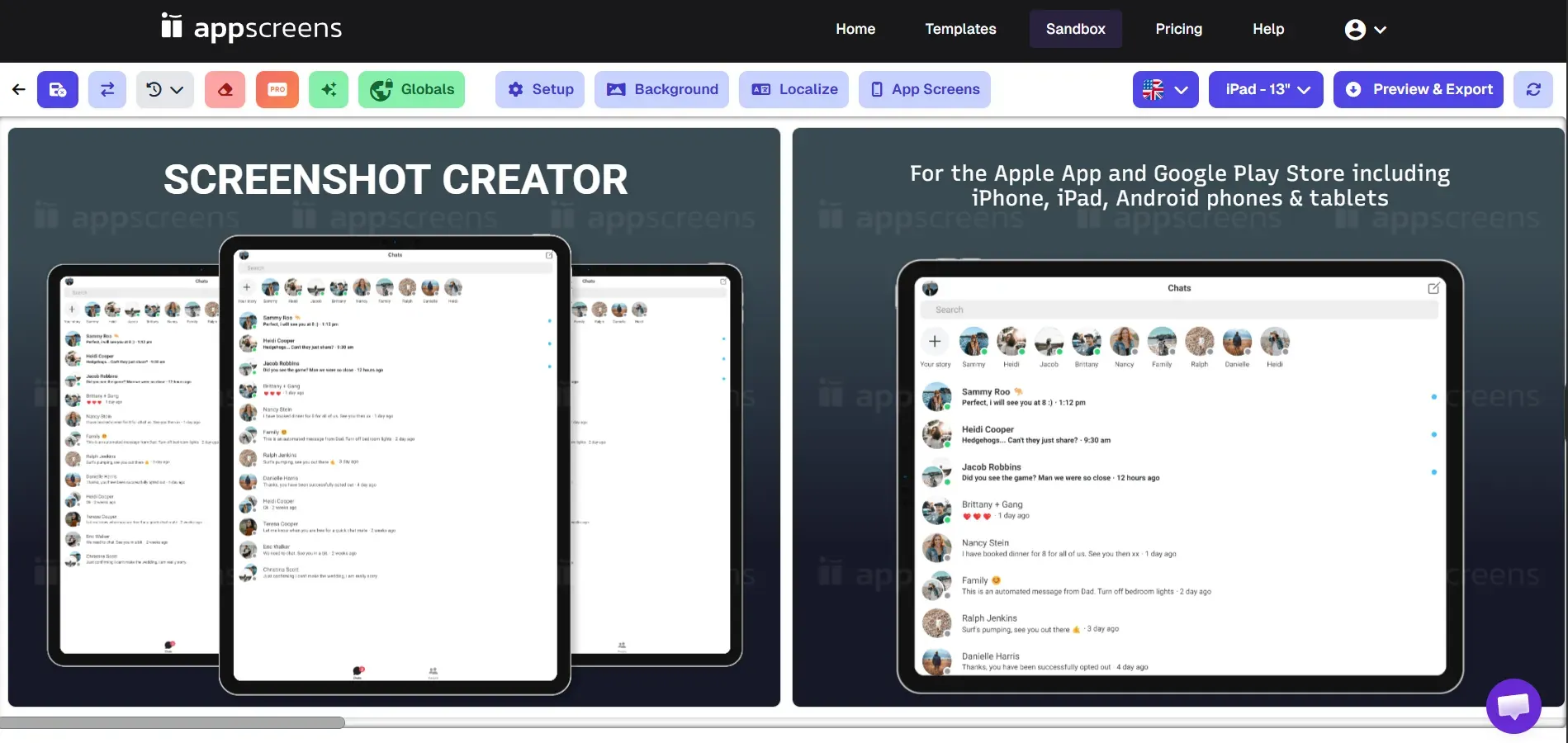
AppScreens relies more on a settings-based workflow, which can make editing slower and less intuitive for new users. Some usability limitations include:
No drag-and-drop editor, so elements cannot be moved directly on the canvas
No real-time visual editing, many changes need to be adjusted through the settings panels
Complex menu navigation, simple edits like changing text color or font, require multiple steps
Non-visual element positioning and layout adjustments are handled through configuration settings instead of direct editing
Verdict
AppLaunchpad is easier to use because its drag-and-drop editor and UX intutive interface make screenshot creation faster and simpler. In comparison, AppScreens offers a settings-based workflow that users may find complex to learn and use, especially for beginners.
Which Platform Supports More 3D Devices and Custom Devices?
AppLaunchpad
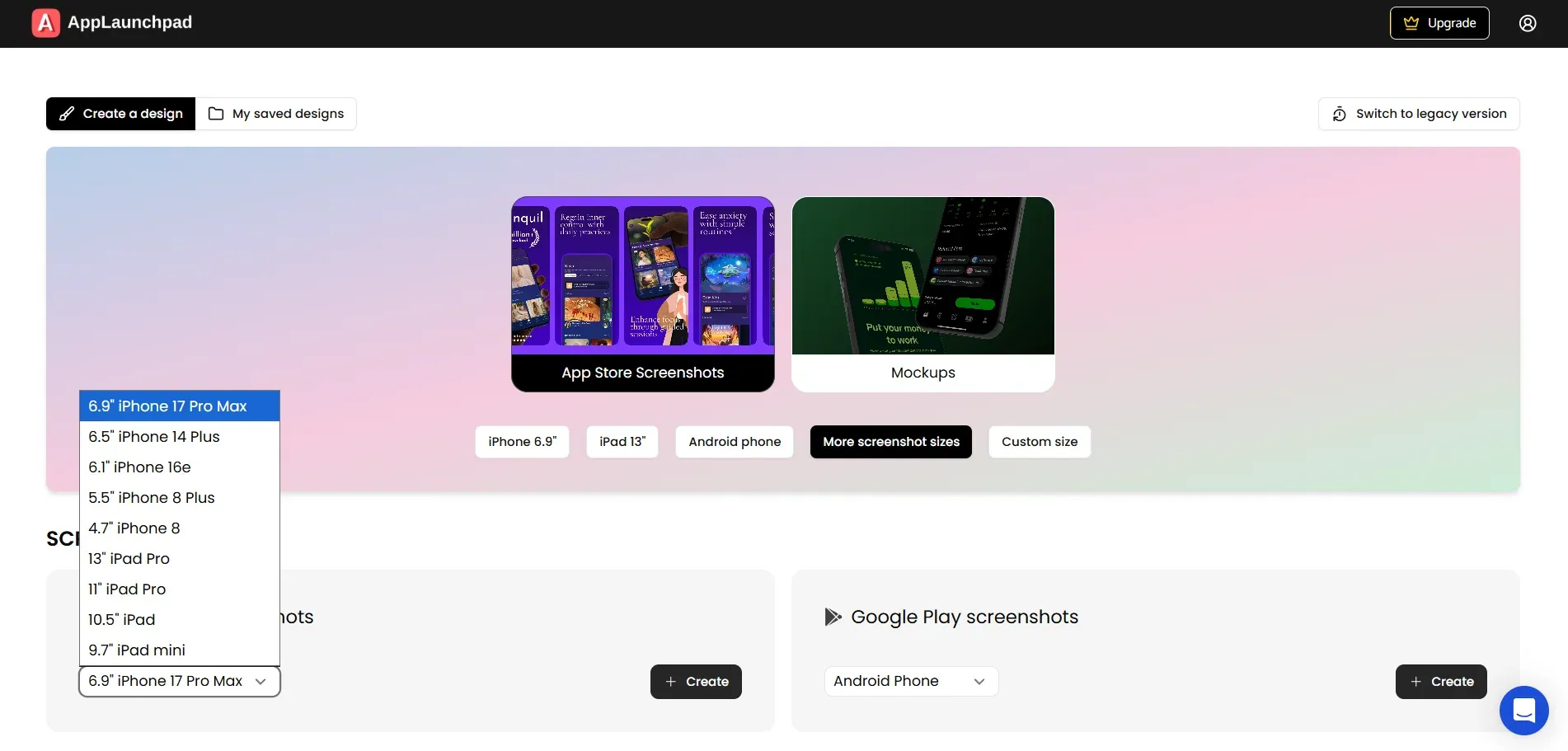
AppLaunchpad supports 150+ devices, including iPhones (from older to latest models, such as iPhone 17 Pro Max), iPads, Android phones, and Android tablets.
It also offers 80+ 3D device templates with 20 preset angles, allowing designers to present apps in highly engaging and realistic perspectives. These varied angles align with modern design trends and add a polished, professional look to screenshots.
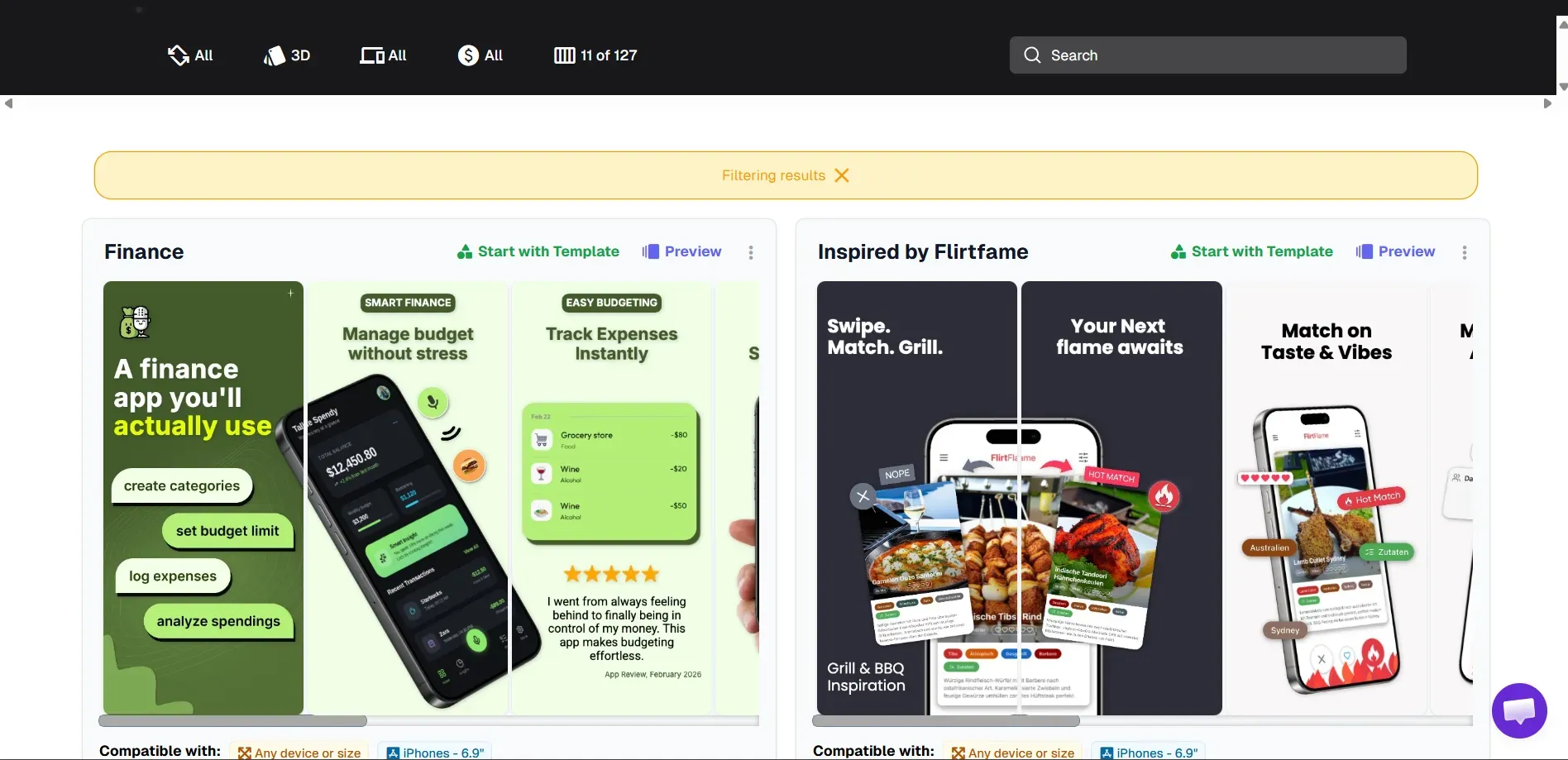
AppScreens supports many common devices, including iPhones, iPads, Android phones, Android tablets, Apple Watch, and Vision Pro. But the screenshot tool primarily supports preset device sizes, so customization beyond those formats is very limited.
The number of 3D device mockups is limited to 10+ variations at only 2 preset angles, offering very limited creative flexibility. This restricts users from experimenting with layout styles or matching current visual standards.
Verdict
AppLaunchpad offers more 3D device templates and supports a larger range of devices and custom sizes, making it a more flexible choice.
In comparison, AppScreens offers fewer 3D device template options and relies mainly on preset device sizes and angles, limiting customization.
Which Tool Provides Better Customization?
Applaunchpad
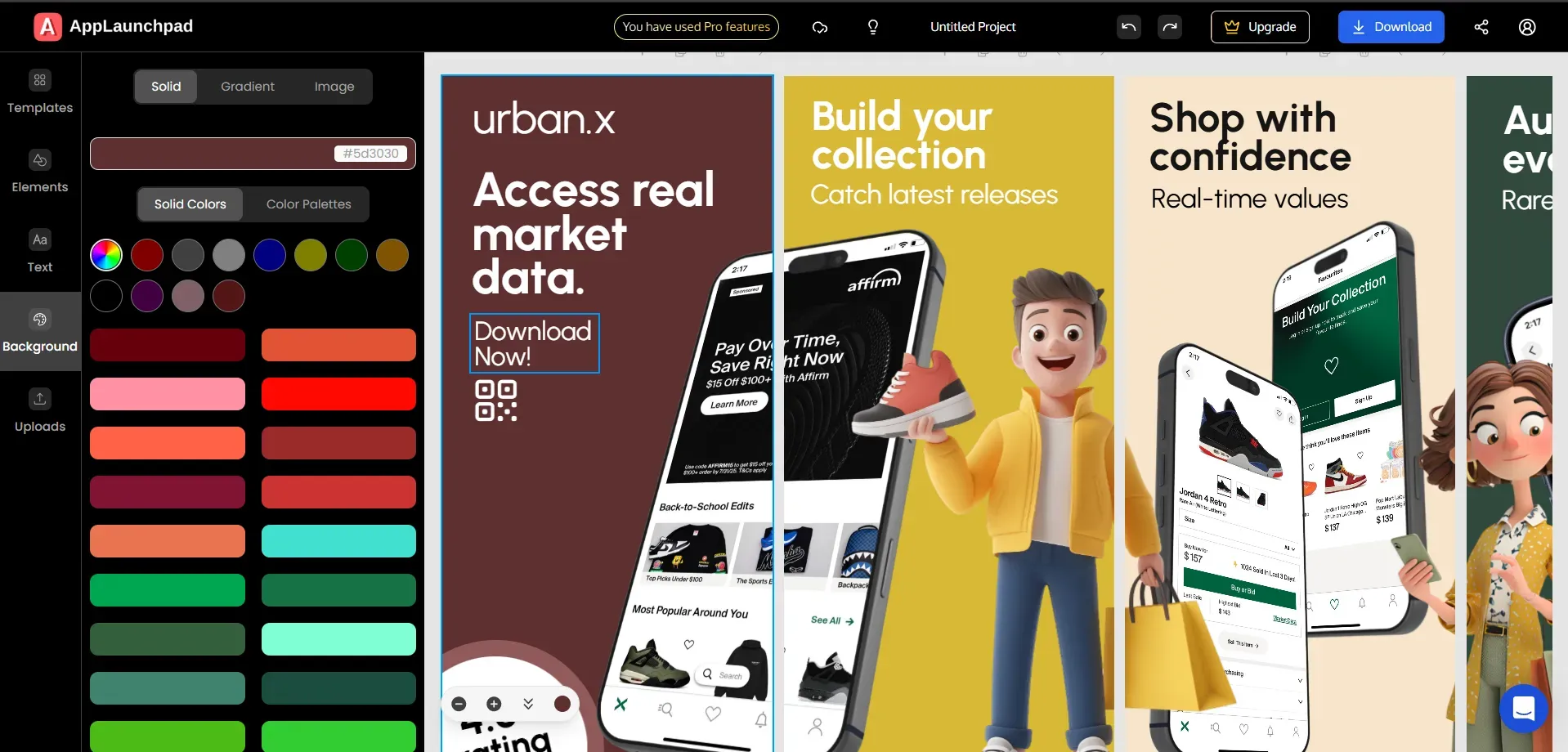
AppLaunchpad gives you complete control over your app screenshots. You can easily change text, fonts, colors, backgrounds, and layouts using its one-click drag and drop editor.
It also includes 10,000+ icons and SVGs, 150+ fonts, color palettes, gradients, and Unsplash image integration, helping you create screenshots without uploading external assets.
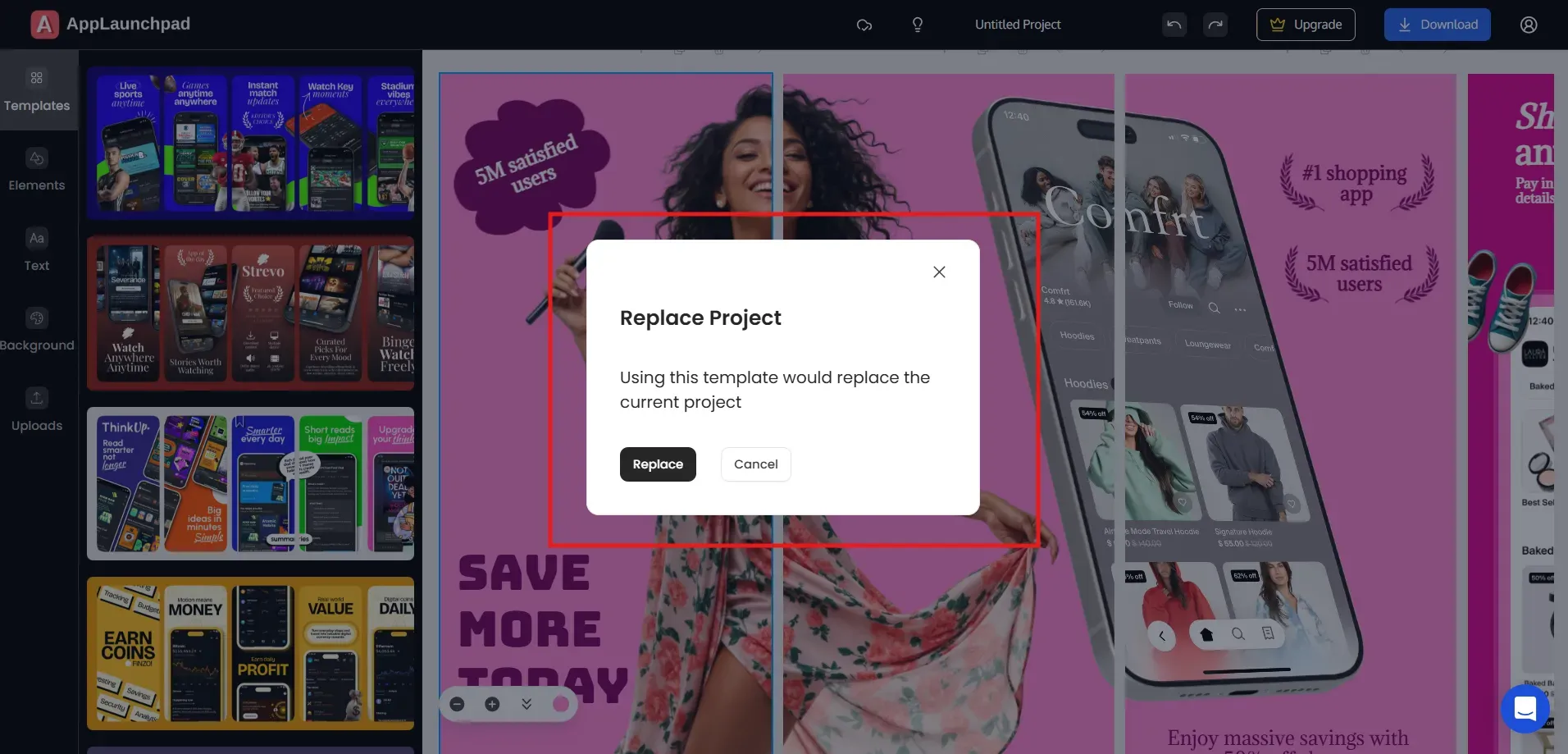
Trying different templates is also faster because you can replace them directly in the editor if you don’t like the current one, without going back and restarting the project.
AppScreens
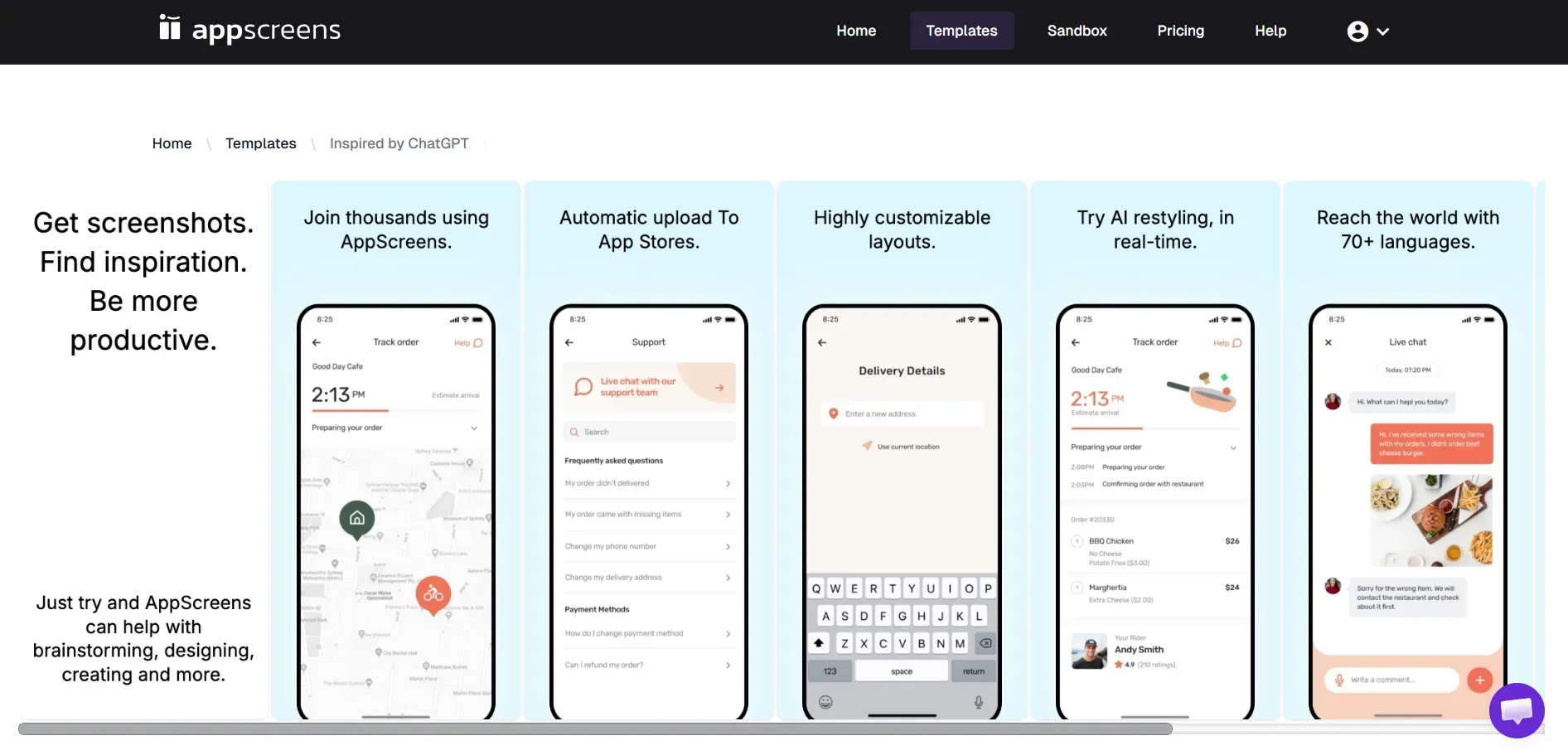
AppScreens allows users to edit templates and customize text, layouts, and backgrounds. But you need to set preset options for each project, such as output sizes, language settings, and export options.
Basic edits, such as adjusting text color or background, involve navigating multiple dropdowns and settings menus.
You can do that by following these steps.
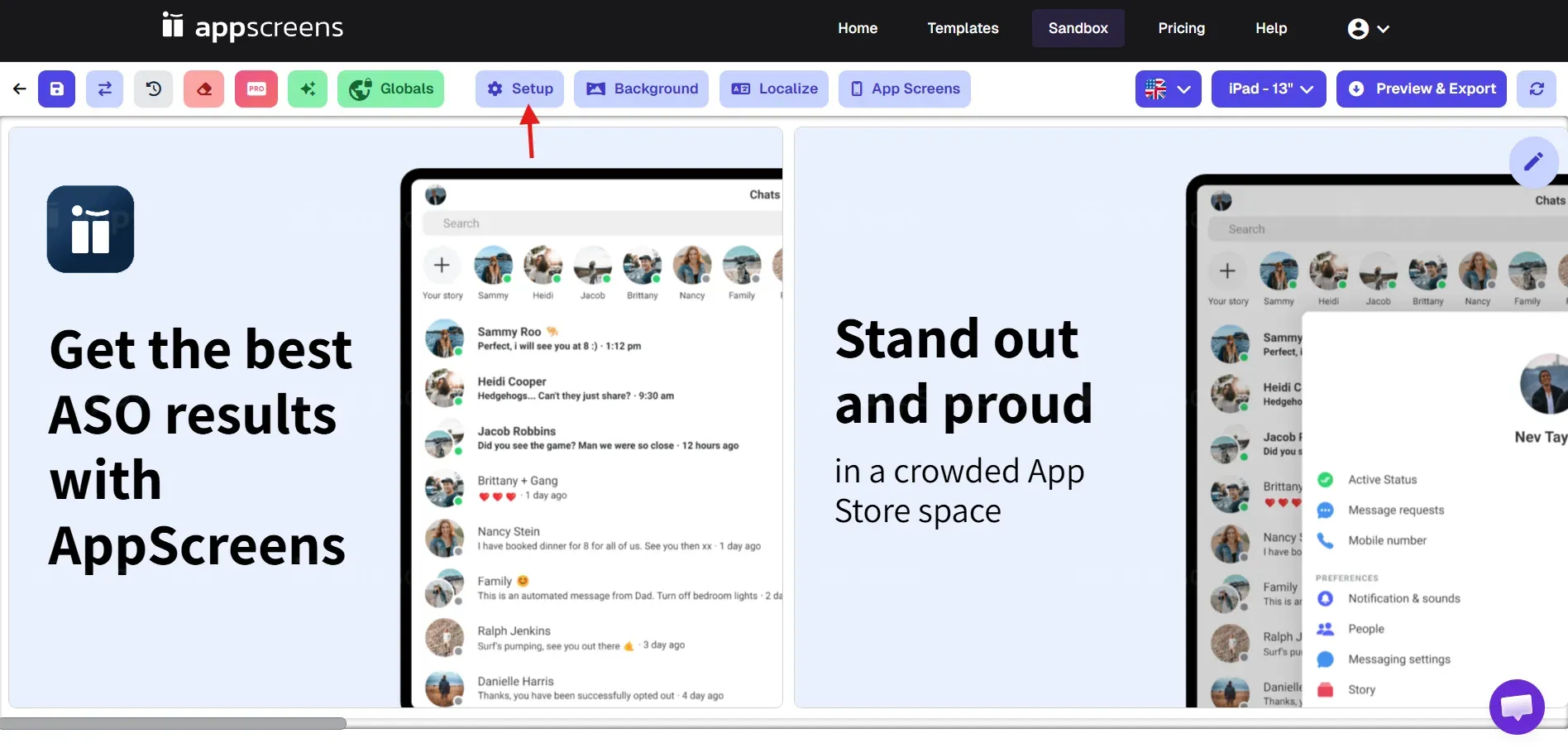
- Step 1: Open the editor and click Setup.
- Step 2: In the About section, add basic project details, such as the project name and orientation.
- Step 3: Go to Output Sizes and choose the device sizes you want to export.
- Step 4: Open Languages to select the default language and export languages.
- Step 5: In Advanced, adjust export settings like format, screenshot limits, and fonts. Once done, click on Update.
The example above highlights how AppScreens has a lengthy, setup-heavy design process because of its complex UX/UI, which slows users down.
Verdict
AppLaunchpad offers a simpler and faster customization workflow. You can edit, adjust, and design app screenshots directly in the editor with a one-click drag-and-drop interface, without going through multiple setup steps.
AppScreens also allows users to customize the templates, but the editing process can feel more setup-heavy.
Which Tool Offers a More Flexible Localization?
AppLaunchpad
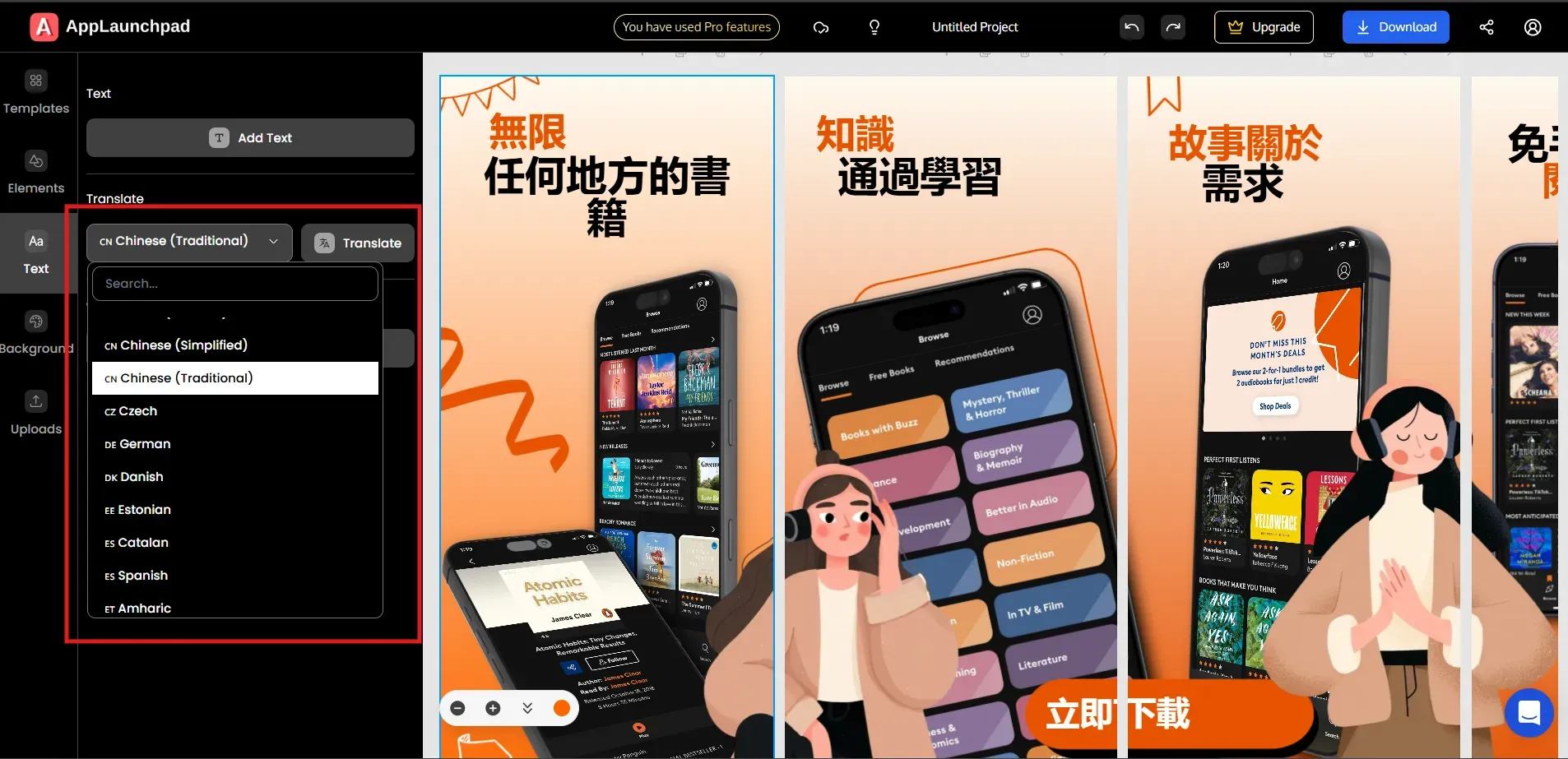
The localization feature in AppLaunchpad is very simple. You can translate your app screenshots with just one click.
Yes, it’s that easy.
All you need to do is select the preferred language from the dropdown and click on the Translate button, and it takes care of all the screenshots in one go. It also supports 80+ languages, so apps targeting global markets can generate different language versions effortlessly.
AppScreens
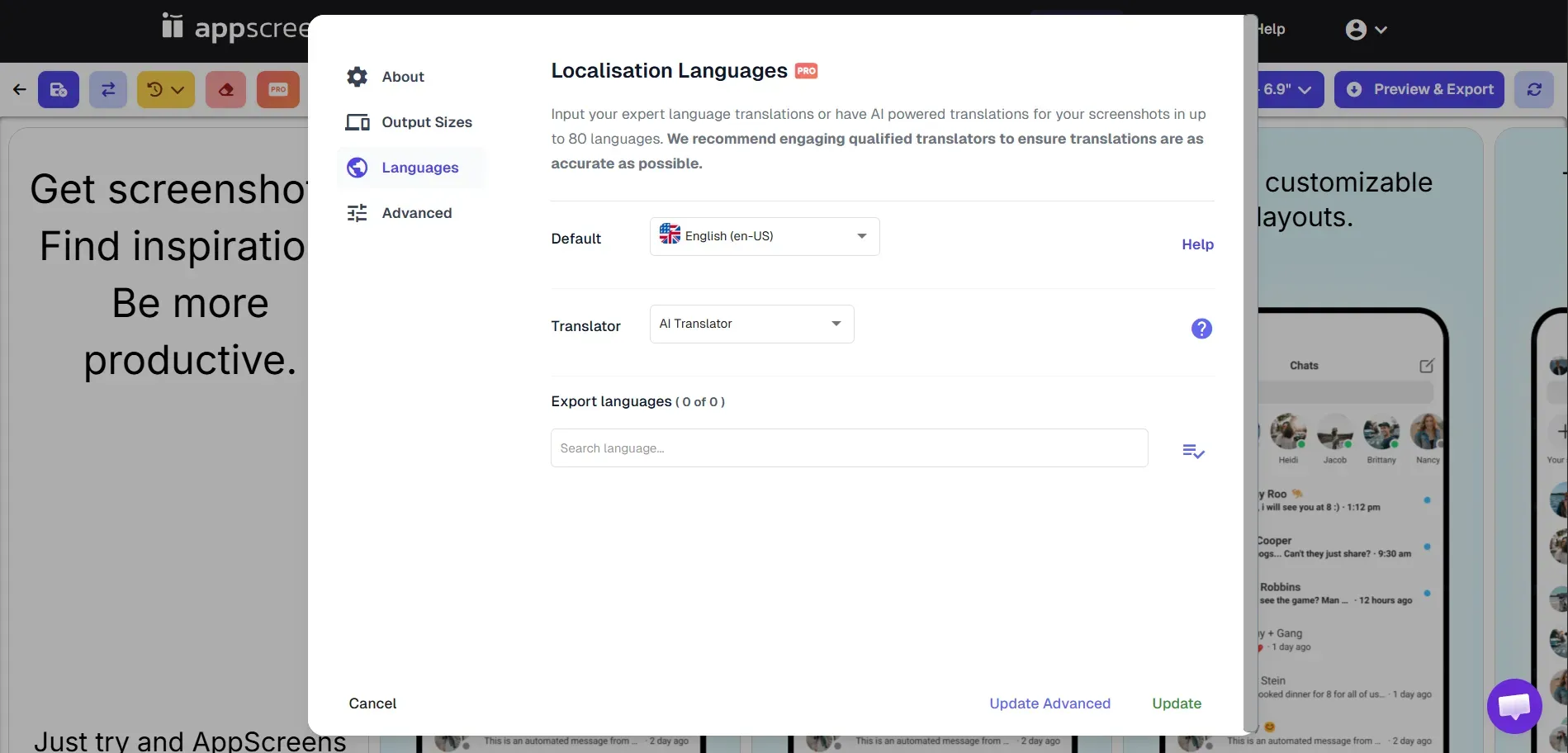
Similar to AppLaunchpad, AppScreens also supports 80+ languages, covering localization needs for most global app launches.
However, as discussed earlier, it requires a few more steps than AppLaunchpad. You need to set languages in separate settings before creating the localized app store screenshots, and there is no preview option.
In simple words, the app screenshot localization process is neither quick nor simple.
Verdict
Both AppLaunchpad and AppScreens support localization in 80+ languages, but AppLaunchpad makes the process much easier. Its one-click translation feature makes it faster to create localized app screenshots compared to AppScreens.
Which Platform Offers Better Template Options and Categories?
AppLaunchpad
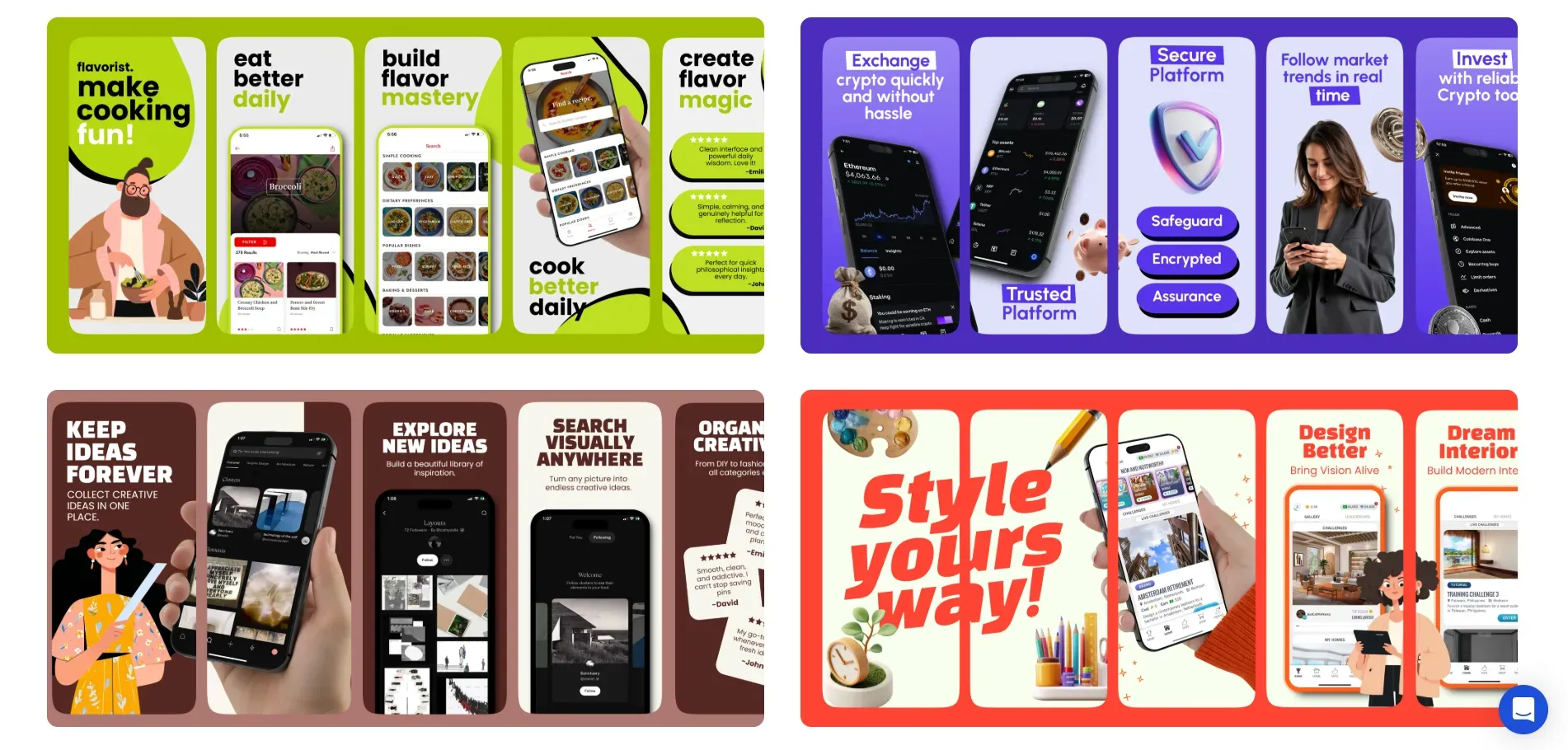
AppLaunchpad offers 1000+ templates across 20+ popular app categories, including finance, fitness, shopping, travel, and many more. These category-based templates make it easier to find designs that match your app type. You just need to use a template, change screenshots, and export.
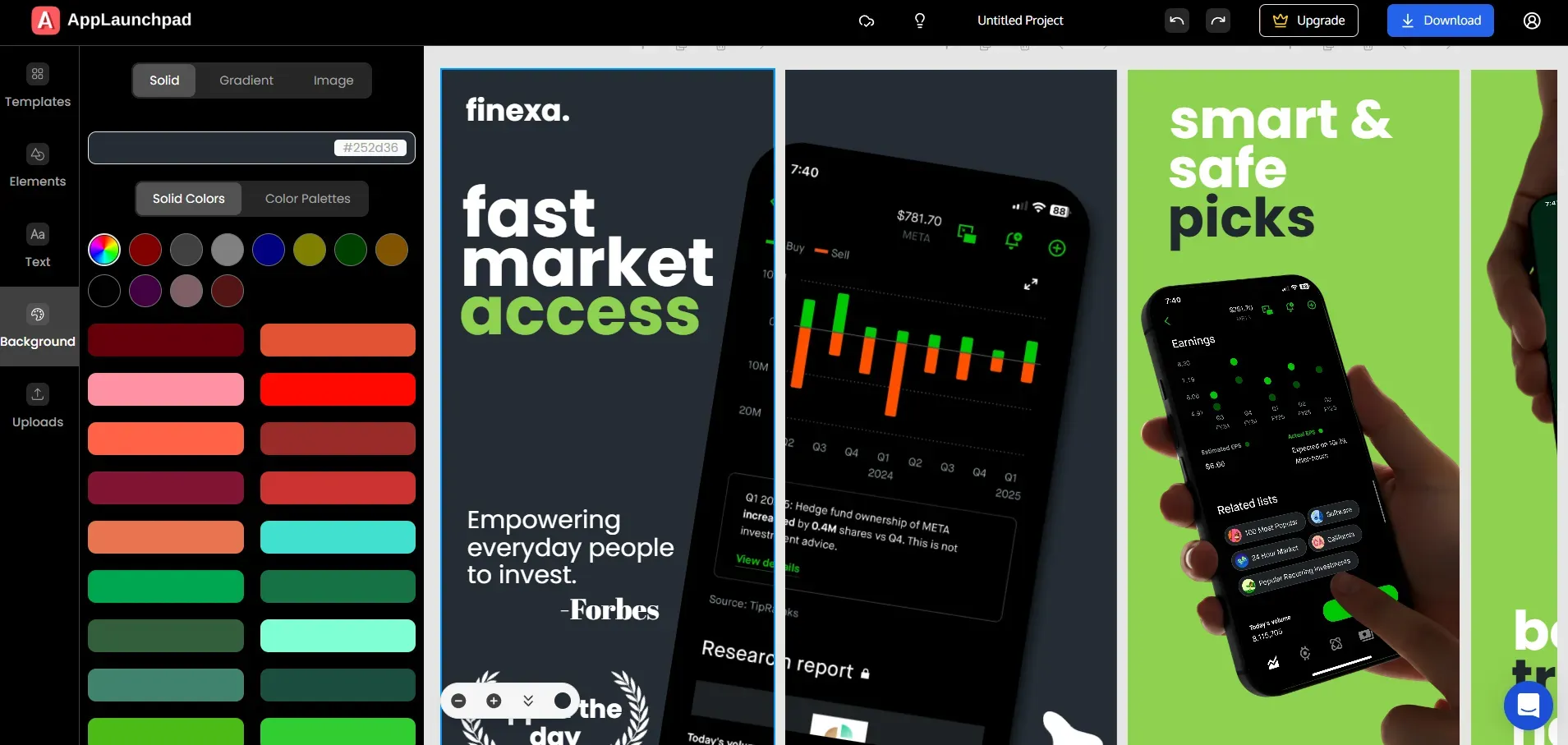
The tool also offers modern screenshot styles, such as panoramic screenshots, which are currently trending. In this style, multiple screenshots visually connect to form a single, continuous design, helping create a more engaging app store page. AppScreens
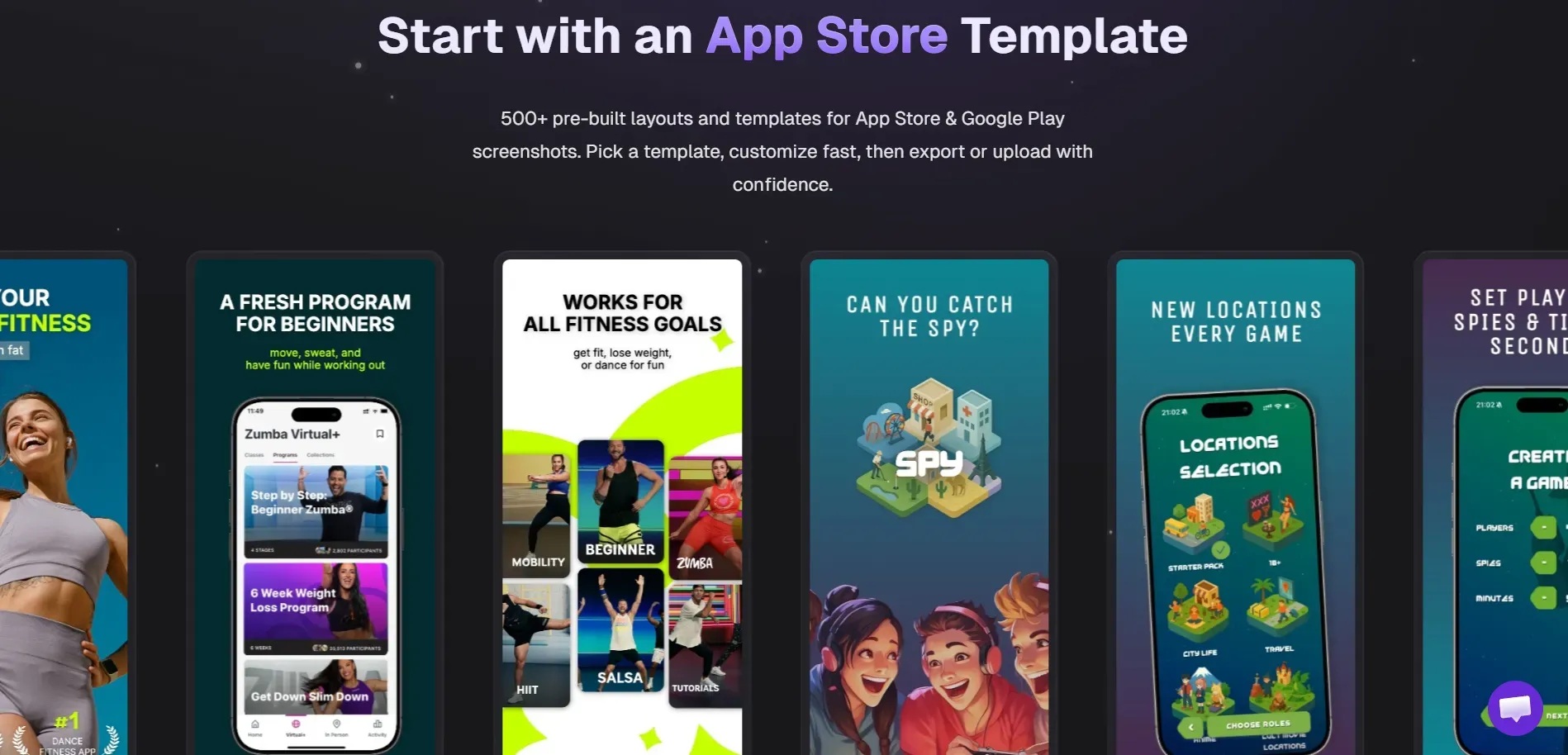
AppScreens offers 100+ templates, many inspired by real app designs, which could raise red flags for originality, especially in professional launches.
The template categories are also fewer in number, and many of the designs don't align with current App Store trends. For instance, the platform offers very limited options for panoramic screenshot layouts, which many apps now use to create a connected look across screenshots
Verdict
AppLaunchpad offers a wider range of templates and better support for modern screenshot styles. With 1000+ templates across multiple categories, it's easier to create engaging App Store visuals.
AppScreens also provides ready-made templates to get started, but its template library is smaller and offers fewer category options.
Which Tools Give More Background Options?
AppLaunchpad
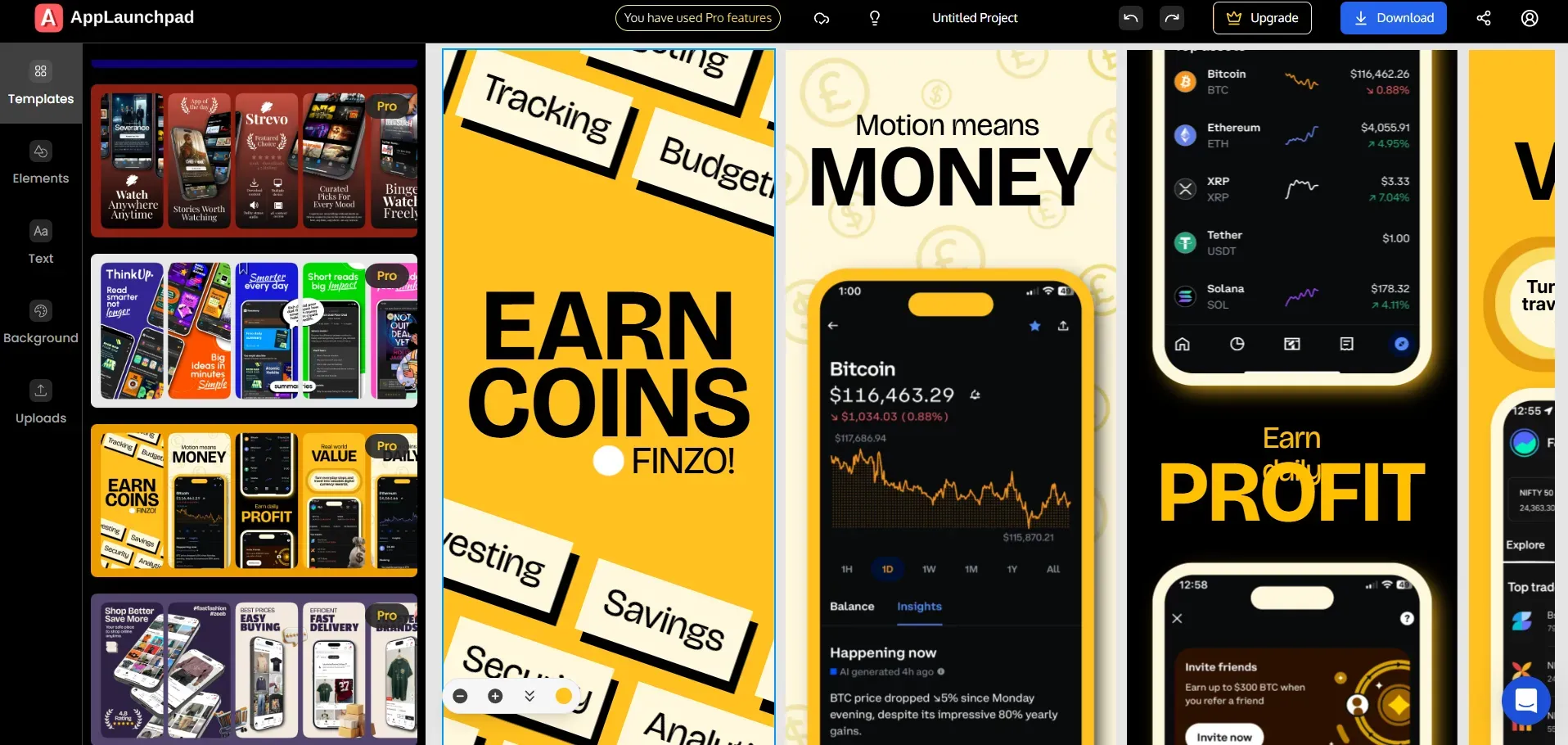
AppLaunchpad provides a wide range of background options. It includes 400 hand-curated solid colors that are most suitable and commonly used by apps.
Users can also explore 10 color palette categories, such as warm, water, minimalistic, cool, bright, and nature, each with 30+ palette options.
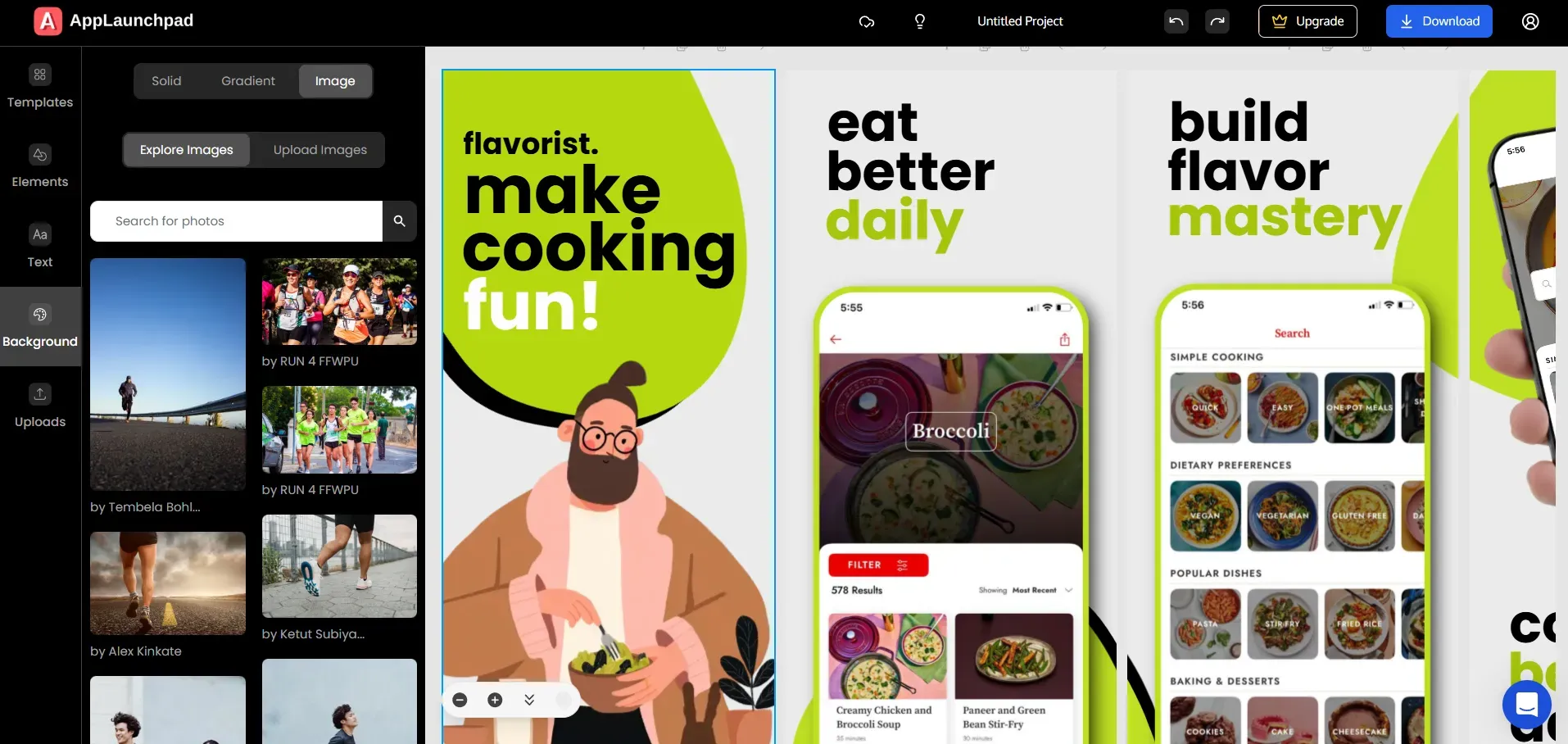
The platform also integrates with Unsplash, offering ~7 million images, so you can add high-quality images as backgrounds.
AppScreens
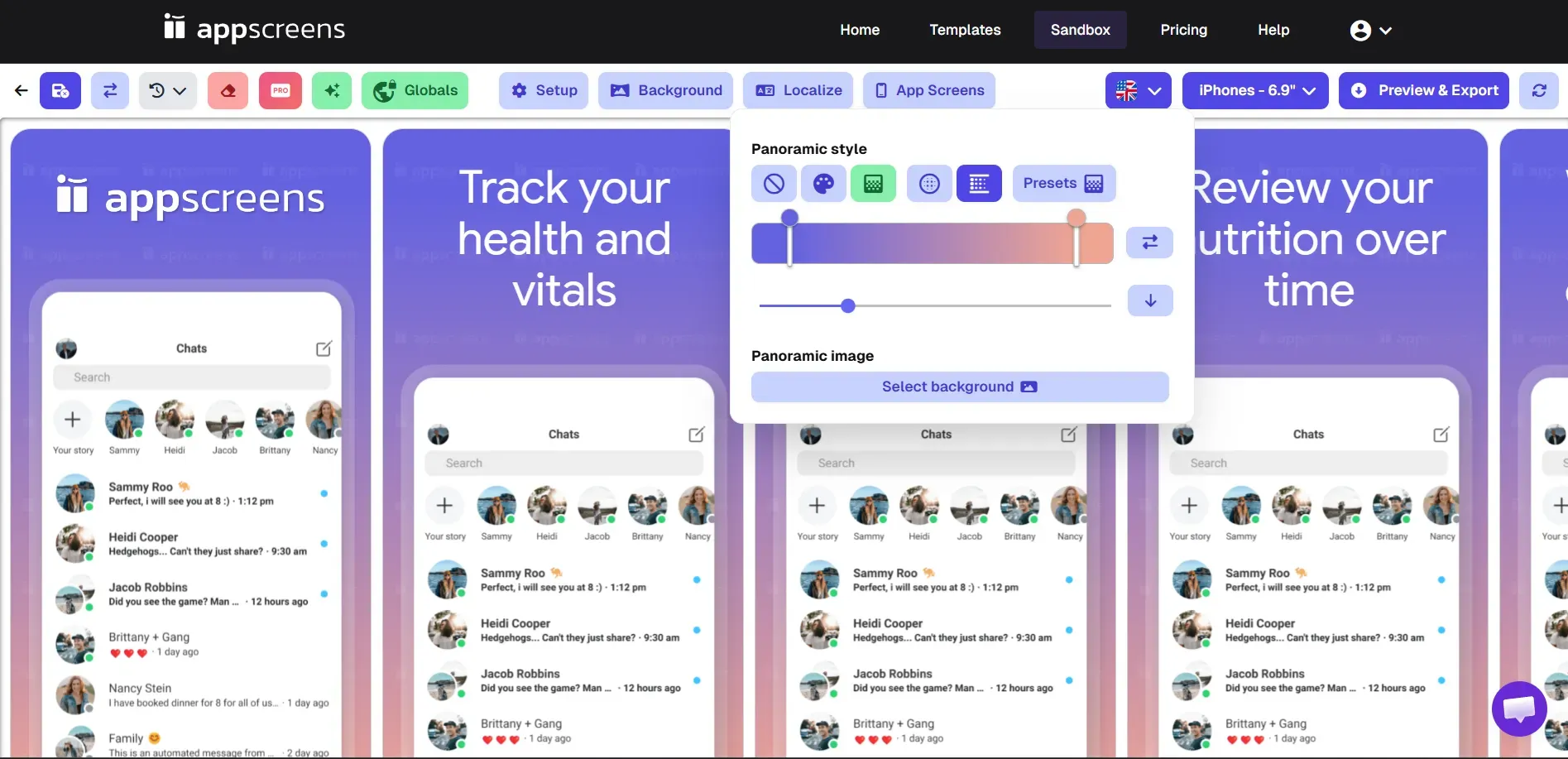
While AppScreens lets you customize backgrounds and add your own images, the background settings follow the same preset process we discussed earlier.
It also allows users to adjust gradients and panoramic backgrounds, but it does not offer pre-defined background color palettes or built-in image libraries.
Because of this, changing backgrounds can feel slightly more complicated, especially if you want to quickly test different styles.
Verdict
AppLaunchpad provides more flexible and easier background customization, making it quicker to experiment with different background styles.
AppScreens also allows users to add custom backgrounds and images, but the process involves preset settings and manual adjustments, which can make A/B template testing with different backgrounds a bit slower.
Which Tools Has Better Graphics Collection?
AppLaunchpad
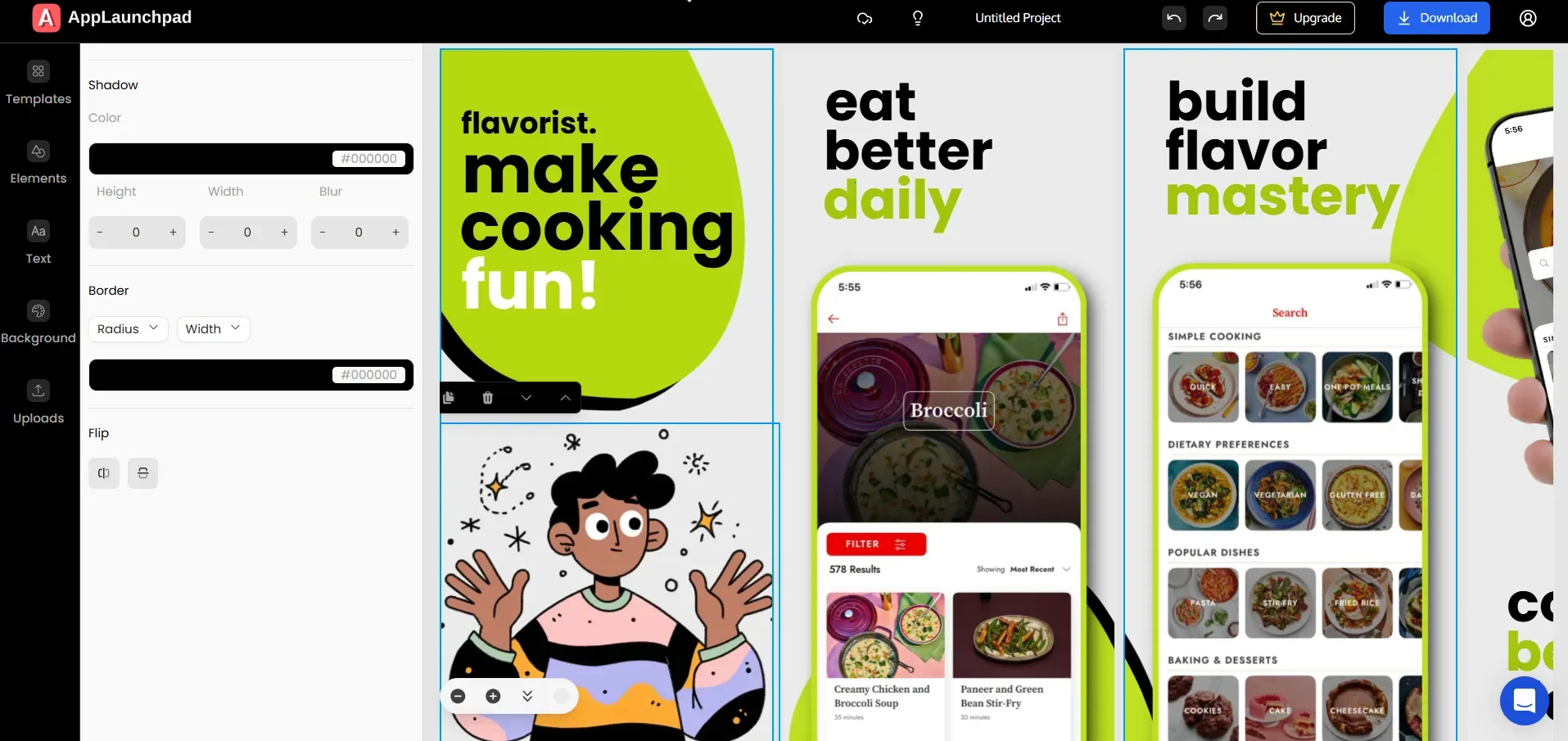
AppLaunchpad houses a large graphics library with 10,000+ design assets, including 40+ device frames, 25+ image categories, and 8 element categories.
Each category contains many options, with 500+ graphics available across icons, illustrations, shapes, arrows, blobs, stars, badges, and lifestyle images.
These graphics help make screenshots more engaging.
For example, arrows and icons can highlight key features, while illustrations and lifestyle images help tell a visual story. This makes it easier for users to quickly understand what the app does when they view the store page. AppScreens
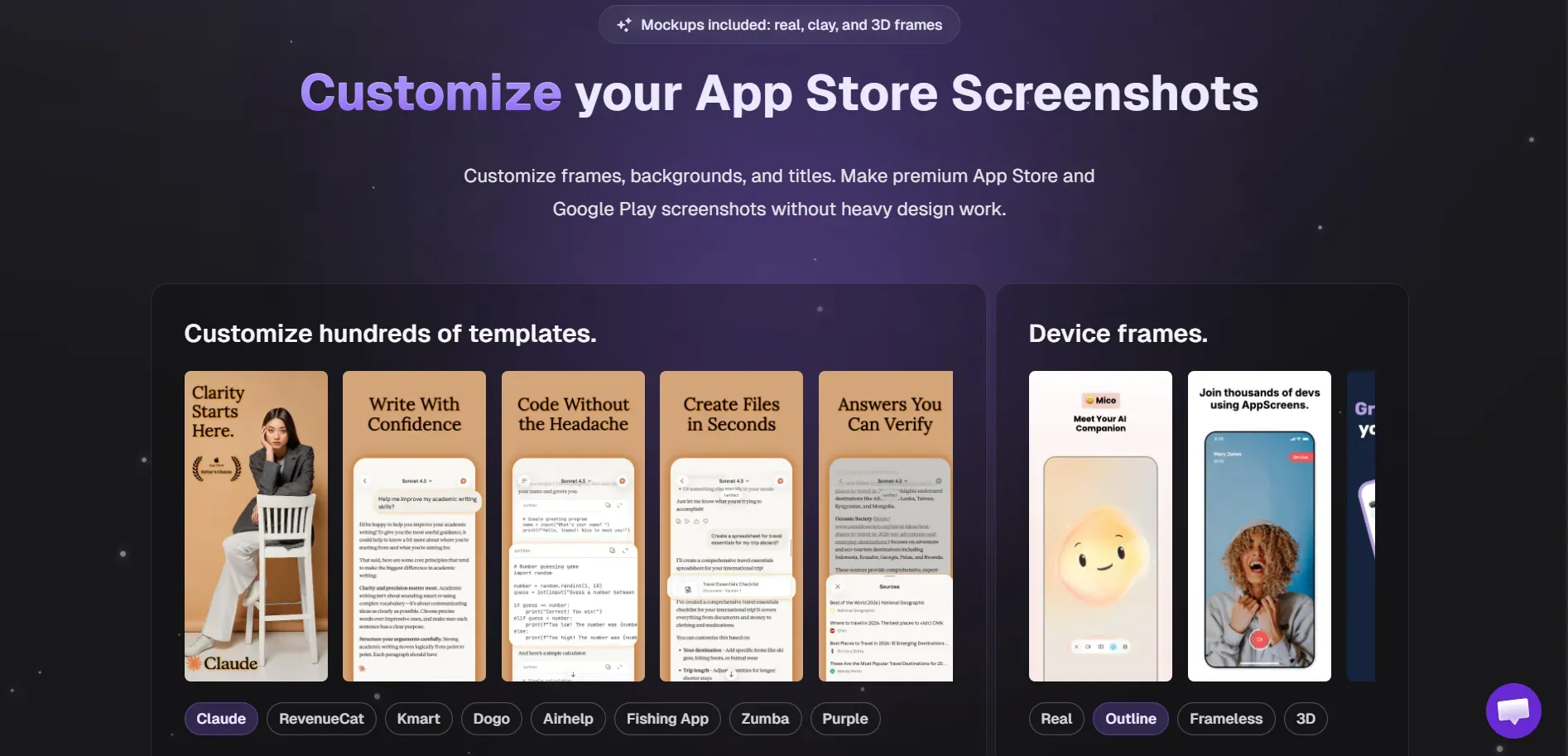
AppScreens does not have a built-in graphics collection. If you want to add icons, illustrations, or other visual and UI elements, you need to create them yourself or upload your own assets.
This requires extra effort, especially for teams without design resources.
Verdict
AppLaunchpad is the better choice for graphics. It includes a large built-in library of design assets, while AppScreens requires users to upload or create their own graphics. This can require extra effort, especially for teams without design resources.
Which Tool is More Cost Effective?
AppLaunchpad
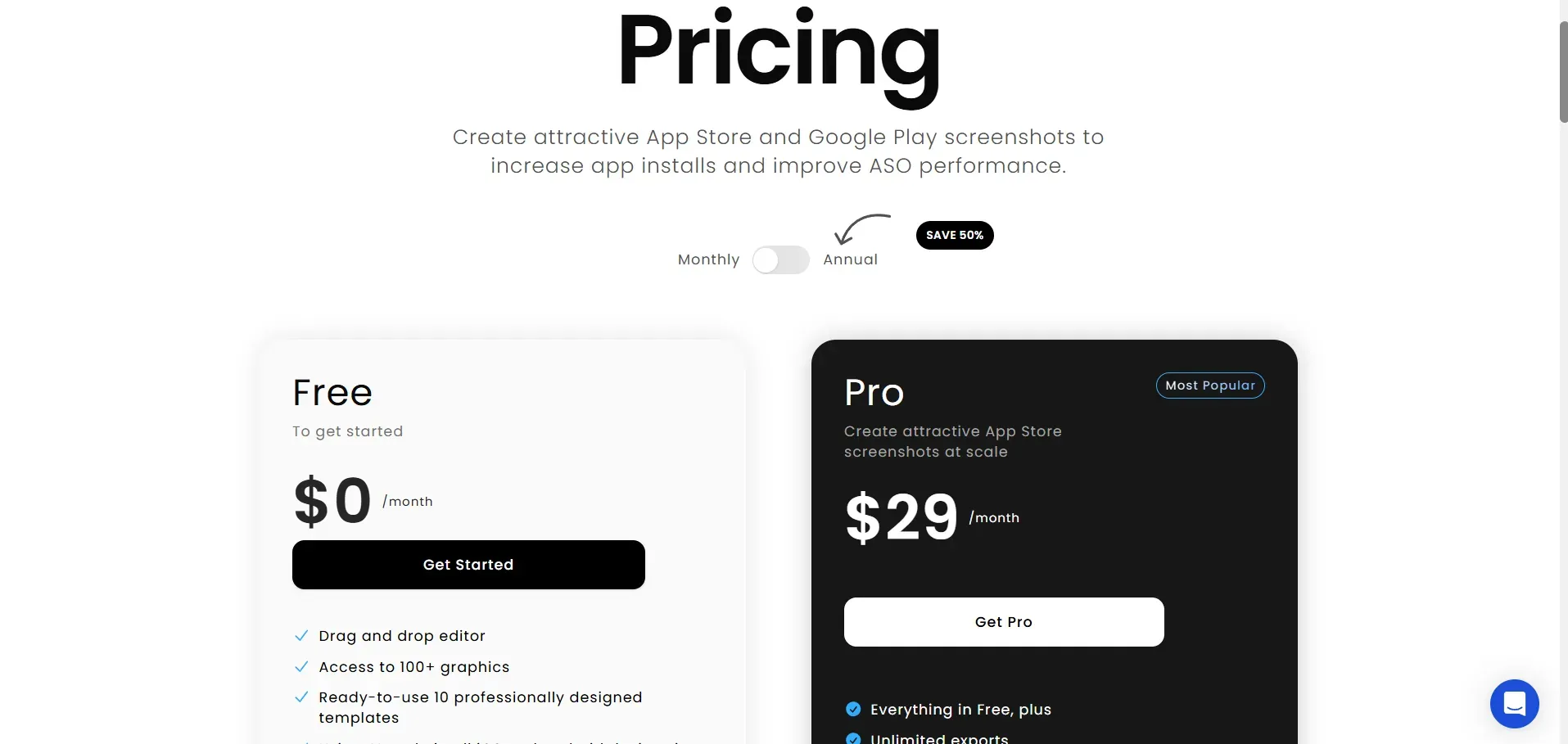
AppLaunchpad operates on a freemium pricing model (Paid Pro plan)
Monthly pricing: $19 with code APPLOVE on the first month and then $29
Free Tier plan includes the following.
Free templates
Full access to graphics (4,000+)
Fonts (500+), custom fonts, localization
All backgrounds and gradients (2000+)
Only Premium devices are locked behind paid plans.
AppScreens
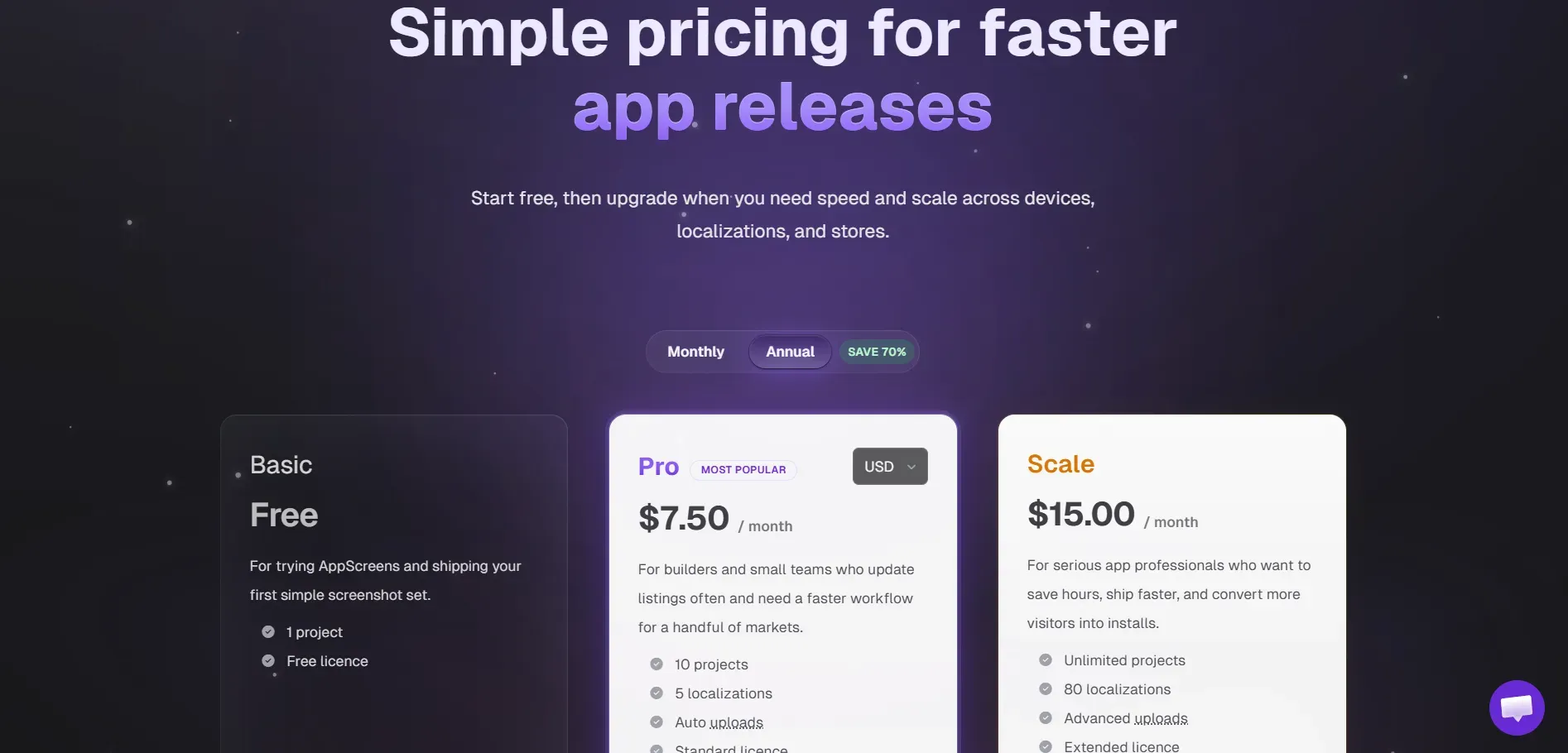
- Monthly pricing: $25/month
Free Tier is available, but features are restricted, including.
Templates
Device frames
Custom fonts
Custom or panoramic backgrounds
Verdict
AppLaunchpad is more cost-effective overall. Its free plan includes more features with fewer restrictions, while the AppScreens free plan limits several options like templates, device frames, output sizes, and localization.
For paid plans, AppLaunchpad starts at $19 per month for new users compared to $25 per month for AppScreens, making it a better value for the features offered.
Final Words: Which Tool Should You Use
Both AppLaunchpad and AppScreens help developers create App Store screenshots, but they work in different ways.
AppLaunchpad focuses on speed and simplicity. With features like AI resizing, one-click localization, built-in graphics, and category-based templates, it makes screenshot creation faster and easier.
It works especially well for indie developers, small teams, and marketers who want an easy-to-use screenshot tool without needing design tools. The pricing is also more affordable, starting at $19 per month, while still offering a free plan with access to a wide selection of templates and visual assets.
AppScreens can still work if you prefer using templates and don’t mind setting up options manually. Appscreens is suitable for people who need specific device support, like Vision Pro or Huawei AppGallery.
However, if you want a faster workflow and more design flexibility, AppLaunchpad is the better choice.
FAQs
1. What is the best tool for creating App Store screenshots?
AppLaunchpad is one of the best tools for creating App Store screenshots. It offers 1000+ templates, AI resizing, one-click localization, built-in graphics, and an easy drag-and-drop editor, making it simple to create professional app screenshots quickly.
2. Can screenshot generators improve app install conversion rates?
Yes. Well-designed screenshots can improve app store conversion rates by quickly showing users what the app does and why it is useful
3. Do screenshot tools support localization for multiple languages?
Most screenshot tools support localization. They allow users to translate screenshot text and generate visuals for different countries, helping apps target global users without redesigning screenshots from scratch.
4. Which tool is better for small teams and indie developers?
For small teams and indie developers who want a simple workflow and faster design process, AppLaunchpad is usually the better option.
5. Are screenshot generators necessary for ASO?
They are not mandatory, but they make ASO much easier. Screenshot generators help create consistent visuals across devices and languages, saving time and improving the overall quality of app store listings.
3D Device Support
AppLaunchpad: Offers robust support for 3D devices with 20 preset angles, allowing designers to present apps in highly engaging and realistic perspectives. These varied angles align with modern design trends and add a polished, professional look to screenshots.
AppScreens: Supports 3D mockups at only 2 preset angles, offering very limited creative flexibility. This restricts users from experimenting with layout styles or matching current visual standards.
iOS and Android Device Support
AppLaunchpad: Supports over 150 devices, covering a full spectrum of iPhones (old to latest), iPads, Android phones, Android tablets, and Apple Watch. This ensures compatibility and accuracy for a wide variety of app display needs. AppLaunchpad doesn’t support Vision Pro and TV as of now.
AppScreens: Offers support for a wide spectrum of iPhones, iPads, Android phones, Android tablets, and Apple Watch. It also supports devices for Vision Pro and TV.
Templates
AppLaunchpad: Comes with a library of around 1000+ uniquely designed templates, all originally crafted by an in-house design team. This ensures creative diversity and safe usage without copyright concerns.
These templates are tailored for various app categories like fitness, education, and productivity, with diverse layouts such as split screens, multi-frame stories, and lifestyle mockups. Each template is fully customizable- fonts, colors, images, and text - making it easy to align with any brand.
AppScreens: Offers about 100 templates, many of which are inspired directly by real app designs according to them, which could raise red flags for originality, especially in professional launches.
Graphics Collection
AppLaunchpad: Features an exclusive collection of 4000+ graphics, including:
- Icons and images tailored for various app categories (e.g., fitness, health, productivity)
- App Store and Google Play badges, logos, icons
- Category-specific illustrations and UI elements
This vast collection helps users create contextually rich screenshots without external design help.
AppScreens: No built-in graphics collection. Users must create or upload their own assets, increasing effort and design complexity.
Background Images and Gradients
AppLaunchpad: Offers basic uploading custom images and supports advanced capabilities including:
- 1,000+ gradient backgrounds, categorized into cool, warm, nature, etc., each with a palette of 5 curated shades
- 1,000+ solid color backgrounds
- Unsplash integration, enabling direct access to millions of high-quality stock imagery inside the editor
AppScreens: AppScreens also supports custom background uploads and advance background features like:
- 300 gradient color presets and panoramic backgrounds
However, it lacks categorized gradient collections, solid color libraries, or stock image integrations.
Ease of Use
AppLaunchpad: Prioritizes intuitive UX, designed for users with no design or technical background.
It features a drag-and-drop interface and real-time previews, making it fast and effortless to create and update screenshots even for beginners.
AppScreens: AppScreens makes even the simplest edits complex. Its non-visual, settings-heavy interface creates a slow and non-smooth experience, especially for non-designers.
- No Drag-and-Drop Interface: Unlike AppLaunchpad, AppScreens does not support drag-and-drop, making basic edits unnecessarily complicated.
- Overly Complex Settings: Simple tasks (e.g., changing text color or font) involve navigating through dropdown, progress bars, and nested menus.
- Difficult Element Positioning: Moving elements on the screenshot is not visual- it has to be done through settings panels, making layout adjustments difficult.
Pricing
AppLaunchpad: Operates on a freemium pricing model (Paid Pro plan)
- Monthly pricing: $19/month
Free Tier: Includes access to:
- Free templates
- Full access to graphics (4,000+)
- Fonts (500+), custom fonts, localization
- All backgrounds and gradients (2000+)
Only Premium devices are locked behind paid plans. We have devices available under free plan.
AppScreens:
- Monthly pricing: $25
- Free Tier: Limited access to everything including
Templates, devices, custom fonts, custom or panoramic backgrounds, are restricted, making the free version less useful.
Other App Store Support
AppLaunchpad: Supports Apple app store, Google play store, Google Chrome web store and Amazon App Store. It does not support Huawei AppGallery.
AppScreens: Supports all Apple app store, Google play store, Google Chrome web store, Amazon App Store and Huawei AppGallery.
App Screenshot Inspiration Tool
AppLaunchpad: Provides a free App Store Screenshot Inspirations Tool with a hand curated library of 3,000+ real app screenshots across categories. Features:
- Filters by app category (e.g., education, shopping, finance)
- Filters by design style (e.g., dark mode, illustration-heavy, icon-based)
- Helps users quickly identify effective design trends
AppScreens: No such tool available. Users must rely on external research for inspiration.
Feature Summary
Conclusion: Which Tool Should You Use?
If you're looking for a versatile, affordable, easy-to-use, and fully featured screenshot creation platform, AppLaunchpad is a good choice.
It offers powerful customization, a vast library of templates, graphics, and gradients, and an intuitive drag-and-drop editor - making it perfect beginners for developers, designers, and marketers who want high-quality, professional app store visuals without needing a design background.
AppScreens may suit users who prefer a more manual and configuration-driven workflow, or who need specific device support like Vision Pro or Huawei AppGallery.
However, it comes with a steeper learning curve and fewer built-in assets, which might slow down production for fast-paced app launches.